

Must have hack by Steven Frank.
Posts in tutorials
Notational Velocity Hack Shows Note in Markdown
VideoStories: How to Change Your Mac OS X Dock with Candybar
Today’s videostory is about a rather easy and fast process for advanced users, but it may seem way too hard for newbies. Have you wondered if it’s possible to change Mac OS X’ default dock? Sure it is, with Candybar. Just download the app, download some docks and follow the steps in the video.
Enjoy!
VideoStories: How To Make a Fluid App
In this new VideoStories post I’ll show you how easy is to create a desktop application out of any website using Fluid.
I’ve talked about Fluid many times in the past, be sure to read my “30 Web Apps You Should Turn into Mac Apps with Fluid” article if you missed it.
Enjoy.
How To Style Google Reader Like a Mac App
I use NetNewsWire as my default RSS feeds reader on my Macbook. I find it simple and straightforward, proving a fair amount of features for the stuff I need. But I know many people still uses the web interface available at google.com/reader, which allows you to do some extra things like sharing and liking objects.
Today I was browsing Ember (also, be sure to follow me) and I stumbled upon some nice screenshots of what it seemed Google Reader running in a web browser, but with a custom style that looked like a Mac app. Userstyle, I said. I found the style, I posted a screenshot on Twitter and it turned out many of you guys liked it.
Here’s a brief guide on how to install the style.
Give Your Mac Prettier 2D Dock, Stacks, Dock Menus and Expose Highlight with Inset
You probably already know that I like very much writing about cool modifications for Mac and iPhone. I usually find them on Ember, Iconpaper and MacThemes, three websites you should definitely check out if you’re into graphical customizations like me.
Today’s mod is called Inset (link to MacThemes post, link to author’s website) and it will install an alternate style for your dock (when in 2D), dock menus (right click on dock icons), exposè highlight, Stacks and Adium Contact List.
Itsy Gets A Facelift With Two Beautiful Themes
Remember Itsy? The new, minimal Twitter client we reviewed a while ago here? I still think that Itsy it’s a very promising application, the best among all those Twitter clients that are rising for Mac (again) after Tweetie easily ascended the throne. The design of Itsy is nice, but it could be better.
Thank God this guy, katsu3477, created these two stunning themes for Itsy.
How To Optimize Images on a Mac: ImageOptim VS PNGPress
If you’re a web designer / developer you should understand the importance of optimizing images for the web. Even saving a few kylobytes on each image could be a life saving practice when your website goes under an unexpected huge amount of traffic. But if you’re on a Mac, there aren’t many applications that let you do that: most of the tools I read about were just online services or Windows programs.
Fortunately, I stumbled upon these two apps, ImageOptim and PNGPress, that share the same purpose but are very different both in the execution and results. Let’s see what’s the best for you, and why you should consider start using one of them now.
How To: Install Aqua Inspiriat Theme on Snow Leopard
Mac OS X’s Aqua is a great user interface. In my opinion, Mac OS X has the best UI design ever seen until now, but you probably know this if you read MacStories. I always talk about applications that get the most out of Mac OS X interface, so there’s no doubt I deeply admire the work Apple has put into creating a beautiful and usable design - refined overtime. On the other hand, it’s very likely that you’ve grown tired of Mac OS X standard UI elements and you’d like to apply some modifications. You’ve also heard that it’s possible to install custom themes on OS X, so you would like to give it a try but you’ve scared of the whole process and you don’t want to mess up everything.
In this post I’ll guide through the necessary steps of installing Aqua Inspiriat for Snow Leopard, the theme I’m currently using and one of the finest examples of Mac customization and compromise between standard design elements and modifications.
Create Text Documents in Finder: “New Text File Here” Gets an Update
Some weeks ago I asked on Twitter whether there was a nice way to quickly create a new text documents in Finder, much like you can do on Windows. Jonas Wisser, one of my followers and blogger over at Malum Elegans, created an Applescript app for that purpose called “New Text File Here” which you can drag into the Finder’s toolbar and creates a .txt file in the folder you’re in. The script got picked by Download Squad and Lifehacker.
I just received a reply by Jonas, regarding a “new, much cleaner version” of the script. Let’s call it “New Text File Here 2”. From the blog post:
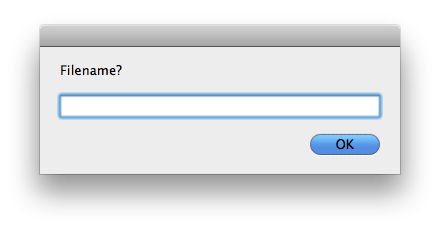
“This version asks you for a filename (instead of creating new.txt) and subsequently opens it in your default .txt-handling application (the old version didn’t).”
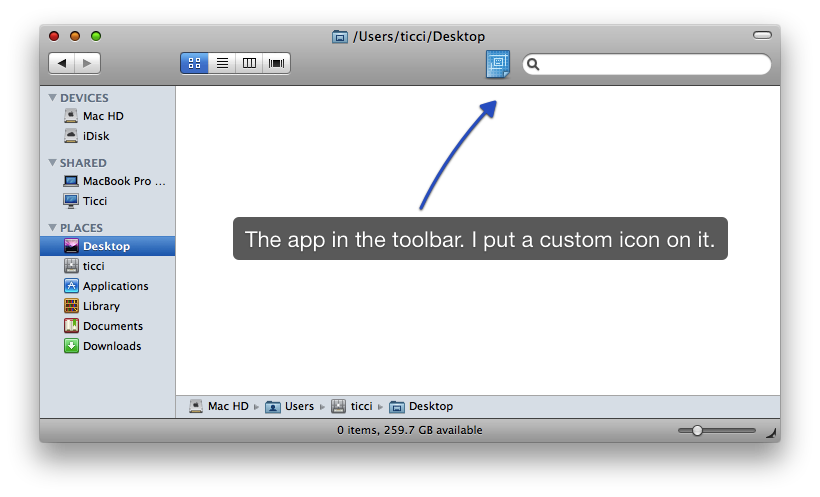
It’s simply the best and most intuitive solution I’ve tried so far. Go download.