
Posts in Sponsored Posts

Eagle: A Digital Asset Management Tool for Your Mac [Sponsor]

Ever loses your ways in piles of reference files or mock up folders? It can be difficult to keep track of all your digital assets, especially when they are spread out across multiple devices and online platforms.

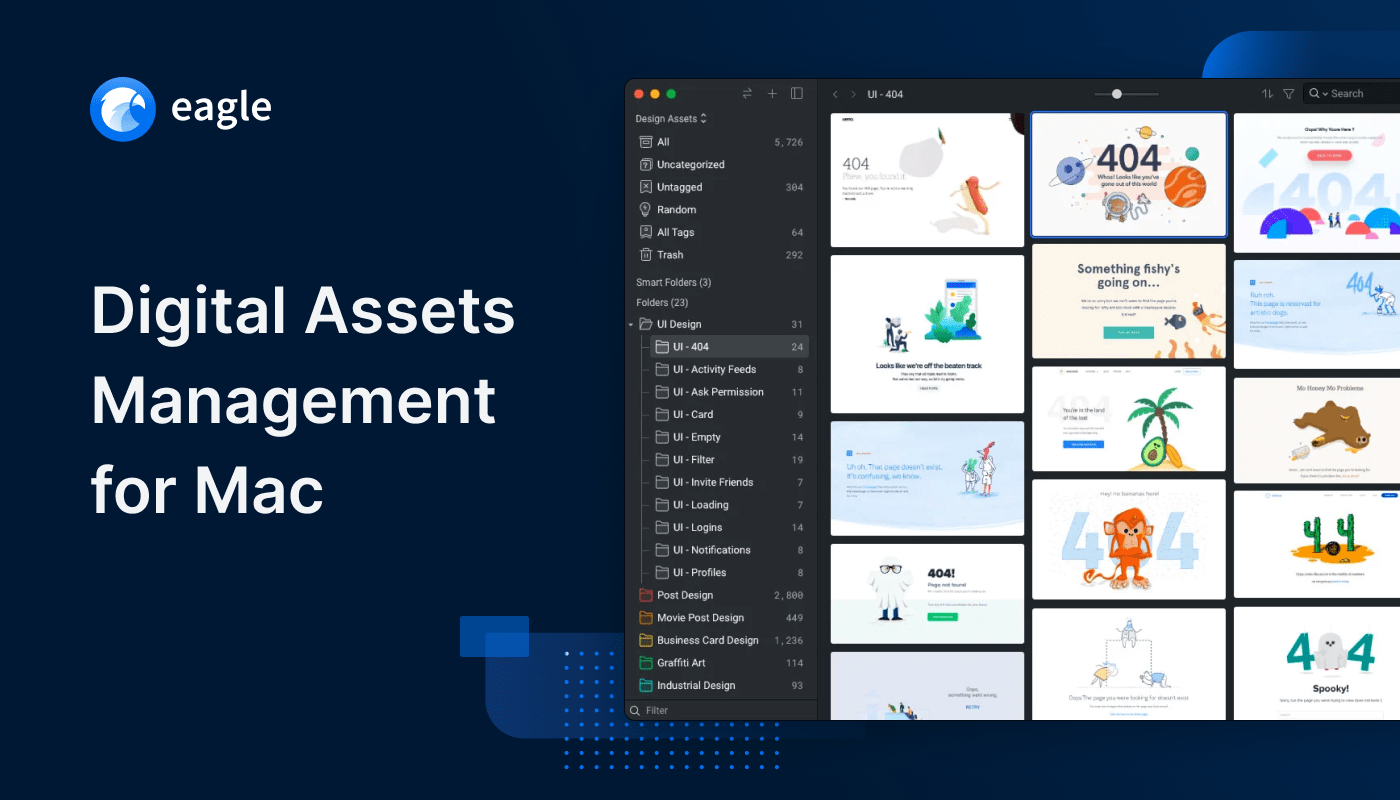
Eagle App is a desktop digital assets management tool that satisfies all your needs to ”Collect, Organize, Search, and Browse” for digital files. The app helps you streamline repetitive organizational work making it easier to reference later in your projects.

Collect & Organize References at the Same Time

Eagle Extension can batch save and capture full pages and screenshots to quickly collect the inspiration whenever you browse your favorite sites. On top of that, while collecting, Eagle also auto saves the original URL if you ever want to revisit the resources.

Find Your Ideal Files and Images in 0.5 Seconds

You can organize files with tags, folders, and smart folders and search them across different categories such as sizes, shapes, colors, dimensions, ratings, annotations and more!

Preview and Export Different Formats with Ease

Instantly browse 90+ file formats that Finder could’t, such as images, videos, docs, GIFs, 3Ds, font, audio, and more! Eagle even has the ability to export images into a specific formats or dimensions directly.

No Subscription and Cloud-Friendly

Eagle is a on-premise product – everything you saved is in your Mac that is said no subscription needed. It also provides cloud connectivity with most of the popular services, so you won’t have to worry about extra learning costs or fees.

If you work with digital files want to organize your screenshots, inspirational images and reference files and have constant struggles over file management, try Eagle App to help you with all the work!

Eagle App offers a 30-day free trial, each license can pair with two devices, including free lifetime updates! All for only $29.99. Get your digital assets organized today!

Our thanks to Eagle for sponsoring MacStories this week.
Access Extra Content and Perks

Founded in 2015, Club MacStories has delivered exclusive content every week for nearly a decade.

What started with weekly and monthly email newsletters has blossomed into a family of memberships designed for every MacStories fan.

Learn more here and from our Club FAQs.

Club MacStories: Weekly and monthly newsletters via email and the web that are brimming with apps, tips, automation workflows, longform writing, early access to the MacStories Unwind podcast, periodic giveaways, and more;

Club MacStories+: Everything that Club MacStories offers, plus an active Discord community, advanced search and custom RSS features for exploring the Club’s entire back catalog, bonus columns, and dozens of app discounts;

Club Premier: All of the above and AppStories+, an extended version of our flagship podcast that’s delivered early, ad-free, and in high-bitrate audio.

Learn more here and from our Club FAQs.


Kolide: Endpoint Security for Teams That Slack - Try Kolide for Free Today! [Sponsor]

At Kolide, we believe the supposedly Average Person is the key to unlocking a new class of security detection, compliance, and threat remediation. So do the hundreds of organizations that send important security notifications to employees from Kolide’s Slack app.  

Collectively, we know that organizations can dramatically lower the actual risks they will likely face with a structured, message-based approach. More importantly, they’ll be able to engage end-users to fix nuanced problems that can’t be automated.

Try Kolide for 14 days free; no credit card required.

Honest.Security is one part guide and another-part manifesto that defines a user-first approach to security and IT compliance. It’s not just Kolide’s north star but also an aspirational roadmap. It’s our positive contribution to counterbalance the worrying upward trend of human-hostile cyber security, device management, and workplace surveillance philosophies that we’ve seen reach a fever pitch as organizations adapt to the long-term term prospects of remote work.

Our thanks to Kolide for sponsoring MacStories this week.
Access Extra Content and Perks

Founded in 2015, Club MacStories has delivered exclusive content every week for nearly a decade.

What started with weekly and monthly email newsletters has blossomed into a family of memberships designed for every MacStories fan.

Learn more here and from our Club FAQs.

Club MacStories: Weekly and monthly newsletters via email and the web that are brimming with apps, tips, automation workflows, longform writing, early access to the MacStories Unwind podcast, periodic giveaways, and more;

Club MacStories+: Everything that Club MacStories offers, plus an active Discord community, advanced search and custom RSS features for exploring the Club’s entire back catalog, bonus columns, and dozens of app discounts;

Club Premier: All of the above and AppStories+, an extended version of our flagship podcast that’s delivered early, ad-free, and in high-bitrate audio.

Learn more here and from our Club FAQs.


Kolide: Endpoint Security Powered by People; Try for Free! [Sponsor]

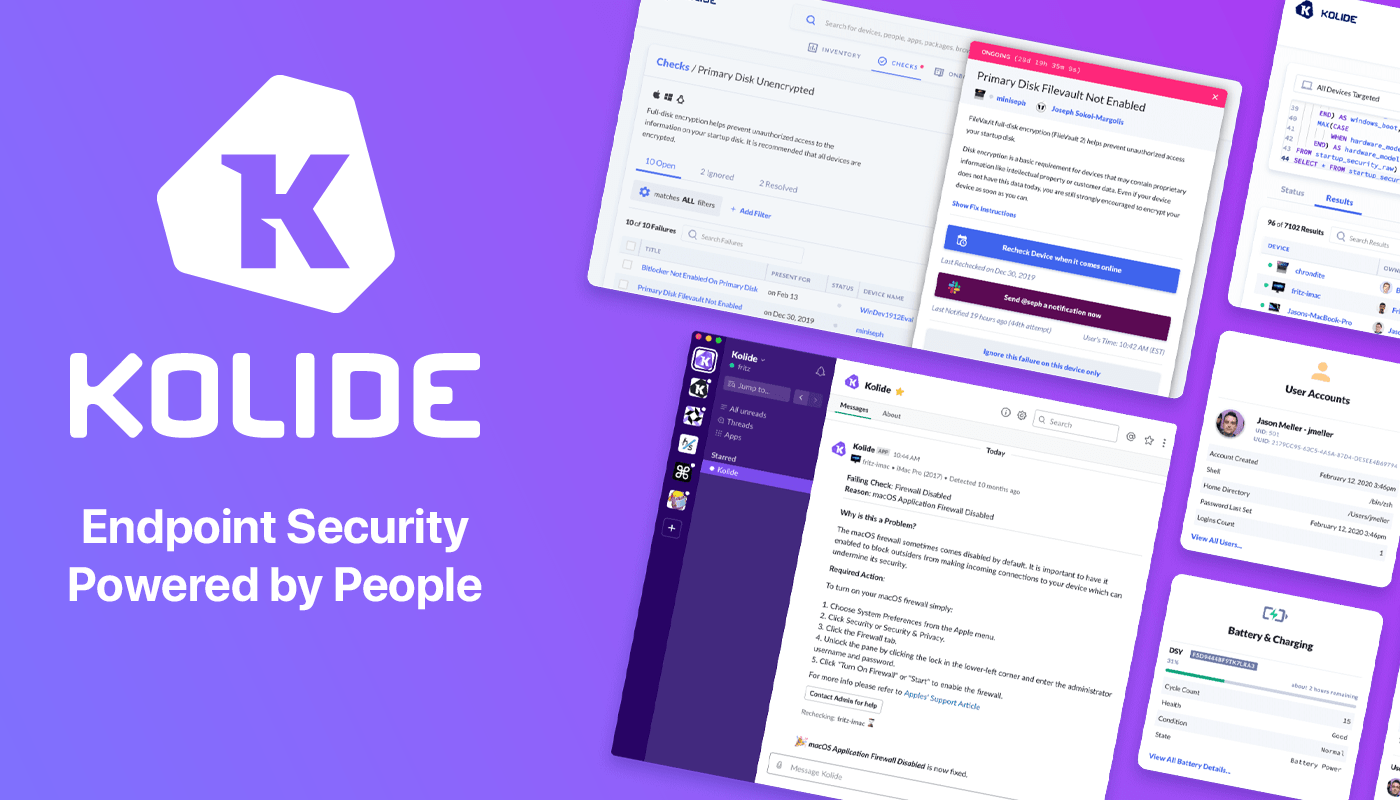
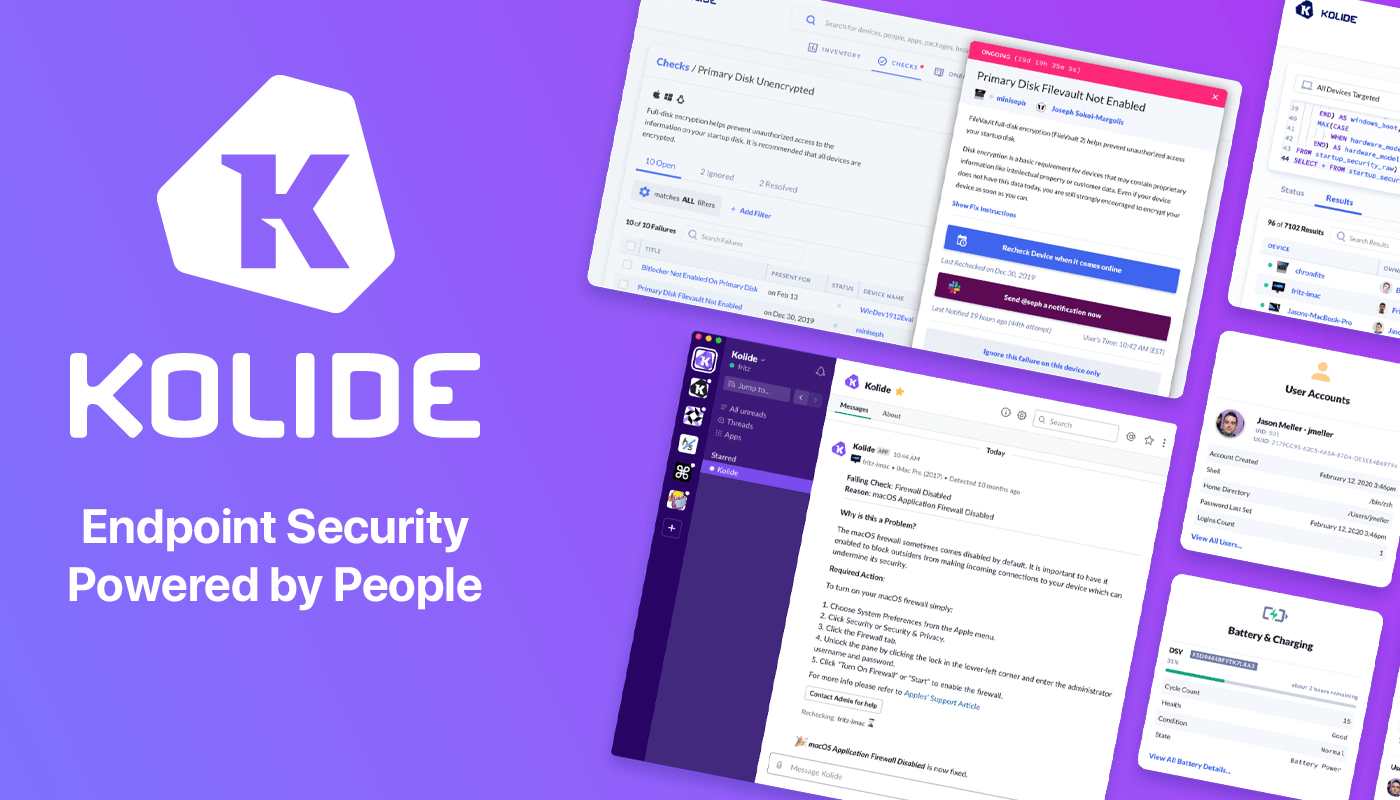
Kolide is a SaaS app that sends employees important, timely, and relevant security recommendations concerning their Mac, Windows, and Linux devices, right inside Slack.

Kolide is perfect for organizations that want to move beyond a traditional lock-down model and move to one where employees are educated about security and device management while fixing nuanced problems. We call this approach Honest Security.

For example, Kolide can:

  1. Instruct developers to set passphrases on the unencrypted SSH keys littered throughout their devices.
  2. Find plain-text two-factor backup codes and teach end-users how to store them securely.
  3. Convince employees to uninstall evil (yet allowed) browser extensions that sell their browser history to marketing companies

You can try Kolide on an unlimited number of devices with all its features for free and without a credit card for 14 days.

Our thanks to Kolide for sponsoring MacStories this week.
Access Extra Content and Perks

Founded in 2015, Club MacStories has delivered exclusive content every week for nearly a decade.

What started with weekly and monthly email newsletters has blossomed into a family of memberships designed for every MacStories fan.

Learn more here and from our Club FAQs.

Club MacStories: Weekly and monthly newsletters via email and the web that are brimming with apps, tips, automation workflows, longform writing, early access to the MacStories Unwind podcast, periodic giveaways, and more;

Club MacStories+: Everything that Club MacStories offers, plus an active Discord community, advanced search and custom RSS features for exploring the Club’s entire back catalog, bonus columns, and dozens of app discounts;

Club Premier: All of the above and AppStories+, an extended version of our flagship podcast that’s delivered early, ad-free, and in high-bitrate audio.

Learn more here and from our Club FAQs.


Kolide: Endpoint Security for Teams That Slack - Try Kolide for Free Today! [Sponsor]

At Kolide, we believe the supposedly Average Person is the key to unlocking a new class of security detection, compliance, and threat remediation. So do the hundreds of organizations that send important security notifications to employees from Kolide’s Slack app.  

Collectively, we know that organizations can dramatically lower the actual risks they will likely face with a structured, message-based approach. More importantly, they’ll be able to engage end-users to fix nuanced problems that can’t be automated.

Try Kolide for 14 days free; no credit card required.

Honest.Security is one part guide and another-part manifesto that defines a user-first approach to security and IT compliance. It’s not just Kolide’s north star but also an aspirational roadmap. It’s our positive contribution to counterbalance the worrying upward trend of human-hostile cyber security, device management, and workplace surveillance philosophies that we’ve seen reach a fever pitch as organizations adapt to the long-term term prospects of remote work.

Our thanks to Kolide for sponsoring MacStories this week.
Access Extra Content and Perks

Founded in 2015, Club MacStories has delivered exclusive content every week for nearly a decade.

What started with weekly and monthly email newsletters has blossomed into a family of memberships designed for every MacStories fan.

Learn more here and from our Club FAQs.

Club MacStories: Weekly and monthly newsletters via email and the web that are brimming with apps, tips, automation workflows, longform writing, early access to the MacStories Unwind podcast, periodic giveaways, and more;

Club MacStories+: Everything that Club MacStories offers, plus an active Discord community, advanced search and custom RSS features for exploring the Club’s entire back catalog, bonus columns, and dozens of app discounts;

Club Premier: All of the above and AppStories+, an extended version of our flagship podcast that’s delivered early, ad-free, and in high-bitrate audio.

Learn more here and from our Club FAQs.


Kolide: Endpoint Security Powered by People; Try for Free! [Sponsor]

Kolide is a SaaS app that sends employees important, timely, and relevant security recommendations concerning their Mac, Windows, and Linux devices, right inside Slack.

Kolide is perfect for organizations that want to move beyond a traditional lock-down model and move to one where employees are educated about security and device management while fixing nuanced problems. We call this approach Honest Security.

For example, Kolide can:

  1. Instruct developers to set passphrases on the unencrypted SSH keys littered throughout their devices.
  2. Find plain-text two-factor backup codes and teach end-users how to store them securely.
  3. Convince employees to uninstall evil (yet allowed) browser extensions that sell their browser history to marketing companies

You can try Kolide on an unlimited number of devices with all its features for free and without a credit card for 14 days.

Our thanks to Kolide for sponsoring MacStories this week.
Access Extra Content and Perks

Founded in 2015, Club MacStories has delivered exclusive content every week for nearly a decade.

What started with weekly and monthly email newsletters has blossomed into a family of memberships designed for every MacStories fan.

Learn more here and from our Club FAQs.

Club MacStories: Weekly and monthly newsletters via email and the web that are brimming with apps, tips, automation workflows, longform writing, early access to the MacStories Unwind podcast, periodic giveaways, and more;

Club MacStories+: Everything that Club MacStories offers, plus an active Discord community, advanced search and custom RSS features for exploring the Club’s entire back catalog, bonus columns, and dozens of app discounts;

Club Premier: All of the above and AppStories+, an extended version of our flagship podcast that’s delivered early, ad-free, and in high-bitrate audio.

Learn more here and from our Club FAQs.


MenuBar Stats: Advanced System Monitoring [Sponsor]

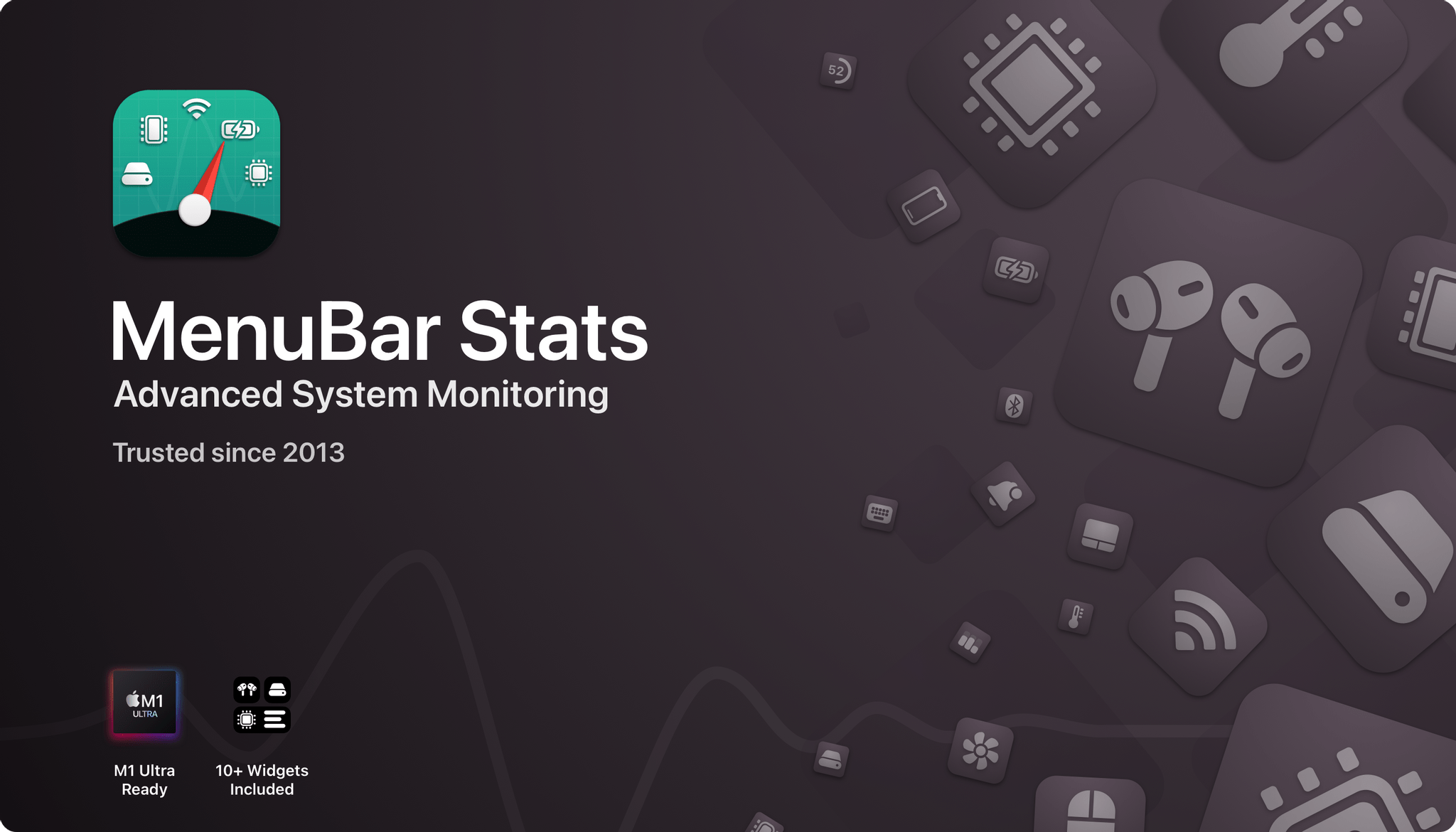
MenuBar Stats is a suite of 9 menu bar modules for monitoring your Mac that has been developed over the course of 9 years of listening carefully to customer feedback. The app tracks your Mac’s:

  • Battery
  • Bluetooth devices
  • CPU
  • GPU
  • Storage
  • Memory
  • Network connection
  • And, with a helper app, your Mac’s temperature and fan speed

The app, which is highly customizable, provides essential details, with even more extensive information just a click away. Modules can be combined into a single window, displayed as individual windows, and anchored to always be visible. The stats monitored are available as a collection of more than 10 widgets and accessible through MenuBar Stats’ Shortcuts actions. The app has been extensively tested on and tuned for Apple’s latest M1-based Macs and includes a tool to clean your Mac’s memory too.

MenuBar Stats goes beyond monitoring and reporting with the ability to set up notifications to alert you of the details that matter most to you. Whether that’s when your battery reaches a certain level or when there’s a process that is monopolizing your CPU, MenBar Stats can alert you, so you’ll know the moment your Mac needs your attention.

Acting on those notifications couldn’t be simpler. MenuBar Stats can take you to a long list of Mac system utilities from your menu bar or using global keyboard shortcuts that you define. There’s also backup and restore functionality, so you can recreate your carefully-crafted setup anywhere.

It’s easy to see why MenuBar Stats has an average rating of 4.5 stars worldwide. Download MenuBar Stats today to see for yourself why so many people rely on it to monitor their Macs.

Our thanks to MenuBar Stats for sponsoring MacStories this week.
Access Extra Content and Perks

Founded in 2015, Club MacStories has delivered exclusive content every week for nearly a decade.

What started with weekly and monthly email newsletters has blossomed into a family of memberships designed for every MacStories fan.

Learn more here and from our Club FAQs.

Club MacStories: Weekly and monthly newsletters via email and the web that are brimming with apps, tips, automation workflows, longform writing, early access to the MacStories Unwind podcast, periodic giveaways, and more;

Club MacStories+: Everything that Club MacStories offers, plus an active Discord community, advanced search and custom RSS features for exploring the Club’s entire back catalog, bonus columns, and dozens of app discounts;

Club Premier: All of the above and AppStories+, an extended version of our flagship podcast that’s delivered early, ad-free, and in high-bitrate audio.

Learn more here and from our Club FAQs.


Collections: A Powerful Database with iCloud Sync [Sponsor]

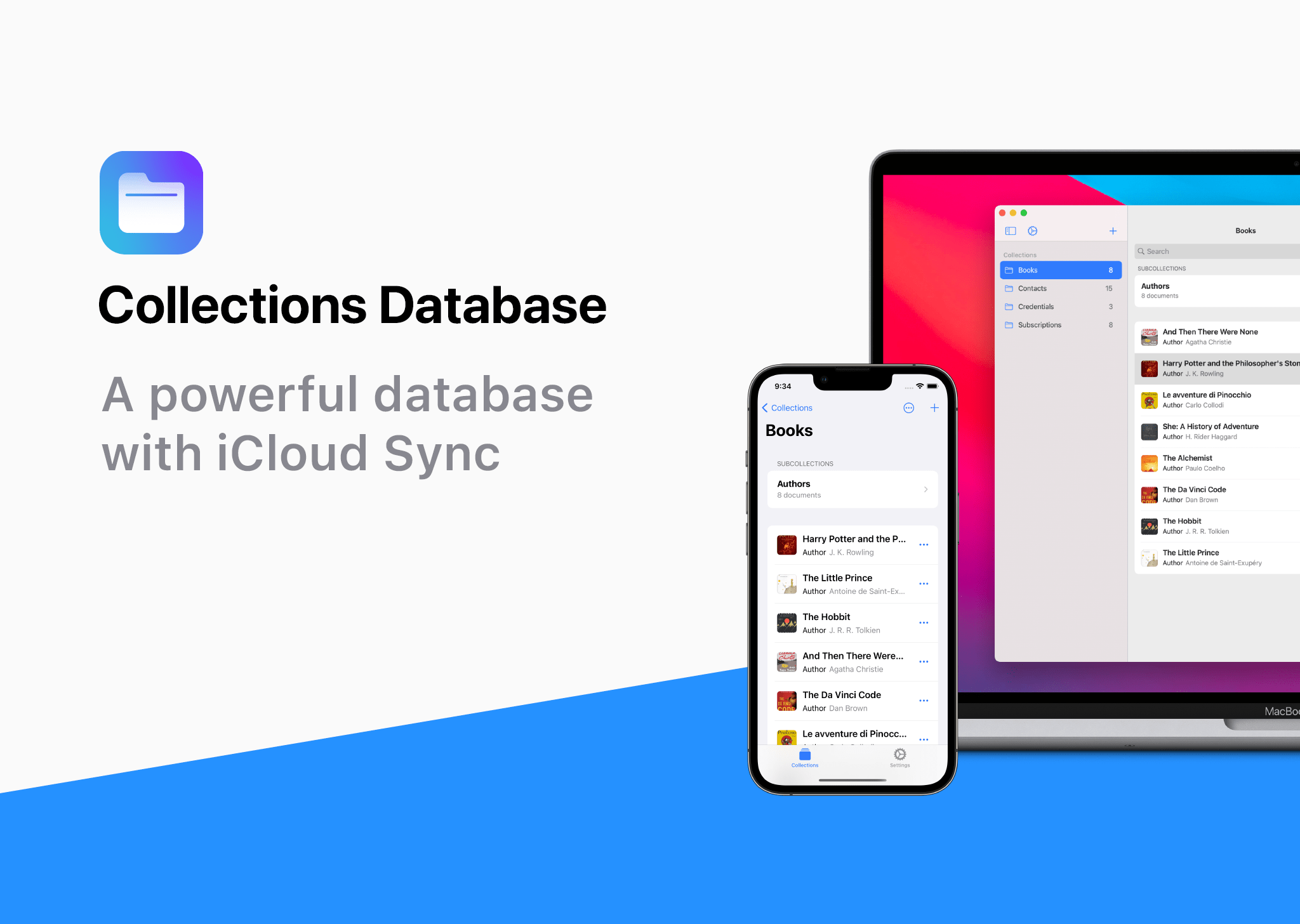
Collections Database is the premier personal database app for organizing anything and everything on your iPhone, iPad, and Mac.

The app features more than 20 field types, linkable sub-databases, reusable lists, and a robust customization system. It’s a powerful and flexible solution that makes Collections easy to get started with for beginners, while meeting the needs of advanced users too.

Collections provides essential templates to get started, including Expenses, Contacts, Subscriptions, Books and more. However, you’re always free to start from scratch by building your own custom templates.

A long, complete list of field types is available for your databases too. The set includes everything you’d expect from a modern database app, including Text, Number, Date, Picture - even Barcode fields. Collections can also import spreadsheets from other apps, using its powerful CSV import functionality. Collections also offers quick filters, sorting, password protection, smart text-based search, and more.

Collections is free to try, but by upgrading to the Pro version via In-App Purchase, you’ll gain access to an unlimited number of database entries and files, plus advanced filters. The Pro version also includes a unique visual formula editor the makes building complex formulas intuitive and easy.

The app is a universal purchase, so your purchase will be available on the iPhone, iPad, and Mac. At the same time, though, Collections has been carefully optimized to each Apple platform for the best experience on every platform.

Collections is regularly updated to take advantage of the latest Apple technologies and is privacy-minded. Your data isn’t collected or sent anywhere else.

To learn more, and download Collections Database visit the App Store today.

Our thanks to Collections Database for sponsoring MacStores this week.

Access Extra Content and Perks

Founded in 2015, Club MacStories has delivered exclusive content every week for nearly a decade.

What started with weekly and monthly email newsletters has blossomed into a family of memberships designed for every MacStories fan.

Learn more here and from our Club FAQs.

Club MacStories: Weekly and monthly newsletters via email and the web that are brimming with apps, tips, automation workflows, longform writing, early access to the MacStories Unwind podcast, periodic giveaways, and more;

Club MacStories+: Everything that Club MacStories offers, plus an active Discord community, advanced search and custom RSS features for exploring the Club’s entire back catalog, bonus columns, and dozens of app discounts;

Club Premier: All of the above and AppStories+, an extended version of our flagship podcast that’s delivered early, ad-free, and in high-bitrate audio.

Learn more here and from our Club FAQs.


Textastic: Code Editor and SFTP Client for iPad and iPhone [Sponsor]

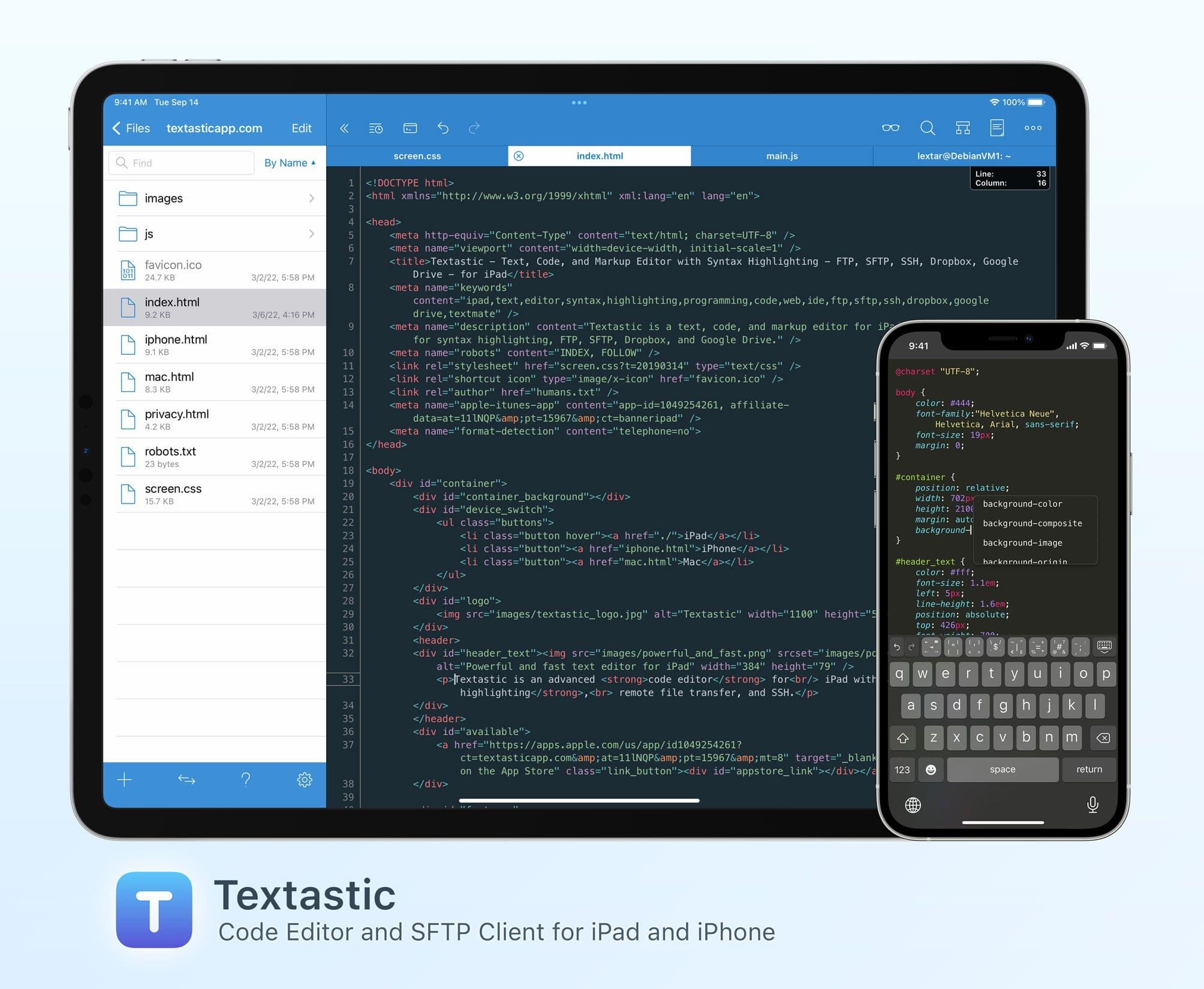
Textastic is the most comprehensive and versatile text and code editor available for iPad and iPhone.

This starts with syntax highlighting support for more than 80 programming and markup languages: Textastic handles highlighting for C, C++, Swift, Objective-C, Rust, Go, Java, HTML, JavaScript, CSS, PHP, Python, Ruby, Perl, Lua, Markdown, LaTeX, YAML, JSON, and many more. If your favorite language is not yet included in the extensive list, you can add your own syntax definitions and themes compatible with Sublime Text and TextMate.

With clients for SFTP, FTP, WebDAV, Dropbox, and Google Drive, as well as the integrated SSH terminal, however, Textastic goes well beyond the functionality of a traditional text editor. Since Textastic supports tabs, you can have multiple files and SSH terminals open at the same time, and, on iPad, in multiple windows side by side.

Whether you want to create web pages and check them with the built-in web preview, edit configuration files on your server, or perform code reviews, Textastic is the perfect tool for your mobile workflow.

Customizable keyboard shortcuts, wide-ranging configuration options, support for Git repositories using the Git client Working Copy, and robust find and replace, turn this app into the most powerful code editor for iPad you’ll find.

The long list of features also includes support for iCloud Drive, the Files app, drag and drop, trackpad and mouse, printing, Split View, multiwindowing, and a whole lot more.

The app is, of course, regularly updated and maintained as well. With the recently released version 9.8, for example, Textastic got the ability to search the contents of files in a folder and its subfolders for text or regular expressions, allowing you to stay on top of large projects and quickly find what you’re looking for.

And if you ever get stuck, the in-depth manual, which describes every part of the app in detail and is illustrated with nearly 150 screenshots, will help you out.

To learn more about Textastic and what it can do for your iPad and iPhone code editing needs, visit textasticapp.com, and download a copy today.

Our thanks to Textastic for sponsoring MacStories this week.

Access Extra Content and Perks

Founded in 2015, Club MacStories has delivered exclusive content every week for nearly a decade.

What started with weekly and monthly email newsletters has blossomed into a family of memberships designed for every MacStories fan.

Learn more here and from our Club FAQs.

Club MacStories: Weekly and monthly newsletters via email and the web that are brimming with apps, tips, automation workflows, longform writing, early access to the MacStories Unwind podcast, periodic giveaways, and more;

Club MacStories+: Everything that Club MacStories offers, plus an active Discord community, advanced search and custom RSS features for exploring the Club’s entire back catalog, bonus columns, and dozens of app discounts;

Club Premier: All of the above and AppStories+, an extended version of our flagship podcast that’s delivered early, ad-free, and in high-bitrate audio.

Learn more here and from our Club FAQs.


Take Your Business Out Of The Dark With Daylite [Sponsor]

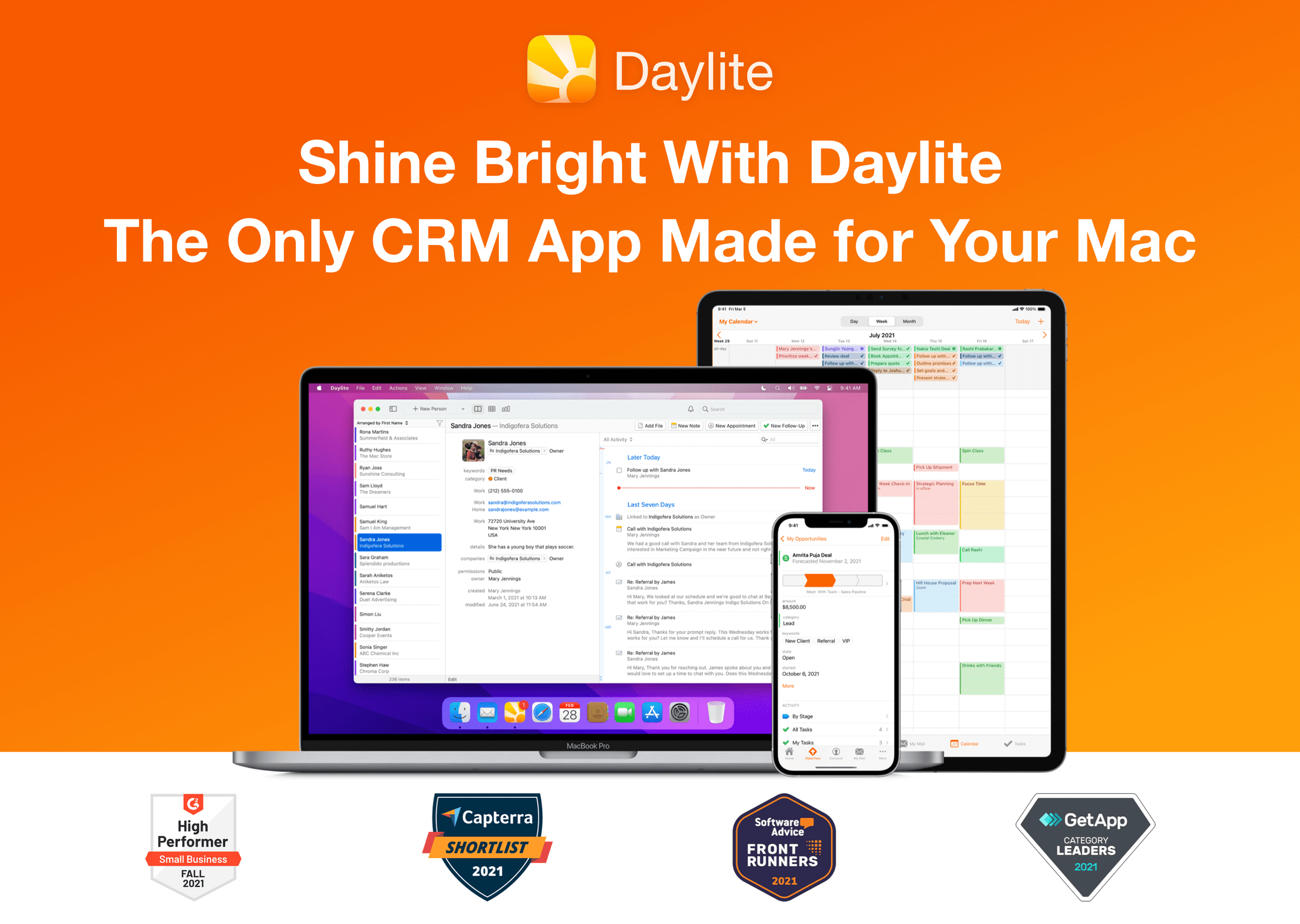
For small businesses, it can be difficult to stay on top of clients, leads, and projects that are evolving every day. Here’s how Daylite can help supercharge your team to shine brighter, handle more clients, close more deals, and execute more projects. Designed for Mac, iPhone, and iPad exclusively.

Daylite empowers small businesses by improving team efficiency and making collaboration easy—everything is organized, searchable, and accessible (even offline). You can easily access information and segment data tailored to your specific client’s history. You can manage and share everyone’s schedules, project status, and next steps. 

Seamless Apple Integration

Daylite is the only Mac CRM and productivity app that integrates with Apple devices and most of the built-in Apple apps and features, like direct Apple Mail integration. You and your team can capture all email communication in one place and create opportunities, appointments, and tasks right from your Apple Mail. 

Linking 

Its linking capability is what makes Daylite shine. You can link emails, notes, tasks, projects, appointments, and other records to existing contacts in Daylite. This enables teams to quickly and clearly view an organization’s structure and access the information they need in a unique way. 

CRM + Project Management

Daylite’s productivity-focused design helps you and your team get more done throughout the full customer lifecycle. From meeting prospects and winning business to managing the moving pieces on projects, all the way through to following up on referrals and repeat business, it’s all done in Daylite. 

If you live by the Mac, you’ll love Daylite. Start your free 30-day Daylite trial today!

Our thanks to Daylite for sponsoring MacStories this week.

Access Extra Content and Perks

Founded in 2015, Club MacStories has delivered exclusive content every week for nearly a decade.

What started with weekly and monthly email newsletters has blossomed into a family of memberships designed for every MacStories fan.

Learn more here and from our Club FAQs.

Club MacStories: Weekly and monthly newsletters via email and the web that are brimming with apps, tips, automation workflows, longform writing, early access to the MacStories Unwind podcast, periodic giveaways, and more;

Club MacStories+: Everything that Club MacStories offers, plus an active Discord community, advanced search and custom RSS features for exploring the Club’s entire back catalog, bonus columns, and dozens of app discounts;

Club Premier: All of the above and AppStories+, an extended version of our flagship podcast that’s delivered early, ad-free, and in high-bitrate audio.

Learn more here and from our Club FAQs.