This Week's Sponsor:

Copilot Money

Copilot Money, The Best Money Tracker, Launches on the Web – Limited-Time: Get 26% Off + 2 Months Free


Posts in reviews

Subler, Great App to Embed Subtitles in Quicktime. Mux MP4 Files. Open Source.

Hosted on Google Code, Subler (by Damiano Galassi) is an open source application for Mac OS X that enables you to mux .mp4 files. For those who don’t know mux (from multiplexing), it’s a device that selects one of many analog or digital input signals and forwards the selected input into a single line. (Wikipedia)

Basically, Mux allows the creation of tx3g subtitle tracks compatible with most every Apple product out there, not to mention full Quicktime compatibility. It’s got tagChimp support, you can play around with the iTunes metadata (you can even add metadata unavailable in other apps, such as the HD tag) and it supports the following formats: .h264, .264, .aac, .ac3 and .scc.

What’s so great about Subler is how easily it lets you edit stuff. Whether you need to add soft subtitles, remove audio tracks and cut chapters Subler is just perfect. Also, with this process you can avoid the conversion time of burning subtitles in the video with Quicktime or Perian: you can just use Subler to mux the .srt file.

Overall, Subler is the best solution to quickly embed subtitles in a Quicktime movie. And I think that’s a great achievement.


Alfred, Blazing Fast Quick Search

Quicksilver. LaunchBar. Google’s Quick Search Box. These are all applications designed to put instant information at your fingertips. For those having been on the Mac for a while now, you’re probably using Quicksilver - it’s really one of the first applications that brought this kind of instant power to us. Some users have moved on up to LaunchBar, which combines even more powerful features into a slim search box - it’s a power user’s dream. Then we have Google’s Quick Search Box, which is half quick search, half application launcher. All of these applications however, either offer too much or too little. Quicksilver has a confusing plugins pane and lots of features still need updating. LaunchBar offers features that the casual user won’t even touch. And Google’s Quick Search Box forces you to succumb to the Google singularity (and it’s not as fast).

However, today I’m going to show you the quick search solution for everyone. I’d like you to meet Alfred.

Read more


Sneak Peek: Laterstars, the Faved Tweets Manager. 25 Invite Codes Up for Grabs.

Do you know what @Digeratii, @mosspuppet and @jackamick have in common? They share the highest ratio of favorited tweets in my account. I don’t know what’s wrong with those guys, I seriously can’t help but hitting the fave button on their tweets. Follow them on Twitter and you’ll find out why but remember - you heard it here first.

Anyway, it’s not like everyone on Twitter follows @Digeratii (though he once confessed he plans to surpass Ashton’s followers someday) and wants to hear about the adventures of his smart dog Kona; people seem to use the favorite feature as a way to save links for later. And I must admit it, I do it as well sometimes. Rather than emailing the tweet to myself, saving it to Read It Later or just retweet it, I can fave it (because I like it anyway) and open it later. Works good, it’s fast and it gives a little more information about you and the stuff you like.

Now, I think the Laterstars guys have been as smart as Kona in developing their web application. Laterstars is a self-updating container and organizer for the tweets you’ve faved, packed in a sexy and usable UI.

It’s in the closed beta stage, but we got 25 invites for you. Keep on reading.

Read more


Fast Link Sharing Between Mac and iPhone with AirLink

I often find myself wanting to open a page I’m reading on my Mac on the iPhone, sitting just next to my MacBook. Normally, that would mean I have to manually type the URL on MobileSafari, or using a clipboard sharing app like Pastebot.

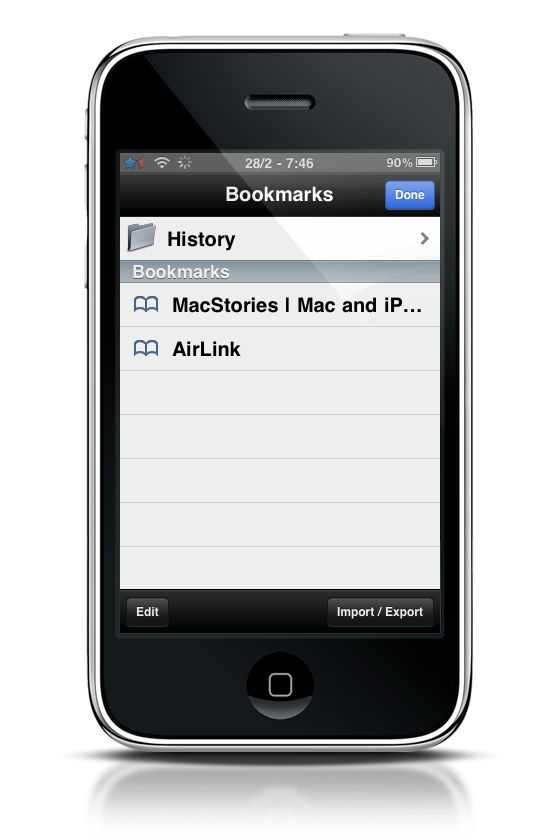
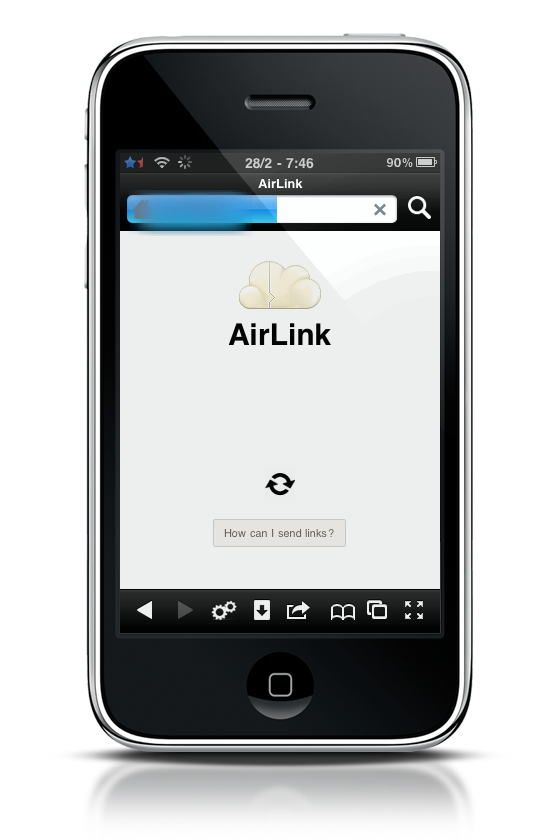
AirLink makes things way too simple. Sharing links between your desktop browser and the iPhone is now just a click away, seriously. All you have to do is head over AirLink install page and drag a bookmarklet onto your browser’s bookmarks bar and create a new bookmark on your iPhone with the unique link you’ll be provided. Done.

Now, everytime you’d like to send a page to the iPhone from your computer just click the bookmarklet, open the bookmark on MobileSafari and boom, you’ll be redirected to that page. It takes 2 seconds.

AirLink

AirLink

AirLink

AirLink

Just great.


Compress Your Mac with Squeeze

Everybody knows that Mac OS X doesn’t require a lot of manteinaince: actually, some people will even tell you that Mac OS doesn’t need mantenaince at all, if you ask. Still, there are some tasks and practices you should perform on a regular schedule in order to keep your Mac healthy and fast: CleanMyMac and Onyx are two excellent examples of apps that could come in handy when “cleaning” your Mac. Usually, the most importamt thing to consider is saving space by deleting old files, caches, unused logs and binary files. They can eat tons of GBs on your hard drive, and you won’t even notice it.

Squeeze, released tonight with the new MacHeist bundle, is a new application from Latenitesoft that promises to silently save space on your Mac in the background, by squeezing the last megabyte out of the folders you like to keep track of. And it works surprisingly well.

Read more


Digest Launches, The New Face of Read It Later [Invite Only]

I’m a heavy user of Read It Later. Actually, I think I’m completely in love with it. Read It Later, developed by Nate Weiner, is a service that allows you to save pages of interest for later, when you’ll have time to read them. It comes as a web service, an iPhone app and a Firefox extension, so you won’t miss the pages you have to read anymore.

RiL has been out for quite some time now, and when the long awaited 2.0 version came out some months ago, I immediately wrote a review of the iPhone app saying that:

“Read it Later 2.0 is a huge leap forward towards the perfect read later service.”

The 2.0 update was massive. It introduced a completely overhauled user interface, new features, new mobile application. It felt like a new app, and many users switched to it from Instapaper.

But I knew Nate was up to something else, though he wasn’t ready to publicly share it yet.. Today I can finally talk about Digest, a new feature that Nate has been developing for months and that has just launched as a invite only beta. Meet the new face of Read It Later.

Read more


Protect Your Mac Files, Folders and Apps with Espionage. Review and Giveaway.

Two things should be taken seriously when doing professional work with Mac OS X: backups and security. We’ve talked a lot about backups solutions: you can use Dropbox and even find some creative uses for it, or deploy everything to Amazon S3 using Arq as your upload manager. Also, don’t forget about MobileMe which, hopefully, will receive a huge update from Apple in a couple of months.

As for security, I never took “local” security that seriously. I mean, I use Agileweb’s 1Password as my default passwords manager and generator, so I used to worry more about online security rather than the security of my machine. But you know, I’ve got some important documents here as well, like reports, personal stuff and so on. I don’t want anybody to mess with my computer files and folders while I’m taking a shower or having a coffee somewhere in my house. So, when the Tao Effect guys, developers of Espionage, asked me if I might be interested in reviewing their app I immediately agreed.

They also offered 10 licenses to MacStories readers.

Read more


Audiobox, Your Web Cloud Player.

I don’t want to repeat myself, but I can’t help mentioning everything is moving to the cloud, including our music. With Bitspace out of the closed beta and Apple building a massive data center in North Carolina, it seems like we’ll be choosing between 3rd party cloud music apps and iTunes Air in a matter of a few years. But as we’re waiting for Apple’s ultimate solution to be announced, we can already test cloud powered music players - Bitspace is a great example.

Today I’ll talk about a new webapp I discovered some weeks ago, it’s called Audiobox and it’s already been featured by sites like Lifehacker. The development team is entirely Italian, the guys are based in Milan and I had the chance to talk with them about the creation of the app - which is really promising and somehow different from what Bitspace offers.

Read more