Posts in news

Last Week, on Club MacStories: iOS Features That Should Be Apps and Due as a Work Habit Tracker

Because Club MacStories now encompasses more than just newsletters, we’ve created a guide to the past week’s happenings along with a look at what’s coming up next:

MacStories Weekly: Issue 321

Access Extra Content and Perks

Founded in 2015, Club MacStories has delivered exclusive content every week for nearly a decade.

What started with weekly and monthly email newsletters has blossomed into a family of memberships designed for every MacStories fan.

Learn more here and from our Club FAQs.

Club MacStories: Weekly and monthly newsletters via email and the web that are brimming with apps, tips, automation workflows, longform writing, early access to the MacStories Unwind podcast, periodic giveaways, and more;

Club MacStories+: Everything that Club MacStories offers, plus an active Discord community, advanced search and custom RSS features for exploring the Club’s entire back catalog, bonus columns, and dozens of app discounts;

Club Premier: All of the above and AppStories+, an extended version of our flagship podcast that’s delivered early, ad-free, and in high-bitrate audio.

Learn more here and from our Club FAQs.


Apple Releases Two Pride Watch Bands, New Dynamic Pride Watch Faces, and Special Shot on iPhone Campaign

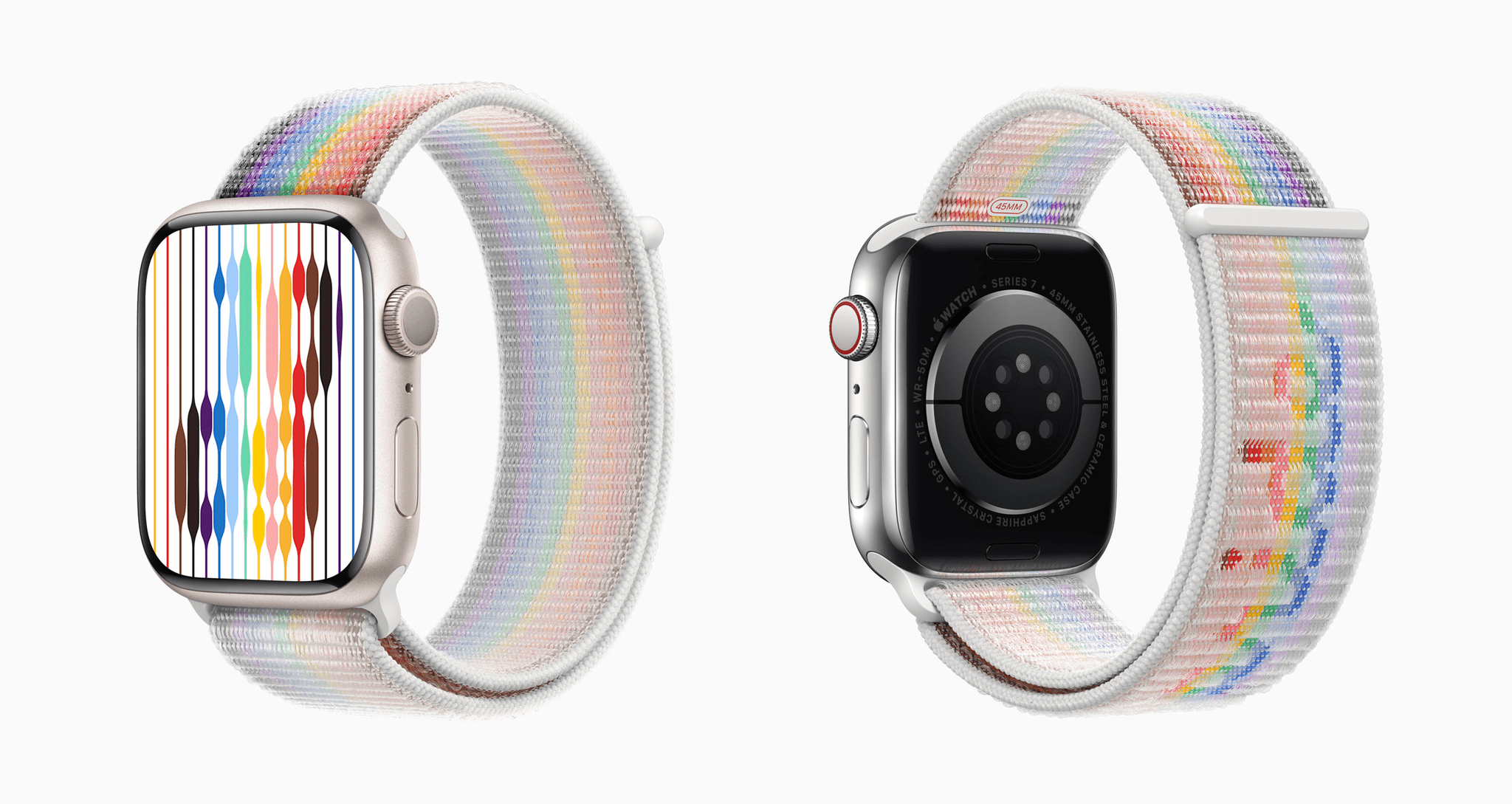
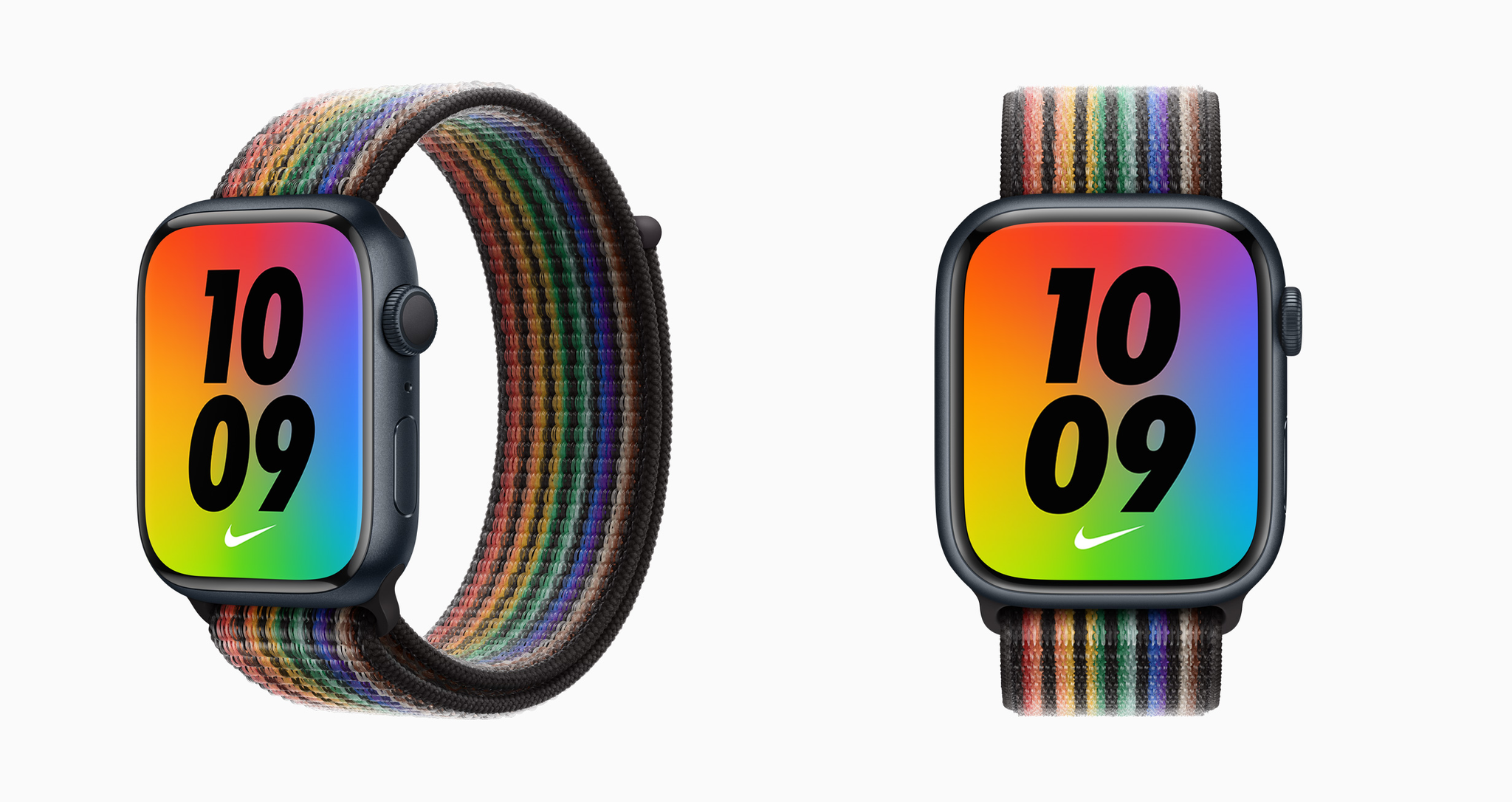
Apple has released two Pride Edition Apple Watch bands and new dynamic Pride watch faces that coordinate with the colors of the new Pride Edition Sports Loop and Nike Sports Loop bands. The company also announced a new Shot on iPhone Pride campaign.

Apple’s press release explains the design of the Pride Edition Sports Loop:

Members and allies of the LGBTQ+ creative community at Apple were inspired to deliver a new expression of pride through this unique design. Utilizing the comfortable, durable, and adjustable Sport Loop design, Apple used a new technique to remove several of the double-layer nylon-woven textile loops on the band to reveal the word “pride” in a cursive style inspired by the original “hello” greeting — displayed on the first Macintosh in 1984 — giving the word a novel, three-dimensional look and feel.

Regarding the new Nike Pride Sports Loop, the company says:

A new Pride Edition Nike Sport Loop celebrates the full spectrum of the rainbow and features a matching rainbow-colored Nike Bounce face that accompanies the new band. Along with Nike’s Be True collection, the Sport Loop honors individuals who are expanding sport for future generations and inspiring others to feel the joy of being authentically themselves. Be True is part of Nike’s broader commitment to the LGBTQ+ community, which focuses on recognition, advocacy, inspiration, and education.

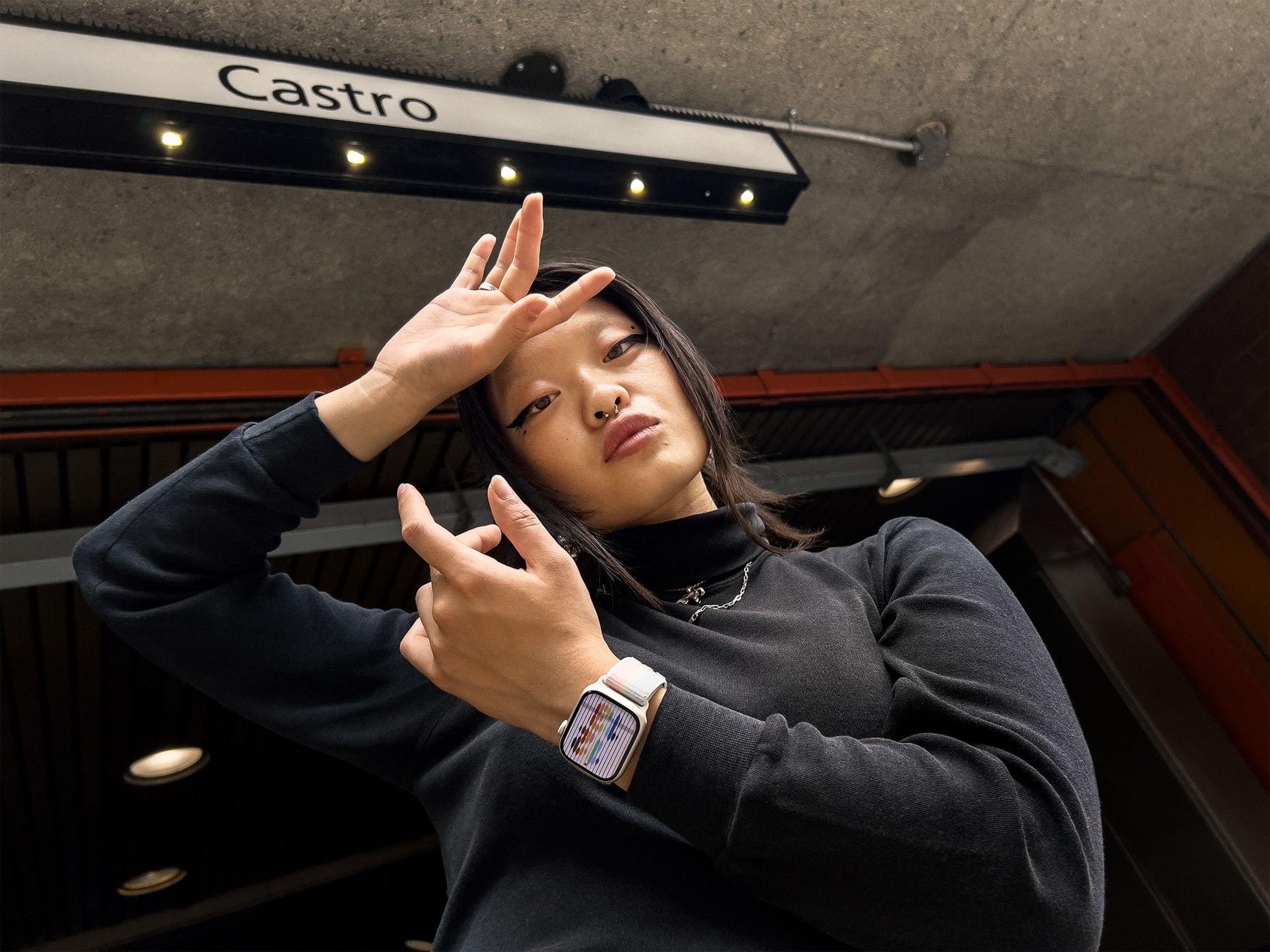
New this year is a Shot on iPhone campaign that Apple says will honor “present-day queer pioneers in places of historic significance to the LGBTQ+ movement.” The campaign will be featured on the company’s Instagram account and feature:

works from photographers Ryan McGinley at Stonewall Inn in New York; Evan Benally Atwood at Window Rock in Arizona; Meinke Klein at The Homomonument in Amsterdam; Caia Ramalho at Paulista Avenue in São Paulo; Lydia Metral at Plaza de Chueca in Madrid; and Collier Schorr at Harvey Milk Plaza in San Francisco, featuring Baobei.

The Pride Edition Sports Loop and Nike Pride Sports Loop are available now on apple.com and in the Apple Store app for $49, which is less than last year’s models, which cost $99. The new bands will also be available beginning May 26th in Apple retail stores. The new watch faces are available today on the Apple Watch Series 4 and later, running watchOS 8.6 paired with an iPhone 6s and later running iOS 15.5.

Access Extra Content and Perks

Founded in 2015, Club MacStories has delivered exclusive content every week for nearly a decade.

What started with weekly and monthly email newsletters has blossomed into a family of memberships designed for every MacStories fan.

Learn more here and from our Club FAQs.

Club MacStories: Weekly and monthly newsletters via email and the web that are brimming with apps, tips, automation workflows, longform writing, early access to the MacStories Unwind podcast, periodic giveaways, and more;

Club MacStories+: Everything that Club MacStories offers, plus an active Discord community, advanced search and custom RSS features for exploring the Club’s entire back catalog, bonus columns, and dozens of app discounts;

Club Premier: All of the above and AppStories+, an extended version of our flagship podcast that’s delivered early, ad-free, and in high-bitrate audio.

Learn more here and from our Club FAQs.


MacStories Unwind: Dropout Boogie, The Foundations of Decay, and Pokémon Home

AppStories+ Deeper into the world of apps
0:00
21:10

AppStories+ Deeper into the world of apps


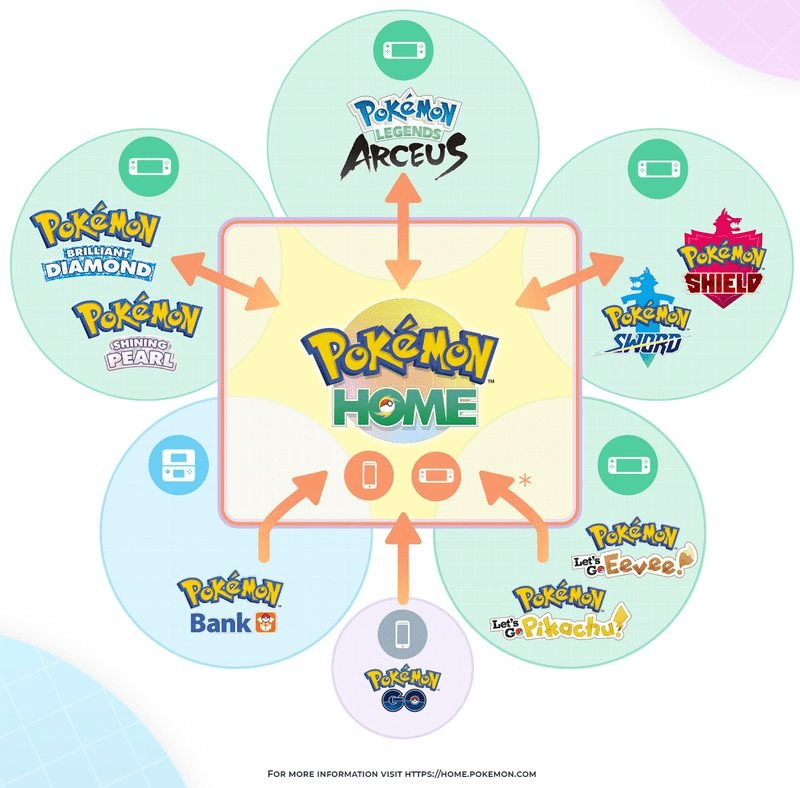
This week on MacStories Unwind, John recommends the latest album from The Black Keys and Federico has a single from My Chemical Romance and an update to Pokémon Home to share.

Backblaze – Astonishingly Easy And Unlimited Cloud Backup

John’s Pick:

Federico’s Picks:

Access Extra Content and Perks

Founded in 2015, Club MacStories has delivered exclusive content every week for nearly a decade.

What started with weekly and monthly email newsletters has blossomed into a family of memberships designed for every MacStories fan.

Learn more here and from our Club FAQs.

Club MacStories: Weekly and monthly newsletters via email and the web that are brimming with apps, tips, automation workflows, longform writing, early access to the MacStories Unwind podcast, periodic giveaways, and more;

Club MacStories+: Everything that Club MacStories offers, plus an active Discord community, advanced search and custom RSS features for exploring the Club’s entire back catalog, bonus columns, and dozens of app discounts;

Club Premier: All of the above and AppStories+, an extended version of our flagship podcast that’s delivered early, ad-free, and in high-bitrate audio.

Learn more here and from our Club FAQs.


Apple Music’s ‘Essentials Anniversaries’ Feature Highlights Classic Albums with Interviews, Editors’ Notes, and More

Update: It turns out that Essentials Anniversaries is not a new feature, but isn’t something that has been heavily promoted in the Listen Now tab of Apple Music before. You can read the original post below.


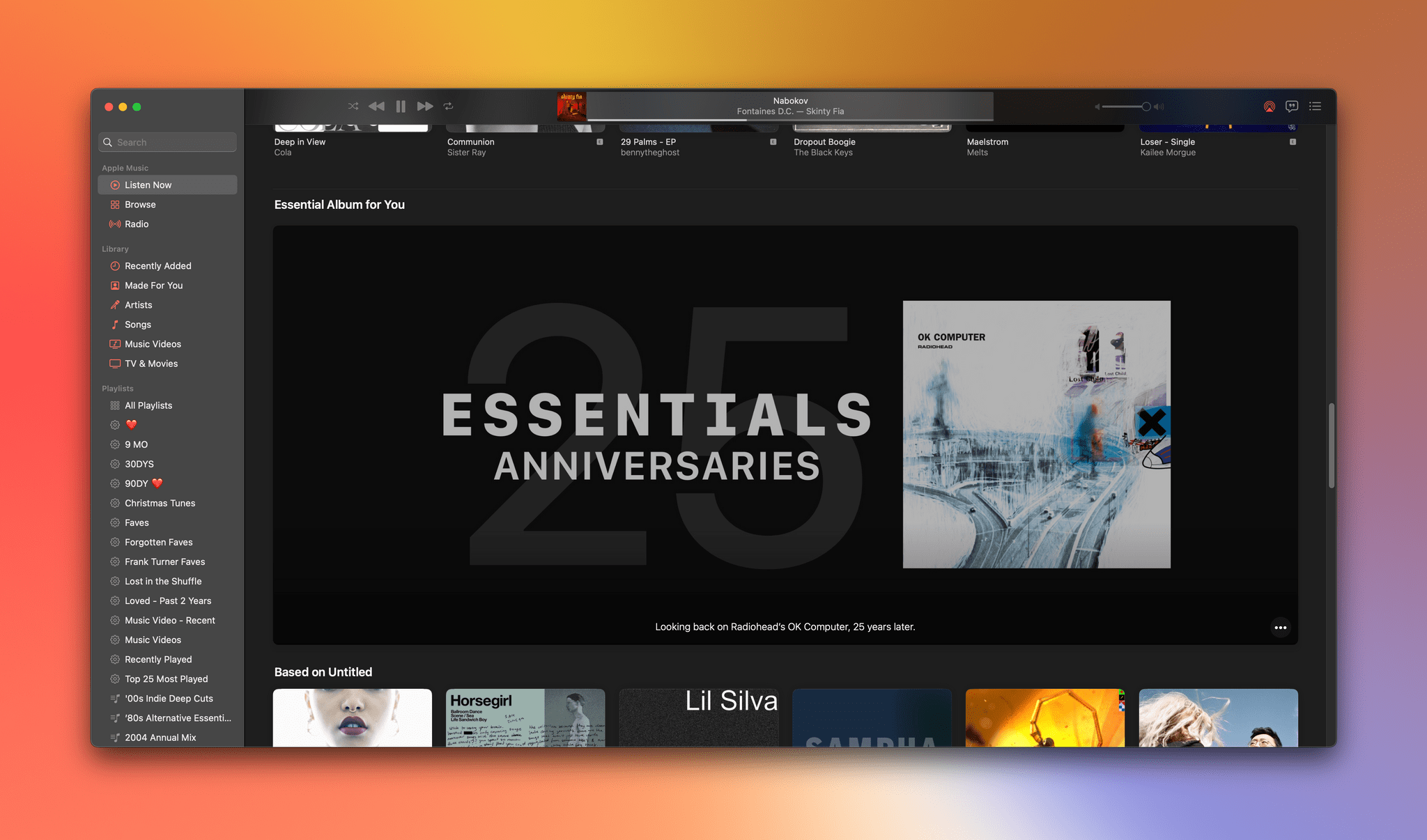
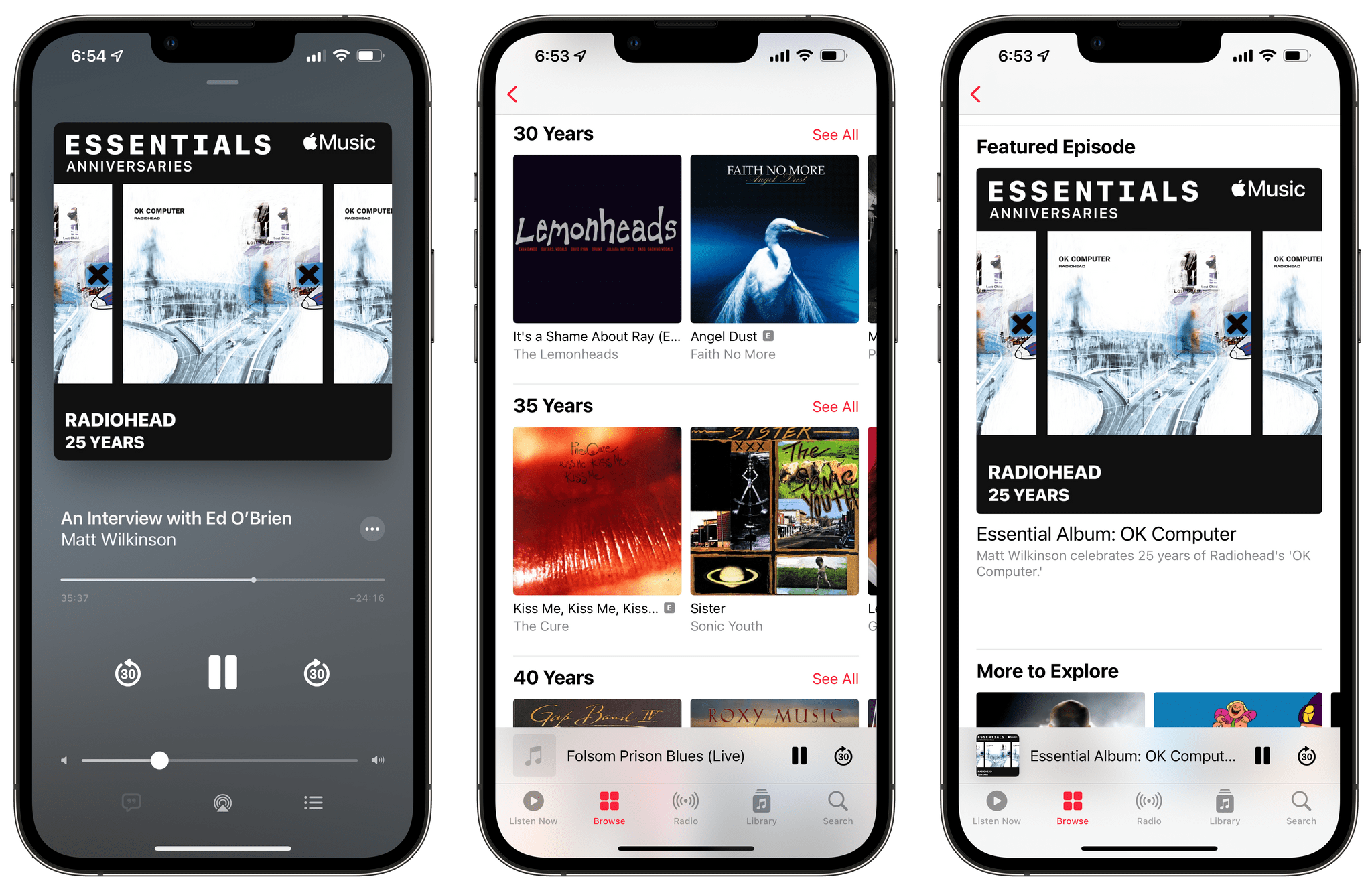
Apple Music was quietly updated today with a new feature: Essentials Anniversaries. The new Apple Music section features landmark albums from artists organized by their anniversaries, from five-year anniversaries all the way to 65-year-old albums.

The first featured anniversary is OK Computer by Radiohead, which celebrates its 25th anniversary tomorrow, May 21, 2022. The new Essentials Anniversaries section includes Radiohead’s album, a handful of music videos, and something new: an episode of an Apple Music radio show also called Essentials Anniversaries. The first episode is hosted by DJ Matt Wilkinson, who introduces most tracks, providing context and commentary and interviewing people involved in the production of OK Computer.

It’s not uncommon for Apple Music to receive updates throughout the year. Updates to the service haven’t been timed to Apple’s OS update cycle for a while but tend to come in batches. Case in point, earlier this week, Apple began promoting Apple Music Live, a series of livestreamed concerts that start today with a show by Harry Styles.

I’ve been listening to the OK Computer episode of Essentials Anniversaries, which runs for about an hour, and it’s excellent. Wilkinson, who is one of my favorite Apple Music DJs, does a fantastic job providing context for each track and conducting short interviews that provide a sense of the album’s import and place in history.

It appears that Essentials Anniversaries is still rolling out worldwide, so you may not see it on all of your devices, but if you want to check it out, here’s a link to the new section.

This and the introduction of more live music with the concert series that Harry Styles kicks off later today are exactly the kind of thing Apple Music needs to fuel discovery and renew interest in the service. I’m looking forward to seeing where both of these features lead next.

Access Extra Content and Perks

Founded in 2015, Club MacStories has delivered exclusive content every week for nearly a decade.

What started with weekly and monthly email newsletters has blossomed into a family of memberships designed for every MacStories fan.

Learn more here and from our Club FAQs.

Club MacStories: Weekly and monthly newsletters via email and the web that are brimming with apps, tips, automation workflows, longform writing, early access to the MacStories Unwind podcast, periodic giveaways, and more;

Club MacStories+: Everything that Club MacStories offers, plus an active Discord community, advanced search and custom RSS features for exploring the Club’s entire back catalog, bonus columns, and dozens of app discounts;

Club Premier: All of the above and AppStories+, an extended version of our flagship podcast that’s delivered early, ad-free, and in high-bitrate audio.

Learn more here and from our Club FAQs.


AppStories, Episode 274 – Our watchOS and tvOS Wishes

This week on AppStories, John and Alex tackle their watchOS 9 wishes and then Federico and John are joined by Myke Hurley to consider what they’d like to see added to tvOS 16.

Sponsored by:

  • Sourcegraph: Universal Code Search. Move fast, even in big codebases. Try it now.
  • Instabug: Empower mobile teams to monitor, prioritize, and debug performance and stability issues and ship better mobile apps.

On AppStories+, John and Alex swap tornado stories before Alex explains some of the ways Calliope, the collection of backend technologies that run Club MacStories, was adapted to run the Automation April.

We deliver AppStories+ to subscribers with bonus content, ad-free, and at a high bitrate early every week.

To learn more about the benefits included with an AppStories+ subscription, visit our Plans page, or read the AppStories+ FAQ.

Access Extra Content and Perks

Founded in 2015, Club MacStories has delivered exclusive content every week for nearly a decade.

What started with weekly and monthly email newsletters has blossomed into a family of memberships designed for every MacStories fan.

Learn more here and from our Club FAQs.

Club MacStories: Weekly and monthly newsletters via email and the web that are brimming with apps, tips, automation workflows, longform writing, early access to the MacStories Unwind podcast, periodic giveaways, and more;

Club MacStories+: Everything that Club MacStories offers, plus an active Discord community, advanced search and custom RSS features for exploring the Club’s entire back catalog, bonus columns, and dozens of app discounts;

Club Premier: All of the above and AppStories+, an extended version of our flagship podcast that’s delivered early, ad-free, and in high-bitrate audio.

Learn more here and from our Club FAQs.


Apple Marks Global Accessibility Awareness Day by Announcing Upcoming Accessibility Features

Thursday is Global Accessibility Awareness Day. To mark the occasion, Apple has announced a long list of accessibility features coming to its products later this year and shared other ways it is celebrating the day through its apps and services.

Apple’s press release sums up the features coming to the iPhone, iPad, Mac, and Apple Watch as follows:

Using advancements across hardware, software, and machine learning, people who are blind or low vision can use their iPhone and iPad to navigate the last few feet to their destination with Door Detection; users with physical and motor disabilities who may rely on assistive features like Voice Control and Switch Control can fully control Apple Watch from their iPhone with Apple Watch Mirroring; and the Deaf and hard of hearing community can follow Live Captions on iPhone, iPad, and Mac. Apple is also expanding support for its industry-leading screen reader VoiceOver with over 20 new languages and locales. These features will be available later this year with software updates across Apple platforms.

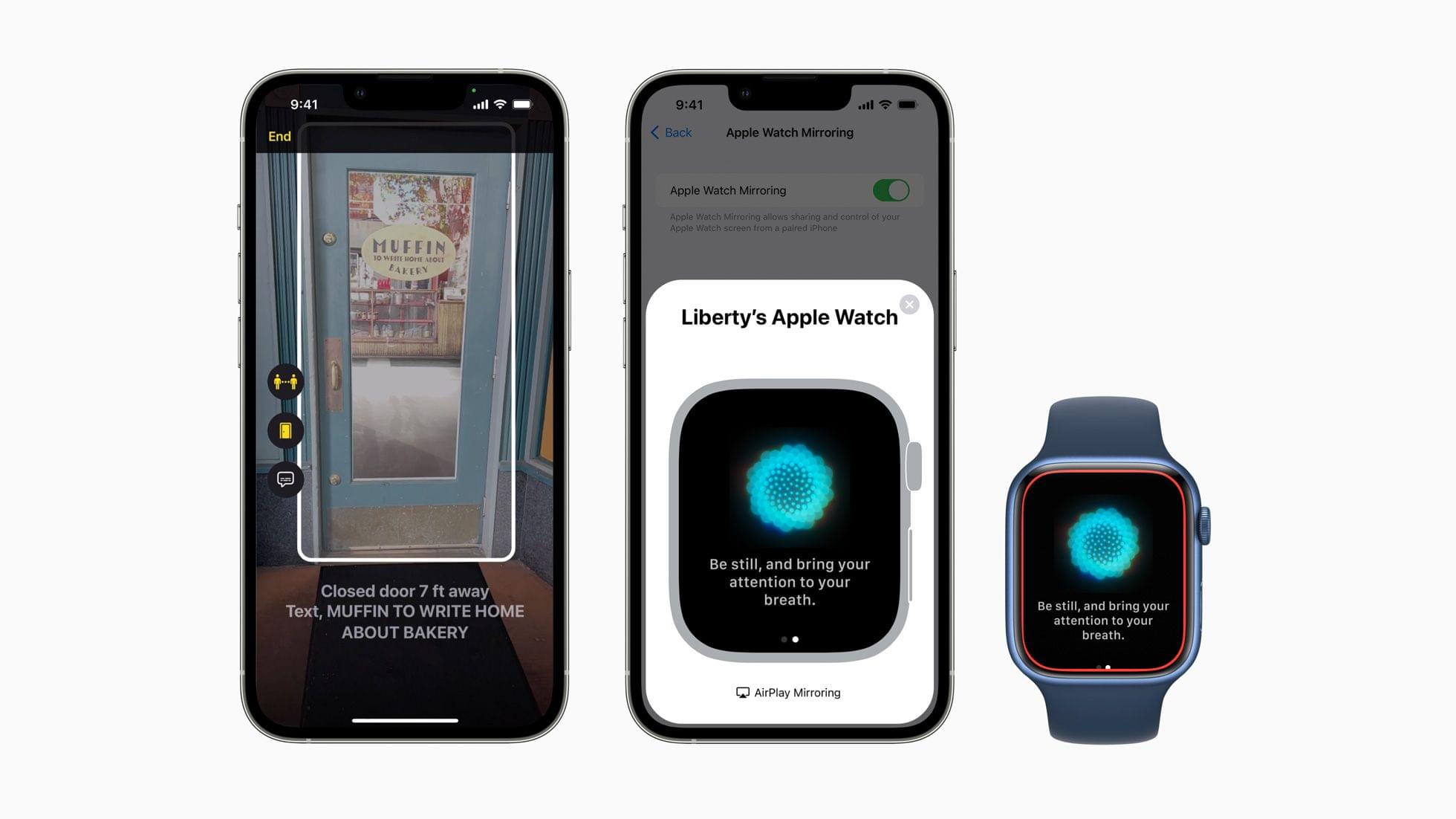
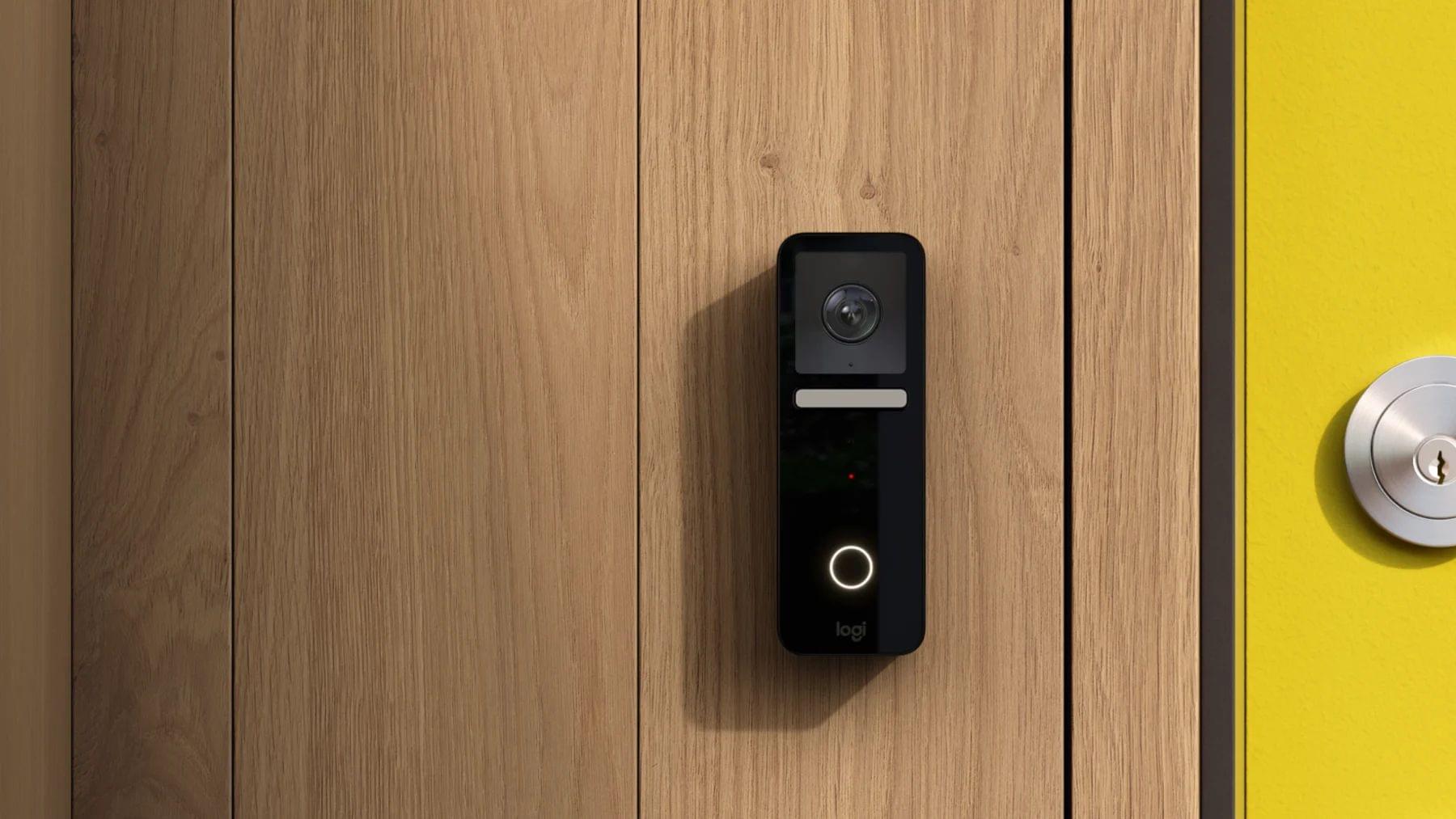
Door Detection will be part of the Magnifier app later this year. The feature helps blind and low vision users find and navigate doors when they arrive somewhere. The feature will judge the distance to the door using LiDAR, describe the door’s attributes, like whether it opens by pushing or using a doorknob, and read signs and symbols next to doors.

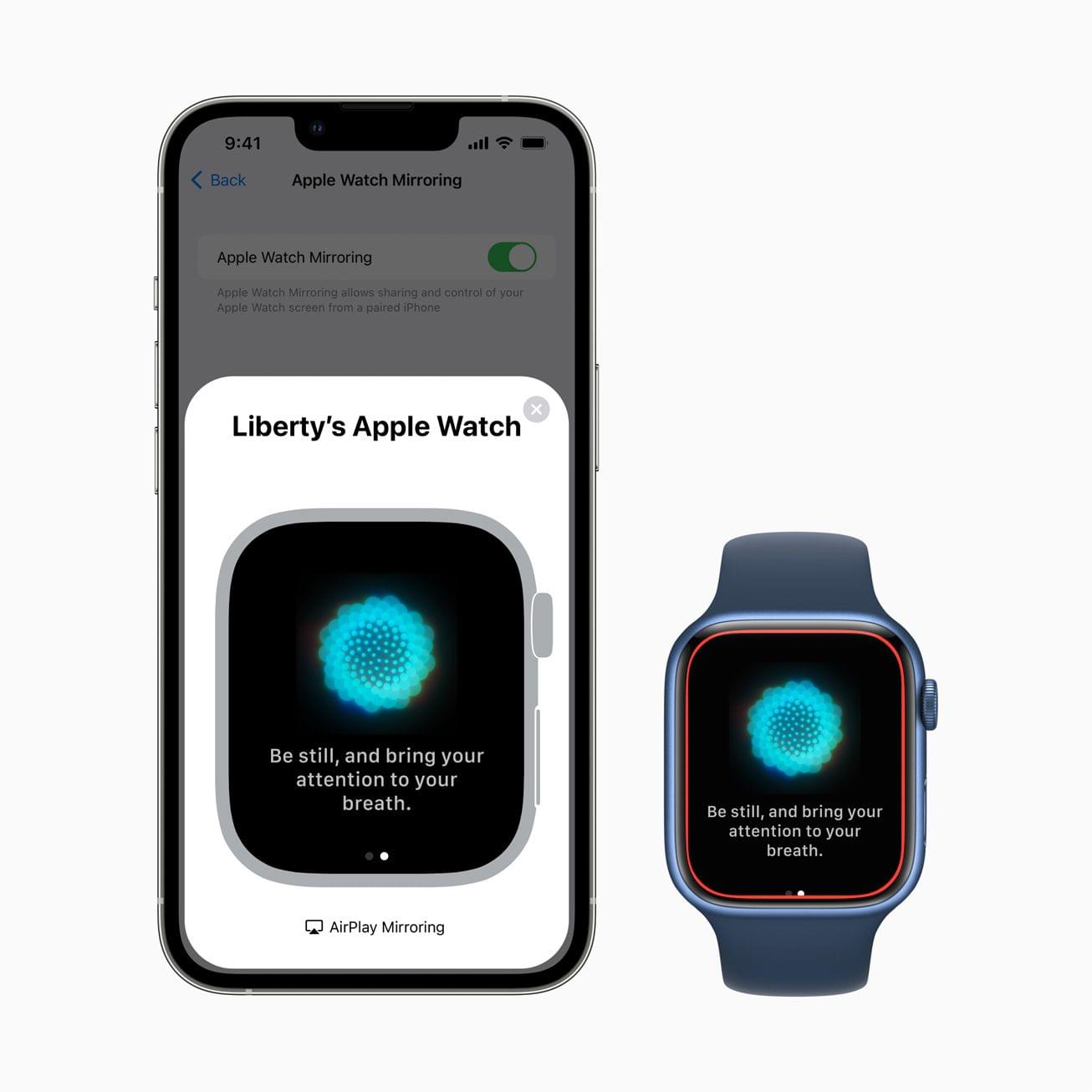
Apple Watch Mirroring.

Apple Watch Mirroring.

The Apple Watch will add several Physical and Motor accessibility features too. Apple Watch Mirroring, which is built on AirPlay in part, will allow users with physical and motor disabilities to control their Watches from an iPhone using Voice Control, Switch Control, voice commands, sound actions, head tracking, and Made for iPhone switches. The Apple Watch will also add a new double pinch gesture for controlling, like answering and ending phone calls and taking photos.

Apple Watch will add a new double pinch gesture.

Apple Watch will add a new double pinch gesture.

For Deaf and hard of hearing users, Apple will add Live Captions on the iPhone, iPad, and Mac. Apple says captioning will work with video calling apps like FaceTime, streaming video services, video conferencing apps, and in-person conversations. Live Captions occur on-device to preserve privacy, and on the Mac, users will be able to type a response that will be spoken aloud.

VoiceOver will get an update, too, adding the following languages:

  • Arabic (World)
  • Basque
  • Bengali (India)
  • Bhojpuri (India)
  • Bulgarian
  • Catalan
  • Croatian
  • Farsi
  • French (Belgium)
  • Galician
  • Kannada
  • Malay
  • Mandarin (Liaoning, Shaanxi, Sichuan)
  • Marathi
  • Shanghainese (China)
  • Spanish (Chile)
  • Slovenian
  • Tamil
  • Telugu
  • Ukrainian
  • Valencian
  • Vietnamese

VoiceOver on the Mac will also gain Text Checker that will discover formatting issues.

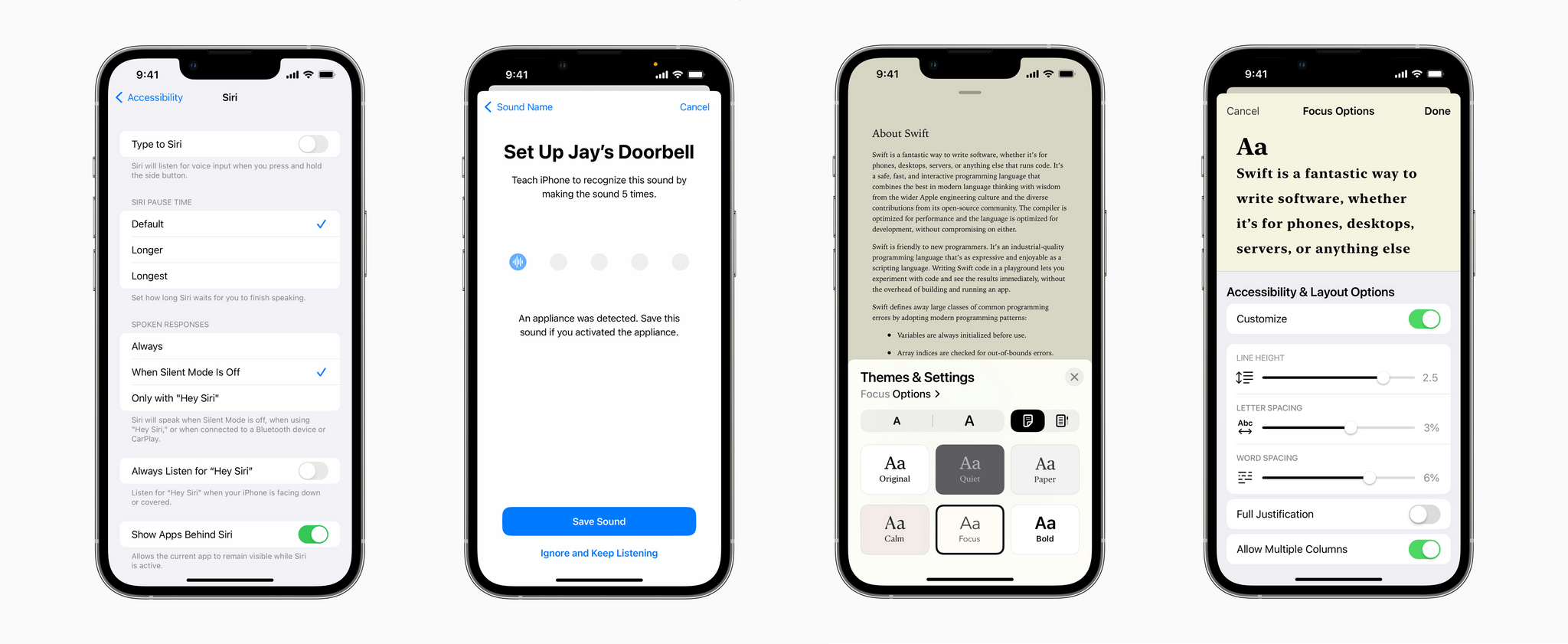
Additional upcoming accessibility features.

Additional upcoming accessibility features.

Apple previewed several other upcoming accessibility features across its products, including:

  • Buddy Controller, the ability for someone to use a second game controller to assist with playing a game as though the two controllers were one
  • Siri Pause Time, which will allow users to customize the period Siri waits before responding to a user
  • Voice Control Spelling Mode, for dictating words letter-by-letter
  • Customizable sound recognition of the sounds in your environment
  • New themes and text adjustments in the Books app for a more accessible reading experience
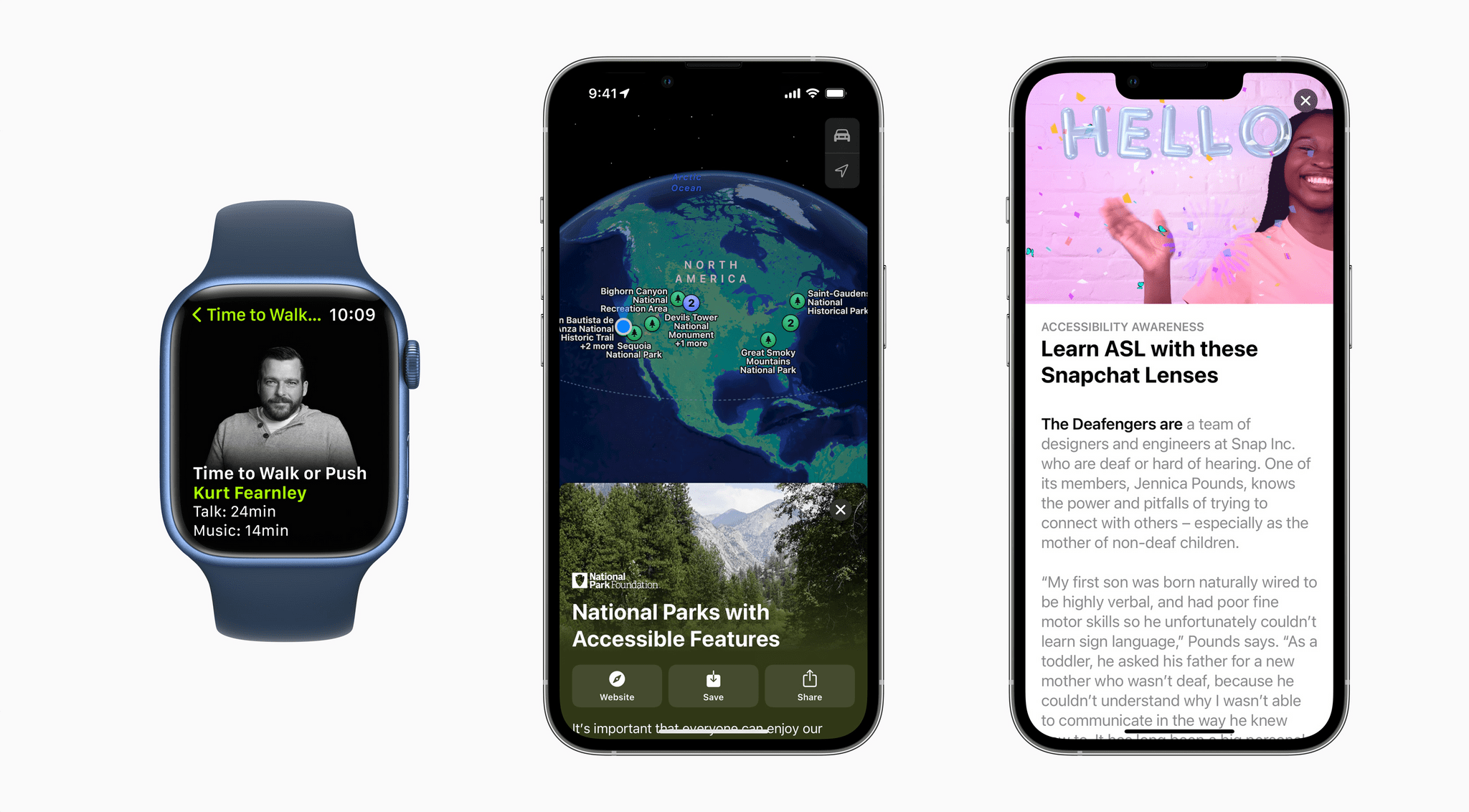
Apple apps and services are celebrating Global Accessibility Awareness Day, too.

Apple apps and services are celebrating Global Accessibility Awareness Day, too.

Also, Apple has announced that Global Accessibility Awareness Day is being celebrated with Apple Store sessions, an Accessibility Assistant shortcut in the Shortcuts app, special Fitness+ sessions and Time to Walk or Push episodes, an accessibility-oriented Maps guide, and highlighted content on the App Store and in Apple Books Apple Podcasts, Apple Music and Apple TV.

We’ve seen Apple announce accessibility features coming to future versions of its OSes before, but today’s announcement is unique given the number of features revealed. I’m eager to try these features out. Based on what Apple has said, there seems to be a lot here that will make meaningful impacts on a lot of users’ everyday lives.

Access Extra Content and Perks

Founded in 2015, Club MacStories has delivered exclusive content every week for nearly a decade.

What started with weekly and monthly email newsletters has blossomed into a family of memberships designed for every MacStories fan.

Learn more here and from our Club FAQs.

Club MacStories: Weekly and monthly newsletters via email and the web that are brimming with apps, tips, automation workflows, longform writing, early access to the MacStories Unwind podcast, periodic giveaways, and more;

Club MacStories+: Everything that Club MacStories offers, plus an active Discord community, advanced search and custom RSS features for exploring the Club’s entire back catalog, bonus columns, and dozens of app discounts;

Club Premier: All of the above and AppStories+, an extended version of our flagship podcast that’s delivered early, ad-free, and in high-bitrate audio.

Learn more here and from our Club FAQs.


Last Week, on Club MacStories: HomeKit Advice, Behind-the-Scenes of Automation April, and a Reader Home Screen

Because Club MacStories now encompasses more than just newsletters, we’ve created a guide to the past week’s happenings along with a look at what’s coming up next:

MacStories Weekly: Issue 320

Access Extra Content and Perks

Founded in 2015, Club MacStories has delivered exclusive content every week for nearly a decade.

What started with weekly and monthly email newsletters has blossomed into a family of memberships designed for every MacStories fan.

Learn more here and from our Club FAQs.

Club MacStories: Weekly and monthly newsletters via email and the web that are brimming with apps, tips, automation workflows, longform writing, early access to the MacStories Unwind podcast, periodic giveaways, and more;

Club MacStories+: Everything that Club MacStories offers, plus an active Discord community, advanced search and custom RSS features for exploring the Club’s entire back catalog, bonus columns, and dozens of app discounts;

Club Premier: All of the above and AppStories+, an extended version of our flagship podcast that’s delivered early, ad-free, and in high-bitrate audio.

Learn more here and from our Club FAQs.


MacStories Unwind: Apple News Audio, Kirby and the Forgotten Land, and Nanuleu

AppStories+ Deeper into the world of apps
0:00
21:10

AppStories+ Deeper into the world of apps


This week on MacStories Unwind, John recommends Apple News Audio stories and Kirby and the Forgotten Land and Alex Guyot makes a special guest appearance to suggest a classic iOS game, Nanuleu.

SaneBox – Organize Your Inbox (and Never Waste Time on Email Again)

John’s Picks:

Alex’s Pick:

Access Extra Content and Perks

Founded in 2015, Club MacStories has delivered exclusive content every week for nearly a decade.

What started with weekly and monthly email newsletters has blossomed into a family of memberships designed for every MacStories fan.

Learn more here and from our Club FAQs.

Club MacStories: Weekly and monthly newsletters via email and the web that are brimming with apps, tips, automation workflows, longform writing, early access to the MacStories Unwind podcast, periodic giveaways, and more;

Club MacStories+: Everything that Club MacStories offers, plus an active Discord community, advanced search and custom RSS features for exploring the Club’s entire back catalog, bonus columns, and dozens of app discounts;

Club Premier: All of the above and AppStories+, an extended version of our flagship podcast that’s delivered early, ad-free, and in high-bitrate audio.

Learn more here and from our Club FAQs.


Apple Discontinues the iPod touch

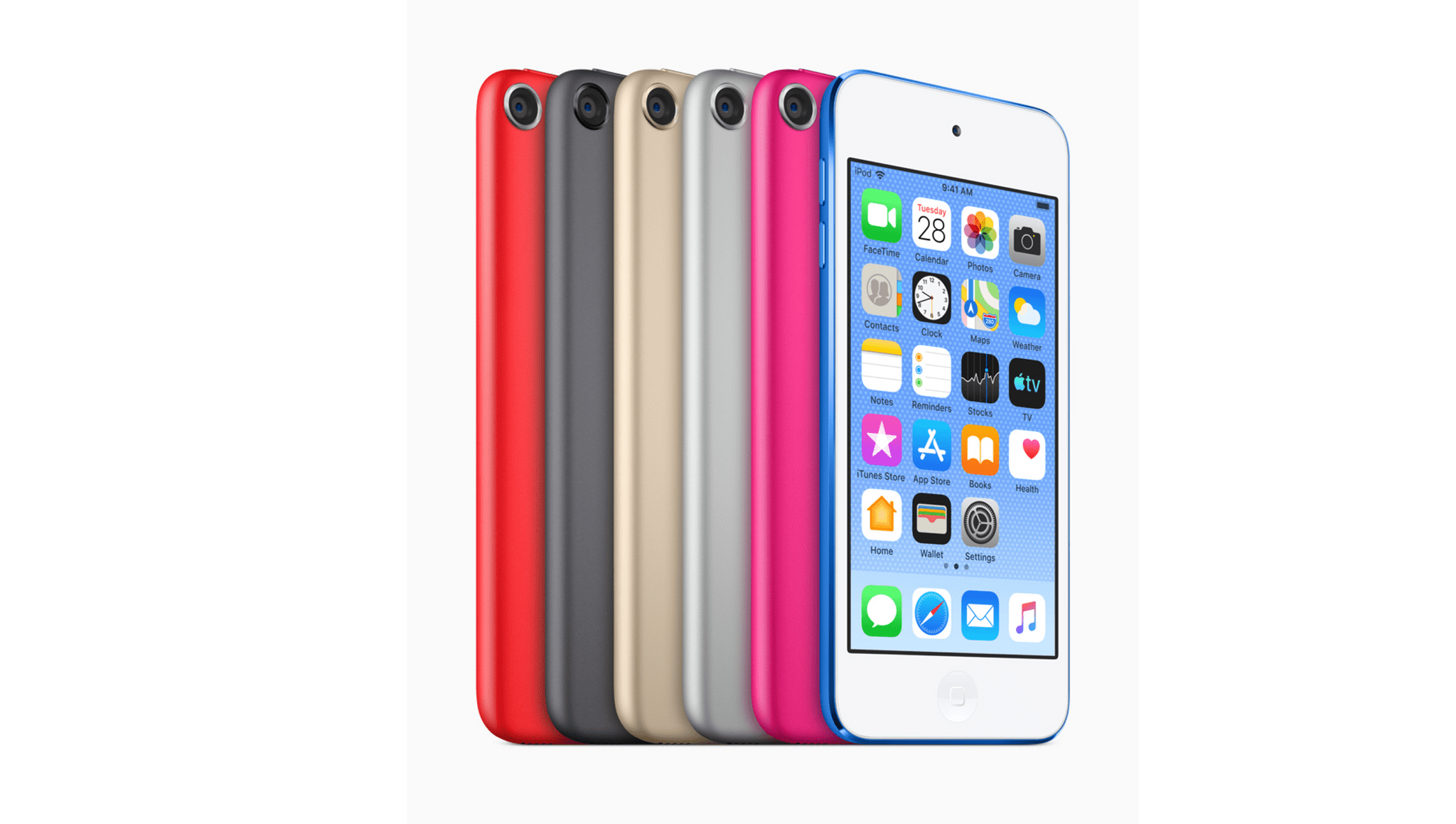
Apple has announced that it is discontinuing the iPod touch.

As the last iPod in Apple’s lineup, the end of the iPod touch marks the end of an era for Apple. The iPod, which debuted in 2001, played a significant role in Apple’s comeback as a company. The iPod touch was introduced in 2007, the same year as the iPhone, as a sort of phone-less iPhone that became an entry-level iOS device for kids and others who didn’t need or want the iPhone’s mobile phone functionality. Over the years, though, the touch has been updated less frequently as its role was absorbed by hand-me-down iPhones and other products.

Although the timing of Apple’s decision makes sense, it’s still a little sad to see the iPod touch go. Apple’s senior vice president of Worldwide Marketing, Greg Joswiak, had this to say about the legacy of the entire iPod lineup:

“Music has always been part of our core at Apple, and bringing it to hundreds of millions of users in the way iPod did impacted more than just the music industry — it also redefined how music is discovered, listened to, and shared. Today, the spirit of iPod lives on. We’ve integrated an incredible music experience across all of our products, from the iPhone to the Apple Watch to HomePod mini, and across Mac, iPad, and Apple TV. And Apple Music delivers industry-leading sound quality with support for spatial audio — there’s no better way to enjoy, discover, and experience music.

With a month to go before WWDC, now is the time that Apple often clears the decks for bigger announcements. Is the end of the touch a precursor to something bigger coming with Apple Music, the HomePod, or other products? I hope so. As Federico and I discussed on this week’s episode of AppStories, there is plenty of room for improvement with Apple Music, and the HomePod mini feels like part of an incomplete lineup after the original HomePod was discontinued. I guess we’ll find out soon enough.

Access Extra Content and Perks

Founded in 2015, Club MacStories has delivered exclusive content every week for nearly a decade.

What started with weekly and monthly email newsletters has blossomed into a family of memberships designed for every MacStories fan.

Learn more here and from our Club FAQs.

Club MacStories: Weekly and monthly newsletters via email and the web that are brimming with apps, tips, automation workflows, longform writing, early access to the MacStories Unwind podcast, periodic giveaways, and more;

Club MacStories+: Everything that Club MacStories offers, plus an active Discord community, advanced search and custom RSS features for exploring the Club’s entire back catalog, bonus columns, and dozens of app discounts;

Club Premier: All of the above and AppStories+, an extended version of our flagship podcast that’s delivered early, ad-free, and in high-bitrate audio.

Learn more here and from our Club FAQs.