This Week's Sponsor:

Inoreader

Build your own newsfeed and cut through the noise


Posts in news

Facebook Neue Safari & Chrome Extension Removes Ads, Makes Facebook Twitter-like

Developed by Milind Alvares of Smoking Apples (and Beautiful Pixels) Facebook Neue is an extension for Chrome and Safari 5 that does one thing very well: it makes Facebook simpler. The extension removes the ugly ads from Facebook (sorry Mark, I’m tired of Coca Cola ads) and resizes the main container to two columns, making it more Twitter-like. As Milind says it’s far from feeling exactly like Twitter, but I like this new layout. It makes everything readable and elegant.

Also in the extension:

I also selectively hid some of the settings in the sidebars, such as application links, or that language settings button next to the chat toolbar. I was happily using this until I realised I could very well just convert this into an extension and share it with everyone. Some more bug fixes, and a redesigned login page later, version 1.0 was ready.

I’m sure some of the changes, like the fixed masthead or the rounding of image avatars, are not going to be universally appreciated, and I’m okay with that.

I love it. Go download it here.

Google Docs Editing Finally Comes to iPhone and iPad

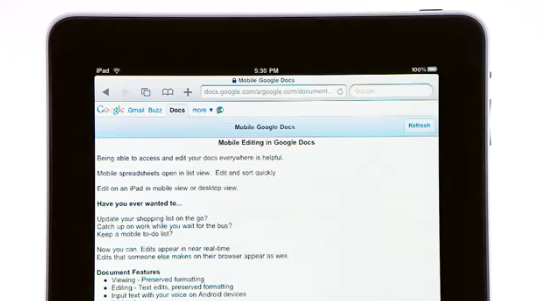
Finally, Google has announced that they’ll roll out Docs editing for mobile devices in the next few days. The feature, first announced several weeks ago but never actually deployed, is now ready to go for Android and iOS devices. All you have to do to edit a document on a mobile browser (including the iPad) is pressing the Edit button in Google Docs. That’s it.

In the next few days, we’re rolling this out to English-language users around the world on Android with Froyo (version 2.2) and on iOS devices (version 3.0+) including the iPad. We’ll be adding support for other languages soon. And as before, we also support editing of spreadsheets from your mobile device’s browser.

Well done, Google. A simple implementation we were all waiting for. Check out the promo video below. Read more


Developers Can Now Submit Apps With Identical Names in the iOS and Mac App Store

Two weeks ago we reported several developers were facing issues with Mac App Store submissions, as they weren’t able to register their app’s name in iTunes Connect. At that time it looked like “name squatters” were sitting on popular app names to force developers to pick different ones, but it turned out that a major issue was lying in Apple’s system itself.

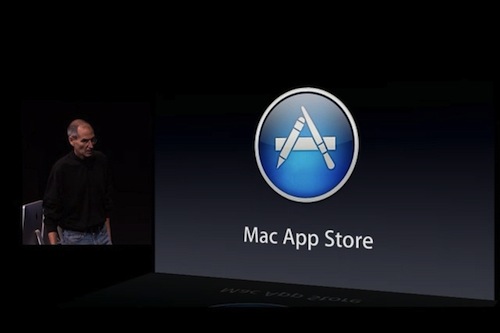
Two weeks ago, in fact, developers who had already submitted an app to the iOS App Store with a certain name weren’t able to use that same name in the Mac App Store registering process. Imagine the frustration of developers who already had iPhone apps in the App Store and wanted to submit Mac counterparts to the upcoming store. Read more


Former CEO of Northrop Grumman Ron Sugar Joins Apple’s Board of Directors

Today Apple appointed a new member of the Board of Directors: Ron Sugar, former CEO of Northrop Grumman Corp. “Dr. Sugar will serve as the Chair of the Audit and Finance Committee”, the press release reports. He takes the spot left by Jerry York, who passed away in March.

Steve Jobs is very happy about the decisions, as “Ron is an engineer at heart, who then became a very successful business leader” that has been involved in the development “of some very sophisticated technology.” Being Apple an engineering-driven company, it’s no surprise Ron Sugar is a new member of the Board of Directors. Press release follows below. Read more


Twitter App Updated with Push Notifications, Improved iPad Interface, iOS 4.2 Compatibility

As I wrote earlier today, an update to the official Twitter app for iPhone and iPad was one of the updates I was really looking forward to. We knew the new version had been approved by Apple, and it was just waiting to go live in iTunes. The update, version 3.2, is finally available here.

As announced on the official Twitter blog, push notifications for messages and mentions have been enabled in the app. They’re available only on the iPhone counterpart for now:

When you’re out and about, your phone probably isn’t always in front of you. It might be in your pocket or purse or on a table – perhaps with the screen off. We want to make sure you see important Tweets even when you’re not looking at Twitter at the moment. To help with that, today we’re launching push notifications for mentions.

In addition to mentions, we’re also bringing push notifications for Messages to Twitter for iPhone, as we’ve already done with SMS and Twitter for Blackberry.

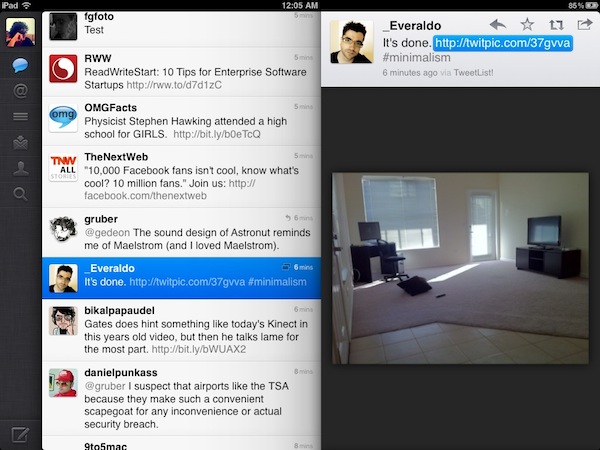
The update also brings more Retina graphics to the iPhone and geotagging with “one tap”. But the real deal’s on the iPad: we’re installing the updated version right now, but looking at the changelog we see Loren Brichter has been working on bringing inline media to the app, together with lots of UI improvements, iOS 4.2 fixes and saved search management.

These improvements include a simpler way to dismiss “panels” opened while navigating between users and links, more intuitive behavior for the aforementioned panels and various fixes to improve the user experience. It’s easier to navigate back to the first panel (or, the “timeline”) now, the animation of inline web previews has been slightly tweaked to “bounce” more when swiping and you can swipe on the inline media viewer, too. The effect is cool, but I wonder what’s the purpose. Try it by yourself with any twitpic or yfrog link.

As for iOS 4.2 support, the app correctly saves states and the login error that affected the previous version on iOS 4.2 has been fixed.

Check out the full changelog and additional screenshots below. Read more


The Beatles Come to iTunes

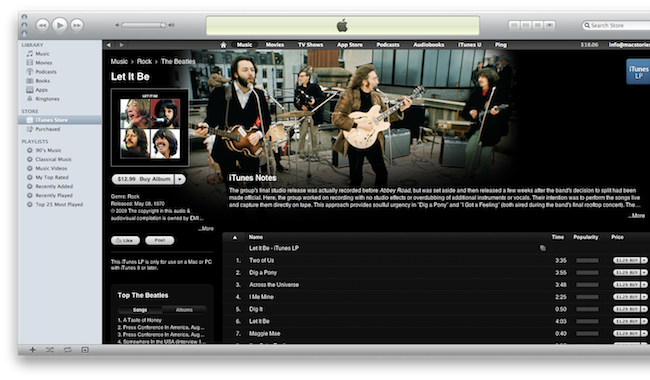
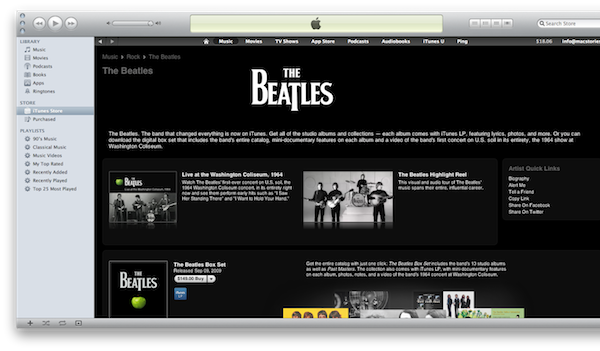
So that’s it. The Beatles music library is available in iTunes, after years of waiting. If you head over the iTunes Store now, you can see by yourself what the fuss was all about: the day “we’ll never forget” is the day Apple announced the availability of the Beatles in the iTunes Store.

Does Apple have more to announce? We sure hope so. But in the meantime, the Beatles have showed up. Songs are already available for download, there’s a Box Set available at $149.00, there are ads and videos.

An update, straight from Apple’s PR:

We’re really excited to bring the Beatles’ music to iTunes,” said Sir Paul McCartney. “It’s fantastic to see the songs we originally released on vinyl receive as much love in the digital world as they did the first time around.”

“I am particularly glad to no longer be asked when the Beatles are coming to iTunes,” said Ringo Starr. “At last, if you want it—you can get it now—The Beatles from Liverpool to now! Peace and Love, Ringo.”

“We love the Beatles and are honored and thrilled to welcome them to iTunes,” said Steve Jobs, Apple’s CEO. “It has been a long and winding road to get here. Thanks to the Beatles and EMI, we are now realizing a dream we’ve had since we launched iTunes ten years ago.”

“In the joyful spirit of Give Peace A Chance, I think it is so appropriate that we are doing this on John’s 70th birthday year,” said Yoko Ono Lennon.

“The Beatles on iTunes—Bravo!” said Olivia Harrison.

“The Beatles and iTunes have both been true innovators in their fields,” said EMI Group CEO Roger Faxon. “It’s a privilege for everybody at EMI to work with Steve Jobs and with Apple Corps’ Jeff Jones and their teams in marking a great milestone in the development of digital music.


WSJ: Indeed, Apple Announcing Beatles & iTunes Tomorrow

This could be the end of the saga. It seems like Beatles’ library coming to iTunes is “official” at this point. The Wall Street Journal reports:

The deal resulted from talks that were taking place as recently as last week among executives of Apple, representatives of the Beatles and their record label, EMI Group Ltd., according to these people, who also warned that there is still a chance that Apple could change plans at the last minute.

Spokesmen for Apple, EMI and Paul McCartney declined to comment.

They couldn’t learn the terms of the deal, but according to their “exclusive” sources it’s a done thing. How the Beatles catalogue available in iTunes is supposed to change our lives can’t be verified either.


Fullscreen.me Is The Simplest Way To Create Full-Screen iOS Web Apps

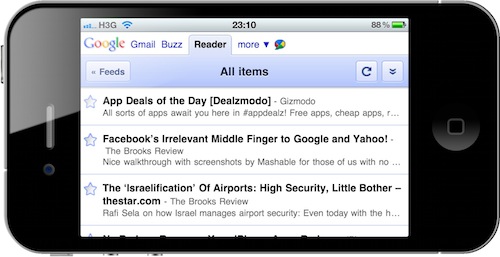
Fullscreen.me is a neat service I discovered last night which enables you to create iOS web apps that run in full-screen mode with just a few taps. Many popular web services out there come with iPhone and iPad specific interfaces (Gmail, Google Reader, Flickr), but wouldn’t it be great to easily run them in full-screen mode instead of being forced to open them in Mobile Safari every time you launch a webclip?

Fullscreen.me does just that: it turns websites into full-screen web apps. You can choose from a set of built-in services (namely Google products) or manually enter a URL and make your own web app. What’s cool is that Fullscreen.me lets you pick your own icon (stored somewhere on the internet) to override a website’s default apple-icon.png – meaning no more fuzzy Gmail icon on your Springboard. You can also set a custom status bar color or create a “splash URL” to display before the web app fully loads.

You can try out Fullscreen.me by opening it on your iOS devices. Really good stuff.