Posts in news

ZeroNinetyNine’s Mac App Store “Bundle”

Here’s a unique offer for all you bundleheads — ZeroNinetyNine is offering “The First Mac App Store Bundle” today only. Since the Mac App Store doesn’t allow apps to be bundled and sold together, ZeroNinetyNine has found a unique way to do so by designing a holding page with all the applications in their “bundle”. Several independent developers have simultaneously dropped the price of their apps for one day sale on Mac App Store for just 99¢ per app.

One could find these price discounts by searching the Mac App Store and our own MacStoriesDeals posts, but what fun is that? Well, actually our MacStoriesDeals is great if I say so myself! ZeroNinetyNine has done the hard work for you and presented it in a well-designed page.

The apps that are included in this one-day 99¢ sale are MacPaw’s Ensoul and Hider, Coppertino’s Focus, and Apparent Software’s Blast Utility. Other apps included are Alarm Pro, Inpaint, Compartments, iResizer, Virus Barrier Plus, Washing Machine and Intego Backup Express.

ZeroNinetyNine has done a great job coordinating this independent “bundle,” there are many great apps at a great price — 99¢ a piece. This is not a one time affair either, ZeroNinetyNine will be doing these types of bundles once a month.


Gradient for Mac 1.0 Giveaway

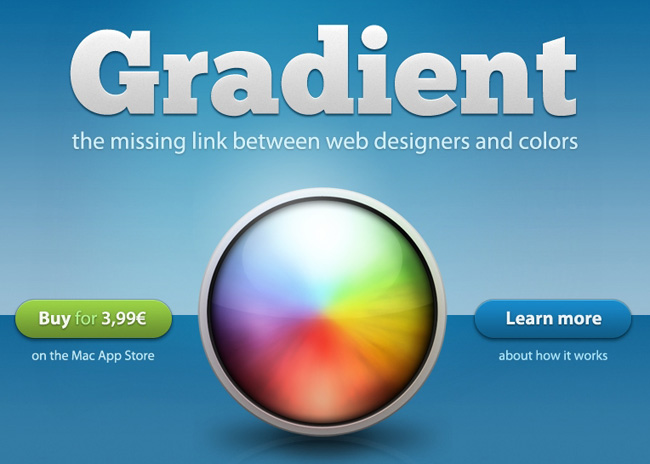
Back in September we showed you a beta preview of Gradient by JUMPZERO. As I said before, it’s a simple yet powerful Mac app that lets you easily create CSS gradients with a beautiful user interface. Gradient was officially released yesterday and the JUMPZERO team has a little surprise for MacStories’ readers.

Gradient 1.0 is well polished for a 1.0 release — their time and effort really shows. Since the beta stage, JUMPZERO has improved some of the UI elements and improved the overall user experience. It will be a great tool for web designers looking for a simple yet intuitive way to create CSS gradients. Gradient is now in the Mac App Store for an intro price of just $4.99, get it here.

Read more


Apple’s Australian Preliminary Injunction Against The Samsung Galaxy Tab 10.1 Overturned For Now

Apple’s injunction on the Samsung Galaxy Tab 10.1 in Australia was overturned today in a unanimous decision by the Australian Federal Court. Things are a little more complicated though, because Apple will likely appeal the decision all the way to the High Court of Australia. Consequently the presiding judge has ordered that the ruling be stayed until Friday to give Apple some time to lodge the appeal. One must also remember that this was only a temporary injunction before the full trial starts around March next year.

The Verge has gotten an official statement from Apple regarding the ruling:

It’s no coincidence that Samsung’s latest products look a lot like the iPhone and iPad, from the shape of the hardware to the user interface and even the packaging. This kind of blatant copying is wrong and, as we’ve said many times before, we need to protect Apple’s intellectual property when companies steal our ideas.

On a related note, Apple yesterday asked a German court to ban Samsung’s Galaxy Tab 10.1N - an altered version of the Galaxy Tab that was specifically designed to work around the European design registrations that Apple holds for the iPad. If Apple is successful with this preliminary injunction, it will be the fourth variant of the Galaxy Tab that they have been successful in temporarily halting sales for (previous versions are the 7.7, 8.9 and 10.1).

[Via The Verge]


Rumor: Microsoft Working On Office Apps For The iPad

Microsoft may be working on creating iPad versions of its popular Office Suite apps according to The Daily. The Daily’s sources say that the apps would likely work with Microsoft’s new online service, Office 365, and be price-competitive with Apple’s Pages, Numbers and Keynote iOS apps which are sold around the $10 price point. The move wouldn’t be completely surprising given the fact that Microsoft has already developed a number of iOS apps, including the impressive Bing iPad app.

No detail is provided in the report about how powerful the iPad versions of Office will be — nor about what kind of interface would be used. A release date is not known either, but they could potentially launch in the first half of 2012.

The report also notes that a new version of Office is also in development for OS X Lion, with a release date of next year sometime. However typically the OS X releases of Office have experienced a one year delay after the Windows version is released. Consequently, with the next version of Office for Windows not expected until sometime next year, a 2012 release for the OS X version as well would buck the recent trend of Office releases. It should also be noted that Microsoft has already signalled that an update is coming for Office for Mac 2011 that will bring support for a number of Lion features.

[The Daily via The Verge]


BundleHunt Holiday Mega Bundle: 6 Great Mac Apps & 6 Design Goodies at $49

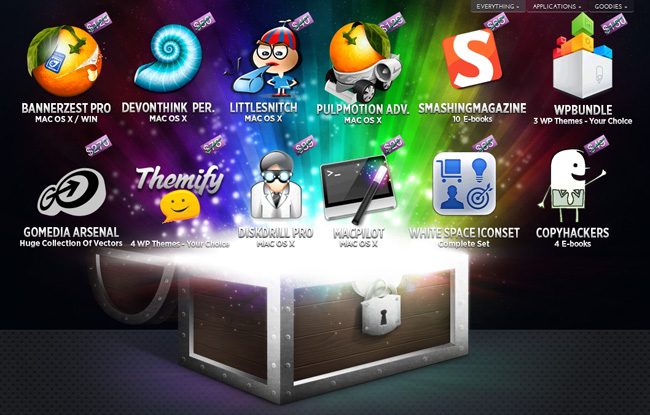
BundleHunt is once again offering a great bundle with “12 Top Mac Apps + Design Goodies” at $49.99. You’ll get some great apps like Little Snitch, DEVONthink and PulpMotion as well as MacPilot, Disk Drill Pro, and BannerZest. You’ll also get your hands on 10 Smashing Magazine design ebooks, 4 Copy Hackers ebooks, 4 WordPress themes from Themify and 3 more from WP Bundle, plus a complete White Space icon set and a vector selection from Go Media Arsenal.

BundleHunt has also made this deal a bit sweeter. You can receive a license of MacPaw’s Ensoul worth $9.99 for FREE just by sending a single tweet. Even sweeter is that they are giving away two iPad 2s.  Purchase the bundle or subscribe to their newsletter to enter.

BundleHunt includes:

  • BannerZest Pro: The fastest and easiest way to add punch and movement to your images online and get professional-looking slideshows. Integration with all major web site editors is a breeze! Normally $129.
  • DEVONthink Personal: This app keeps your documents, notes, and bookmarks. Its unique tools and artificial intelligence let you manage your files effortlessly and focus on things that really matter. Sold for $50.
  • Little Snitch: Informs you whenever a program attempts to establish an outgoing Internet connection. You can then choose to allow or deny this connection, or define a rule how to handle similar, future connection attempts. This reliably prevents private data from being sent out without your knowledge. Normally $40.
  • PulpMotion: Create animated presentation using your own media such as photos, videos and music! WOW your friends & family in just a few clicks. Wedding, birthday, travel – just a few of the hundreds of different slideshows that you can create. $129.
  • Smashing Magazine: This awesome package of eBooks will make you a master of CSS, web design, Photoshop, but most importantly a Professional! Available as PDF, ePUB, Mobipocket (DRM-free). Original price is $65.
  • WPBundle: An amazing bundle of 12 quality WordPress Themes and includes the ever growing collection of IconJar Icons (over 300 icons so far!). WPBundle are offering 3 WordPress themes of your choice and their beautiful collection of IconJar icons, regular price is $150.
  • Go Media Arsenal Vector Collection 3: This collection contains 7 outstanding vector collections to supplement your own creations. $270.
  • Themify WP Themes: Themify builds professional WordPress themes that are highly customizable and easy to use. Every theme comes with an advanced option panel where you can easily customize your theme without having to edit any template files. $100.
  • Disk Drill Pro: Disk Drill, Mac Data Recovery Software, recovers data from HFS/HFS+, FAT, NTFS & other file systems right on your Mac. $89.
  • MacPilot: Easily enable and disable hidden features in Mac OS X, optimize and repair your system, and perform numerous routine maintenance operations with the click of a button. Normally sold for $20.
  • White Space Icons: This icon collection, from PixelPress Icons, is one of the most complete set of stock glyph-style icons available. This massive set of 352 unique icons will help you get your app or website to market faster. Original price is $65.
  • Copy Hackers eBooks: Master the Key Components of Copywriting & Boost Your Conversion with Copy Hackers, the ONLY Web Writing Ebooks Made Just for Startups & Micropreneurs. Normally $49.

Most of these applications/design goodies are worth more than the bundle’s price, yet with BundleHunt you’re going to save over $1,000 and get a variety of other Mac software, plus some useful goodies for your next design work. $49 gets you 7 great apps to add to your Mac’s library with licenses delivered directly to your email inbox.

Disclaimer: For every bundle purchased through MacStories, we receive a small kickback. If you’re interested in the bundle and supporting the MacStories crew, please use the link here or any of the affiliate links above.


Alfred 1.0 Now Available With Enhanced Global Hotkeys

The public release of Alfred 1.0 is now available and brings with it a multitude of new features as well as improvements to existing ones. For most software developers reaching version 1.0 is a special milestone. I had the opportunity to speak with Andrew Pepperrell, the developer of Alfred, about his thoughts regarding this release and this is what he had to say:

Alfred 1.0 is a meaningful release; it’s more than just the new features. Version 1.0 marks Alfred’s maturity in my own mind, and users will no longer see him as unfinished. To be honest, 0.9 should have been 1.0… maybe even 0.8

I think that sums it up extremely well considering the last couple of updates have dramatically changed the way we use Alfred. The recent addition of extensions was certainly a game changer in my opinion. Now lets take a closer look at this version and see what it has to offer.

Read more


References To Unreleased iPhone, iPad And Apple TV Found In iOS 5.1 Beta

Late yesterday Apple released the first beta of iOS 5.1 to developers and over the past few hours a number of people have been digging around to see whats new. A few readers and contributors to 9to5 Mac have found that the new beta includes references to a new Apple TV, a new iPhone and a new iPad.

The unreleased Apple TV that is referenced in iOS 5.1 features an identifier of “3,1” and a codename of “J33”. As for the iPhone, a new identifier of “5,1” has been found - that if it comes to fruition, would suggest a new iPhone with major internal changes. Finally, two new identifiers have been found for new iPad models. First there is a “2,4” model, one that 9to5 Mac suggests could be for a WiMAX Sprint iPad or potentially a TD-LTE model for China. The other new identifier is “3,3”, which follows on from previous discoveries of the iPad “3,1” and “3,2” identifiers that have been found earlier this year.

Whilst these references are added purposively, it is important to remember that not all the references will correspond to a device that Apple actually launches in the future. Furthermore, little if any information is revealed about the potential devices by these identifiers - except for the fact they exist to some degree within Apple.

[Via 9to5 Mac (1) (2) (3)]


iA Writer for iPad and Mac Updated with iCloud

Sometimes you kids ask me about what writing app is shown off in my iPad screenshots or photos. More often than not it’s iA Writer, and it’s an awesome little thing.

If you can’t live without iA Writer, you should start checking both the iOS and Mac App Stores for an available update that includes improved Dropbox integration, and now iCloud support that works between Mac and iOS.

Here’s how it works. On the iPad side you can save a document to iCloud. Saving and managing documents is a completely enhanced experience: You can move documents between the local iPad, any Dropbox folder of your choice, or iCloud for shared and cloud storage.

When you open up iA Writer on the Mac, a new iCloud submenu appears under the file menu. You can pull your documents from the cloud. Just so we’re being clear — these documents are copied to your Mac in the library folder, but they’re not available in your documents folder. You’ll get a good idea about how iCloud sandboxing works here.

If you want to save a document to iCloud from your Mac, you need to save your document somewhere first. Only afterwards can you move it to the iCloud, where it will be moved out of its original location and into your Library. So technically you’re not supposed to know where these documents exist, but everything works as advertised.

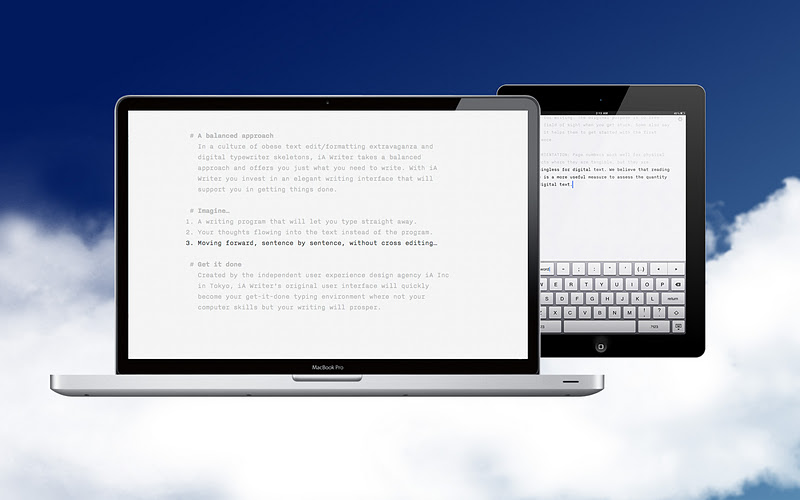
iA Writer is a custom text editor that features FocusMode and a barebones writing environment with a giant blue cursor. Currently, iA Writer is 50% for both iPad and Mac versions — if you want the app, now would be a really good time to pick it up since you can get the suite for around $10.

App Store: iA Writer for the iPad | iA Writer for Mac


Apple Releases iOS 5.1 Beta

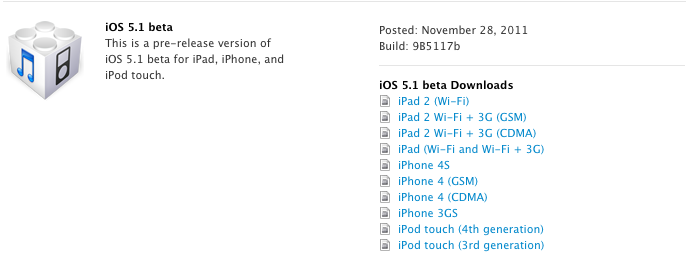
Just when you thought it was going to be a relaxing Cyber Monday, Apple has made the iOS 5.1 beta available for download. Developers will find a new Xcode 4.3 developer preview waiting for download as well. The (9B5117b) builds weigh in at 700 MB to 800 MB depending on the iPad or iPhone versions. The 5.1 beta has lots of bugs noted, so we’d recommend holding off if you just want a peek otherwise.

Developers can download the beta in the iOS dev center.

Now back to your scheduled evening dose of online shopping and hot chocolate.