


Happy Birthday iPad! Here’s today’s deals on iOS, Mac, and Mac App Store apps that are on sale for a limited time, so get ‘em while they’re hot! Read more
Posts in mac
#MacStoriesDeals - Thursday
Cubetastic, A Superb Puzzler Now On The Mac & iPad App Stores
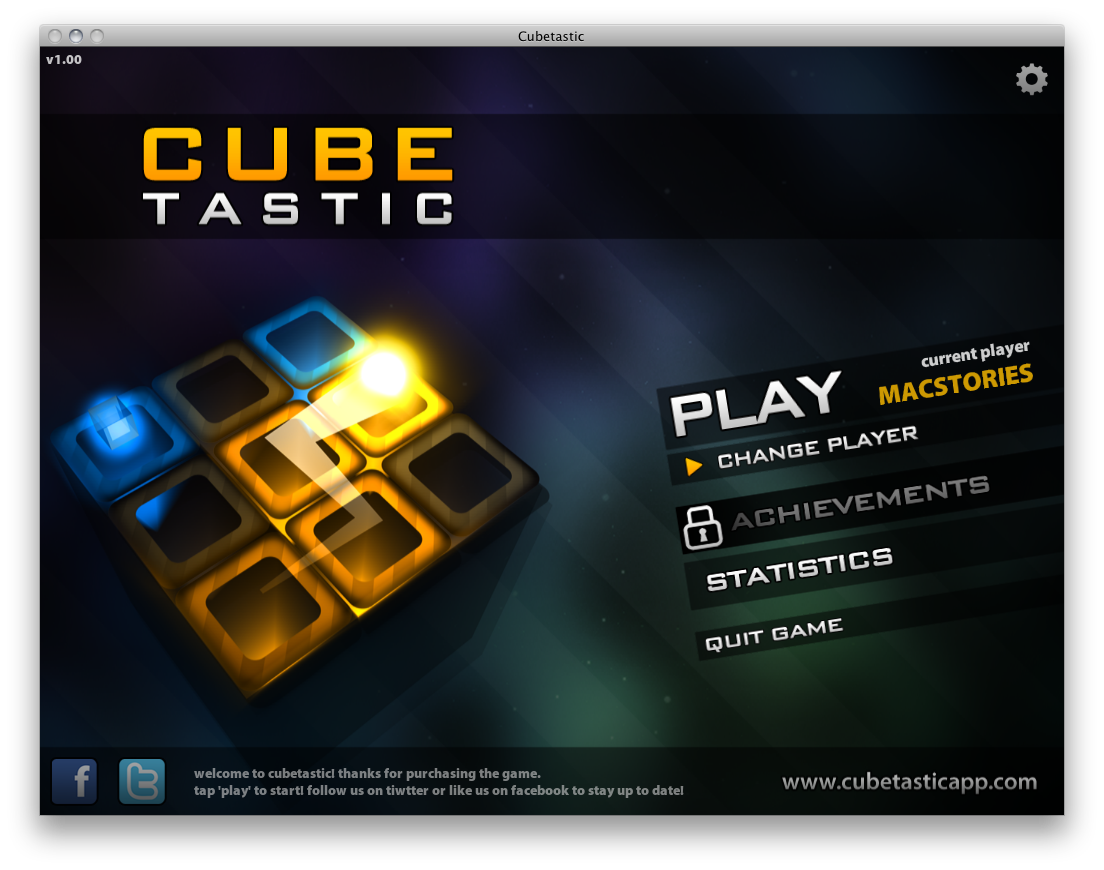
Which one of you was the jerk who’d take a Rubik’s Cube, mix it all up, and make it almost impossible for the average human being to solve? I have terrible memories of those things – spending hours trying to figure out what it would take my senior high buddy about five minutes. Of course, fate would have it that some awesome group of developers would take the Rubik’s Cube and completely base it on one of the most twisted brain teasers ever. When we say twisted, we literally mean these puzzles take a few turns to solve.
The folks from doPanic have created a multidimensional puzzle game that focuses on getting a glowing orb (your light) to a goal. It sounds pretty easy, and skilled players will solve puzzles in as few moves as possible, but once you start spinning the cube…things get a little Cubetastic.
AppShopper.com Now Mac App Store Friendly

All of us at MacStories love AppShopper.com, I use it every day, along with MacAppDeals.com, to help grab the best deals for our #MacStoriesDeals posts. Although it’s not been officially announced, I noticed this evening that there have been a few exciting changes for us app hunters. First, there is a new set of buttons on the far left, “iOS / Mac”. You guessed it, AppShopper is now listing Mac App Store apps into their stream! Also, they have slightly changed their OS category descriptions. They now separate into “Mac OS, and iOS iPhone, iOS iPad or iOS Universal.” Subtle but greatly improved. Read more
The ‘Offgrid’ Option for Your MacBook
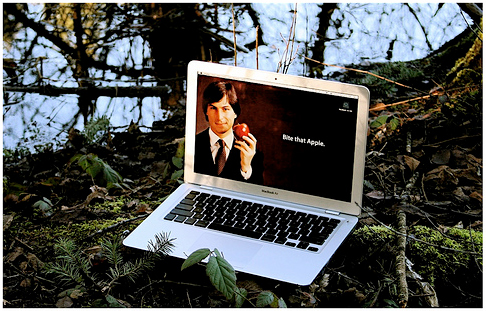
How would you like the option of using your MacBook without ever needing to plug it in for charging? Voltaic has posted details on how to do this. The setup requires Voltaic’s own 15 Watt Solar Panel and HyperMac’s 60 Watt external battery. Read more
#MacStoriesDeals - Wednesday

MacWorld has begun! Here’s today’s deals on iOS, Mac, and Mac App Store apps that are on sale for a limited time, so get ‘em while they’re hot! Read more
Power Mac Wall Clock & The Mighty Pendulum
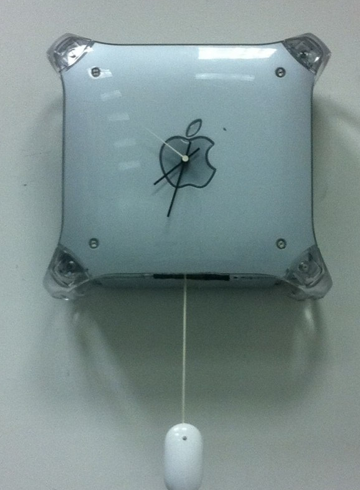
No, what you’re reading above isn’t the title of a new movie or a web comic, it’s an actual mod realized by Justin Tyler Moore. He took a Power Mac G4, cut it down on the side, place a “cheap clock mechanism” inside and made it all work together with a “Mighty Pendulum” – that is, a Mighty Mouse becoming a pendulum.
Full album can be viewed here. Now somebody please make me a Magic Clock. [Engadget via Justin Tyler Moore]
#MacStoriesDeals - Tuesday

Here’s today’s deals on iOS, Mac, and Mac App Store apps that are on sale for a limited time, so get ‘em while they’re hot! Read more
Cathode Is A Vintage Terminal For OS X
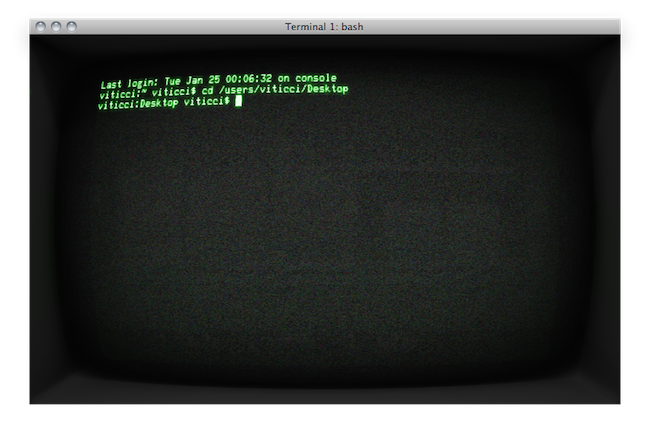
Here’s an interesting new Mac app for you Terminal junkies looking for new shiny this morning. Cathode came out of beta a few weeks ago, and it’s an alternative Terminal app for OS X with lots of “vintage” themes to apply to the regular session window. As the name suggests, Cathode emulates those old TV screens you might have seen (and owned, too) in the 1970s and 1980s – indeed cathodic monitors.
In spite of its vintage look, the app is entirely written in modern OpenGL and Cocoa, with graphic processing done by the Mac’s GPU. The app, in fact, uses a lot of animations to replicate the behavior of old televisions with flickering fonts, interlacing, curvatures and flashes. It really resembles the old monitor your grandparents might still be using today. You can choose between different themes and adjust fonts and colors, enter fullscreen mode and set the curvature of the screen to your liking.
The licensing method is clever as well: you can use the app for free, but the picture quality will slowly degrade until Cathode is relaunched. If you purchase a license ($20), you can customize the interface and avoid picture degradation.
BootXChanger Revitalizes Your Mac Boot Screen
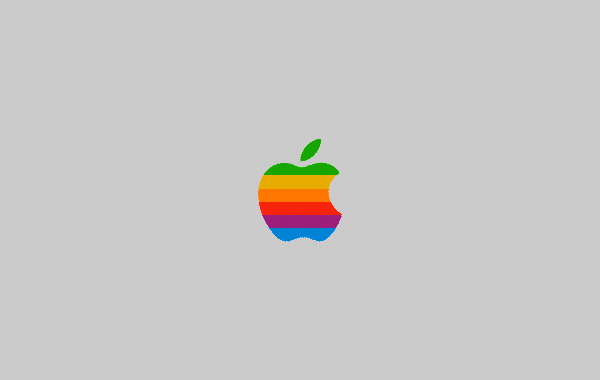
Apple’s default boot screen is an admittedly bland and very grey affair, luckily BootXChanger (which has had more than three years of development) offers a simple drag and drop way to add your own image and change the background color.
It’s recommended that the image you use to replace the Apple logo should be 90x90 pixels, any larger and depending on your Mac it may be resized or not show up at all. Images can have transparency and this is a good way to ensure the image matches the background. As a nice extra touch, BootXChanger comes with some sample images such as the old rainbow Apple logo and the Finder logo.