This Week's Sponsor:

Dropzone 5

Improve your Drag-and-Drop Workflow


Posts in mac

Report Finds Mac App Store Is Dominated By Paid Apps

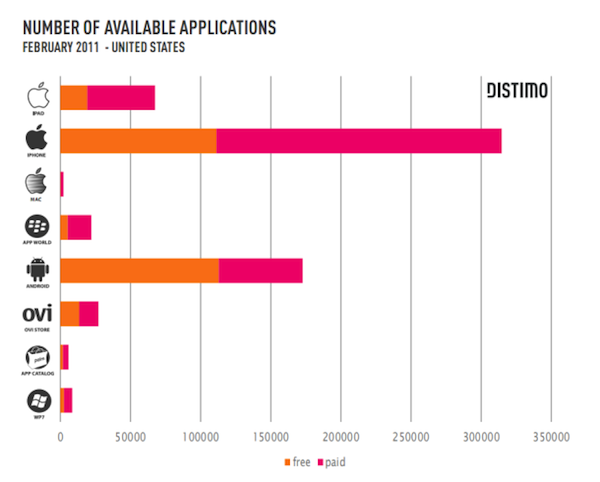
According to a market research report by Distimo, Apple’s Mac App Store is adding applications at a less frequent rate than the iOS App Store and a much larger of those in the Mac App Store are paid apps. The report tracked data from a variety of ‘app stores ‘ from the iOS App Store, Android Market, Windows Phone 7 Marketplace and more as well as the Mac App Store – which was the only ‘app store’ for computers it tracked.

As the above graph demonstrates, the Mac App Store is very small in comparison to the other App Stores surveyed at this point in time, however more interestingly is that a whopping 88% of apps in the Mac App Store are paid apps, leaving only a slither of 12% being free. Prices are also on average much higher with the average selling price of a paid app in the top 300 applications being $11.21 on the Mac App Store whilst only being $4.19 for the iPad and $1.57 on the iPhone/iPod Touch App Store.

Read more


#MacStoriesDeals - Thursday

Happy St. Paddy’s Day all over the world and Happy National Unity Day in Italy! Here are today’s deals on iOS, Mac, and Mac App Store apps that are on sale for a limited time, so get ‘em while they’re hot!

Read more


Mondo Solitaire: Deliciously Beautiful Solitaire For Mac

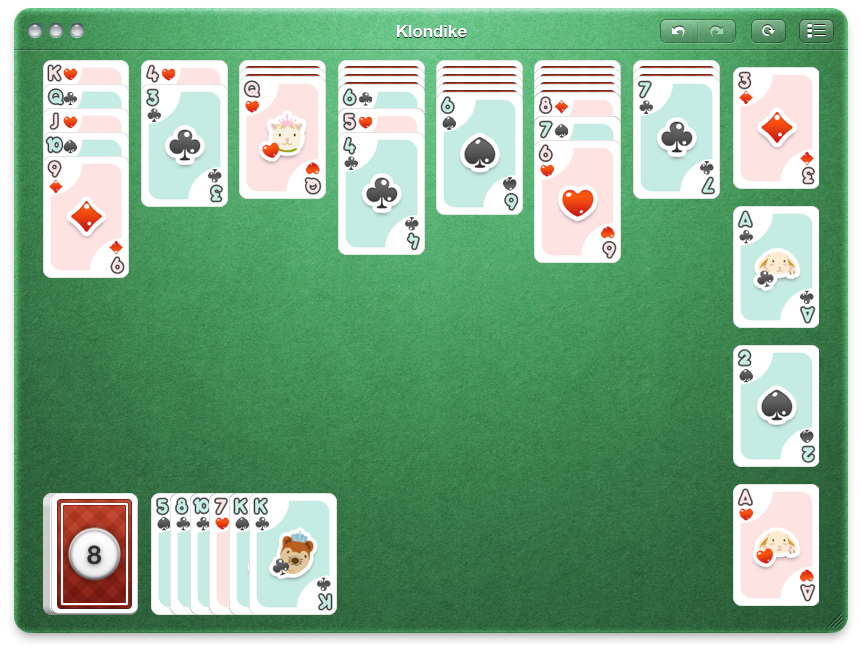
There isn’t too much you can say about solitaire on its own. It’s the card game your coworker plays instead of writing formulas for Excel spreadsheets on Windows, but that doesn’t mean we can’t turn solitaire into something more than a time waster. Proof of concept: Mondo Solitaire from Ambrosia Software is solitaire done right. You aren’t just playing the same game of Klondike over and over - instead you’re offered over 300 variants of solitaire madness to choose from. If you include the beautiful game board that looks like it should bundled with Apple’s own Game Center, then you have yourself one premium handful of card games.

Read more


Disk Drill Out Of Beta, Adds S.M.A.R.T Disk Monitoring

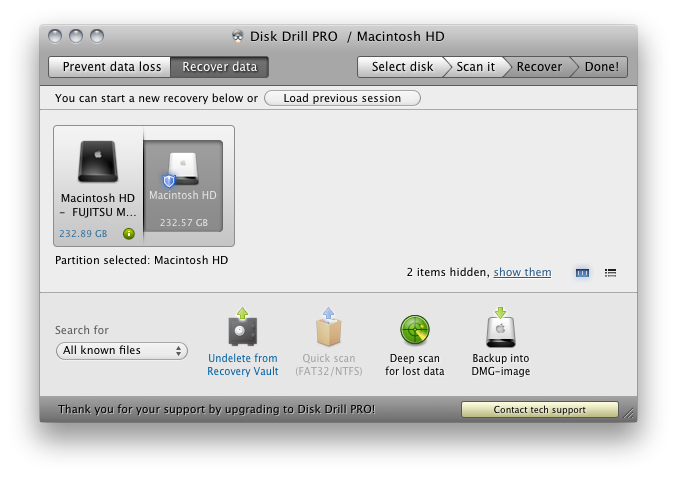
While Disk Drill was in beta, we had it thoroughly reviewed as an excellent file recovery solution for the Mac, helping prevent disaster from unavoidable data loss thanks to power failure, hard drive crash, or accidental file deletion. Not only does the Recovery Vault watch what files you delete and keep a tab on them in case of recovery, you can also have Disk Drill scan external HFS/HFS+ or FAT drives and flash media to possibly undelete pictures, music, and documents. Disk Drill comes in free and Pro versions, with the free version supports files protected Recovery Vault, you’ll gain the ability to recovery anything thanks to a new deep scan algorithm in the Pro version, which will attempt to recover files that haven’t yet been overwritten by the operating system. Included in both versions is now a menubar utility that monitors your hard disk for errors, and will allow you to back up failing partitions to a disk image at the first sign of trouble.

Disk Drill is user friendly, and I recommend you check out our initial review before checking out the free version. The Pro version costs $89, but if you already own a competitor’s product that you’re unsatisfied with, you can send Disk Drill a proof of purchase for a 50% discount. Students and non-profit organizations also qualify for a 20% discount.


FileMaker’s Bento for Mac Updated to Version 4; iOS Version Updated

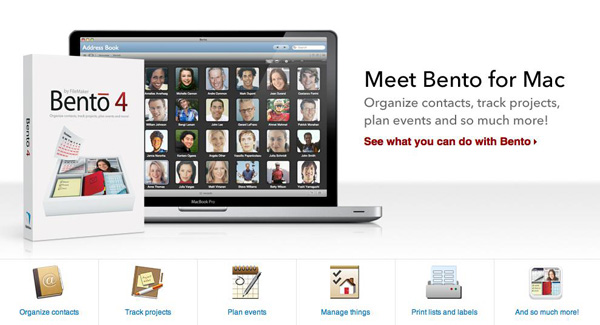
Filemaker has released Bento 4 for Mac today, and it’s a major update to the previous version of their popular personal database software. It’s also now available via Apple’s Mac App Store, a first for Bento. It will cost you $49 but if you own a previous version, they will give you a $20 rebate. If you want a ‘family pack’ with 5 licenses, they offer a $99 version of Bento.

New features to Bento 4 include the ability to print labels using Avery and Dymo file formats. Sharing databases is easier with this version as well; the user can export the app’s libraries that are populated with data for other Bento users.

You can also upload a database template to the ‘Bento Template Exchange’ that has over 800 free downloadable templates to use. Bento has also added the ability to use geographical location data, grabbed through Wi-Fi, GPS or cell tower triangulation.

Another new feature adds the ability to lock forms to prevent unnecessary changes from being made to your layout. Improved performance and faster launch times have also been added, along with an easier way to switch from Table to Form view.

Bento for iOS was also updated to version 1.1. Changes include the ability to record voice memos, and sync iCal tasks (when paired with Mac). Multitasking support and better image support for retina displays are also included; here’s the link.

If you want to buy Bento 4 from somewhere other than the Mac App Store, you can always visit an Apple Retail Store or buy it directly from Filemaker’s website.

[via The Loop]


TapeDeck For Mac Records & Captures Audio, Supports Pro Hardware & Monitoring

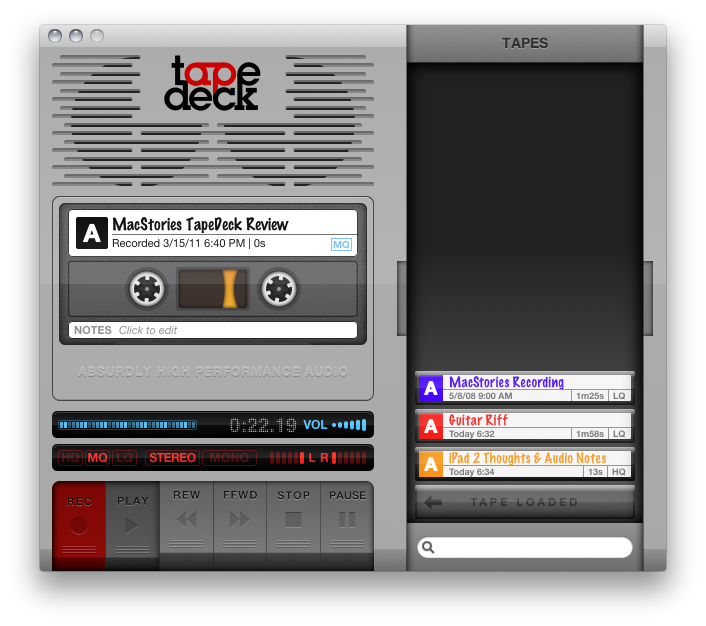
Much like TinyVox which we looked at recently, you’d think TapeDeck would be its older brother (though the two aren’t related). TapeDeck for the Mac is a cassette deck for OS X, enabling you to quickly label and record audio from the built in microphone or connected pro hardware, and can allow you to monitor (playback) audio as it’s being recorded. If you have the jack for your Mac’s line-in port, you’ll be able to quickly save off audio to a .m4a file which shows up as a cassette in the tap box (the drawer that holds your cassettes). You can organize recordings by color, add notes, select audio quality per recording, and choose either stereo or mono (mono only records audio on the first of the two channels you’re recording to). It’s old school meets… new school?

Read more