This Week's Sponsor:

Dropzone 5

Improve your Drag-and-Drop Workflow


Posts in Linked

Google Photos Will Now Show You Photos and Videos From the Past

Sean O’Kane at The Verge:

The Google Photos app will now serve up cards in the “assistant view” that urge you to “rediscover this day,” and they can include photos, photo collages, or videos. The cards will tell you where you were and who you were with on that day, and the app also sticks a little graphic over everything that tells you which year it was from — another little bit that is extremely similar to Timehop.

The first rule of modern photo management services is that, sooner or later, they’re going to bring back a feature from Everpix. I used to love this in the defunct service; it makes sense for the Assistant view of Google Photos. It’s surprising to me that Apple still hasn’t added something like this to Photos (you can search for “one year ago”, but it’s not as precise or visible).

Permalink

Recovering Deleted Files and Data from iCloud

Dan Moren, writing for Six Colors on Apple’s new iCloud feature to restore deleted files and data:

A few weeks back, I noted that recovering lost files from iCloud required a trip to the web interface. At the time, the only data available for recovery were files stored in iCloud, but in the intervening weeks, Apple’s added new capabilities and reorganized the layout in the process.

Rather than Apple squirreling away data recovery options under “Advanced > Data & Security”, you now scroll down to an Advanced section, which contains direct links to file recovery and adds the option to restore both contacts and calendar/reminder data. Clicking any of those links will open the restore data dialog box with the correct tab pre-selected.

On both MacStories and Connected, I’ve often noted how the lack of visible file versions and ability to restore deleted files has pushed me away from iCloud to embrace the safety of Dropbox. I’m still going to need Dropbox for the foreseeable future (and there’s still no comparison with what iCloud is offering when it comes to recovering deleted files and viewing versions), but this is a start by Apple and I like how it applies to iCloud data as well – not just files. More of this, please.

Permalink

The Colors Of An App Icon

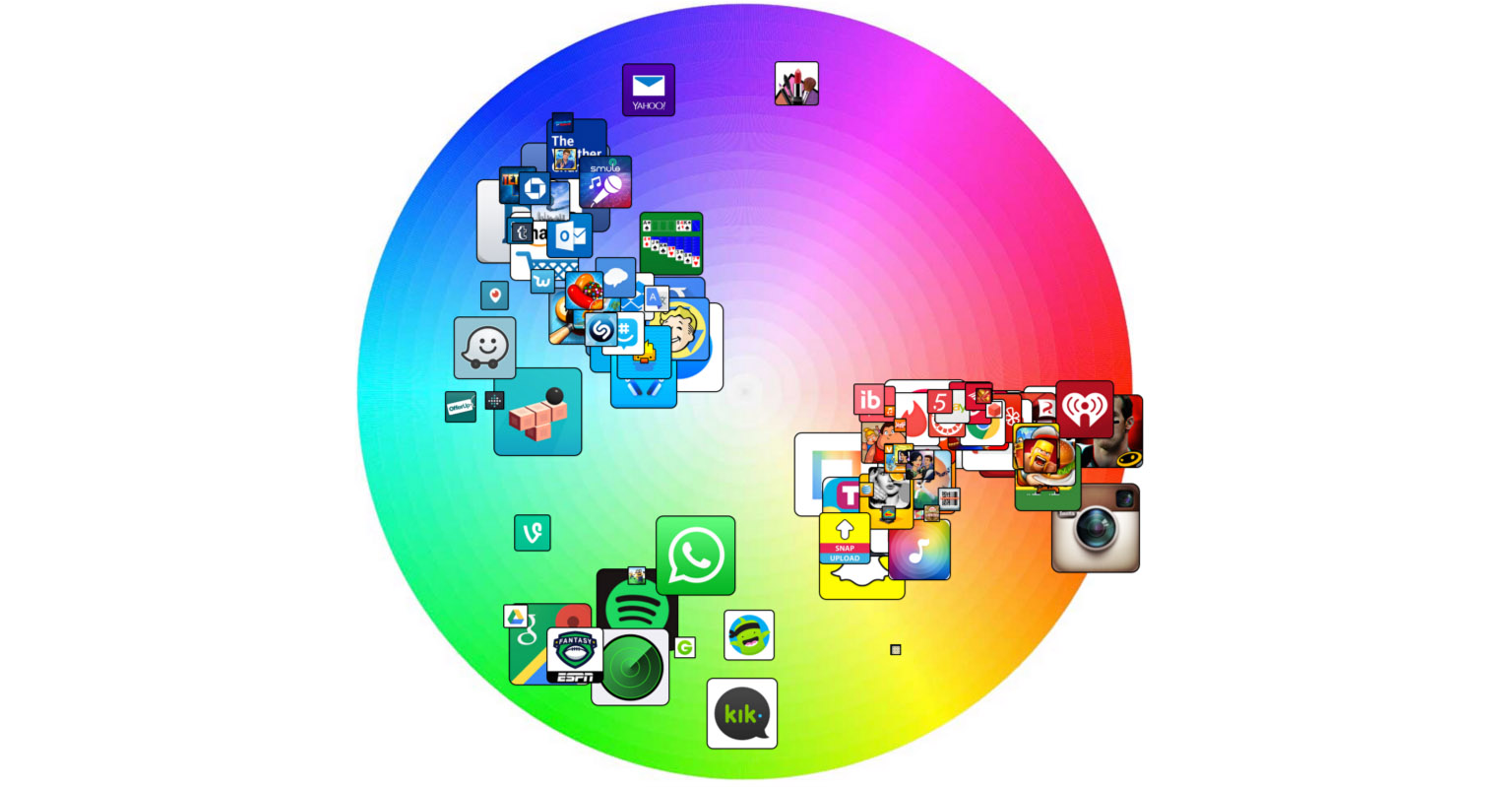
Stuart Hall from AppBot has previously written articles about common trends amongst popular apps when it comes to app names, descriptions, screenshots and countries, and he is back today with one about the colors of app icons.

Hall was able to extract the dominant colors from app icons and then plot them on a color wheel. The article features several different ‘color wheels’ showing the top 200 free iOS apps, paid iOS apps, iOS social apps, iOS games and free Mac apps.

You really need to view the article for yourself, but I have embedded one color wheel below. Hall shared a draft of the article with me and I suggested he generate one more color wheel which plotted the app icons based on their major color and sized to reflect their position on the charts (#1 is largest). Hall kindly obliged and you can see the chart below, representing the top 100 free iOS apps.

Permalink

Zane Lowe Talks Beats 1’s First Weeks

Good interview with Apple’s Zane Lowe on Billboard. Sounds like he’s in a charge of a lot of aspects of Beats 1, with Trent Reznor providing overall vision and strategy, and artists having pretty much carte blanche for their own shows.

Beats 1 is supposed to be formatless, but there do seem to be parameters to what’s played. How would you define the Beats 1 sound?

The personality of the station is developing over time. We started with a selection of records. That came down to four or five of us going, “What’s popping?” Then you ask around about the artist, do a bit of due diligence. After the first week, it was really exciting to hear how it all fit together, but also at times it was jarring. For instance, we would come out of big shows by Q-Tip or Disclosure, and the first song was really slow – you’re immediately losing the impact you’ve gained from the previous song. So we made some changes. We also noticed in the first week people listened for really long amounts of time, which meant songs got tired quickly, so we revised our rotations. And we’re working on a replay service and we want to get full on-demand ready.

Permalink

The Rise of (i)Phone Reading

Jennifer Maloney, writing for The Wall Street Journal last week on the rise of phone reading has some interesting stats regarding the iPhone 6:

Since the release of the bigger, sharper iPhone 6 and 6 Plus last September, Apple has seen an increase in the number of people downloading books onto iPhones through its iBooks app. Some 45% of iBooks purchases are now downloaded onto iPhones, an Apple spokeswoman said. Before that, only 28% were downloaded onto phones, with most of the remainder downloaded onto iPads and a small percentage onto computers.

This increase isn’t limited to Apple’s iBooks app:

Amazon has also noted the development. Among all new customers using Kindles or the Kindle app, phone readers are by far the fastest-growing segment, an Amazon spokeswoman said, declining to disclose figures. Among those who use the Kindle app, more people now read books on the iPhone 6 or 6 Plus than on any other Apple device, even the popular iPad Mini, she said.

Note how Apple said “downloaded onto iPhones” and not “entirely read on iPhones” – but still, it makes sense for people to read books (and I would assume, web articles) more continuously and ubiquitously on an iPhone than an iPad, especially thanks to the iPhone 6 and 6 Plus.

Permalink

Set Up Your Own OmniFocus Sync Server

The fine folks at The Omni Group offer a free service called, logically enough, the Omni Sync Server. It will sync your OmniFocus and documents from your other Omni* apps. I use and love this service.

But what if, for some reason, you don’t want to use someone else’s sync service? What if you want to host it all privately? Well, the good news is that you can do that, and pretty easily too. The sync feature of the Omni* apps will work with any standard WebDAV server. If you don’t know how to go about setting up a WebDAV server, the OmniGroup folks have two options for you:

  1. If you use OS X Server, see Setting Up an OmniFocus Sync Server With Server.app.
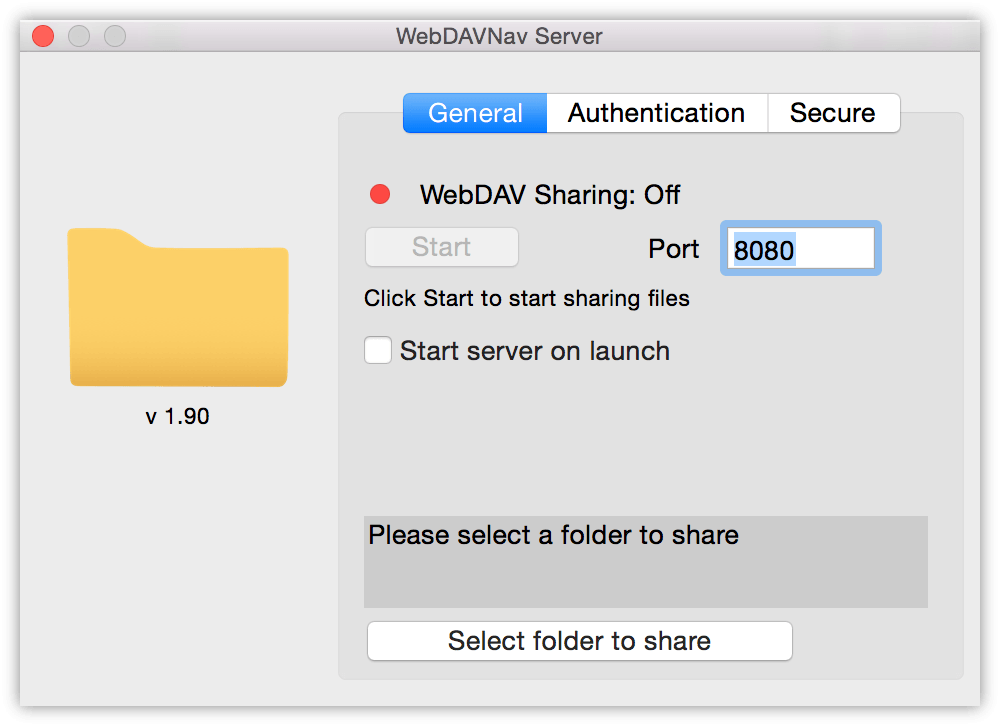
  2. If you want to use a Mac without OS X Server, see Setting Up an OmniFocus Sync Server With WebDAVNav Server which uses the free WebDAVNav Server app which you can download from the Mac App Store.

You can use either of these options to sync your devices on your home network, or even across the Internet if you configure the appropriate ports in your router. If I didn’t use OmniGroup’s server, this would be yet another thing I would host on my Macminicolo machine.

Permalink

Apple Publishes Updated Employee Diversity Data

Apple yesterday published updated data on the diversity of their employees, for the second year in a row. Some of the news is good (Apple hired 65% more women in the last 12 months than they did in the previous year) but the picture is still bleak in other respects (only 22% of “tech” employees are female). Apple’s updated Diversity webpage includes a letter from Tim Cook, in which he says:

Last year we reported the demographics of our employees for the first time externally, although we have long prioritized diversity. We promised to improve those numbers and we’re happy to report that we have made progress. In the past year we hired over 11,000 women globally, which is 65 percent more than in the previous year. In the United States, we hired more than 2,200 Black employees — a 50 percent increase over last year — and 2,700 Hispanic employees, a 66 percent increase. In total, this represents the largest group of employees we’ve ever hired from underrepresented groups in a single year. Additionally, in the first 6 months of this year, nearly 50 percent of the people we’ve hired in the United States are women, Black, Hispanic, or Native American.

You can view all the numbers on Apple’s Diversity page, including some interactive statistics, the full letter from Tim Cook and information on what Apple is doing today to improve diversity at Apple, and steps they are taking to improve the numbers in the future.

Some people will read this page and see our progress. Others will recognize how much farther we have to go. We see both. And more important than these statistics, we see tens of thousands of Apple employees all over the world, speaking dozens of languages, working together. We celebrate their differences and the many benefits we and our customers enjoy as a result.

Permalink

Google App for iOS Gets Support for Smarter “OK Google” Questions

Clever update to the Google app for iOS released today: because Google can’t replicate the system-wide Now on Tap overlay on iOS, they have enabled a similar experience for webpages displayed inside the app. Now, when you’re looking at a webpage that contains information you want to look up, you can say “OK Google” and ask a contextual question that Google will likely know the answer for.

I just took it for a spin, and I was able to get a smart answer for a webpage that mentioned Liam Gallagher (“when was he born”, I asked) and another for Everybody’s Gone to the Rapture (“when is the release date” was my question). This, of course, isn’t as flexible as Now on Tap’s deep integration with Android apps and the OS, but it can be handy to save a bit of time when browsing in the Google app.

The technical achievements of Google’s Now and smart answer technologies continue to impress me, although I wonder about their practicality for most people in everyday usage.

Permalink

Quartz Analyzes a Month of Beats 1 Tracks

Fascinating findings by Quartz after collecting a month worth of songs played on Beats 1:

To get a sense of the station’s tastes and habits, we analyzed data on more than 12,000 songs played on Beats 1 from early July to early August. The song data was collected by Callum Jones, a programmer at Nitrous, who has open-sourced his tool over on GitHub. Jones also has a Twitter bot that automatically tweets whatever song is playing.

And:

Beats 1 has something that is rare in the world of digital music: scarcity. Listeners can’t choose a song and play it over and over. (They can do that elsewhere on Apple Music.) But curation doesn’t mean songs aren’t repeated. We counted 12,445 tracks but only 3,371 unique songs, meaning each track was played an average of 3.7 times. Eighteen of the 20 songs in the table above were played over 50 times.

“Edgy enough” seems like a fitting description. I’m an avid listener of recent releases, but I discovered a lot of new stuff with Beats 1 so far.

Permalink