This Week's Sponsor:

Dropzone 5

Improve your Drag-and-Drop Workflow


Posts in iPhone

Apple Bans Charity Donations in iPhone Apps

Apple has banned charity donations on its iPhone apps, and nonprofit organizations that rely on monetary gifts to help them with their causes claim this could hurt their business, according to a recent New York Times report.


According to the article, people who use the iPhone apps created by charities or organizations cannot donate money directly through the application, they are re-directed to the organization’s website.

“When you’re popped out of an app, you then have to go through a whole bunch of clicks to make a donation,” Beth Kanter, CEO of consulting firm for nonprofits Zoetica, told the Times. “It’s cumbersome and it doesn’t have to be.”

She plans on replacing her iPhone with an Android device, which allows app users to donate directly through apps. Kanter has started an online petition to get the attention of Apple to convince them a policies change.

An Apple spokesperson declined to explain Apple’s reasoning for this ban but told the NY Times, “We are proud to have many applications on our App Store which accept charitable donations via their Web sites.”

Earlier this year, after the earthquake in Haiti, Apple asked for donations for the American Red Cross through iTunes, establishing what some considered as a model for iPhone-assisted donations. That increased speculation that the real issue was money.

Apple takes 30 percent of purchases made from the App Store, and that would be frowned upon if it were to be taken out of a charitable donation.

I can understand why Apple won’t let charity donations work through iPhone apps  - they set a precedent in their rules and if you bend it for one group, how many others will also try something similar. A few extra taps aren’t going to ruin your experience or busy day.

[via The New York Times]
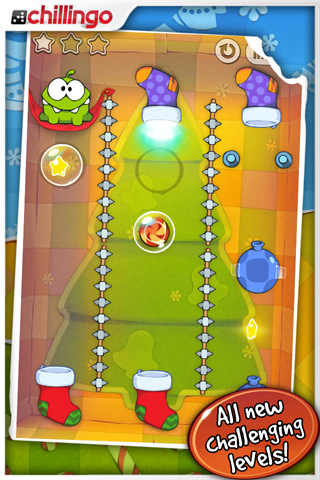

Cut the Rope: Holiday Gift Now Available - Free and Universal

Even if we don’t talk games much, we have our favorite gems from the App Store. Cut the Rope, addictive puzzle game by ZeptoLab, is surely one of them: available both on the iPhone and iPad featuring beautiful and colorful graphics, in CtR you’ll have to literally “cut ropes” to let a tiny frog reach candies. Something like that. Still, it’s addictive, and that should be enough.

ZeptoLab today released a Christmas-themed version of the app, which features new levels and a “new stocking feature”. Most of all, the app is available for free in the App Store and it’s universal. It’s a great deal offered by publisher Chillingo you sure can’t miss, so head over the App Store and download it now.

With all the games released this week (Infinity Blade, anyone?), Cut the Rope is another little masterpiece to add to your weekend game list.


Real Racing 2: Coming On December 16th At $9.99, We Can’t Wait

A few minutes ago Firemint announced the full details behind Real Racing 2, the sequel to the popular racing game that came out on the iPhone and iPad earlier this year. The game is coming next Thursday, on December 16th, and it will be available for $9.99 in the App Store.

Real Racing 2 will feature 30 officially licensed cars with a new career mode that will grant you over 10 hours of gameplay, a 16 player online gaming (no other iOS game did this before, I think), 5 game modes and 15 different locations. There will be Game Center integration and you will be able to see vehicle damage in real time (finally), 5 different camera angles and several control modes.

Real Racing 2 basically looks like a huge sequel, and a must-have for iOS users. The online multiplayer sounds fantastic, and the screenshots posted by Firemint are simply delicious.

Check out a trailer below. Read more


iFiles: Now With S3 Support, AirPrint and Text Editing In The Cloud

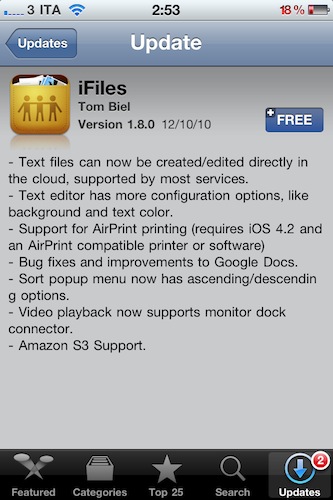
iFiles is one of my all-time favorite iOS apps for iPhone and iPad. I use it on a daily basis to get files in the devices and out of them, thanks to the app’s powerful sharing capabilities that allow it to get recognized on your local network as a web server. Plus, as I wrote in my review, iFiles was meant for a cloud-based workflow, for all those users who daily play around with items stored on Google Docs, Flickr, Rackspace, and so forth.

The latest 1.8 update, which showed up in iTunes a few minutes ago and I’ve installed on my iPhone, doesn’t come with a huge set of new features – but the ones that are there make this app a must-have, again. Read more


Google Instant for Mobile Now Available Worldwide

Back in November Google announced Instant for Mobile, the same instant search for the desktop ported to iOS and Android devices. Instant for Mobile, though, was unveiled as beta and made available only in the U.S. with searches in English language. Google promised Instant for mobile would be released internationally in the coming weeks.

With a brief post on the company’s blog, today Google announced the global release of Instant for mobile, now available in 28 languages and 40 countries worldwide. To use the feature, users will need to run a device with iOS 4 or Android 2.2 and above, visit google.com and tap on the Instant link below the search box to activate it.

In case you missed it, check out Google’s promo video for Instant below.


Here’s A Way To Keep The App Store App From Closing When Downloading Apps

On the iPhone and iPad, every time you search for an app inside the on-device App Store and click the buy button to download it, the App Store app closes and you’re brought back to the homescreen. For most iOS users, that’s simply wrong: many would like a way to keep pressing the Buy button and “queue” downloads without having to re-open the App Store app every single time.

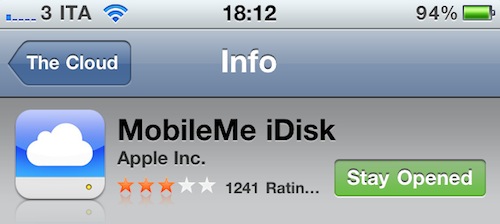
StayOpened is a new tweak available for free in Cydia that, when activated, modifies the App Store’s default behavior to stay opened even after pressing the Buy button. Simple as that, the download goes in the background and the app will be saved on your homescreen.

Next up, a proper App Store download manager?


Cydia Tweak Shows The Size Of App Store Updates On Your iPhone

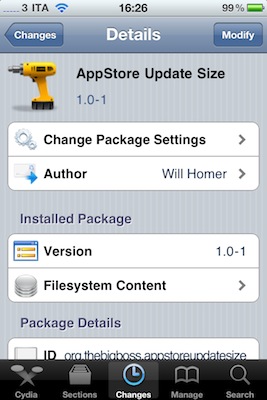
AppStore Update Size is a new tweak available for free in Cydia which can turn out to be very useful for when you’re out and about, check on your iPhone’s App Store app and find out that there are some updates available. This tweak, as the name suggests, shows the size in MBs of the updates right below the download button.

Very useful as Apple limits the download of large updates while on 3G connection, and this tweak allows you to instantly see if you can update or not.

Recommended.


iPhone Clock Icon, Animated With WebKit

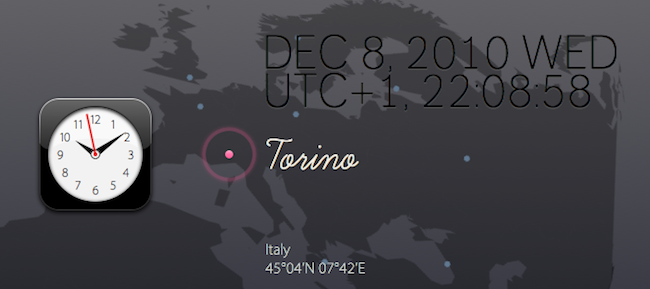
WebKit Clock is a neat experiment by Ono Takehiko aimed at recreating the original iPhone clock icon in CSS3 and animate it using the WebKit rendering engine. Actually, the whole website is based on modern web technologies such as HTML5 canvas, CSS3, JavaScript, Web Fonts, SVG. No image files are being used.

As you can see on the website, you can move an airplane between cities in the world based in different time zones, and see the icon update in real-time. It’s very cool.

In the past we have seen many other iOS-related experiments, such as the iPhone icons rendered entirely using CSS3.


There’s An Official Inception App In The App Store. And It’s Mind-Blowing.

I specialize in a very specific type of coverage. iOS apps coverage.

In all seriousness, I think Inception is the best movie of 2010. I watched it four times already, my friends love it – we all love it. There’s no need to keep saying that Inception is a great movie. But the iPhone app released today and developed by Remote Control Productions, the film music company run by Hans Zimmer? It’s completely awesome. And kind of surreal. An experience that it’s not easy to describe in words. Read more