This Week's Sponsor:

Dropzone 5

Improve your Drag-and-Drop Workflow


Posts in iPad

iPad Jailbreak: Camera Connection Kit + External Hard Drive, Extra Storage

Ever wondered what could happen with an iPad, the Camera Connection Kit, SSH, a USB drive, a Macbook and GoodReader all rolled into one?

A 20 steps tutorial to mount an external hard drive on your iPad happens, and unless you really have some good spare time - maybe it’s better to hold on for a more “user friendly” hack to show up. The result is impressive anyway, be sure to check out the text guide here or the video after the break.

[via]

Read more


OmniGroup Makes $175,000 on OmniGraffle for iPad in 32 Days

From the Omni blog:

“The Omni Group today announced that it sold its five thousandth OmniGraffle for iPad on Wednesday, just 32 days after its introduction on April 3.

“We strongly believe in the iPad’s potential as a productivity tool, and it’s a fantastic endorsement of the product category that OmniGraffle is still on the App Store’s top grossing list a month after its release,” says Ken Case, founder and CEO of the Omni Group. “People are clearly interested in using the iPad for more than media and entertainment. We are thrilled and grateful, and we hope to keep pleasing our customers as we continue in our iPad development efforts.”

You do the math. What was the problem with expensive apps not selling, again?

If you still don’t get it, iPad users want to be productive. And Omnigraffle is just a great app.


Apple Adds a “Get Stuff Done” Section to the App Store

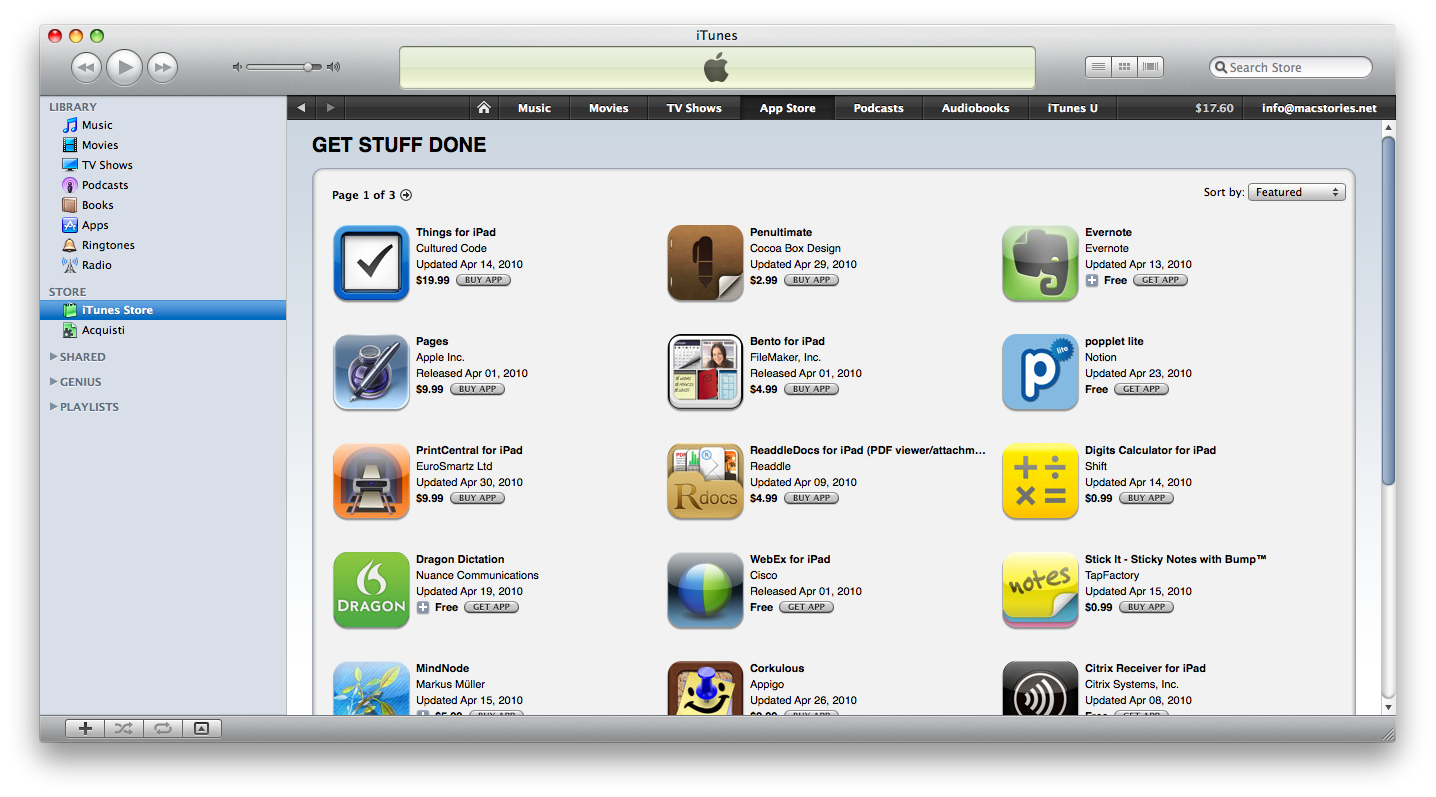
Apple is constantly refining the App Store experience, in order to showcase the best apps (App of the Week) or just show off the capabilities of a device by grouping the most interesting apps into a specific section.

It seems like Apple has just launched a new one, called “Get Stuff Done”, which groups the best productivity / business apps to get things done on the iPad. Lots of good apps are in there, and I think this is an interesting move from Apple to tell people that the iPad isn’t just meant for consuming media - but for producing content as well.

Check out the new section here.


ReaddleDocs: It Could Have Been Good, But…

If you read my Good Reader review last week, you should have noticed that I’m pretty satisfied with the app, even though it has some UI quirks and it surely can get a lot better. I know that the developers are working hard on improving the app, and I guess that an update addressed to fix the aforementioned problems is already on its way to the App Store.

Are there any alternatives to Good Reader though? Not so many, and most of them are very poorly executed applications that let you import documents and, in the best case, upload them somewhere on the internet. Can ReaddleDocs for iPad be any better than the others?

Read more


ABC For iPad: Downloaded Over 400.000 Times

There’s no doubt that the ABC Player application for the iPad is one of the best pieces of software on the App Store right now: you can have hundreds of episodes of popular shows streamed to your iPad for free, with some advertising here and there and an overall good looking app. It works over 3G and Wifi, all the Lost seasons and episodes are in there: basically, it’s awesome. And it turns out that ABC itself is pretty happy with the results as well.

Read more


Dashboard for iPad: Rejected by Apple, Available in Cydia

There’s been a lot of talking about Apple allowing widget-like applications for the iPad. Pretty much like Dashboard for Mac OS X, since the iPad was announced back in January developers wondered if it might be possible to develop and release simple widget apps and run them side-by-side with “normal” apps - again, just like you can do on the Mac.

Of course Apple banned this kind of apps, and devs were forced to drop their projects or find alternative solutions to make them available. But now the iPad is jailbroken, and what better service than Cydia to release stuff rejected by Apple?

So here comes Dashboard, a pixel-perfect rewrite of Dashboard.app for Mac, running on the iPad. You can install widgets through the built in browser (which opens the Apple.com page for widgets), delete them and, of course, use them. Too bad you can’t rearrange them with your fingers, but I bet an update is coming in a few days to fix this problem.

While it’s impressive, I don’t know if this Dashboard can be any useful. It takes a few seconds to show up, and you can’t look at a normal app, say Safari, and a widget at the same time, because the background is black and you can only see widgets on screen. So it’s a great programming achievement, but it needs a lot of work to be better integrated with the iPad environment. Let’s say it’s promising.

Check out the screenshots after the break.

Read more