
When you’re looking for an app with customization options so you can tailor it to your needs, usually Apple’s first-party apps aren’t the best place to go. Apple’s system apps are typically well-polished and reliable, but customization is often left to the realm of third-party alternatives. The Workout app on Apple Watch, for example,...
Apple Shares Differential Privacy Insights for Emoji and QuickType Keyboard→
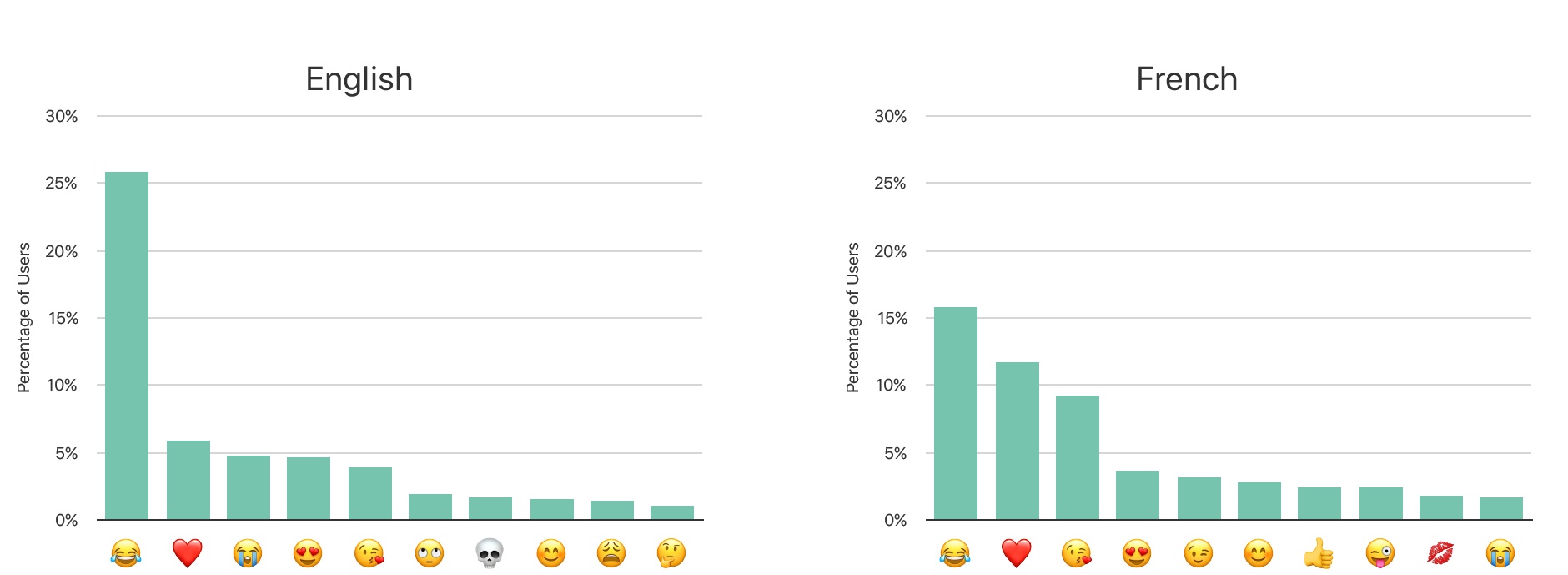
In the most recent issue of Apple’s Machine Learning Journal, titled “Learning with Privacy at Scale,” the team working on differential privacy shares details on exactly how its systems work. While much of the article is highly technical in nature, it concludes by sharing results from several real-life applications. Regarding emoji:
The data shows many differences across keyboard locales. In Figure 6, we observe snapshots from two locales: English and French. Using this data, we can improve our predictive emoji QuickType across locales.
The referenced chart is featured above, showing the popularity of certain emoji in different parts of the world.
The results regarding QuickType words aren’t presented in a chart, but the article does mention words in several specific categories that Apple has been able to learn about thanks to differential privacy.
The learned words for the English keyboard, for example, can be divided into multiple categories: abbreviations like wyd, wbu, idc; popular expressions like bruh, hun, bae, and tryna, seasonal or trending words like Mayweather, McGregor, Despacito, Moana, and Leia; and foreign words like dia, queso, aqui, and jai. Using the data, we are constantly updating our on-device lexicons to improve the keyboard experience.
Another category of words discovered are known words without the trailing e (lov or th) or w (kno). If users accidentally press the left-most prediction cell above the keyboard, which contains the literal string typed thus far, a space will be added to their current word instead of the character they intended to type. This is a key insight that we were able to learn due to our local differentially private algorithm.
Though the article doesn’t mention it, presumably the latter example of accidentally-tapped QuickType suggestions might lead to Apple adjusting sensitivity for its touch targets related to the ‘e’ button and the left-most prediction cell. It’s interesting to consider what other unexpected lessons may be learned from differential privacy data.
Amazon Prime Video Finally Arrives on Apple TV; Was It Worth the Wait?

All the way back in June, at Apple’s WWDC keynote, the Apple TV-related news was limited to a single note: Tim Cook announced that Amazon Prime Video would arrive on Apple’s streaming box “later this year.” Ending a long six-month wait, that promise was finally fulfilled today: Amazon Prime Video is now available on the Apple TV.
Apple Releases iOS 11.2 with Apple Pay for iMessage, Fix for Notification Bug, and More
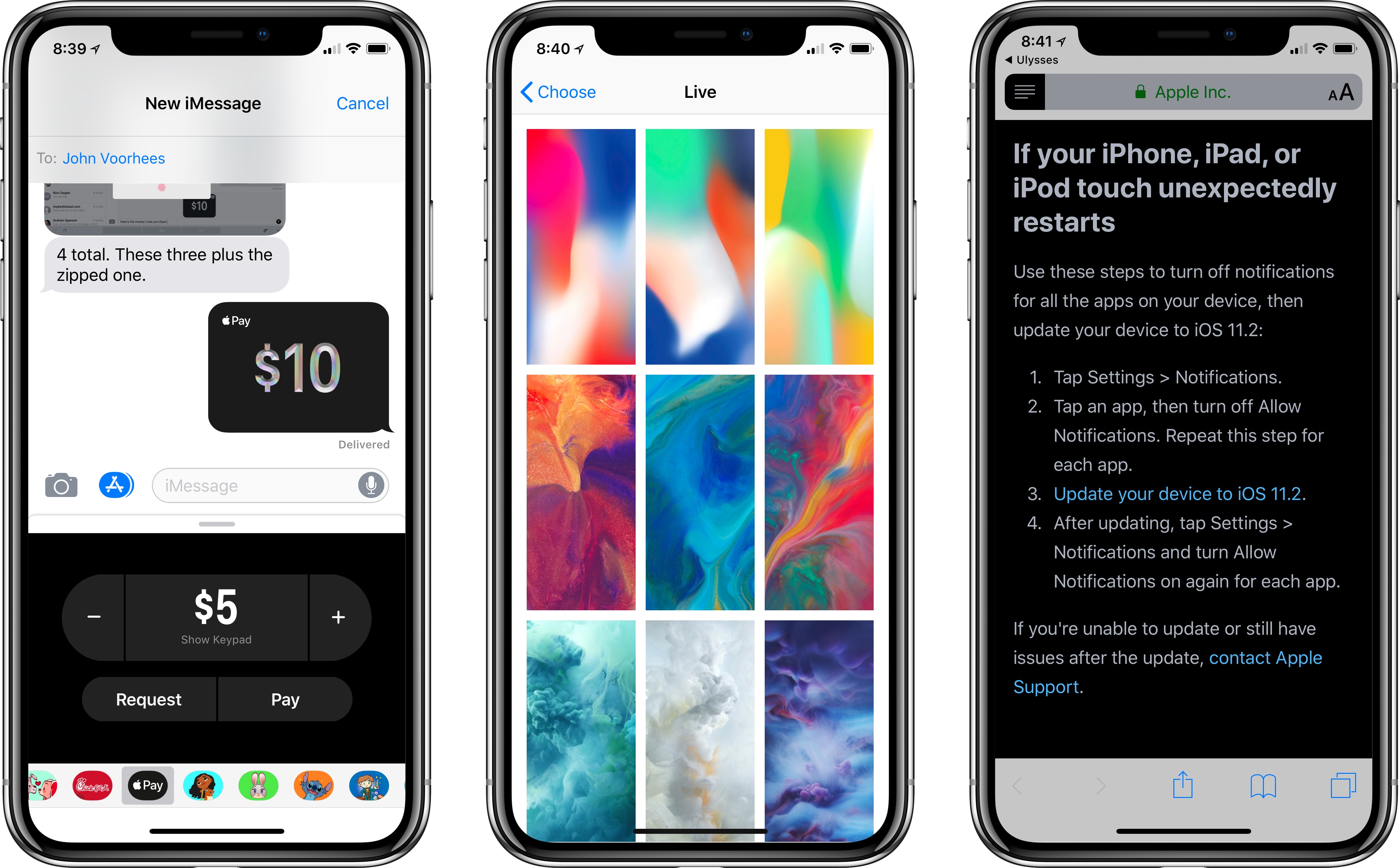
Today in an unusual weekend launch, Apple released iOS 11.2 to the public. The hallmark feature for US users is Apple Pay for iMessage, but that service reportedly won’t go live until at least Monday. The reason the update launched today is that current versions of iOS contains a bug that may crash springboard on December 2nd – as users all over the world are now discovering – and 11.2 contains the fix for that bug.
https://twitter.com/reneritchie/status/936826338496806912
Apple has published a support article where they urge users encountering the issue to follow steps to disable notifications in order to stop the crashes, then update to iOS 11.2 before turning notifications back on.
Besides the bug fix, iOS 11.2 includes the aforementioned Apple Pay for iMessage for US users, new wallpaper options for iPhone X users, and a handful of other minor improvements.
 Airtable

Recently Federico and John covered the topic “Apps and Good Intentions” on AppStories, and their discussion made me think of a similar issue I have. They focused on downloading apps in the hopes that those apps would lead to life improvement in areas like health and learning, while I tend to focus more on...
CARROT Weather Adds Powerful, Redesigned Apple Watch App
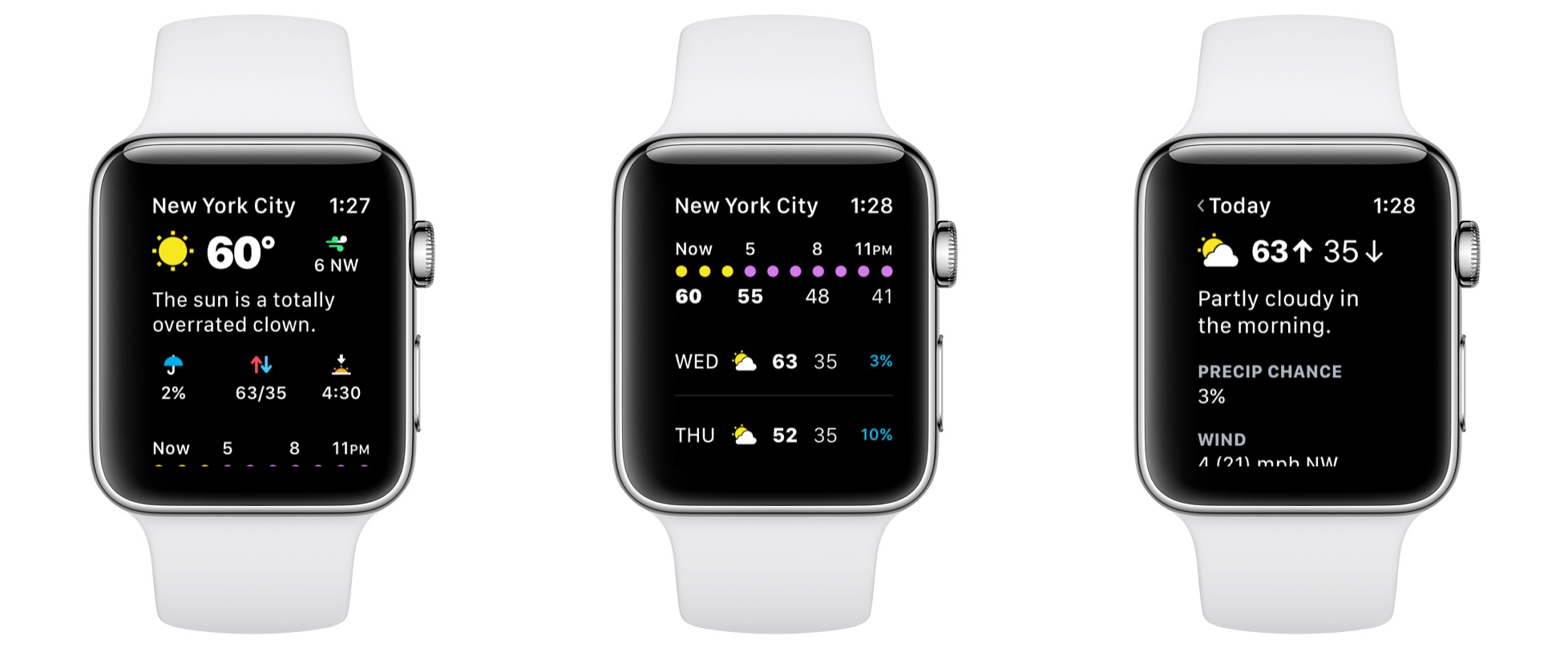
Version 4.3 of CARROT Weather for iOS launched today, bringing a ground-up redesign of its Apple Watch app that offers power and flexibility in a beautifully designed package.
CARROT Weather’s story isn’t that it had an old, out-dated Apple Watch app that’s now finally become modern. Instead, today’s update takes what was already a very good Watch app and replaces it with a great one.
Before this big redesign, CARROT’s Watch app was already fast and flexible, with an assortment of customization options for things like complications. It even worked well when your Watch was running solo; by contrast, most third-party Watch apps depend entirely on a paired iPhone and can’t function at all when untethered from the device. CARROT’s new Watch app keeps all these positives, improves upon them, and adds a lot more to the package.
iPhone X: One Month Later
At the beginning of November, after little more than a weekend of use, I shared my initial impressions of the iPhone X. I concluded after that short time that it was an iPhone like no other, bringing back feelings reminiscent of when I got my very first iPhone back in 2010. Today I wanted...
MindNode 5: Digital Mind Mapping Finally Clicked for Me
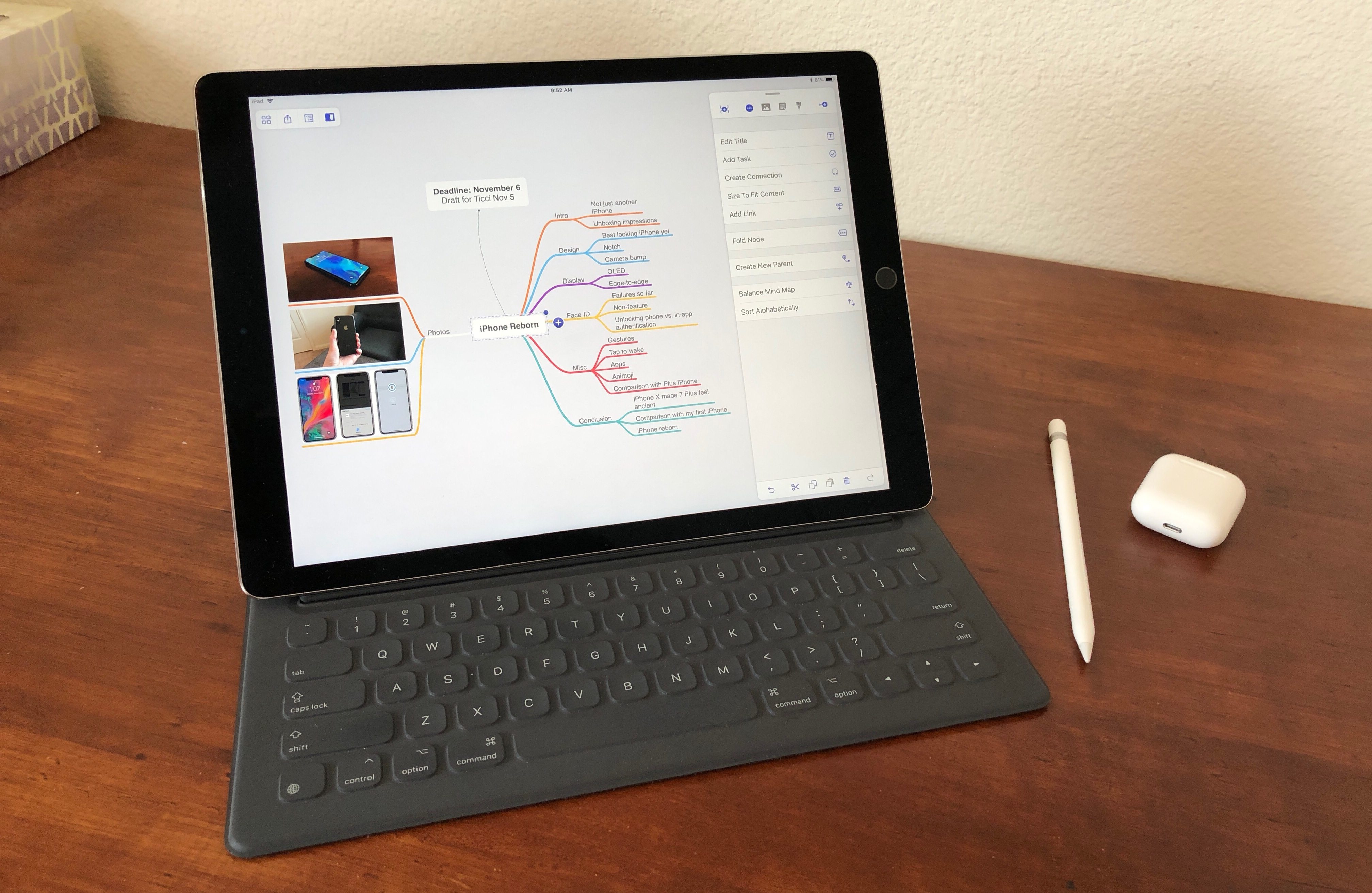
I have a confession: I’m not a big mind map guy. I know Federico uses a mind map for his iOS review each year, and lots of other people love visualizing their thoughts that way too, but mind maps have never really clicked for me – at least not on computers.
Up until recently, whenever I needed to do a brain dump and get my thoughts better organized, I would often turn to pen, paper, and a hand-drawn mind map. It’s an odd habit, since I shun paper for digital tools in every other case I can think of. Yet this one holdout remained.
My main problem with digital mind maps is that they have always felt unnatural. When using a traditional computer, moving and clicking via trackpad was cumbersome for me; with a format as creatively freeing as a mind map, it seems especially important to have freeform input methods. Even on devices like the iPad though, while touch input certainly helped remove a barrier, there was still always something missing in my view. Digital mind mapping still wasn’t quite right.
MindNode 5 on iOS fixes that.
MindNode has long been one of the premier mind mapping apps for Mac and iOS, and its version 5 is a huge update that, for me at least, centers around two main changes: a streamlined, intuitive user interface, and the adoption of drag and drop support. There’s a lot more to this update than those two things, with plenty of goodies that die-hard MindNode fans will appreciate, but for users like me – those dissatisfied with digital mind mapping, or even inexperienced at it altogether – the most important changes are those that make the app more approachable, and the new UI and drag and drop certainly do that.
Indie Games, Vol. 4
The Witness The Witness is the kind of game you can simply get lost in. It’s set on a beautiful island where you’ve woken up stranded. Begin exploring the island and you discover that it’s full of interesting puzzles to solve. This combination of open world exploration and puzzle solving harkens back to...