Over the weekend, developer Louis D’hauwe released a new plain text editor to the iOS App Store. Textor is about as simple an app as you could get: while it does offer support for modern iOS technologies, like Split View on iPad, and modern iOS screen dimensions, like the iPhone X and iPad Pro sizes, it doesn’t offer any kind of innovative features to pull you in. In fact, it doesn’t really contain much in the way of features at all.
D’hauwe created Textor as a result of exploring what new iOS tools he would need before making the iPad his primary computer. His recently launched terminal app, OpenTerm, birthed from the same roots.
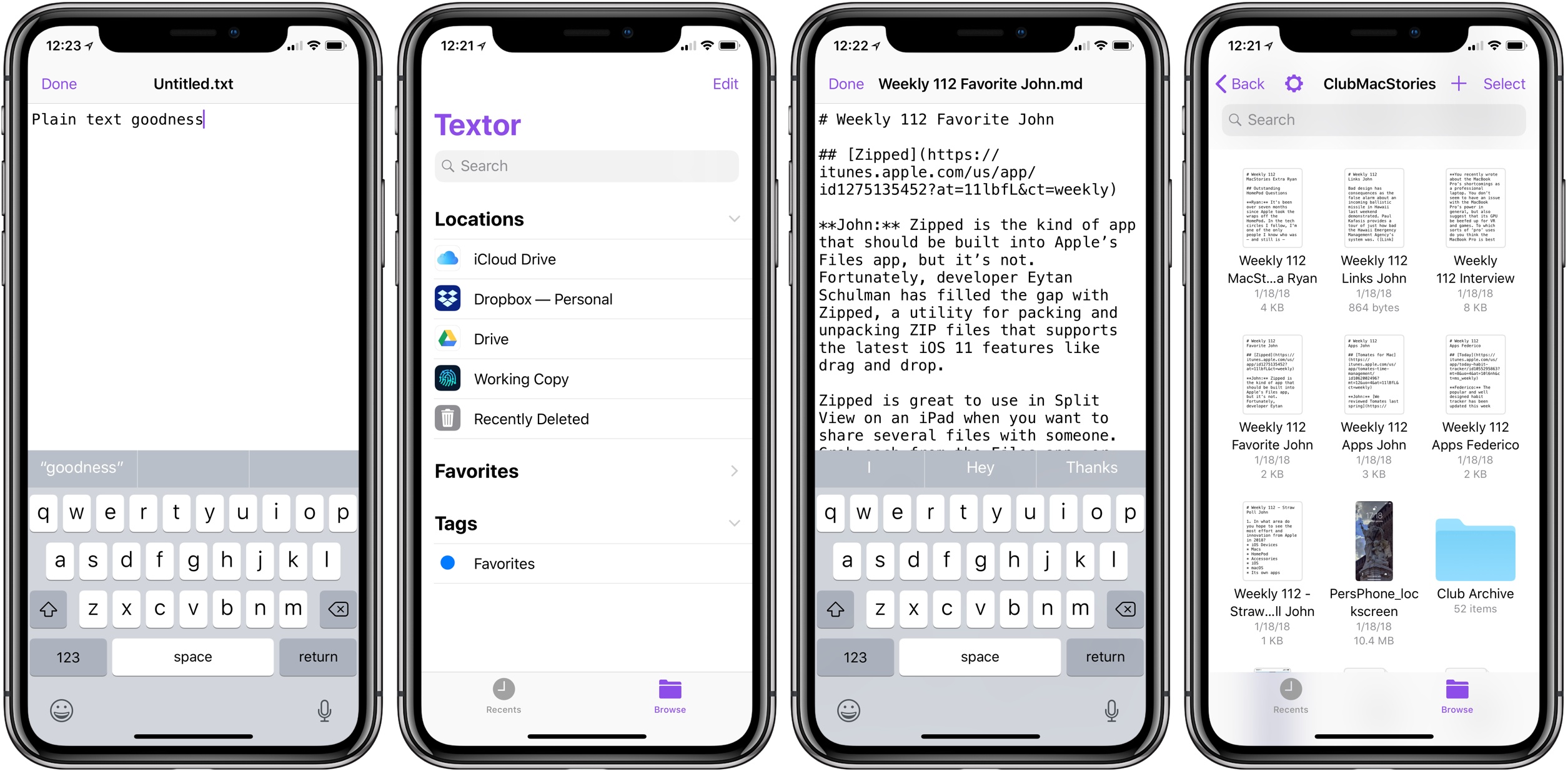
Textor is unique in how utterly stripped down it is, and it’s that simplicity that makes it so appealing. Launch the app – which is free and open-source – and you’ll see iOS 11’s new Files document browser. This enables opening existing plain text files stored in any app that serves as an iOS file provider. You can open directly from iCloud Drive, Dropbox, Google Drive, Working Copy, and more. You can also create a new document in any of these places by hitting the + button in the top-right corner.
Outside of the Files document browser, the only interface is found in the editor itself: a plain canvas with a purple blinking cursor. It’s just you and the text.
Textor’s lack of noteworthy features makes it a fitting TextEdit-equivalent for iOS. It also makes it unlikely to be the best text editor for you, unless your needs are extremely minimal.
Despite its bare-bones nature, I was excited to hear about Textor’s launch because it happens to fit exactly the tiny niche I was looking for. My everyday writing is done in Ulysses, an app I absolutely love. But when it comes to editing other people’s work, Ulysses isn’t a great solution because its custom formatting engine doesn’t play nice with existing Markdown drafts.
Every week as part of preparing the latest Club MacStories newsletter, I edit about ten different Markdown files stored in a GitHub repo and accessed through Working Copy. I’ve tried several quality apps for this job, including iA Writer, 1Writer, and Textastic – all can open files directly from Working Copy, but a variety of issues big and small make none of them the ideal solution. Textor does exactly what I need: opens documents via Files, allows me to edit them free from cumbersome frills, then saves them in place when I’m done editing.
There are a couple changes that would make Textor a better tool for me: auto-saving drafts so I don’t have to hit the app’s ‘Done’ button to save changes, and support for Markdown styling so I get a preview of what my document will look like when published. Those features aren’t necessities though, and I don’t expect to see Textor add them. Everyone will have their own list of two or three features they’d like, but Textor doesn’t need to be feature-complete. The app exists to offer a no-nonsense writing experience with Files support, and it succeeds at exactly that.
Textor is available as a free download on the App Store.