

There’s an endless array of weather app options on the App Store, some of which focus on offering a beautiful design, while others are packed with all the features you could want. Some include a clever personality that makes the weather fun, and still more specialize in being customizable to your heart’s content. There’s...
Apple Is Building a Media Platform Like Never Before
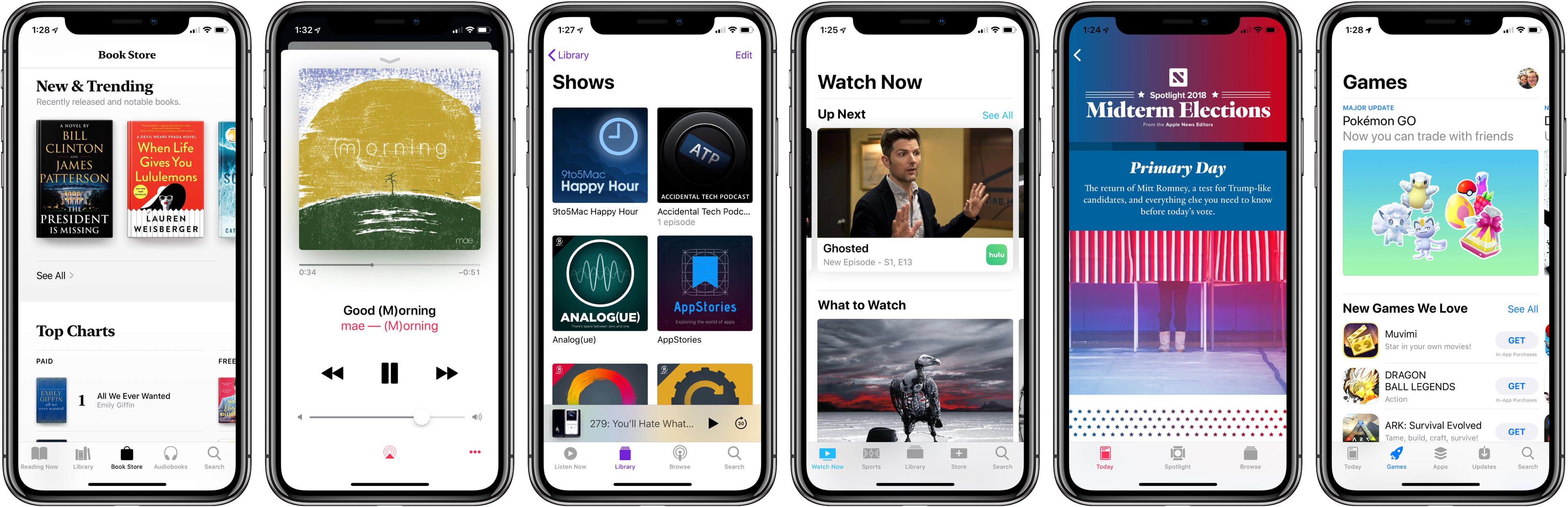
Have you ever watched the construction of a new building while knowing nothing about what the finished product would be? You track its progress a piece at a time, clueless about the end goal until finally there comes a point when, in a single moment, suddenly it all makes sense.
Apple’s media ambitions have been like that for me.
In recent years, Apple has taken a variety of actions in the media space that seemed mostly disconnected, but over time they’ve added up to something that can’t be ignored.
- 2015: Apple Music and Apple News launched.
- 2016: Apple Music redesigned; TV app debuted.
- 2017: App Store revamped with dedicated games section; Apple Podcasts redesigned; TV app adds sports and news.
- 2018: Apple acquires Texture; iBooks redesigned and rebranded Apple Books.
- 2019: Apple’s video streaming service launches?
Apple already has control of the hardware that media is consumed on, with its ever-expanding iPhone business and suite of complementary products. It has invested significant effort into building the apps media is consumed in, as evidenced above. And finally, it’s also building the paid services media is consumed through.
And the company is doing these things at a scale that is unprecedented. Once not long ago, Apple’s primary media platform was iTunes. Now, hundreds of millions of users consume media every day through Apple’s suite of spiritual successors to iTunes:
- Apple Music
- Apple TV (the app)
- Apple Podcasts
- Apple Books
- Apple News
- And the App Store
Apple has one unified goal, I believe, driving all its media efforts: it aspires to utilize hardware, software, and services to provide the entirety of a user’s media experience. If you consume media, Apple wants to provide the full stack of that consumption, from media delivery to media discovery. My aim in this story is to share an overview of how that goal is being fulfilled today.
macOS Mojave Public Beta Now Available→
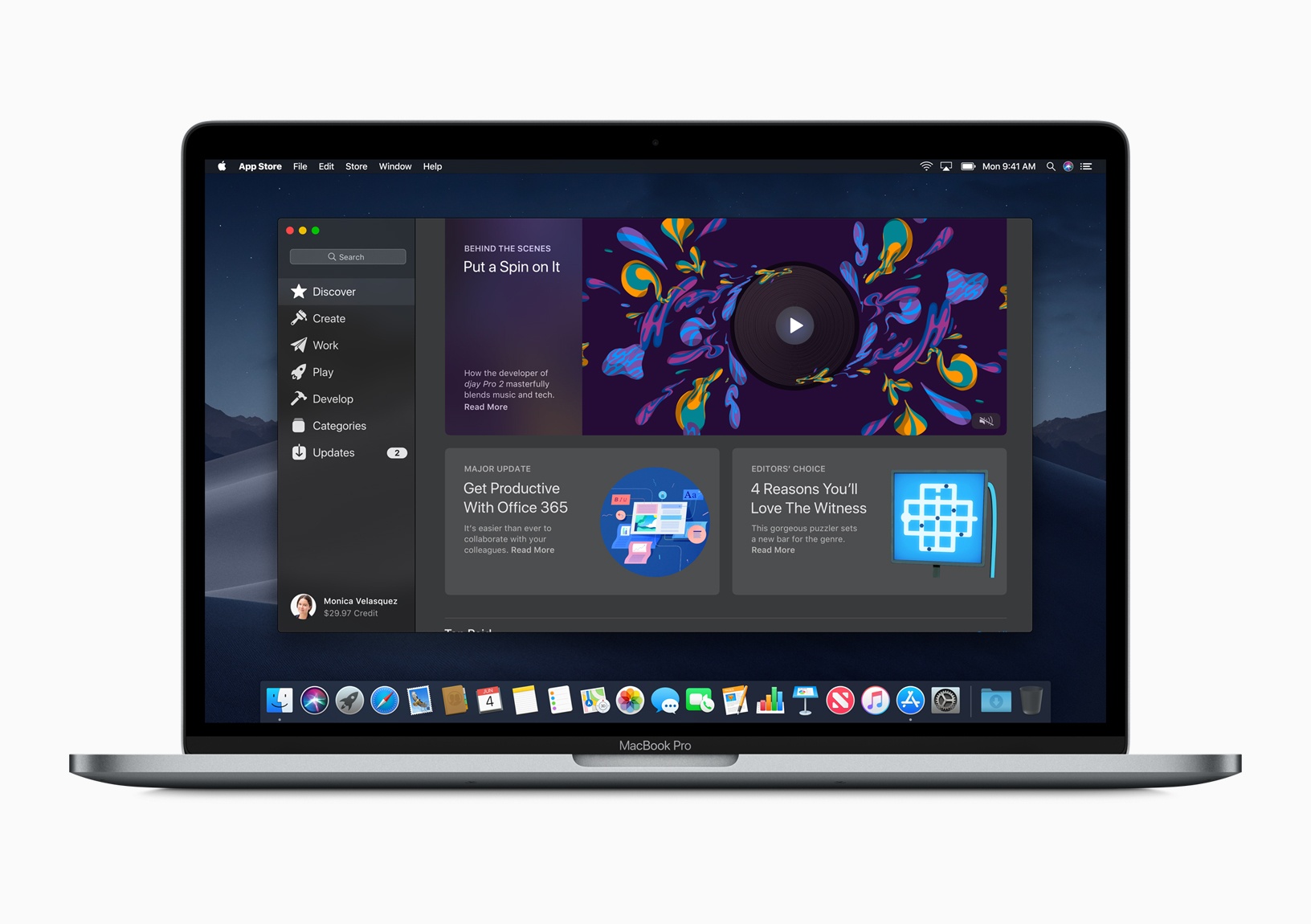
Following yesterday’s release of public betas for iOS 12 and tvOS 12, today Apple opened the beta of macOS Mojave to the general public.
To accompany the beta release, Jason Snell has published a fantastic – and extensive – overview of Mojave on Six Colors:
For a few years now, it’s seemed that any forward movement macOS might make was coming in lockstep with Apple’s other platforms, most notably iOS. What was new to the Mac was generally something that was also new to iOS, or was previously available on iOS.
With macOS Mojave, available today to the general public as a part of a public beta, the story is different. macOS Mojave feels like a macOS update that’s truly about the Mac, extending features that are at the core of the Mac’s identity. At the same time, macOS Mojave represents the end of a long era (of stability or, less charitably, stagnation) and the beginning of a period that could completely redefine what it means to use a Mac.
Is macOS Mojave the latest chapter of an ongoing story, the beginning of a new one, or the end of an old one? It feels very much like the answer is yes and yes and yes.
Beta software is always full of problems, so hop on the Mojave train with caution. That said, if you’d like to join the beta program, you can sign up here.
The Numbers Behind Monument Valley 2’s First Year→
Once an app has spent a while on the App Store, it’s difficult from a user perspective to know just how well or poorly the app has done. It’s unusual for developers to share detailed financial figures, though it does happen every now and then. One team that’s led the charge in this area is ustwo, creators of the Monument Valley series of games. For the first Monument Valley, ustwo shared comprehensive statistics for the game’s performance in its first and second years. Today, year one of Monument Valley 2 has received the same open treatment. Head of studio at ustwo games, Dan Gray, writes:
I’ve heard this kind of data has really helped some developers get a handle on what they might expect from a successful premium launch, and given that it’s bloody hard making premium mobile games nowadays, if there’s anything we can do to help other teams to succeed then we’re going to do it. Admittedly Monument Valley is a bit of a unicorn in this space with regards to how well it’s performed over the years (succeeding on a level we could never have expected or predicted), but we hope this latest set of data might help others to set a yard stick for something towards the top end of profitability.
Monument Valley 2 had a unique launch that almost no other apps could hope for, debuting on-stage during last year’s WWDC keynote. However, after the success of the first game, the sequel was certainly bound to get off to a great start no matter how it launched.
 App Debuts
Microsoft News This week MSN News was rebranded Microsoft News, launching a redesigned iOS app to better compete with Apple News and the recently-launched Google News. As a daily Apple News user, there are a couple nice features in particular that stood out to me in my testing of the new app: there’s a...
Getting Behind the Mac as a Productivity-First Platform
Apple’s recent Behind the Mac series is one of my favorite marketing campaigns of late. I find the visuals of people sitting behind their Macs so romantic and nostalgic. It’s a sight that’s ever-present whenever I spend time in a coffee shop, and the series’ tagline, “Make something wonderful behind the Mac,” causes me...
Anchor Brings User-Friendly Podcasting to the iPad, Complete with Editing Tools
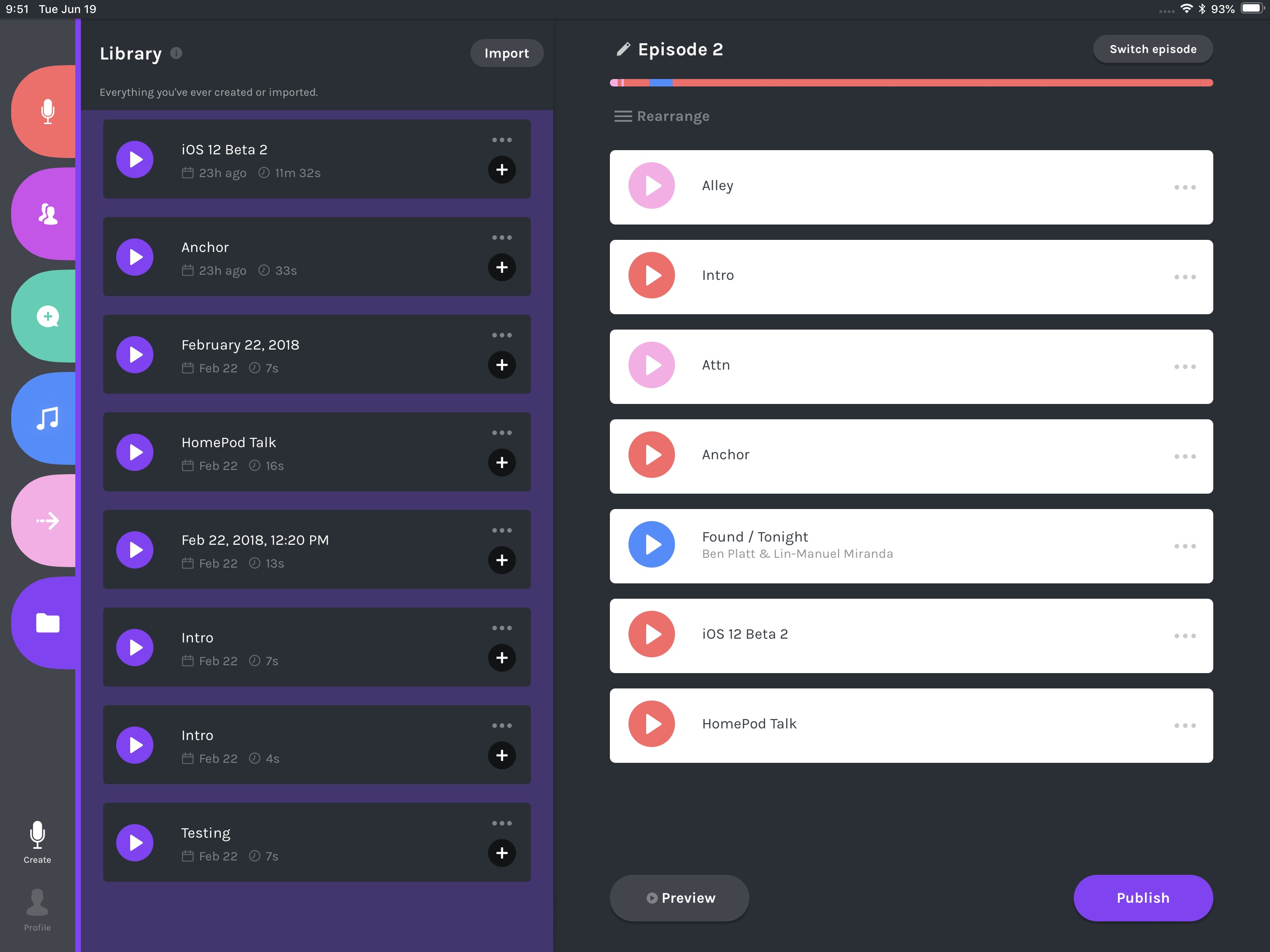
If you’ve ever used Anchor to make a podcast, you know just how easy it is. That ease of use, however, has historically meant sacrificing any access to editing tools that most podcasters need. Today that changes, however, as Anchor is introducing basic editing tools as part of the debut of its iPad app.
Favorite Announcements from WWDC
Earlier this week I wrote about the WWDC announcements that took me most by surprise. Today’s collection is in that vein, but with a different focus: simply sharing some of my favorite announcements from the conference. Marzipan’s iPad Benefits While Mac users celebrate the prospect of having a thriving app ecosystem again starting...
iWork 4.1 Adds Audio Recording Capabilities, Various Minor Improvements
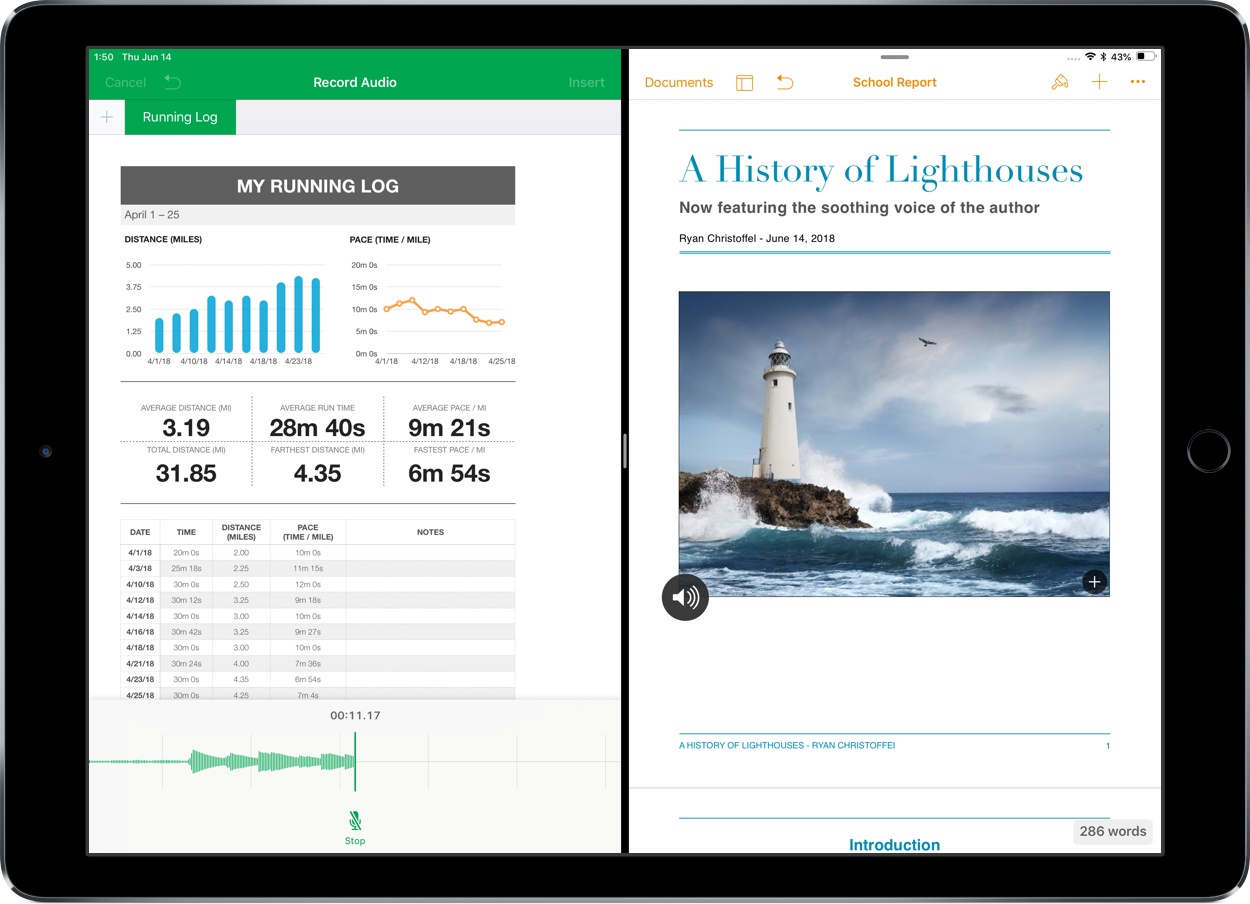
Apple updated its iWork suite for iOS today to version 4.1, bringing a variety of small improvements along with one centerpiece feature: support for audio recordings.