
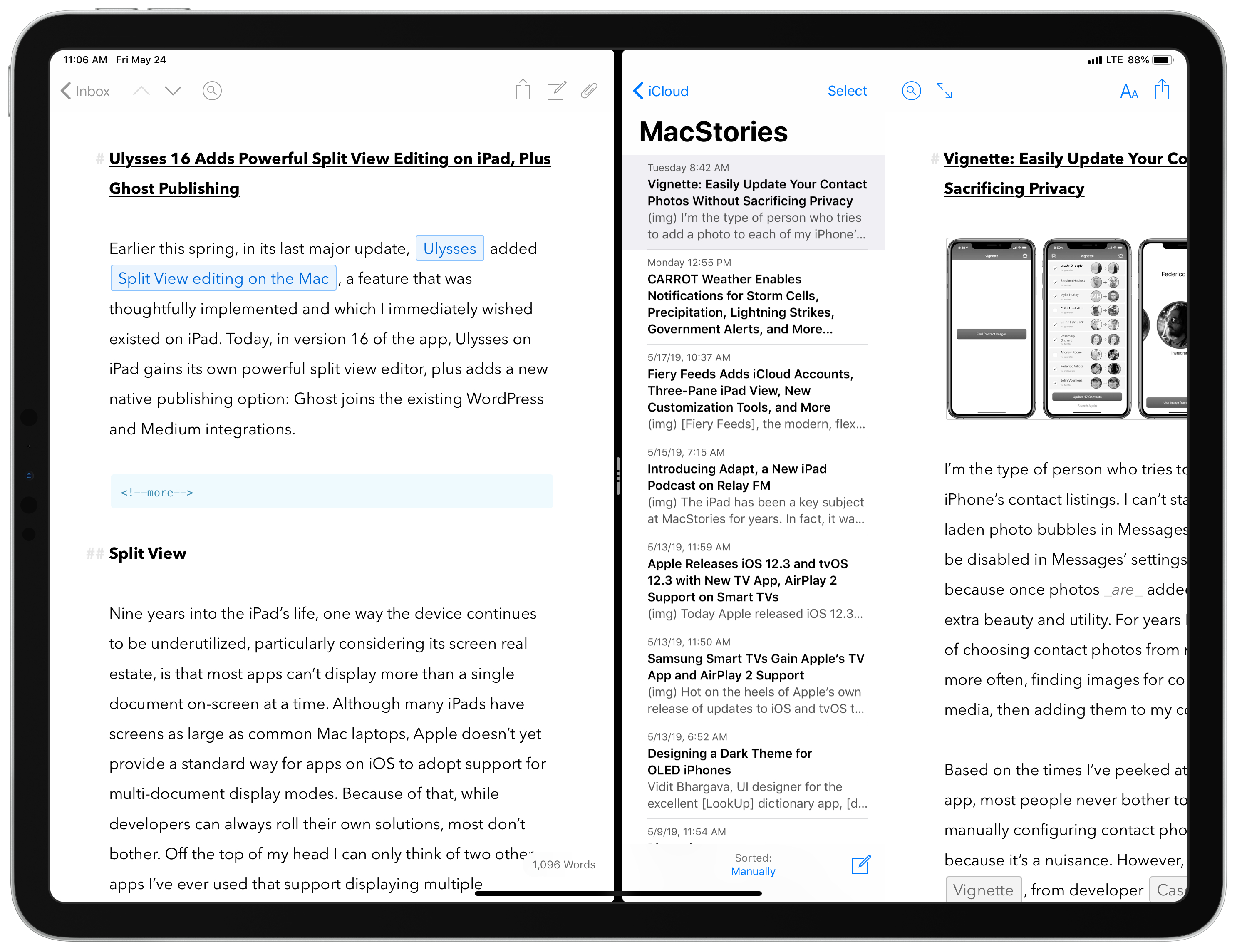
Earlier this spring, in its last major update, Ulysses added Split View editing on the Mac, a feature that was thoughtfully implemented and which I immediately wished existed on iPad. Today, in version 16 of the app, Ulysses on iPad gains its own powerful split view editor, plus adds a new native publishing option: Ghost joins the existing WordPress and Medium integrations.
 Modifying Titles for Handwritten Apple Notes
When you create a new note in Apple Notes, the app pulls the first typed line of text to use as the title for the note. This system has worked well for me over the years, and I wouldn’t have it any other way. However, what happens when you create a note that contains...
GIFwrapped 2 Offers Redesigned, Streamlined GIF Management with Universal Search and iCloud Drive
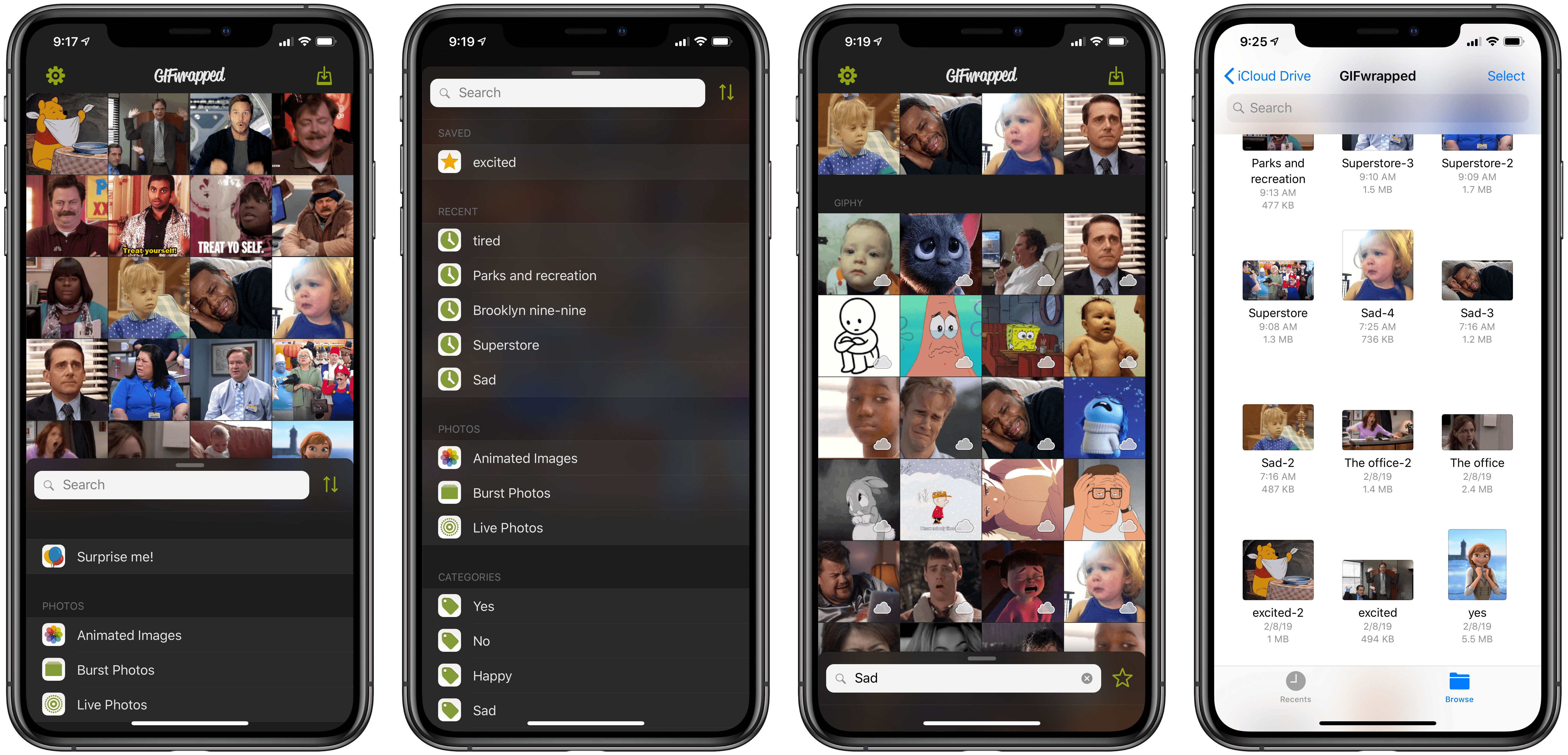
GIFwrapped has long been one of the best ways to store and access your GIF collection on iOS. Five years after our initial review of the app, developer Daniel Farrelly’s GIF utility has received a big update today: version 2.0. GIFwrapped 2 completely rethinks the app’s UI, streamlining it from tab-based to panel-based, while also adding support for two key new features: universal search and iCloud sync.
Vignette: Easily Update Your Contact Photos Without Sacrificing Privacy
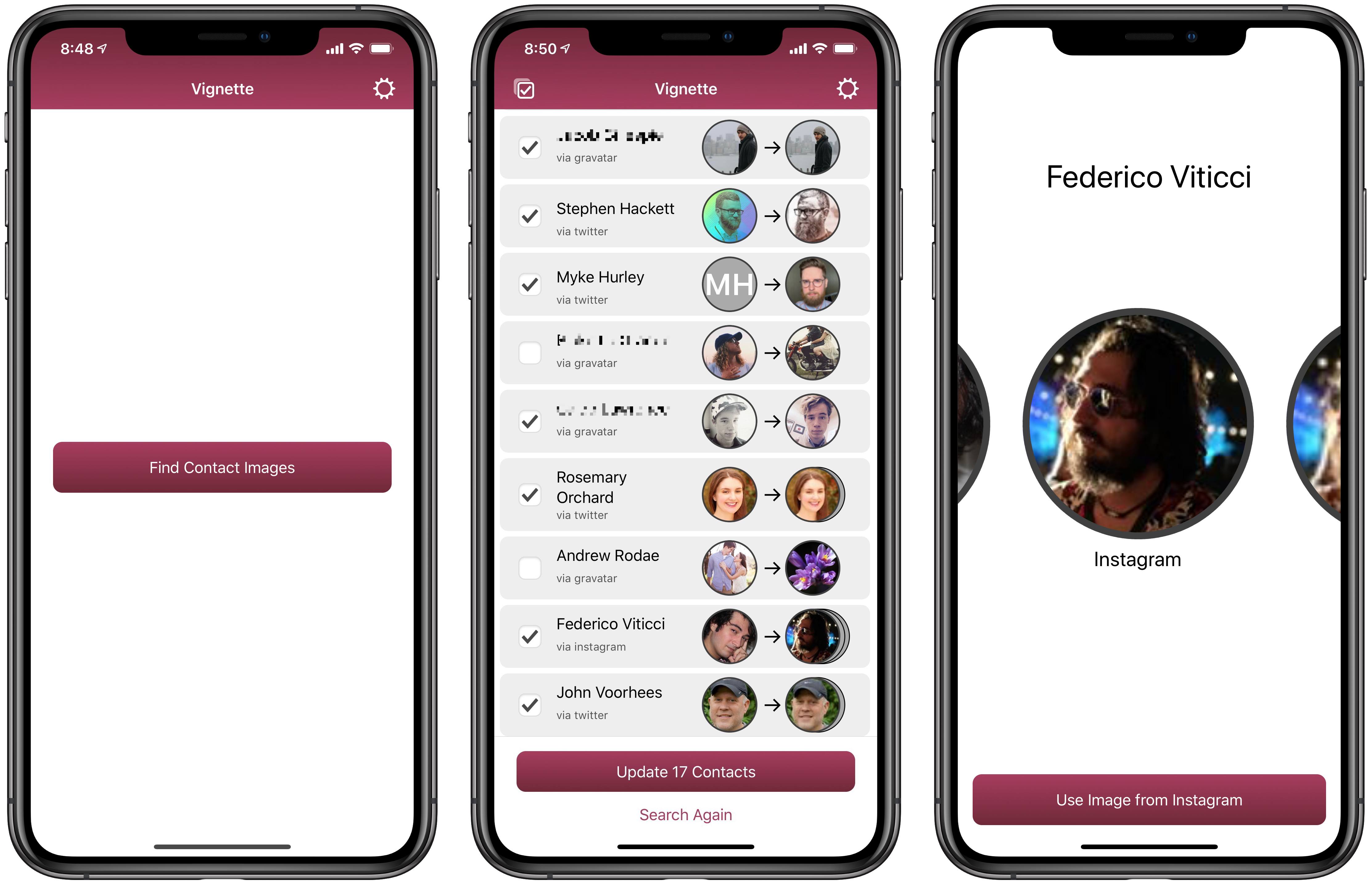
I’m the type of person who tries to add a photo to each of my iPhone’s contact listings. I can’t stand having grey, initial-laden photo bubbles in Messages; while contact photos can be disabled in Messages’ settings, I’ve never done that because once photos are added, it gives the app so much extra beauty and utility. For years I’ve done the manual work of choosing contact photos from my own photo library or, more often, finding images for contacts online via social media, then adding them to my contacts from there.
Based on the times I’ve peeked at someone else’s Messages app, most people never bother to go through the trouble of manually configuring contact photos; I don’t blame them, because it’s a nuisance. However, a new app called Vignette, from developer Casey Liss, aims to eliminate the pain of adding contact images by sourcing the web and social media for you, and updating your contacts’ photos accordingly – all in a privacy-conscious way.
CARROT Weather Enables Notifications for Storm Cells, Precipitation, Lightning Strikes, Government Alerts, and More
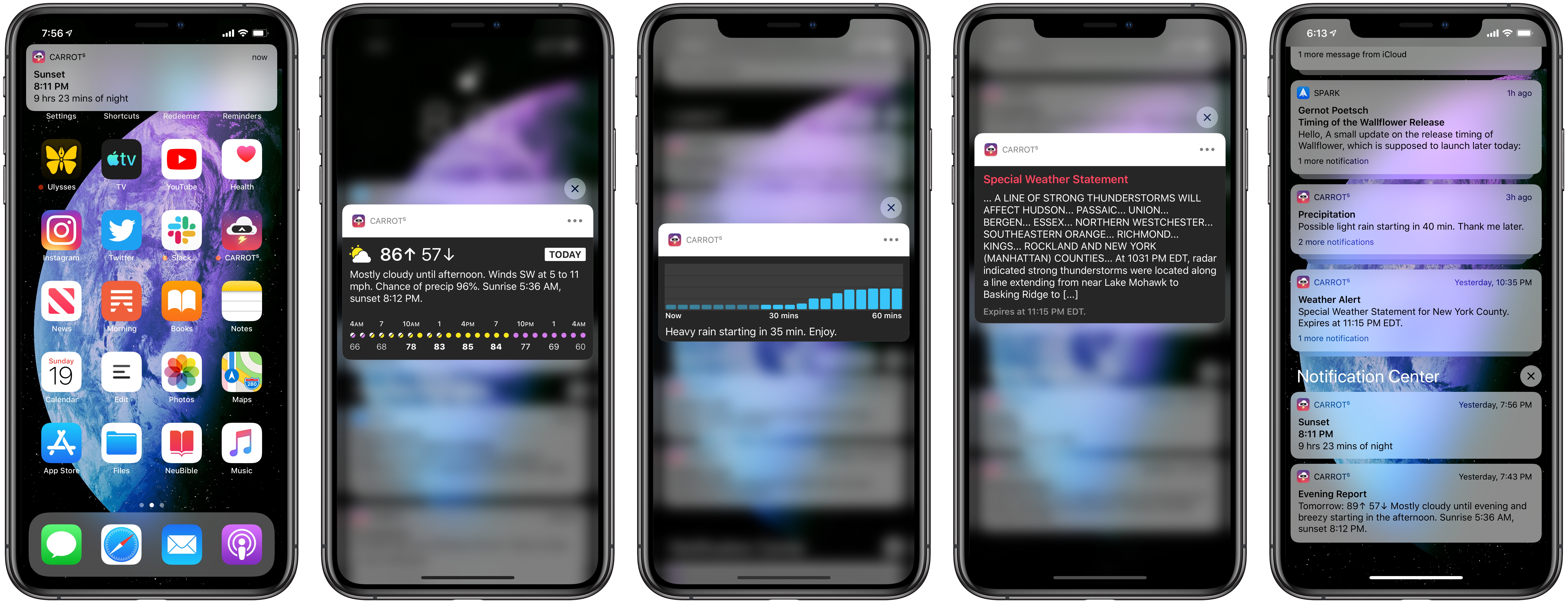
The latest update to CARROT Weather was released today, version 4.11, which is centered entirely around notifications. Though the types of notifications available depend on your subscription plan due to the different costs associated with each data source, in total there are a ton of options available to satisfy anyone’s needs. Whether you simply want to avoid getting caught in the rain without an umbrella, or finding yourself outdoors when a storm hits, or one of many other weather situations, CARROT Weather can now keep you informed with timely notifications for a variety of weather events.
Fiery Feeds Adds iCloud Accounts, Three-Pane iPad View, New Customization Tools, and More
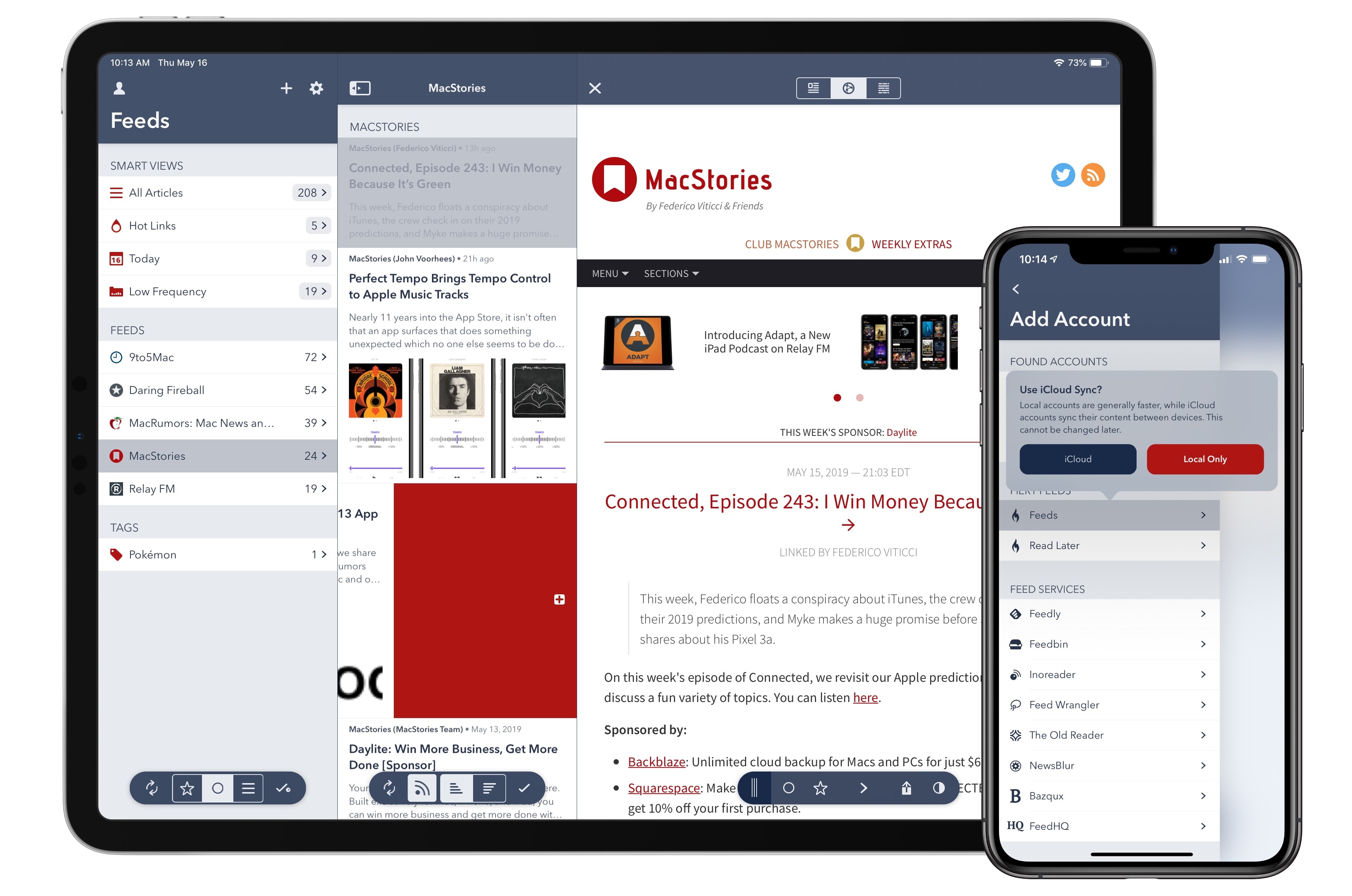
Fiery Feeds, the modern, flexible RSS client for iOS, was updated today with a variety of new features that take the app to new heights: enabling iCloud-based accounts for RSS and Read Later so you don’t need third-party services, adding a three-pane layout on iPad, offering new, configurable methods for navigation, and a lot more. There’s something for everyone, from users who may be new to RSS to Fiery Feeds veterans who will appreciate the additional power offered here.
Inserting Links as Rich Text in Apple Mail for iOS
One of the long-standing glaring omissions from Mail on iOS is the inability to add links to existing text in a message you’re composing. Mail already offers a lot of options in the copy & paste menu when text is selected, so adding one more option to add a link seems like a no-brainer....
iOS Travel Essentials
The summer travel season is fast approaching, and the App Store is full of great tools to aid your trip from the planning stages to booking and tracking your flights, navigating around your destination city, and finding the best food to enjoy. Monarch Trips One of my favorite parts of a vacation, funnily...
Introducing Adapt, a New iPad Podcast on Relay FM
The iPad has been a key subject at MacStories for years. In fact, it was Federico’s exploration of using the iPad as his primary computer that first led me to become a reader of the site, and subsequently an iPad-first user myself.
Today, I’m thrilled to introduce a new podcast on Relay FM where Federico and I get to talk about the iPad and challenge ourselves to do new things with our favorite device. The show is called Adapt, and the first episode is available now.
Adapt was born out of a love for the iPad, and a desire to continue pushing our own use of it forward. Federico formerly hosted an iPad-focused podcast with Fraser Speirs called Canvas, but since that show ended Federico and I have been dreaming up its spiritual successor, with a similar focus on the iPad but a unique new format.