

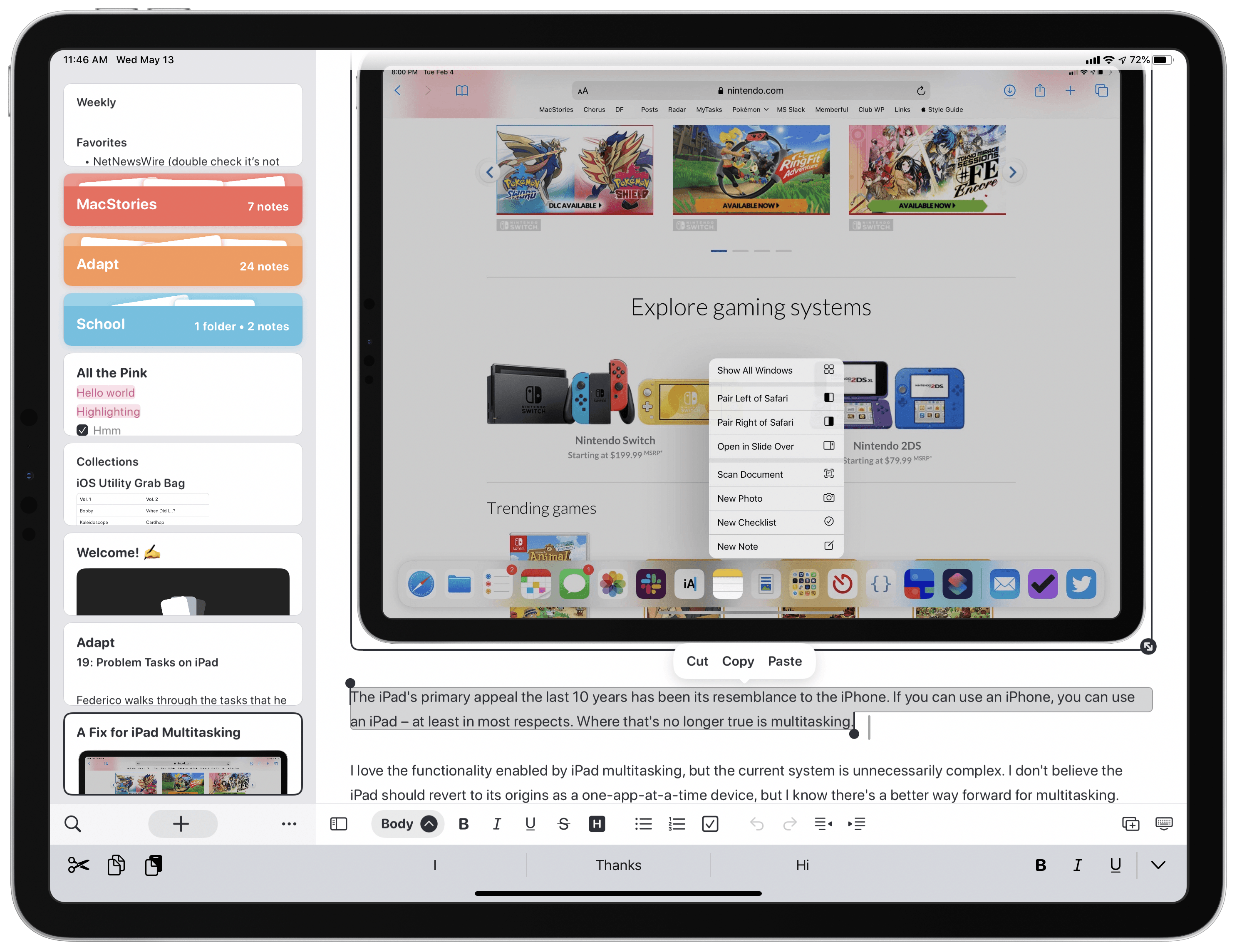
Noto, the modern notes app for iPhone, iPad, and Mac that I reviewed back in February, recently launched a 2.0 update that introduces brand new features and key fixes and enhancements. On the iPad, mouse and trackpad are now natively supported, and you can use drag and drop to easily import notes from another app into Noto. Additionally, the app’s syncing engine has switched from iCloud Drive to CloudKit, making it faster and more reliable than before. Finally, several of the issues I noted in my initial review have been resolved in this latest update.
Book Track Adds Reading Status, Statistics, Quote Entries, and More
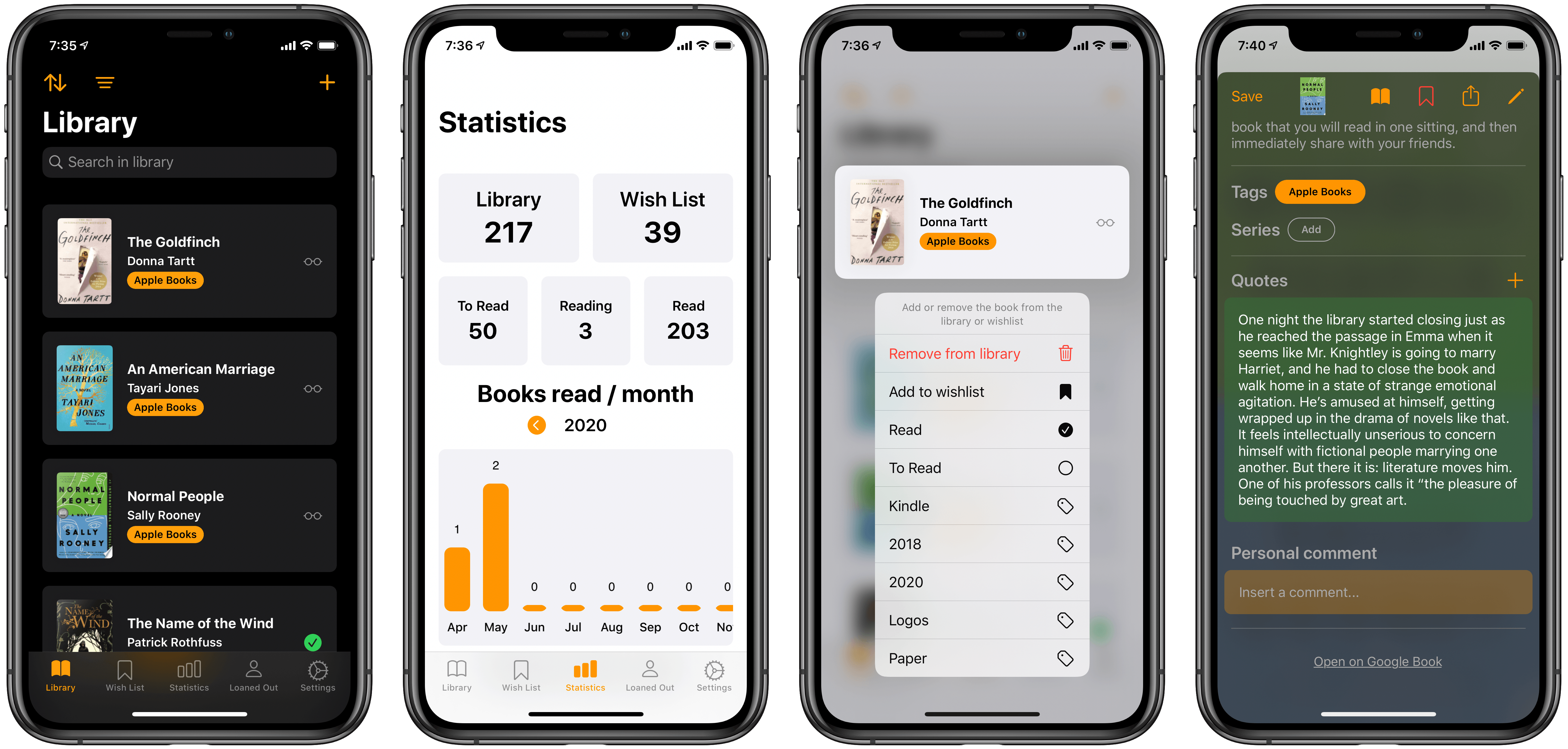
Earlier this year I reviewed Book Track, a new book library manager that debuted across iPhone/iPad and Mac. I noted that the app offered a strong foundation to build upon, but its young age showed in the absence of several valuable features. One such feature, library importing, has been added since then, and today’s 1.2 update introduces a handful of excellent additions as well: reading status, statistics, quote entries, and loan status. This promising app is evolving faster than I had even hoped.
 Six Months into Apple TV+: Weighing the Content
Due to the abnormal way this pandemic has affected our perceptions of time, the six month anniversary of Apple TV+ arrived this past Monday and I wouldn’t have realized it had I not seen Benjamin Mayo’s reflection piece on 9to5Mac. Mayo’s main takeaways are that Apple has been successful in steadily building a slate of...
My 11-inch iPad Pro Experiment
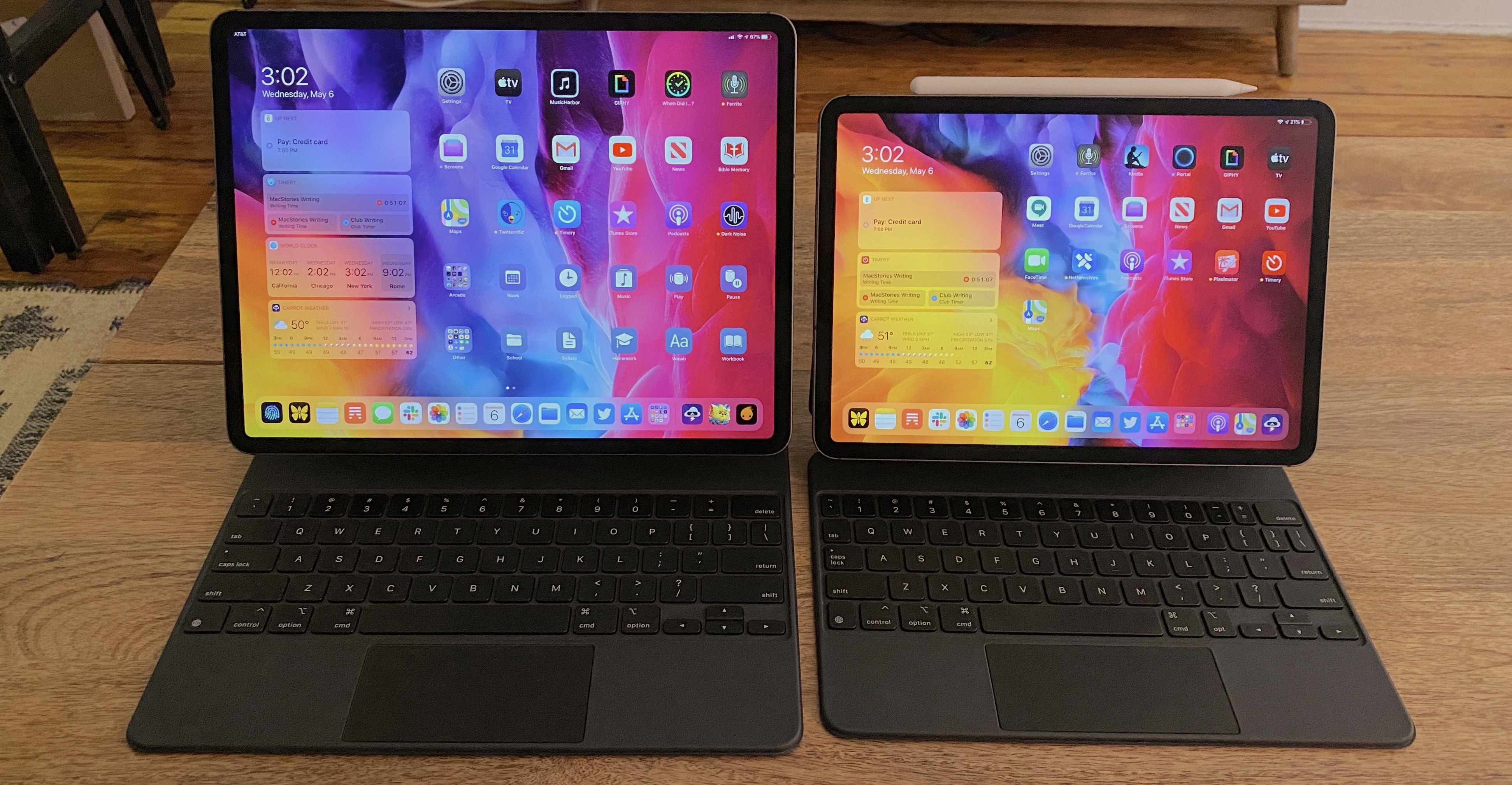
If you’re in the market for an iPad Pro, choosing the ideal model size is not easy. It used to be simpler, back when the big option was made bigger by its bezels, and the small option had a significantly smaller display. I’ve used a 12.9-inch iPad Pro as my primary computer for five years, and have been very happy with it, but as the smaller iPad Pro’s display has grown, I’ve become more intrigued by it.
2017’s 10.5-inch iPad Pro was the first smaller model that tempted me. 2016’s 9.7-inch simply wasn’t enough; as an iPad user since 2010, I knew what a 9.7-inch display was like, and it wasn’t suited for my needs as a primary computer. But the screen bump in 2017 was intriguing, so I gave it a test run for a couple weeks. My takeaways: it was a fine device, but Split View was a bit too cramped, and since I mainly used my iPad at home rather than lugging it around regularly, sticking with the larger model made more sense for my needs.
Recently, however, I embarked on another test of the smaller iPad Pro. On the latest episode of Adapt, the iPad-focused podcast I do with Federico, I challenged us both to try doing our work on the 11-inch iPad Pro rather than our usual 12.9-inch setups. In my mind, it was the perfect time to try the smaller size again because a lot has changed since my 2017 experiment.
First, the smaller iPad Pro’s display has gotten larger yet again. The gap between 11 and 12.9 inches is relatively narrow. Also, while the current pandemic has forced me to work from home more than ever, prior to this global crisis I was taking my iPad on the go more regularly. In 2017 I lived in the suburbs of Dallas, whereas now I call Manhattan home, so it’s much easier to just walk out my front door and visit a local coffee shop, park, or some other public space to get work done.
Finally, the concept of the iPad as a modular computer has been another motivator to try the 11-inch model. I normally use my 12.9-inch iPad Pro exclusively in “laptop mode” with a hardware keyboard attached. But lately I’ve been wondering if that approach is too limited, causing me to miss out on the full potential of the device’s versatility. Using my iPad Pro not just as a laptop, but also as a tablet or in a desktop configuration sounds intriguing, and for several reasons I’ll detail later, I think the 11-inch model is better suited to these alternate setups.
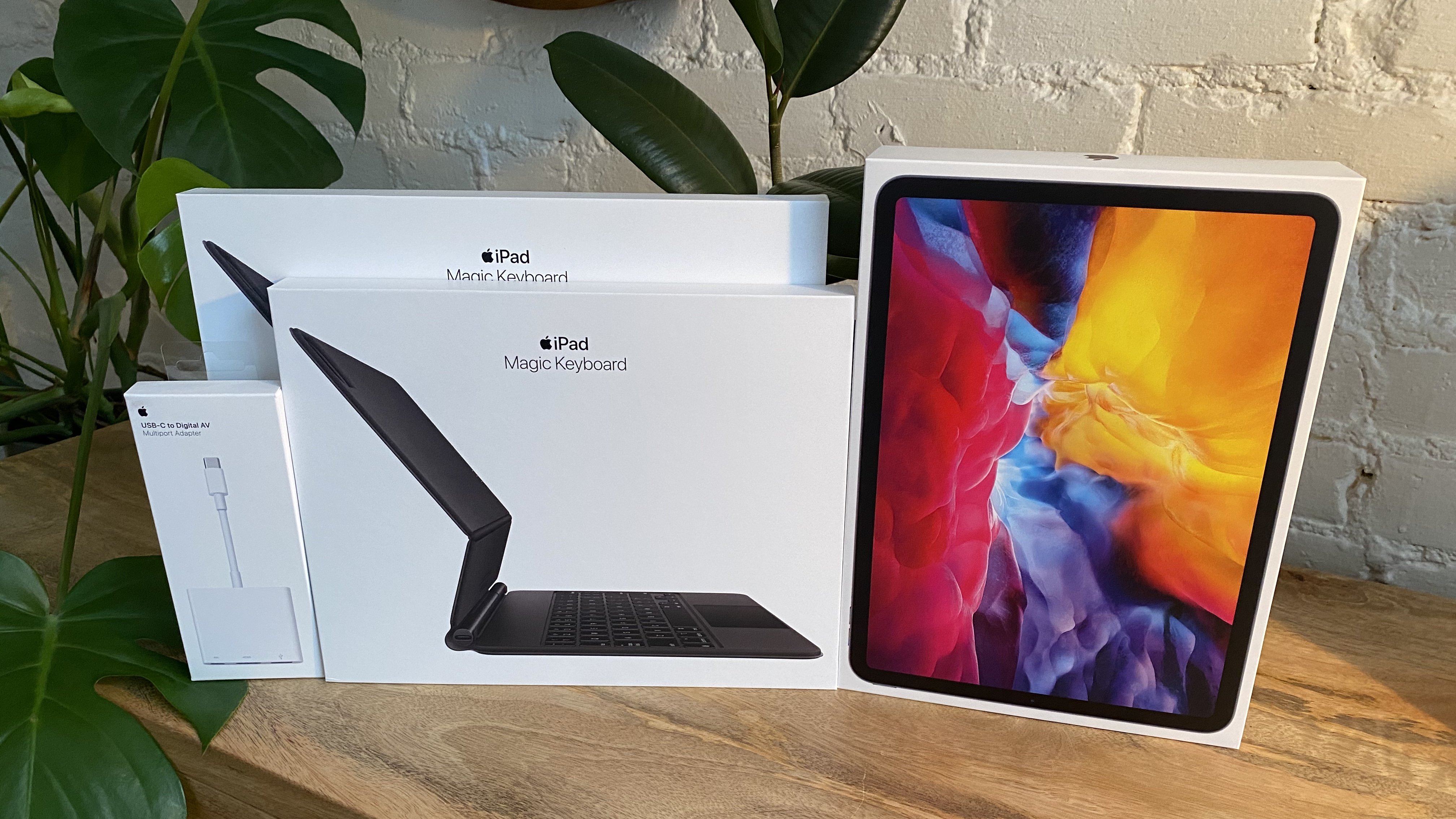
So a few weeks ago I ordered an 11-inch iPad Pro alongside the Magic Keyboards for both the 11- and 12.9-inch models; I also bought a USB-C Digital AV Multiport Adapter so I could connect my iPads to an external display. All of these purchases made possible a comprehensive comparison of the two iPad Pro sizes, spanning tablet, laptop, and desktop configurations, for the purpose of determining which iPad was best for me. As I mentioned, I was already pretty happy with my 12.9-inch model, so my focus was especially on trying the 11-inch and evaluating its unique strengths.
Here is what I learned from my experiment, and my decision on the iPad I’ll be using moving forward.
Portal
Don’t let the name fool you, I’m not here to commend Facebook’s video calling hardware to Club members. Though I must say, this season of quarantine has moved my level of interest in Facebook’s Portal devices from “A Facebook camera in my home, are you kidding?” to “Still a hard no, but I could...
My Magic Keyboard Story
Today on the latest episode of Adapt, Federico and I discuss, among other things, the new Magic Keyboard for the iPad Pro. I’ve been using both the 11-inch and 12.9-inch models, and shared on the podcast how my experience with both has been a bit of an adventure. For about half a day last...
Todoist Introduces New Upcoming View Across All Platforms
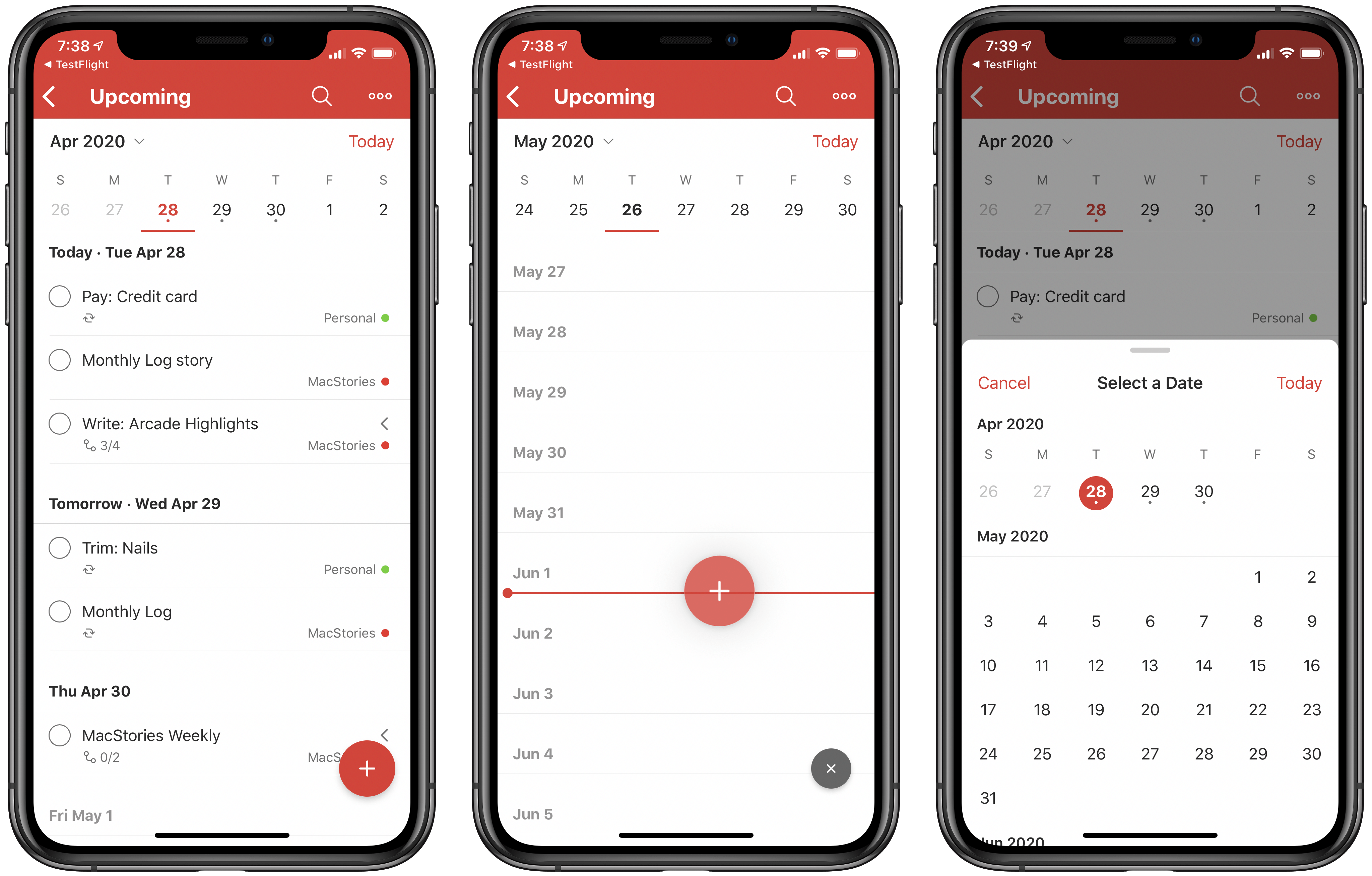
Popular cross-platform task manager Todoist is introducing a new Upcoming view today that serves as a replacement for the previous Next 7 Days view and adds greater functionality to it with a new calendar element and by offering access to all future tasks.
If you’ve used Next 7 Days in the past, or even the Scheduled view in Apple’s Reminders app or Upcoming in Things, you’ll feel right at home in Todoist’s Upcoming view. It’s essentially an endless list of all tasks with due dates, divided by day. One detail I appreciate is that even days containing no assigned tasks remain visible in the view, whereas in Reminders, for example, Scheduled only shows days with assignments. I could see this bothering some users, but for my needs it’s great because it allows easily rescheduling tasks by dragging and dropping them on to any day I’d like; if only the days with existing tasks were visible, that wouldn’t be possible. It’s just as well-suited for creating new tasks, since you can drag the add task button on to any day you’d like.
Besides providing access to all scheduled tasks, rather than just the next week’s worth, the main change with Todoist’s Upcoming view is the new calendar element. Similar to the Forecast view found in OmniFocus, this takes the form of a row lining the top of the screen that displays the next week’s worth of dates. A small dot indicates whether a day has assigned tasks or not, and you can swipe left to page through future sets of days. You can also tap the month/year button in the top-left corner of the calendar row to bring up a scrolling month view for the sake of quickly navigating further into the future.
The Upcoming view isn’t exactly world-changing, but it is markedly better than what it replaces, and if Todoist were my primary task manager it would absolutely be the view I spent all of my time in. I love the ease of seeing all my tasks in one place, rescheduling them via drag and drop, and the added utility of the new calendar row. Everyone’s task management needs and preferences are different, but if it were up to me, every task manager would have a view that works like this.
Todoist is available on the App Store.
Ulysses 19 Brings iPad Cursor Support, External Folders, Material Sheets, and More
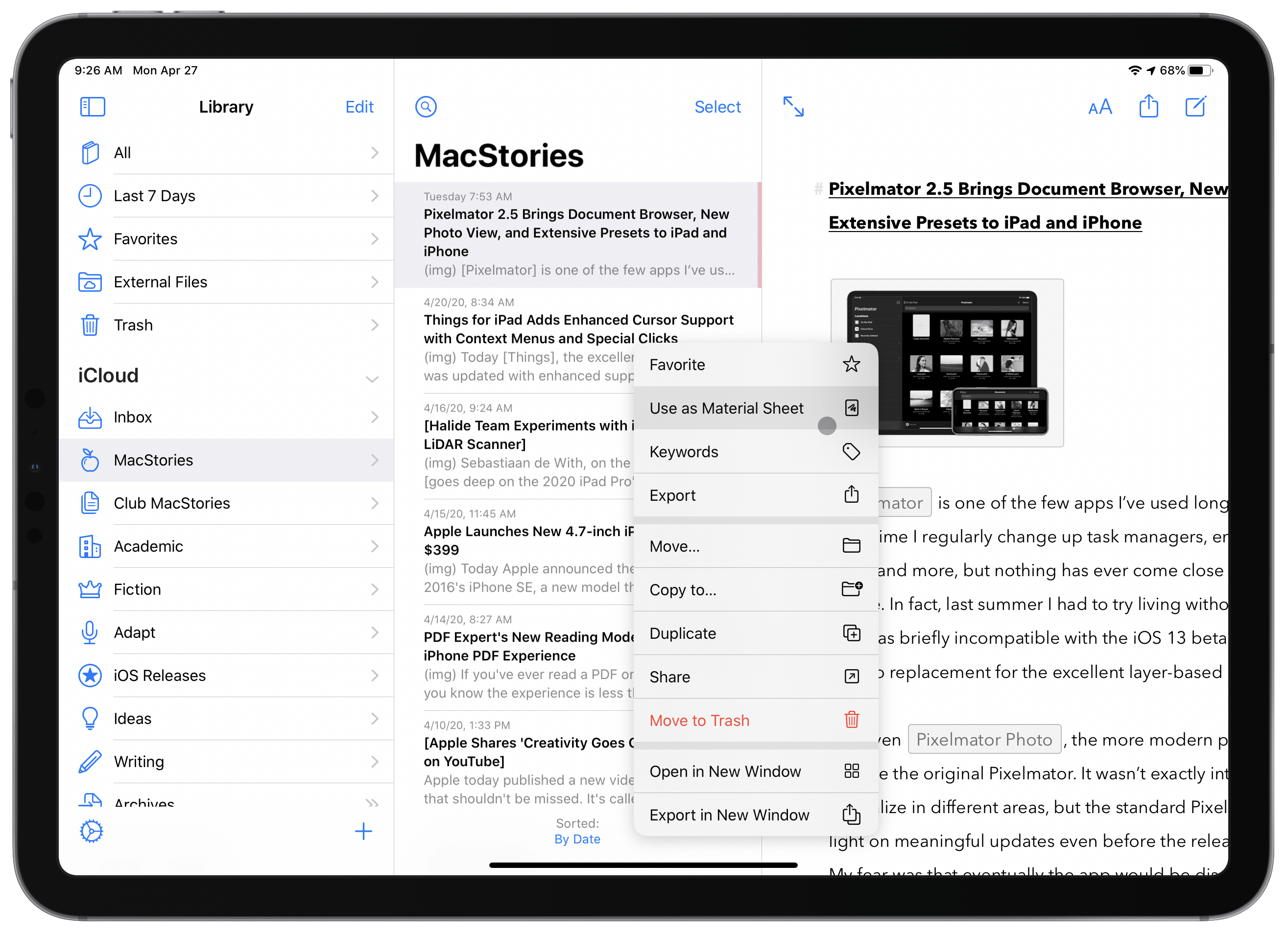
The latest version of Ulysses, the excellent Markdown editor, is available now. Ulysses 19 offers enhancements in several different areas, from fully optimizing for the new iPadOS cursor, to supporting external folders for the first time, introducing a new ‘material’ designation for sheets, and adding keyword improvements, exportable backups, and even a new font. It’s a strong update, and one that continues to prove Ulysses the best app for my writing needs.
iPad Apps with Cursor Support, Vol. 1
To celebrate Magic Keyboard release week, I want to highlight a handful of apps that have already updated with optimized support for the iPad’s cursor. More are sure to follow soon, as I suspect developers – like the rest of us – were caught off guard by Apple’s early release of the Magic...