
John and Federico share recent Things shortcuts they’ve built, Niléane tried the Orion browser by Kagi, Jonathan has tips for approaching home automation projects, we have a LivePod giveaway, plus the usual Links, App Debuts, the latest happenings in the Club MacStories+ Discord community, a recap of MacStories articles, and a preview of next week’s...
 Previously, On MacStories
Stories iOS 17.2 Beta’s Sticker Reactions Need a Different Approach With Version 1.2, Matter Now Supports over 20 Device Types Apple Releases iOS and iPadOS 17.1 with New Apple Music Features, Small iPad Enhancements, and More Shazam Introduces Dedicated In-App Concerts Section Obsidian’s Importer Plugin Lets You Move Your Apple Notes to Any Note-Taking App...
Club Membership Event Recap, Plus an Apple Event Update
We had another big week for Club members. Here’s a brief recap: On Monday, we held a live Town Hall for Club MacStories+ and Club Premier members in Discord, where Federico, Jonathan, and I talked about our HomeKit setups and how we approach home automation. The audio of the event will be released next week...
Interesting Links
The Verge published a handy roundup of the best smart plugs this week, which is worth checking out because many out there are not that good. (Link) TechCrunch came away impressed with Amazon’s new Eero Max 7 mesh Wi-Fi router, which is eye-waveringly expensive at $600 per unit. (Link) DJI released a new Osmo Pocket...
Perk

LivePod LivePod+ by Aditya Rajveer, the creator behind Marvis Pro, offers beautiful Live Activities for Apple Music with support for Lock Screen, Dynamic Island, and StandBy. Simply enter your Club MacStories email address using this link, and we will randomly select 20 winners. Entries close at Noon Eastern US time on October 31, 2023. Winners...
Up Next on AppStories
Next week on AppStories, John will be joined by Stephen Hackett for a special post-Apple event episode of AppStories that will be published on Tuesday, October 31st....
BetterTouchTool: Introducing Floating Menus [Sponsor]
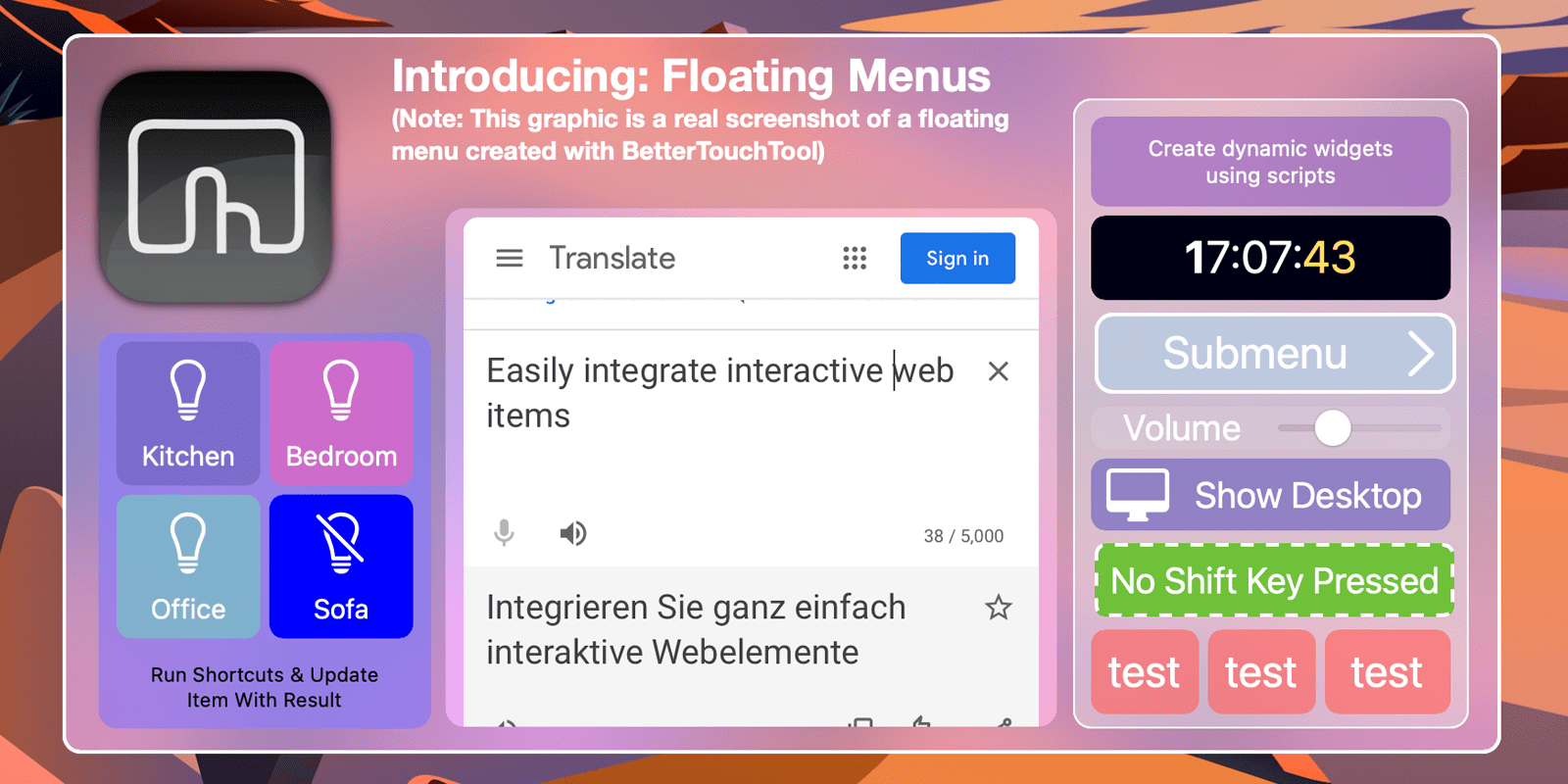
BetterTouchTool is a powerful macOS application that enables users to completely customize their various input devices such as Keyboards, the (Magic) Mouse and Magic Trackpad, the Touch Bar, the Siri Remote or even things like the Stream Deck.
Today let’s have a look at a new feature that has recently been integrated into BetterTouchTool and is getting more powerful with every update: Floating Menus / Widgets.
Imagine them as highly flexible, widget-like menus that you can place virtually anywhere on your screen. You can attach them to specific positions in specific windows, to specific screens, the current mouse position and many more. You can specify whether they float on top, stick them to your desktop or have them behave like normal windows (and more).
They can always be visible, expand on mouse hover or be shown/hidden via any trigger in BTT.
You can find various Floating Menu examples on https://share.folivora.ai. For example have a look at the Notch menu, which is invisible by default but expands from your Macbook’s Notch on hover. Another nice example is the “Mini Emoji Menu” preset, it places a little transparent dot on the left edge of the focused window. When hovered it shows multiple custom emoji which you can insert by clicking.
The documentation for this new feature is available here and you can always visit our community page to discuss or request features.
Try BetterTouchTool now (45 day free trial) or go and purchase a license with this 20% coupon code: MACSTORIESBTT2023 at https://folivora.ai. BetterTouchTool is also included a Setapp subscription.
Our thanks to BetterTouchTool for sponsoring MacStories this week.
Perk
Dato Dato displays a local clock, date, multiple world clocks, and upcoming events in the Mac’s menu bar. Clicking the app in the menu bar gives you a highly customizable menu with a calendar, calendar events, and world clocks. Simply enter your Club MacStories email address using this link, and we will randomly select 20...
Up Next on AppStories
Next week on AppStories, Federico and John cover the web apps they use and why they’re sometimes preferable to native apps....