

Stories The Creativity Enabled by the iPhone 15 Pro’s New Cameras and Action Button Three Ways to Use BetterTouchTool to Enhance Window Management with a Trackpad Customizing App Icons on a Mac in 2023 TV Remote: Control Your TV From Your Lock Screen, Home Screen, and Live Activities tvOS 17: The MacStories Review Podcasts AppStories,...
 Up Next on AppStories
Next week on AppStories, with the fall review season out of the way, Federico and John turn their attention to Apple Vision Pro and visionOS....
In This Issue
HomeKit tips from Jonathan, Niléane’s clever solution for resetting window layouts using BetterTouchTool and Moom, John’s first week with the iPhone 15 Pro Max, plus the usual Links, App Debuts, the latest happenings in the Club MacStories+ Discord community, a recap of MacStories articles, and a preview of next week’s episode of AppStories....
Welcome, Jonathan and Niléane
We’re excited this week to introduce you to two new members of the MacStories team. I’m sure many of you have noticed that Jonathan Reed has been helping out with the Club MacStories+ Discord, AV Club, and writing for Weekly over the past several weeks. As of this week, Jonathan is our official Discord Community...
The Dirty Secret of OS Updates [Sponsor]

Getting OS updates installed on end user devices should be easy. After all, it’s one of the simplest yet most impactful ways that every employee can practice good security.
On top of that, every MDM solution promises that it will automate the process and install updates with no user interaction needed.
Yet in the real world, it doesn’t play out like that. Users don’t install updates and IT admins won’t force installs via forced restart.
Let’s talk about the second problem first. Sure, you could simply schedule updates for all your users, and have them restart during non-work hours. But this inevitably leads to disruptions and lost work. This, in turn, leads to users (especially executives) who simply demand to be left out of your update policy. The bottom line is: any forced restarts without user approval will lead to data loss events, and that makes them so unpopular that they are functionally unusable.
There is another class of tools that claim to get users to install updates themselves, through “nudges.” These reminders pop up with increasing frequency until users relent or the timer runs out. This is an improvement, since it involves users in the process, but users still tend to delay updating as long as possible (which for some tools can be indefinitely).
At Kolide, OS updates are the single most common issue customers want us to solve. They come to us because we have a unique (and uniquely effective) approach to device compliance.
With Kolide, when a user’s device–be it Mac, Windows, Linux, or mobile–is out of compliance, we reach out to them with instructions on how to fix it.
The user chooses when to restart, but if they don’t fix the problem by a predetermined deadline, they’re unable to authenticate with Okta. (At present, Kolide is exclusive to Okta customers, but we plan to integrate with more SSO providers soon.)
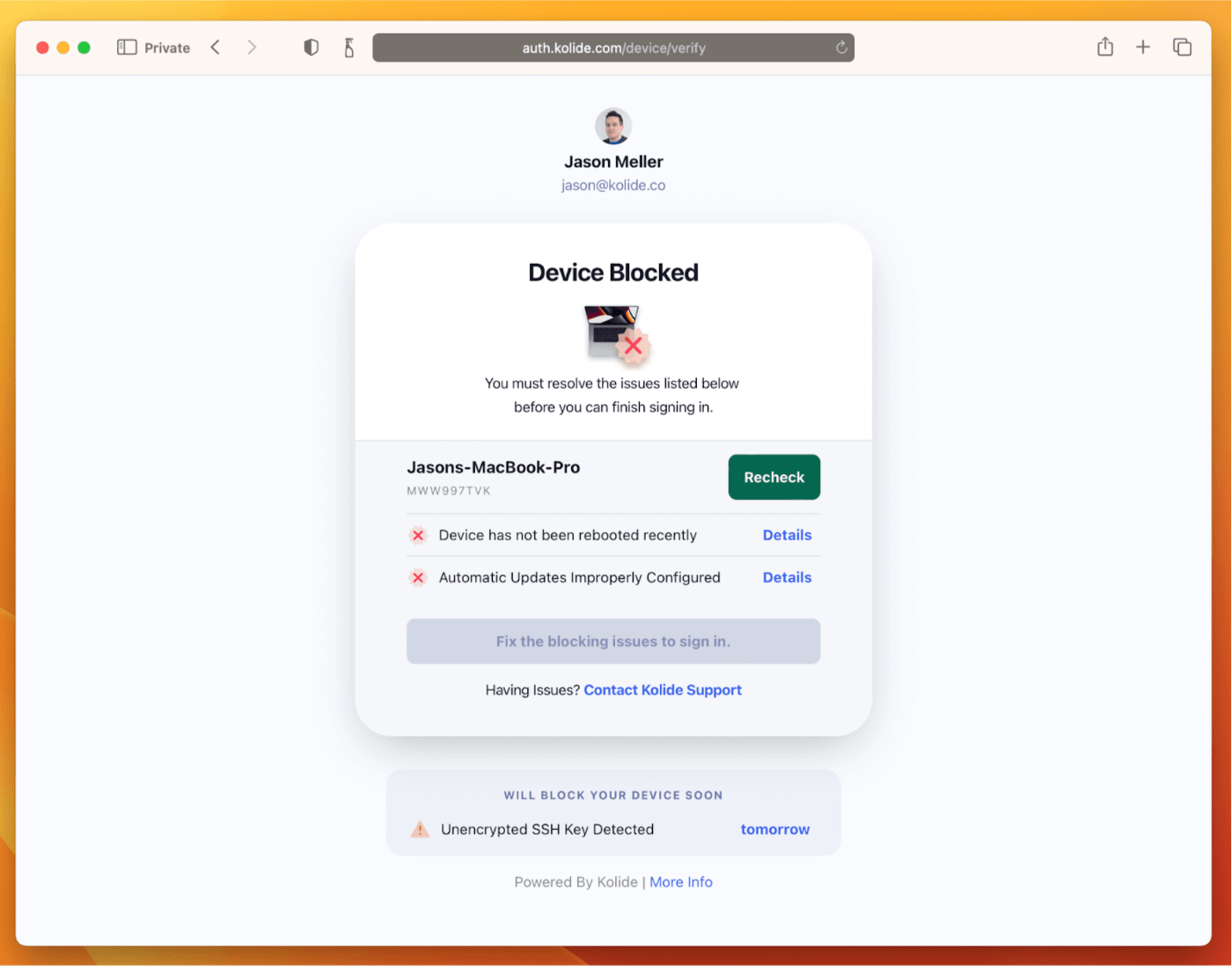
If your fleet is littered with devices that stubbornly refuse to update, then consider these two principles:
- You can’t have a successful patch management policy without involving users.
- You can’t get users to install patches unless you give them both clear instructions and real consequences.
Installing OS updates is a top priority for both security and IT, and when you make it part of conditional access, you can finally get it done without massive lists of exemptions or massive piles of support tickets.
To learn more about how Kolide enforces device compliance for companies with Okta, click here to watch an on-demand demo.
Our thank to Kolide for sponsoring MacStories this week.
In This Issue
This month, John ranks the Apple Watch Ultra bands and shares his plans to ramp up his home automation projects....
Up Next on AppStories
Next week on a special Monday editions of AppStories, Federico and John will be joined by a special guest to discuss a topic we haven’t covered in a while....
In This Issue
Jonathan shares his iPhone TV Sidekick setup, John expands on the role of widgets and App Shortcuts and what they might mean for the Shortcuts app, plus the usual Links, App Debuts, the latest happenings in the Club MacStories+ Discord community, a recap of MacStories articles, and a preview of next week’s episode of AppStories....
Previously, On MacStories
Stories Photo Scout: An Excellent Photographer’s Companion for iPhone and iPad Hue Widgets’ Interactive Widgets Are the Easiest Way to Control Complex Hue Lighting Scenes Introducing MultiButton: Assign Two Shortcuts to the Same Action Button Press on iPhone 15 Pro Apple Announces ‘Meet with Apple Experts’ for Developers macOS Sonoma: The MacStories Review Apple Podcasts...