

Federico on how he’s using Widgetsmith’s new music widgets, Sigmund shares a collection of favorite Apple TV media, Devon explains his shortcut for journaling his TV and movie watch history, Jonathan is using Shortcuts to discover new music, John sees spatial computing as the natural evolution of his desk setup, media app giveaways from Marcos...
Whisper Memos: Turn Your Ramblings into Paragraphed Articles, Sent Right to Your Email Inbox [Sponsor]
Ideas are precious but fleeting. One moment, inspiration strikes, but if you don’t capture that lightning in a bottle, it’s gone before you know it. With Whisper Memos, you can harness the power of artificial intelligence to turn your ideas into orderly memos.
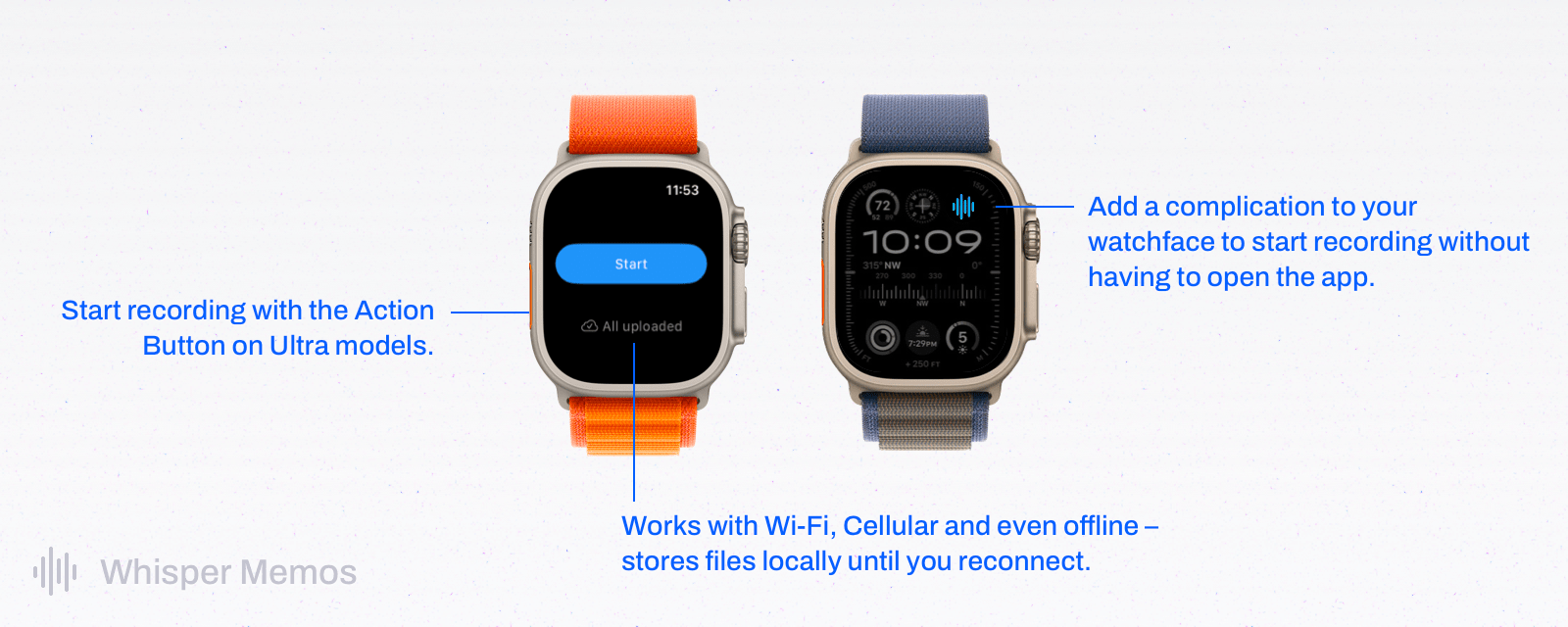
Whisper Memos combines the convenience of quick capture with the power of GPT-4. You can save a voice memo using your iPhone’s Action Button, the app’s Lock Screen widget, Whisper Memos’ Apple Watch app, Shortcuts, and more. Then, Whisper Memos uses AI to turn your recordings into orderly, paragraphed memos delivered directly to your email inbox a few seconds later.
The results are incredible. One moment, you’re recording audio on your iPhone or Apple Watch, and the next, you’ve got an email message easily identifiable by its custom subject line that has been carefully transcribed and organized into neat paragraphs.
Whisper Memos works on Wi-Fi, over a cellular connection, and offline, so it’s always available. The app also supports a long list of languages, and it integrates with Zapier, which allows you to connect Whisper Memos to other productivity apps like Notion, Trello, or your task manager. There’s even a privacy mode for ensuring no trace is left behind after your voice memos have been processed.
So, check out Whisper Memos today. You’ll be amazed at how fast, accurate, and reliable it is at preserving your precious thoughts.
Our thanks to Whisper Memos for sponsoring MacStories this week.
 Up Next on AppStories
Next week on AppStories, Federico and John are joined by two very special guests to share an announcement and discuss their favorite media tracking apps....
In This Issue
We celebrate issue 400 with our iPhone Home Screens, plus the usual Links, App Debuts, the latest happenings in the Club MacStories+ Discord community, a recap of MacStories articles, and a preview of next week’s episode of AppStories....
The MacStories Team’s iPhone Home Screens
Federico’s Home Screen Setup The latest version of my iPhone Home Screen is an evolution of the Launcher-based setup I described in Issue 399 of MacStories Weekly. There are some additions to the Home Screen, which I’ll highlight below, but, by and large, the layout hasn’t changed much over the past few months. I continue...
Previously, On MacStories
Stories CES 2024: ASUS Rules CES, A Grab Bag of Other Announcements, Plus More Weird and Wonderful Gadget Finds The Continuity Camera and ‘Unlock With Apple Watch’ Conspiracy CES 2024: More Gaming, Laptops, Hybrid Computers, NUCs, and Smart Home Devices CES 2024: Gaming, Laptops, TVs, AR and VR, Batteries, and a Couple of Oddities Apple...
Stupid Companies Make AI Promises. Smart Companies Have AI Policies [Sponsor]

It seems like every company is scrambling to stake their claim in the AI goldrush–check out the CEO of Kroger promising to bring LLMs into the dairy aisle. And front line workers are following suit–experimenting with AI so they can work faster and do more.
In the few short months since ChatGPT debuted, hundreds of AI-powered tools have come on the market. But while AI-based tools have genuinely helpful applications, they also pose profound security risks. Unfortunately, most companies still haven’t come up with policies to manage those risks. In the absence of clear guidance around responsible AI use, employees are blithely handing over sensitive data to untrustworthy tools.
AI-based browser extensions offer the clearest illustration of this phenomenon. The Chrome store is overflowing with extensions that (claim to) harness ChatGPT to do all manner of tasks: punching up emails, designing graphics, transcribing meetings, and writing code. But these tools are prone to at least three types of risk.
- Malware: Security researchers keep uncovering AI-based extensions that steal user data. These extensions play on users’ trust of the big tech platforms (“it can’t be dangerous if Google lets it on the Chrome store!”) and they often appear to work, by hooking up to ChatGPT et al’s APIs.
- Data Governance: Companies including Apple and Verizon have banned their employees from using LLMs because these products rarely offer a guarantee that a user’s inputs won’t be used as training data.
- Prompt Injection Attacks: In this little known but potentially unsolvable attack, hidden text on a webpage directs an AI tool to perform malicious actions–such as exfiltrate data and then delete the records.
Up until now, most companies have been caught flat-footed by AI, but these risks are too serious to ignore.
At Kolide, we’re taking a two-part approach to governing AI use.
- Draft AI policies as a team. We don’t want to totally ban our team from using AI, we just want to use it safely. So our first step is meeting with representatives from multiple teams to figure out what they’re getting out of AI-based tools, and how we can provide them with secure options that don’t expose critical data or infrastructure.
- Use Kolide to block malicious tools. Kolide lets IT and security teams write Checks that detect device compliance issues, and we’ve already started creating Checks for malicious (or dubious) AI-based tools. Now if an employee accidentally downloads malware, they’ll be prevented from logging into our cloud apps until they’ve removed it.
Every company will have to craft policies based on their unique needs and concerns, but the important thing is to start now. There’s still time to seize the reins of AI, before it gallops away with your company’s data.
To learn more about how Kolide enforces device compliance for companies with Okta, click here to watch an on-demand demo.
Our thank to Kolide for sponsoring MacStories this week.
WinterFest 2023: The Winter Festival Of Artisanal Software [Sponsor]
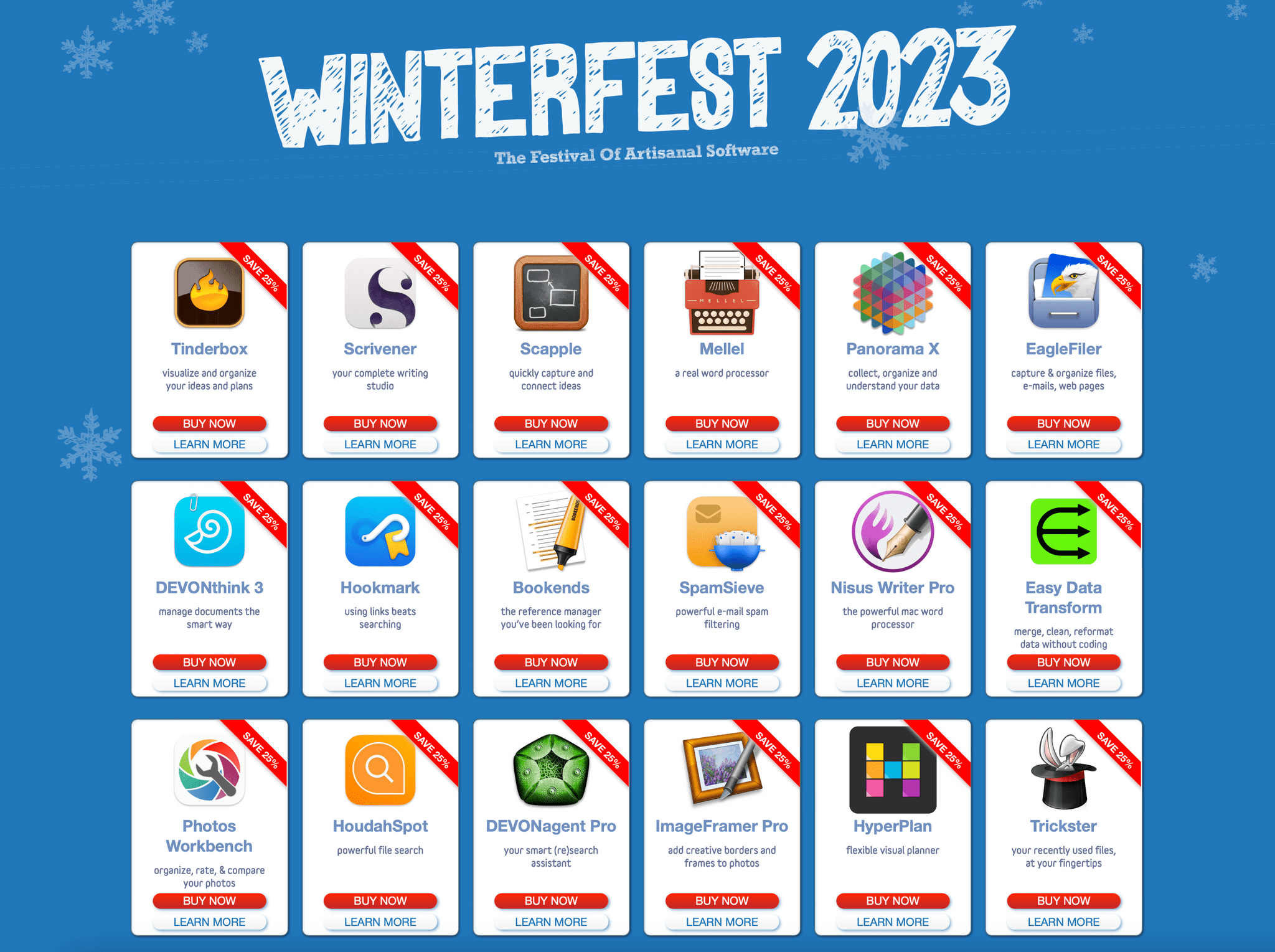
WinterFest 2023: The Festival of Artisanal Software is back with a fantastic collection of carefully crafted software for writing, research, thinking, and more at tremendous prices.
Innovative software often comes from small teams, fired with imagination and a vision of a better way to work. There are no bundles, games, or prices that are too good to be true: just fresh software with fantastic support at great, sustainable prices.
Software artisans from around the globe have come together for this time-limited event to bring you innovative systems to assist you with everyday knowledge work. This incredible catalog of productivity software includes:
- Bookends: The reference manager you’ve been looking for
- DEVONagent Pro: Your smart research assistant
- DEVONthink: Your powerful information and knowledge manager
- Easy Data Transform: Merge, clean, and reformat data without coding
- EagleFiler: Capture and organize files, emails and web pages
- Hookmark: Supplies the missing links
- HoudahSpot: Powerful file search
- HyperPlan: Flexible visual planner
- ImageFramer Pro: Add creative borders and frames to photos
- Mellel: A real word processor
- Nisus Writer Pro: The powerful Mac word processor
- Panorama X: Collect, organize, and understand your data
- Photos Workbench: Organize, rate, & compare your photos
- Scapple: Quickly capture and connect ideas
- Scrivener: Your complete writing studio
- SpamSieve: powerful e-mail spam filtering
- Tinderbox: Visualize and organize your notes, plans, and ideas
- Trickster: Your recently used files at your fingertips
These sorts of amazing deals don’t come around often, so act today to start 2024 off with the best software available from this terrific group of developers.
Visit the WinterFest website to learn more and for links to these amazing deals, or use the coupon code Winterfest2023 at checkout.
Our thanks to Winterfest for sponsoring MacStories this week.
Previously, On MacStories
Stories Globetrotter: Your Photos and Memories on a World Map Big-Name Netflix Games Releases, Mac Game Stats from Developers, and Resident Evil 4 and GRID Legends Released in Time for the Holidays The Case for the Fediverse GoodLinks Adds Even Deeper Shortcuts Integration with Ability to Retrieve Current Article, Selections, and More Flipboard Begins to...