
Stories Apple Apologizes for Crush! Video Stu Maschwitz on the Filming of Apple’s Let Loose Event Apple Music Adds Shazam Radio Spins Charts and a New Industry Program Quinn Nelson of Snazzy Labs Explains the iPad Pro’s Tandem OLED Screen and the M4 Chip Marvel Studios and ILM Immersive Announce an Upcoming Vision Pro Project...
 Up Next on MacStories Podcasts
Next week on AppStories, Federico and John examine iPadOS and consider what Apple needs to do for the OS to live up to the the iPad’s new hardware. Next week onMagic Rays of Light, Sigmund and Devon discuss Apple’s evolving theatrical film strategy, highlight the debut of The Big Cigar, and recap Palm Royale....
In This Issue
Federico shares a shortcut for combining images of different sizes, Jonathan tries the Nothing Ear (2) earbuds, John explains what it will take for next week’s Apple event to get him excited, an interview with AltStore’s Riley Testut, plus the usual Links, App Debuts, the latest happenings in the Club MacStories+ Discord community, a recap...
Up Next on MacStories Podcasts
Next week on AppStories, Federico and John are joined by Riley Testut to dig into the backstory of AltStore PAL and his Delta game emulator. Next week onMagic Rays of Light, Sigmund and Devon break down all of the announcements from Apple’s Let Loose event, grade their event predictions, and highlight this week’s release...
Interview: Riley Testut

Mastodon: @[email protected]. Developer of AltStore and Delta. We’ve seen a lot of confusion among people about Delta and AltStore PAL. Could you explain why Delta is available in AltStore in the EU and not Apple’s App Store? You can thank the Core Technology Fee for that one. The CTF applies to both downloads in AltStore...
Previously, On MacStories
Stories Hands-on With France’s Digital ID App on the iPhone: Not as Digital as Digital Can Be Apple Reports Quarterly Revenue of $90.8 Billion for Q22024 Apple Changes How the Core Technology Fee Works and Confirms that Its Alternative Business Terms Will Apply to iPad Apps This Fall Apple Introduces Three of the Distinguished Swift...
In This Issue
This month, Federico explains how he digitized his collection of GameCube and Wii discs with the help of a capture card, Orion, a Wii, and the Homebrew Channel, and John makes the case for Gentler Streak, a fitness app that doesn’t make you feel bad if you’re not setting personal records every day....
Collections Database: A Powerful Database with iCloud Sync [Sponsor]
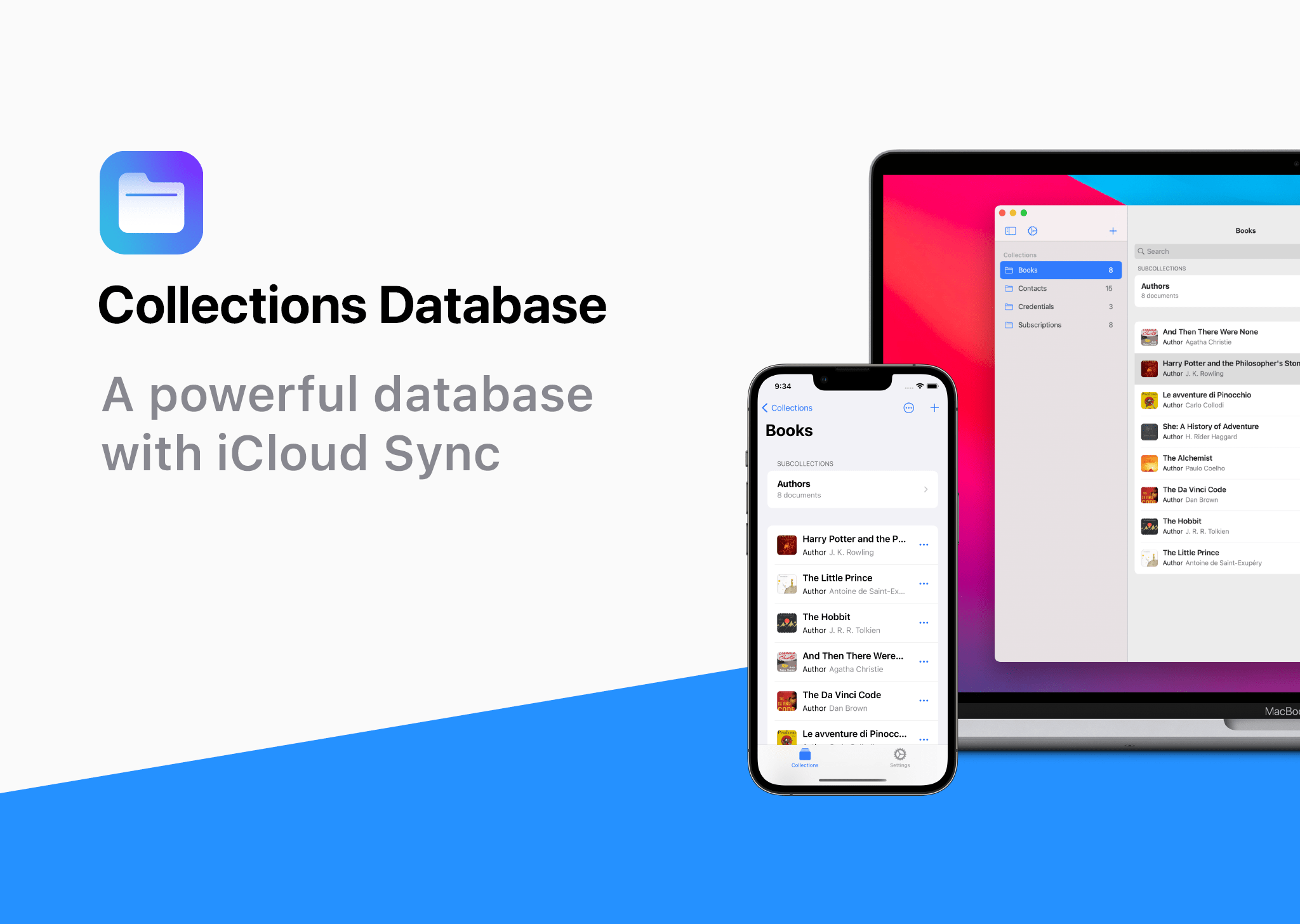
Collections Database is the premier personal database app for organizing anything and everything on your iPhone, iPad, and Mac.
The app features more than 20 field types, linkable sub-databases, reusable lists, and a robust customization system. It’s a powerful and flexible solution that makes Collections easy to get started with for beginners, while meeting the needs of advanced users too.
Collections provides essential templates to get started, including Expenses, Contacts, Subscriptions, Books and more. However, you’re always free to start from scratch by building your own custom templates.
A long, complete list of field types is available for your databases too. The set includes everything you’d expect from a modern database app, including Text, Number, Date, Picture - even Barcode fields. Collections can import spreadsheets from other apps, using its powerful CSV import functionality. Collections also offers quick filters, sorting, password protection, smart text-based search, and more.
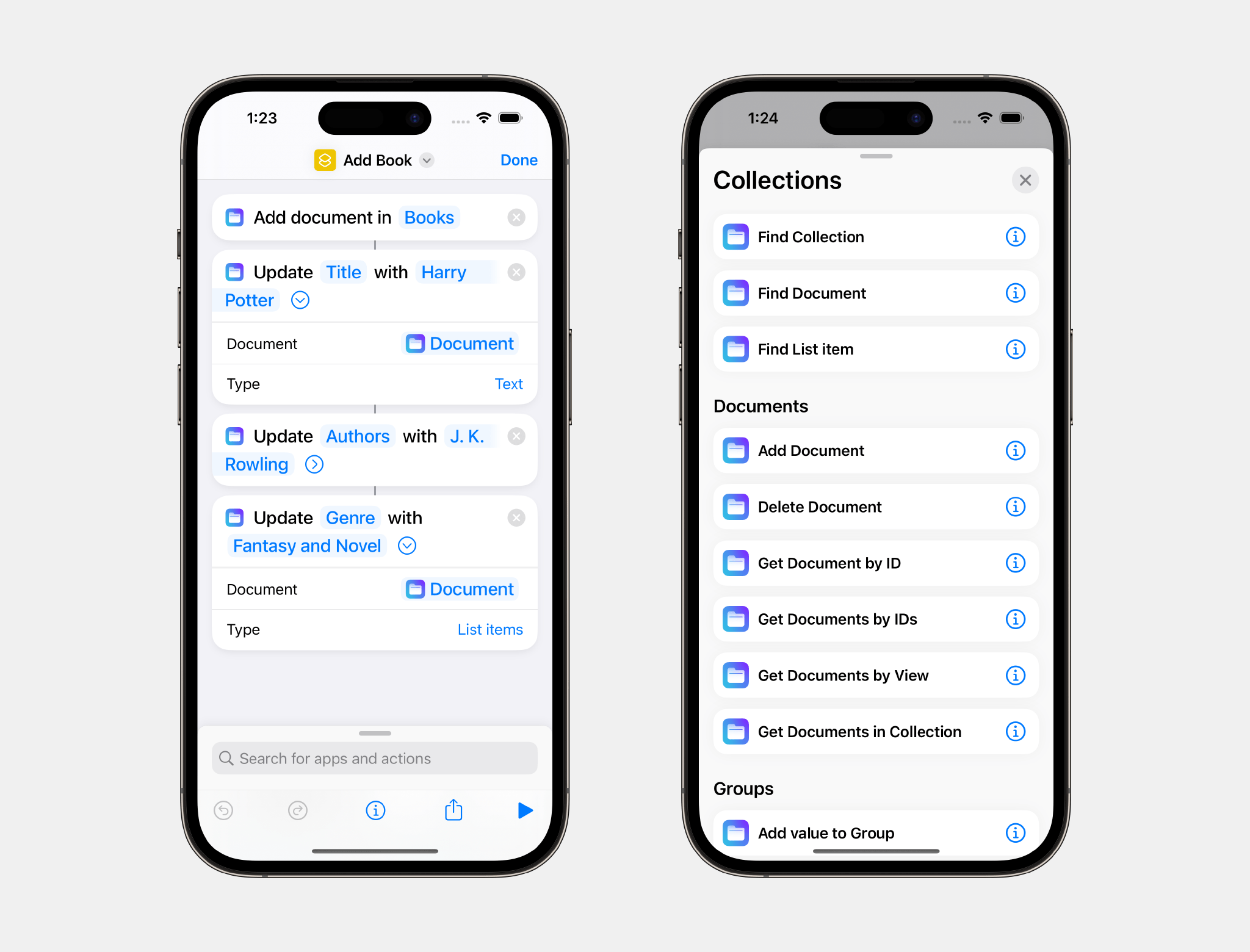
A standout feature is the extensive support for Shortcuts, which expands the app capabilities even more.
Collections is free to try, but by upgrading to the Pro version via In-App Purchase, you’ll gain access to an unlimited number of database entries and files, plus advanced filters. The Pro version also includes a unique visual formula editor the makes building complex formulas intuitive and easy.
The app is a universal purchase, so your purchase will be available on the iPhone, iPad, and Mac. At the same time, though, Collections has been carefully optimized to each Apple platform for the best experience on every platform.
Collections is regularly updated to take advantage of the latest Apple technologies and is privacy-minded. Your data isn’t collected or sent anywhere else.
To learn more, and download Collections Database visit the App Store today.
Our thanks to Collections Database for sponsoring MacStories this week.
Up Next On MacStories Podcasts
Next week on AppStories, Federico and John interview developers about getting started with Swift. Next week onMagic Rays of Light, Sigmund and Devon make their long-awaited return to Las Colinas with Acapulco season three, share their predictions for Apple’s upcoming Let Loose event, and recap Constellation....