
watchOS 2: The MacStories Review iOS 9 and Accessibility: My 5 Favorite Details What’s New for iOS Management in iOS 9 iOS 9 and YouTube Picture in Picture with YouPlayer Just Press Record Is a Simple Voice Recorder for watchOS 2 and iOS 9...
 Announcement
To all of our new Club MacStories members, welcome! You can read Issue 1 of MacStories Weekly here....
Tips
iOS 9 features a new search box at the top of the Settings app that lets you look for any setting and sub-view in the app. Besides the obvious convenience of finding specific settings quickly, you can also use this to navigate to saved Safari passwords with two taps. If you use Safari and...
In This Issue
Metapho, Apps Used for Federico’s iOS 9 Review, Federico’s iPad Home screen, plus the usual Weekly Q&A, Tip, Links, App Debuts, and recap of MacStories articles....
Interesting Links
Designer Linda Dong compares the iPad Pro’s Pencil to the Wacom Cintiq. Apple has acquired Mapsense, which “builds tools for analyzing and visualizing location data”, says Re/code. Details on Live Photos and how much space they’ll take up on an iPhone 6s. Manton Reece thinks that every device needs the web following the news of...
Previously, On MacStories
iOS 9: The MacStories Review, Created on iPad iOS 9 Goes to School Apple’s iOS 9 News App Review: Broken News Marco Arment Launches Peace, an iOS 9 Content Blocker Powered by Ghostery Readdle’s Documents for iOS 9 and Safari File Downloads 1Password 6.0 for iOS 9 Adds iPad Multitasking, Spotlight Search Sofa: Discover New...
Apps Used for Federico’siOS 9 Review
Editorial Ole Zorn’s excellent Markdown text editor is where I got all my writing and editing done (with Dropbox sync). I’ve written about Editorial at length already, and it’s the app I use every day to write and publish articles to the site because of its combination of plain text, Dropbox sync, and automation...
#MacStoriesDeals – ‘Get Productive’ Sale
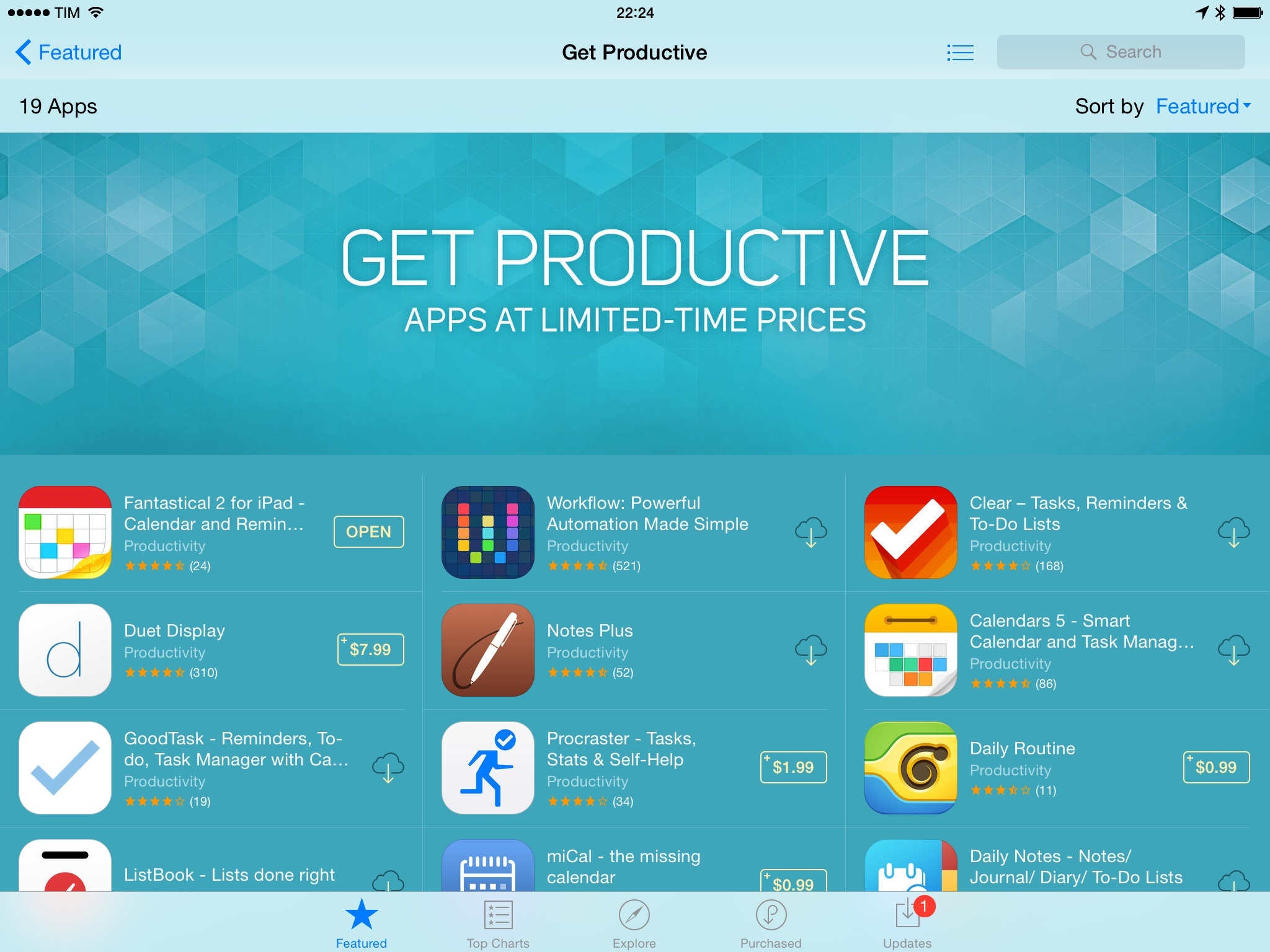
We’ve collected the best #MacStoriesDeals for January 28, 2015, so be quick and get them! Today, a lot of productivity-related iOS and OS X apps went on sale in what appears to be an organized promotion across the App Store. If new deals become available, we’ll include them at the top of each section.
For more deals, you can find us as @MacStoriesDeals on Twitter.
Update, January 29: Apple has confirmed the App Store sale with a special section called ‘Get Productive’.
Aptonic - Dropzone 3 [Sponsor]→
Dropzone is a productivity tool that enhances drag and drop on your Mac. Drag files onto the menu item and a beautifully designed and animated grid of all your actions opens. Share with services such as AirDrop, Imgur, FTP, Amazon S3, Facebook, Twitter and many others. Move and copy files, launch applications and even develop your own actions using the powerful Ruby based scripting API.
Dropzone 3 is a huge update to the app that takes Dropzone to a whole new level. You can now add actions to your grid faster thanks to the new quick add menu or by dropping folders or apps onto the ‘Add to Grid’ area. Quickly reorganise your actions using drag and drop and delete them by holding the option key. The new in-grid progress bars let you keep track of task progress. Also see how tasks are progressing at a glance in the new animated menu item.
Drop Bar is another great new feature - Drag files you know you’ll need later onto the Drop Bar area of the grid to stash them tempororily. Drag stacks on top of each other to combine them. You can even drag a stack onto another Dropzone action.
In Dropzone 3, the developer API has undergone a major overhaul. You can now duplicate existing actions and tweak them to your liking. A new bundle system lets you distribute needed libraries or tools along with your action. Actions can now be auto-updated as they are improved. With a little Ruby knowledge you’ll be thinking of your own uses in no time - check out the developer documentation here.
Our thanks to Aptonic for sponsoring MacStories this week.