3174 posts on MacStories since July 2011

Articles by the MacStories team. Founded by Federico Viticci in April 2009, MacStories attracts millions of readers every month thanks to in-depth, personal, and informed coverage that offers a balanced mix of Apple news, app reviews, and opinion.

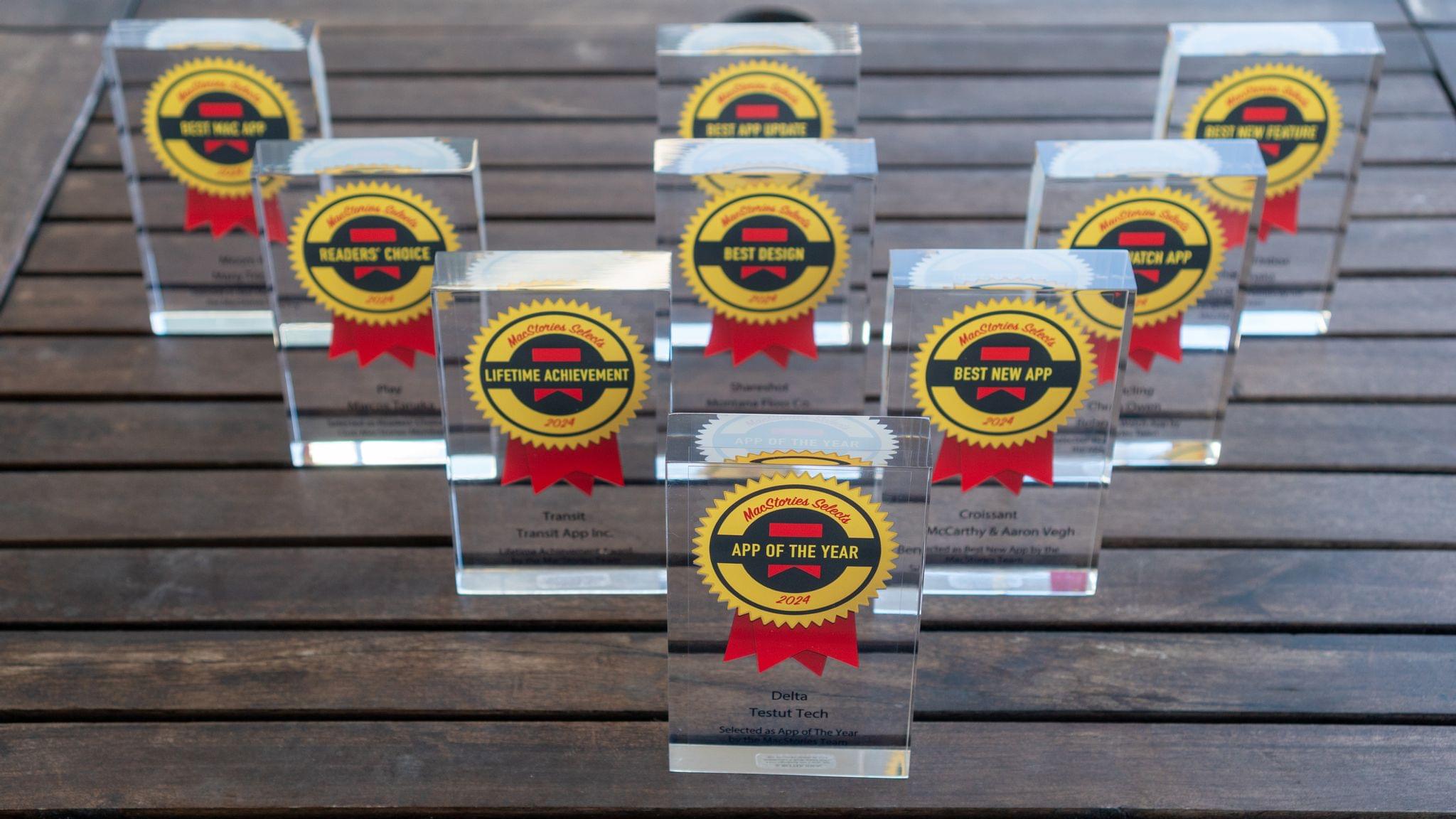
MacStories Selects 2024: Recognizing the Best Apps of the Year

John: 2024 was a big year for apps, but it was also different from most. More often than not, app innovation is driven by new Apple APIs; that wasn’t the case this year. Instead, it was other trends that shaped the apps we love.

Artificial intelligence played a big role, with some apps adopting it in clever ways to reduce user friction while other developers reacted to it by adopting a more human-centric, creative approach. The rapidly evolving social media landscape played a part, too, with new ways to communicate and manage our timelines emerging.

However, the biggest driver of change in the world of apps this year was government regulation led by the European Commission. The full effects of the Digital Markets Act and the U.S. Department of Justice’s antitrust action against Apple have yet to play out, but nothing since the introduction of the App Store has shaken up the status quo like governments in the EU, U.S., and elsewhere did in 2024.

Not all regulatory effects were what developers wanted – or even positive – but as 2024 winds down, it’s undeniable that apps that weren’t possible before regulation are now available worldwide. Plus, developers in certain parts of the world have more options than before, which we at MacStories are happy to see as fans of apps and their makers. Let’s hope the opening up of the App Store continues and spreads geographically in 2025 and beyond.

Change lingers in the air, which makes me excited for the apps that 2025 will bring, but before we shut off the lights on 2024, it’s time to pause as we do each year to reflect on the many apps we tried in the year gone by and recognize the best among them.

Like last year, the MacStories team picked the best apps in seven categories:

  • Best New App
  • Best App Update
  • Best New Feature
  • Best Watch App
  • Best Mac App
  • Best Design
  • App of the Year

Club MacStories members were part of the selection process, too, picking the winner of the MacStories Selects Readers’ Choice Award. And as we’ve done the past few years, we named a Lifetime Achievement Award winner that has stood the test of time and had an outsized impact on the world of apps. This year’s winner, which joins past winners Pixelmator, PCalc, and Drafts, is the subject of a special story Niléane wrote for the occasion.

As usual, Federico and I also recorded a special episode of AppStories covering all the winners and runners-up. It’s a terrific way to learn more about this year’s apps. Plus, it’s on our YouTube channel this year, giving you a chance to actually see the awards as we cover them.

You can also listen to the episode below.

AppStories+ Deeper into the world of apps
0:00
55:19

AppStories+ Deeper into the world of apps

And with that, it’s my pleasure to unveil the 2024 MacStories Selects Awards.
Read more


In This Issue

This week, Jonathan recommends a Mac notch utility called Alcove, John shares his first impressions of the latest Mac apps and plugins he’s testing, plus the usual Links, App Debuts, the latest happenings in the Club MacStories+ Discord community, and a recap of MacStories articles and this week’s episodes of MacStories podcasts....


This Week on MacStories Podcasts

This week on MacStories podcasts: AppStories This week, Federico and John consider the differences between assistive and generative AI and cover the sort of automation tasks for which assistive AI is useful. Listen on: Apple Podcasts Overcast Pocket Casts Castro Spotify YouTube NPC: Next Portable Console Tencent and Intel announce a huge handheld, Sony is...


BetterTouchTool: Introducing Floating Menus [Sponsor]

BetterTouchTool is a powerful macOS application that enables users to completely customize their various input devices such as Keyboards, the (Magic) Mouse and Magic Trackpad, the Touch Bar, the Siri Remote or even things like the Stream Deck.

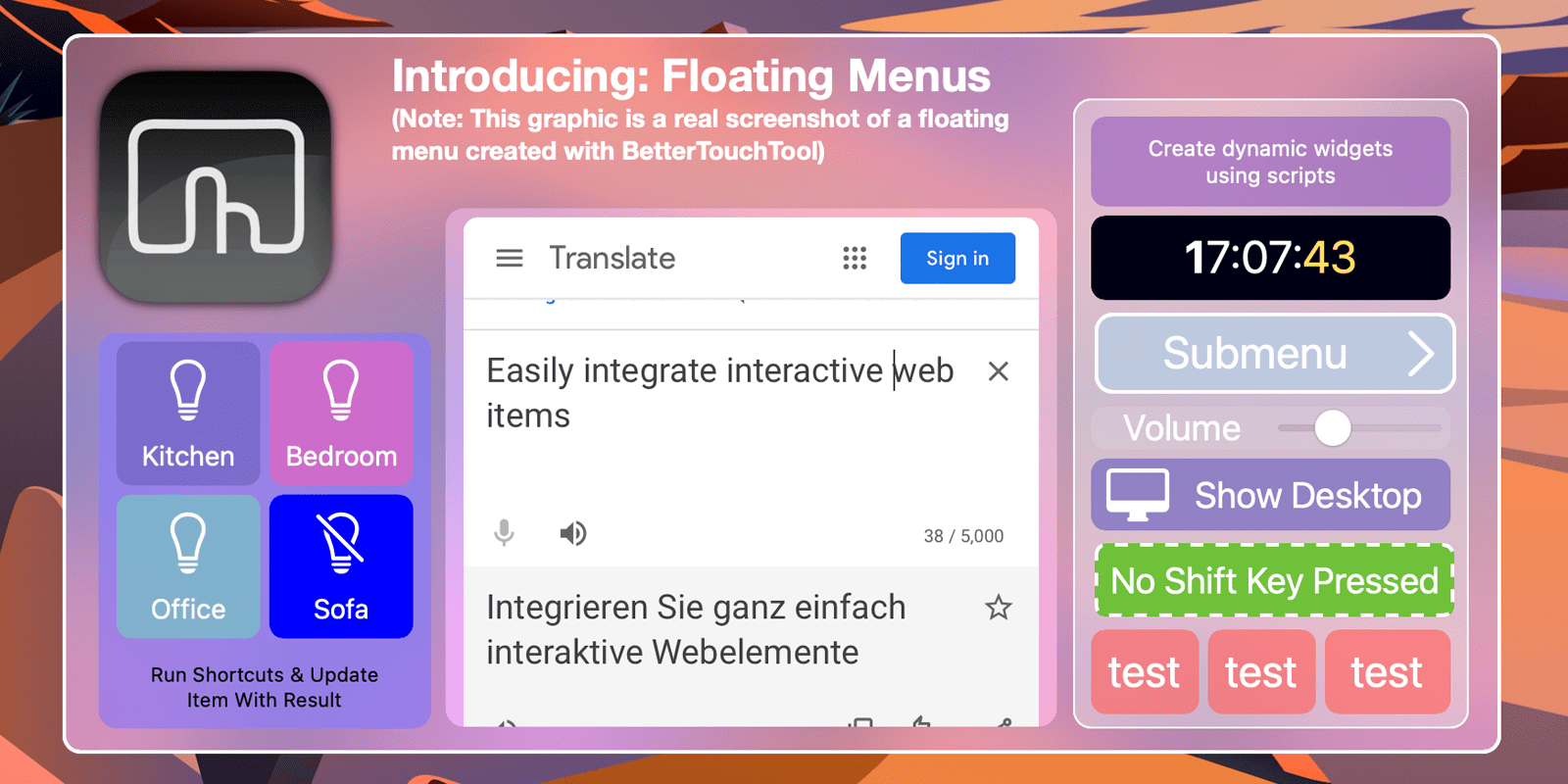
Today let’s have a look at a new feature that has recently been integrated into BetterTouchTool and is getting more powerful with every update: Floating Menus / Widgets.

Imagine them as highly flexible, widget-like menus that you can place virtually anywhere on your screen. You can attach them to specific positions in specific windows, to specific screens, the current mouse position and many more. You can specify whether they float on top, stick them to your desktop or have them behave like normal windows (and more). 
They can always be visible, expand on mouse hover or be shown/hidden via any trigger in BTT.

You can find various Floating Menu examples on https://share.folivora.ai. For example have a look at the Notch menu, which is invisible by default but expands from your Macbook’s Notch on hover.  Another nice example is the “Mini Emoji Menu” preset, it places a little transparent dot on the left edge of the focused window. When hovered it shows multiple custom emoji which you can insert by clicking.

The documentation for this new feature is available here and you can always visit our community page to discuss or request features.

Try BetterTouchTool now (45 day free trial) or go and purchase a license with this 20% coupon code: MACSTORIESBTT2023 at https://folivora.ai. BetterTouchTool is also included a Setapp subscription.

Our thanks to BetterTouchTool for sponsoring MacStories this week.


This Week on MacStories Podcasts

This week on MacStories podcasts: AppStories This week, John is joined by his NPC: Next Portable Console co-host Brendon Bigley for a conversation about Control Ultimate Edition coming to the Mac, Bluesky, a friendly interrogation about the apps and gear Brendon uses, and more. Listen on: Apple Podcasts Overcast Pocket Casts Castro Spotify YouTube Ruminate...


In This Issue

This week, Jonathan recommends new social link aggregator Sill, Federico has a tip for batch renaming files on the iPad with FileBrowser, John shares how he used ChatGPT to solve an image encoding mystery, plus the usual Links, App Debuts, the latest happenings in the Club MacStories+ Discord community, and a recap of MacStories articles...


In This Issue

This month, Devon shares a series of tips for using the new countdown app Pinning, and John has fallen in love with nano-texture displays....


The MacStories Holiday Gift Guide for the Apple Nerd in Your Life

With Black Friday sales in full swing and the holidays around the corner, we here at MacStories thought we’d each share gift ideas for the Apple nerd in your life. Some of these items are currently on sale, so be sure to get your shopping started and check them out soon.

Federico

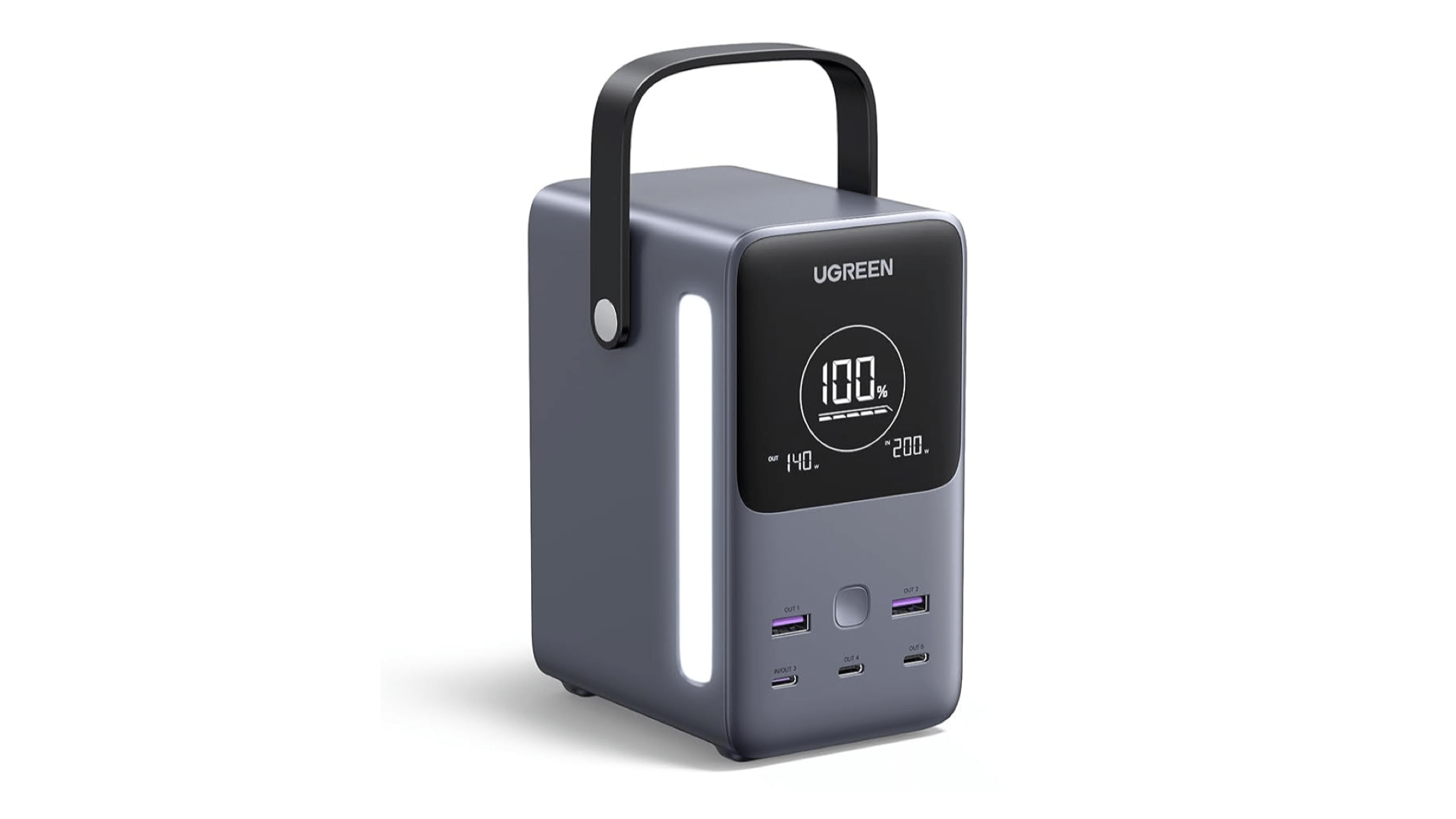
UGREEN 300W 48,000mAh Battery

I love this big, chunky battery with a handle.

As I recently mentioned on Unwind and NPC, I’ve been really into the idea of gadgets that are “portable, but for the home” this year. These are accessories that are portable in the sense that they can be moved around, but you wouldn’t commute or travel with them. In this case, I was looking for a powerful battery I could place on my living room table to charge multiple devices at once, such as Silvia’s MacBook Pro and my iPad Pro, or my Legion Go and iPhone. The internal capacity of this battery ensures it can stay on for hours when charging a single device like a Steam Deck, too.

The battery comes with a front-facing display with details about its charge and in/out wattages, and it even offers an LED light on the side for illuminating your environment. Plus, if you have a 140W USB-C charger, filling it up completely doesn’t take too long. This has to be one of my favorite tech purchases this year, and I can’t recommend it enough.

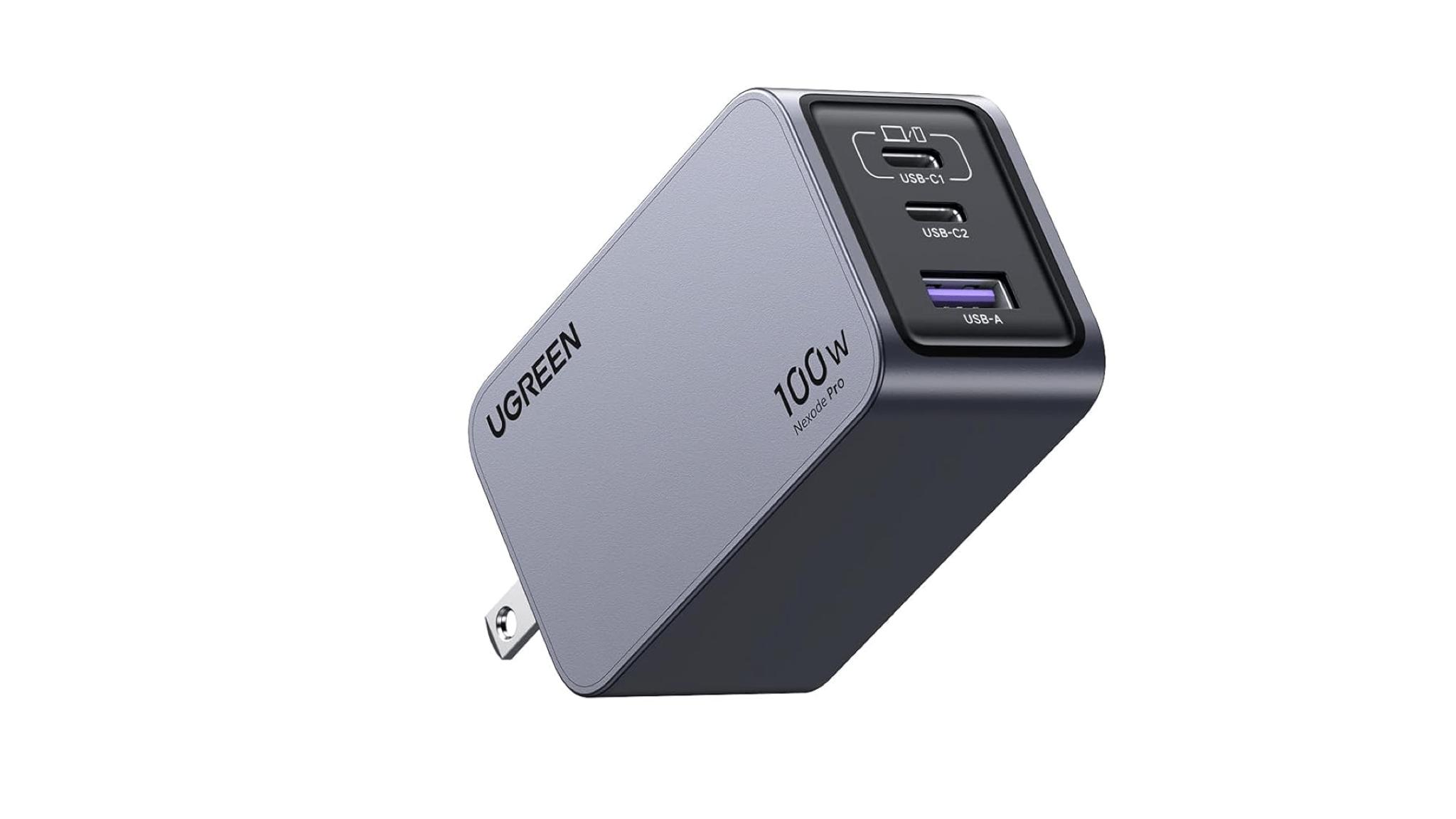
UGREEN Nexode Pro 100W Charger

Speaking of UGREEN, I also like their latest 100W GaN charger. Part of the company’s Nexode line, this is a compact USB-C wall charger that can output up to 100W via its first USB-C port when used by itself. This one is actually bag- and travel-friendly, and it’s become my new default for fast-charging the iPhone and iPad Pro.

Read more