
The New York Times explains how banks and retailers use digital fingerprinting based on users’ interaction with devices as a way to determine identity, a technology that also raises privacy concerns and is being blocked in Safari as part of iOS 12 and macOS Mojave. (Link) Casey Johnston pokes holes in claims that truly self-driving...
 Interview: Mike Piontek

Twitter: @robotspacer. Founder of Junecloud, creator of Deliveries for iOS and the Mac. How did you get started as a developer and with creating Deliveries? I grew up making things on Macintosh computers. I’ve always been more into art than programming, but tools like HyperCard and Director made it easy to play around with animation...
In This Issue
Bitmoji, Recording Audio on Macs and iOS, a tip for quick list creation in Reminders, Federico’s Photos shortcuts for his iOS 12 review, an interview with Deliveries creator Mike Piontek, plus the usual Weekly Q&A, Links, App Debuts, a recap of MacStories articles, and a preview of next week’s episode of AppStories....
Turn Touch: Beautiful Control [Sponsor]
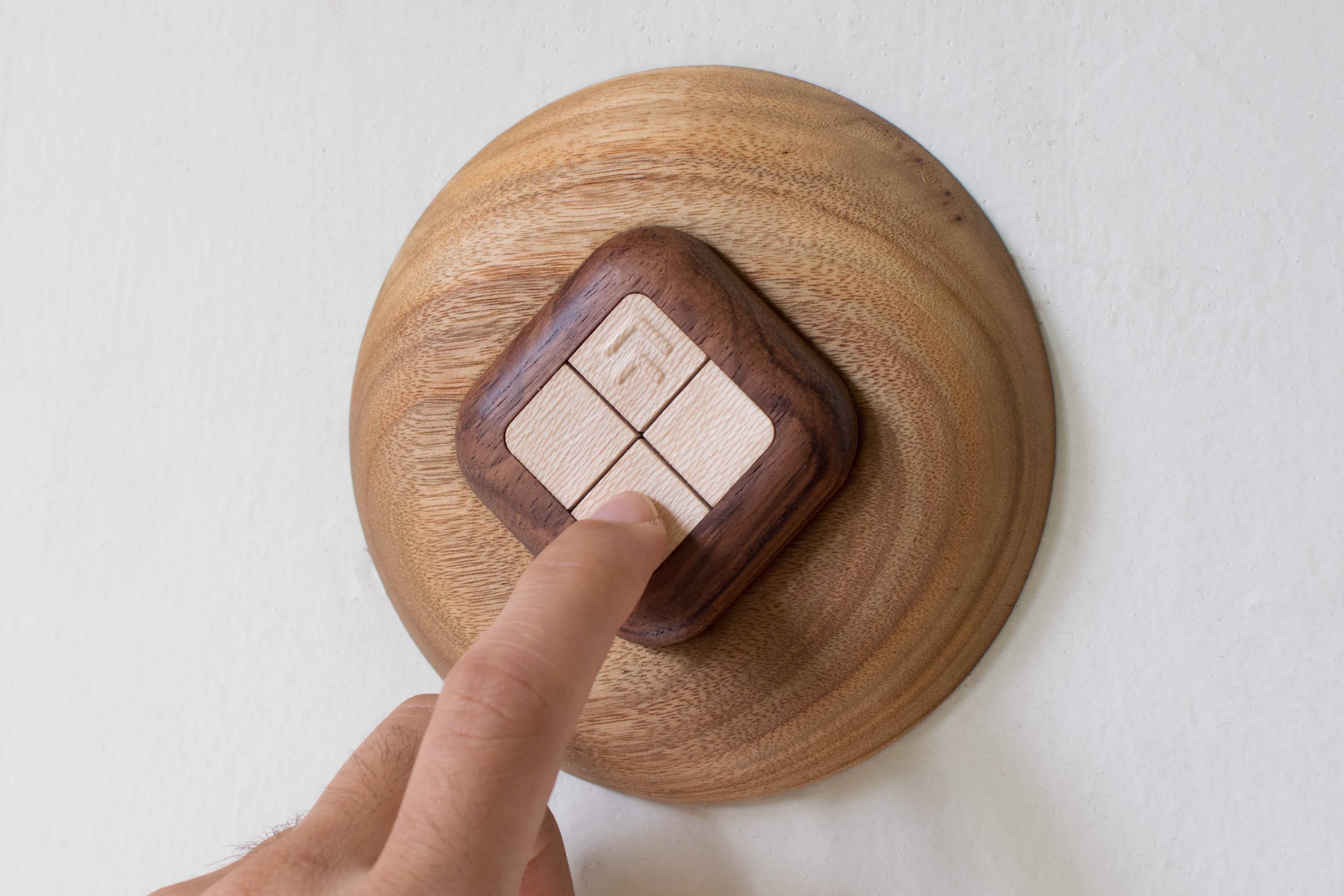
Simplify your smart home with a gorgeous wooden remote control. The Turn Touch combines natural mahogany and rosewood, a simple, elegant design, and sophisticated control of your smart home devices that is as good-looking in your home as it is useful.
The Turn Touch features just four buttons, but with taps, double taps, and tap-and-hold, the device puts an astonishing range of control at your fingertips. The Turn Touch is tough too. It’s constructed from dense, durable woods that stand up to shocks, drops, and dirt. What’s more, the Turn Touch is always on, ready to make the most of your smart home devices.
The Turn Touch works with a long list of smart devices. Control your Mac or iOS devices, Hue lights, Sonos speakers, WeMo devices, smart thermostats, and much more. Configuring the Turn Touch is simple from an iOS device or Mac, and once it’s set up, the Touch Touch’s battery lasts about a year ensuring that it’s there when you need it.
The Turn Touch Pedestal, which is sold separately, makes a perfect home base for the Turn Touch too. Rest it on a table or mount it on the wall to use it as a smart wall switch. The Turn Touch is held in place with cleverly-hidden magnets.
For a limited time, MacStories readers can purchase the Turn Touch Pedestal for 25% off at checkout by using the coupon code PEDESTAL25.
Smart devices don’t have to be made of cheap, ugly plastic. Check out Turn Touch today to learn more, and bring beautiful control to your smart home.
Our thanks to Turn Touch for sponsoring MacStories this week.
PowerPhotos - The Ultimate Toolbox for Photos on the Mac [Sponsor]

PowerPhotos is a powerful utility for the Mac that lets you merge or split Photos libraries and eliminate duplicate photos. People use multiple Photos libraries for all sorts of reasons, but one of the most common is to break an enormous library of tens of thousands of photos into smaller more manageable sub-libraries.
PowerPhotos is just the tool you need to manage all of your photos across libraries. From the creator of iPhoto Library Manager, PowerPhotos provides the same sophisticated toolset and more for Apple’s Photos app.
You can store photo libraries on external or networked drives and copy photos while maintaining and preserving albums and related metadata like keywords, titles, dates, locations, and descriptions. Not only can PowerPhotos help by splitting up your Photos library into multiple libraries, it can merge them too. The app also makes it easy to find and eliminate duplicate photos.
One of the most powerful features is the ability to search across multiple libraries at one time. It’s a great feature that allows you to search as though all you photos were in one library even when they aren’t. Finally, PowerPhotos can ease the transition to Photos helping you migrate multiple iPhoto or Aperture libraries to Photos.
We have a special limited-time deal just for MacStories readers. Receive 20% off at checkout by using the coupon code MACSTORIES18. Even if you haven’t had time to set up multiple Photos libraries yet, grab this deal now so you have PowerPhotos’ tools at your disposal when you’re ready take the plunge.
Our thanks to PowerPhotos for sponsoring MacStories this week.
Interview
 Ryan
RyanA few weeks back, as we were celebrating the 10th anniversary of the App Store, a relatively new app developer, Matt Barker, wrote in and shared his story with the MacStories team. We loved getting to hear from someone new to app development who’s finding success on the App Store today, and wanted to...
Previously, On MacStories
Logitech Purchases Blue Microphones to Better Serve Gamers, Podcasters, and More Spect: Simple Image Management on the Mac Apple Q3 2018 Results: $53.3 Billion Revenue, 41.3 Million iPhones, 11.6 Million iPads Sold The Case for Low Power Mode on MacBooks Apple Announces Apps and In-App Purchases Will Be Removed from its Affiliate Program October 1st...
Up Next on MacStories’ Podcasts
Next week on AppStories, John is joined by Stephen Hackett to compare and discuss the menu bar apps they use on their Macs....
Interesting Links
TechCrunch wonders if an Amazon Prime Video update teased by a company executive could mean personalized video recommendations and user profiles coming to the app in the near future. (Link) Epic Games has committed to investing $100 million in Fortnite e-sports but, as reported by The Verge, they have had a series of issues with...