
Wired looks at Amazon’s new ARM-based Graviton chips that are powering a new generation of AWS servers. (Link) Already well-established in the UK and Europe, The New York Times looks at US-based online ‘neo-banks’ that are challenging big competitors with low, consumer-friendly fee structures. (Link) The Washington Post profiles TikTok, the successor to Musical.ly featuring...
 Up Next on MacStories’ Podcasts
Next week on AppStories, Federico and John discuss manual camera apps and photo managers and editors on iOS....
Luna Display: Turn Your iPad into a Second Display [Sponsor]
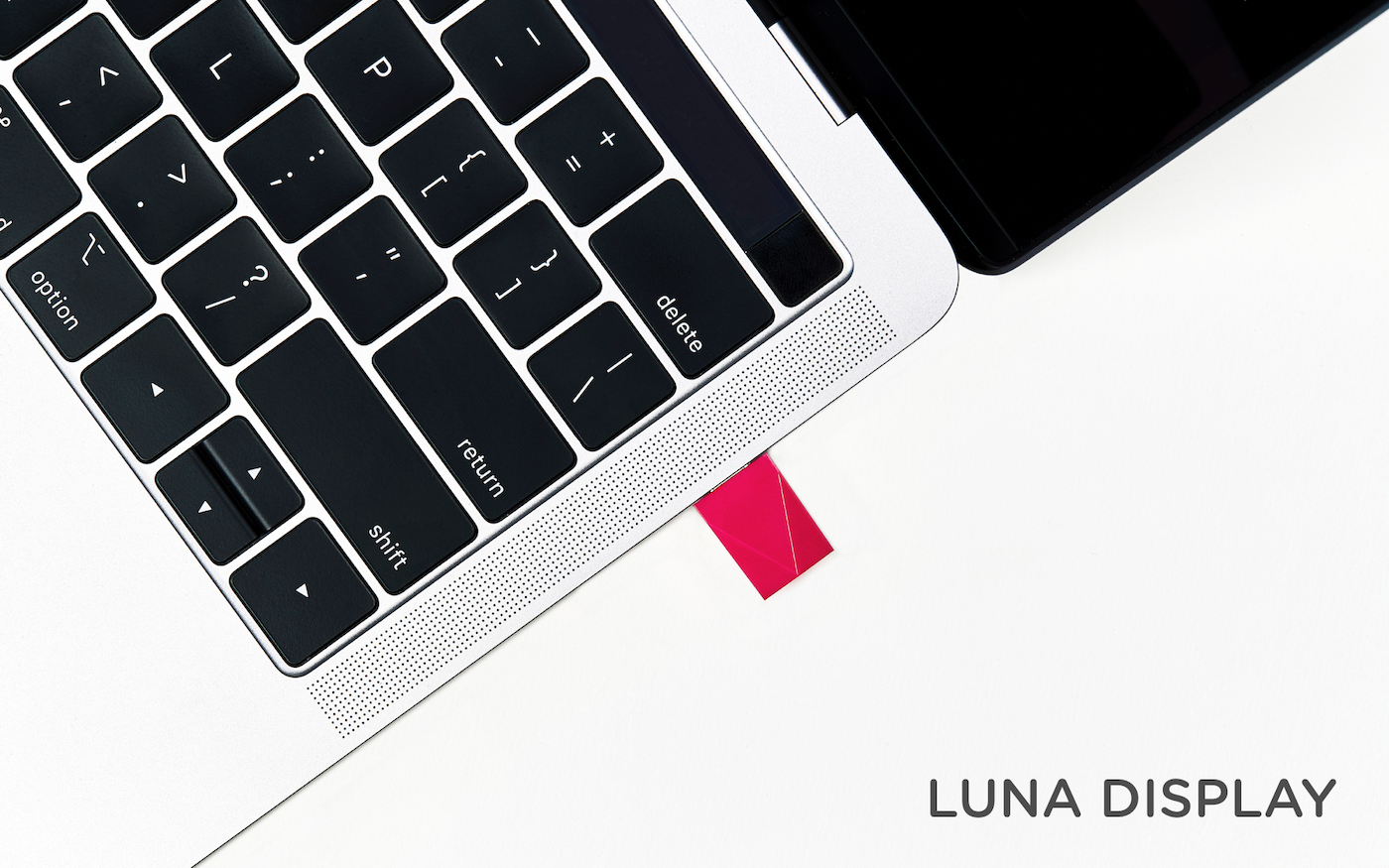
Luna Display is the only hardware solution that turns any iPad into a true, wireless second display for your Mac.
Available in USB-C and Mini DisplayPort versions, Luna Display is incredibly simple to set up. Just plug it into your Mac, and launch its free iPad and Mac companion apps, and your Mac automatically recognizes your iPad as a second display. Everything works seamlessly over WiFi, but if WiFi is unavailable, you can use a USB connection instead.
Once you’re up and running, you’ll be blown away by Luna Display. It’s lightning fast with crystal clear image quality thanks to proprietary LIQUID Technology that ensures reliable performance and wireless flexibility. The image quality is doubly remarkable when you realize that it’s all being done wirelessly.
Using your iPad as a second display is a game changer. Luna Display not only expands your screen real estate without having to buy a second display, but its portability frees you to work wherever you please. Better yet, Luna Display brings touch interaction to the Mac. Luna Display is fully compatible with external keyboards, the Apple Pencil, and touch gestures. Also, if you’re an artist, Luna Display is an excellent companion to Astropad, which turns your iPad into a Mac graphics tablet.
Luna Display is available for $79.99, but MacStories readers can purchase Luna Display for 10% off by using the promo code MACSTORIES at checkout. That’s a great deal, but it ends December 1, 2018, at 11:59 PM CST, so don’t delay. Luna Display also makes a great holiday gift for friends and family.
Turn your iPad into a second display today with Luna Display.
Our thanks to Luna Display for sponsoring MacStories this week.
Interesting Links
Google Photos for iOS has been updated with a new depth-editing feature that lets users adjust the intensity of the depth effect in Portrait shots. Furthermore, the app now also supports Color Pop, which can be used to desaturate the background and leave the subject of a photo in full color. (Link) The Atlantic has...
Previously, On MacStories
Apple’s New iPad Pro Ad Home Screen Icon Creator: A Shortcut to Create Custom Icons for Apps, Contacts, Solid Colors, and More Jonathan Morrison on Editing Video on the iPad Pro with LumaFusion A Club MacStories Subscription Makes a Great Gift Apple Releases Annual Holiday Ad ‘Share Your Gifts’ My Skin Track UV: A Tiny...
In This Issue
Page Layers,Getting Things Done Together, in part 3 of his Reading List shortcuts series, Federico sharesa shortcutfor searching saved Reading List highlights, plus the usual Weekly Q&A, Links, App Debuts, a recap of MacStories articles, and a preview of next week’s episode of AppStories....
Up Next on MacStories’ Podcasts
Next week on AppStories, Federico and John compare how each of them are using iOS and apps in their cars....
A Club MacStories Subscription Makes a Great Gift
Last year, we introduced gift memberships to Club MacStories, and with the holidays coming up, we wanted to remind readers that the Club is a terrific gift option for friends and family members who who are MacStories readers. Club MacStories extends what we publish at MacStories, which makes it the perfect gift for anyone who wants more of our app, automation, news, tip, and other coverage.
Club MacStories offers exclusive content delivered every week including:
- MacStories Weekly, a newsletter that is sent every Friday and is packed full of our favorite apps, themed collections, tips, automation, answers to reader questions, featured Home screens, interviews, and much more.
- the Monthly Log, a monthly newsletter that includes long-form and behind-the-scenes stories.
- Access to giveaways, discounts, and other treats like a special members-only edition of our podcast called AppStories Unplugged and ebook versions of Federico’s annual iOS review and other long-form stories.
- The full archive of over 180 issues of MacStories Weekly and the Monthly Log.
All told, that’s around 60 newsletters and lots of other perks over the course of a year.
So, if you have a MacStories reader on your holiday shopping list this season, consider a Club MacStories membership that they can enjoy all year long. Monthly ($5/month) and annual ($50/year) memberships can be given using the following links:
Also, thanks to all our loyal Club members who have joined since the Club’s debut over three years ago. You’re an essential part of what we do here at MacStories, and we hope you’ve enjoyed the Club as much as we enjoy creating it for you.
Happy Holidays!
– The MacStories Team
Interview: Marco Arment

Twitter: @marcoarment. Creator of Overcast, co-host of ATP, Top Four, and Under the Radar. With watchOS 5 you added standalone Apple Watch playback support to Overcast. What hardware and/or OS limitations would you like to see addressed by Apple next to make the experience better for users and make your job easier? watchOS 5 brought...