
As in past years, MacStories Weekly will be published one day later than usual next week on Saturday, June 8th to accommodate our WWDC travel plans. The MacStories Team...
 Interesting Links
Ever wonder how something like USB becomes a standard? Whether or not you have, the story behind USB as told by Fast Company is a good tale worth checking out. (Link) Geoffrey Fowler of The Washington Post explains app trackers and the data about your iPhone that is being uploaded to data brokers in the...
Previously, On MacStories
WWDC, A Wish List (2019 Edition) Ulysses 16 Adds Powerful Split View Editing on iPad, Plus Ghost Publishing Apple Launches Updated iPod touch with A10 Chip, Larger 256GB Storage Option Introducing a New MacStories Podcast: Dialog, Where Creativity Meets Technology OmniFocus for Web Review: Access Your Tasks Everywhere Intentional Subscriptions Apple Defends App Store Practices...
In This Issue
HomeRun, how to force podcast episodes to transfer from Overcast to your Watch, how John used Concepts and GoodNotes to plan MacStories’ latest podcast,plus the usualWeekly Q&A, Links, App Debuts, a recap of MacStories articles, and a preview of next week’s episode of AppStories....
Up Next on MacStories’ Podcasts
Next week on AppStories, Federico and John will cover all things WWDC in their first ever in-person recording of AppStories. Next week on Dialog, Federico and John welcome John Gruber of Daring Fireball to the show for the first part of a two-episode interview totalk about how he got started, the role of...
GoodTask: A Powerful Task Manager Based on Apple’s Reminders App [Sponsor]
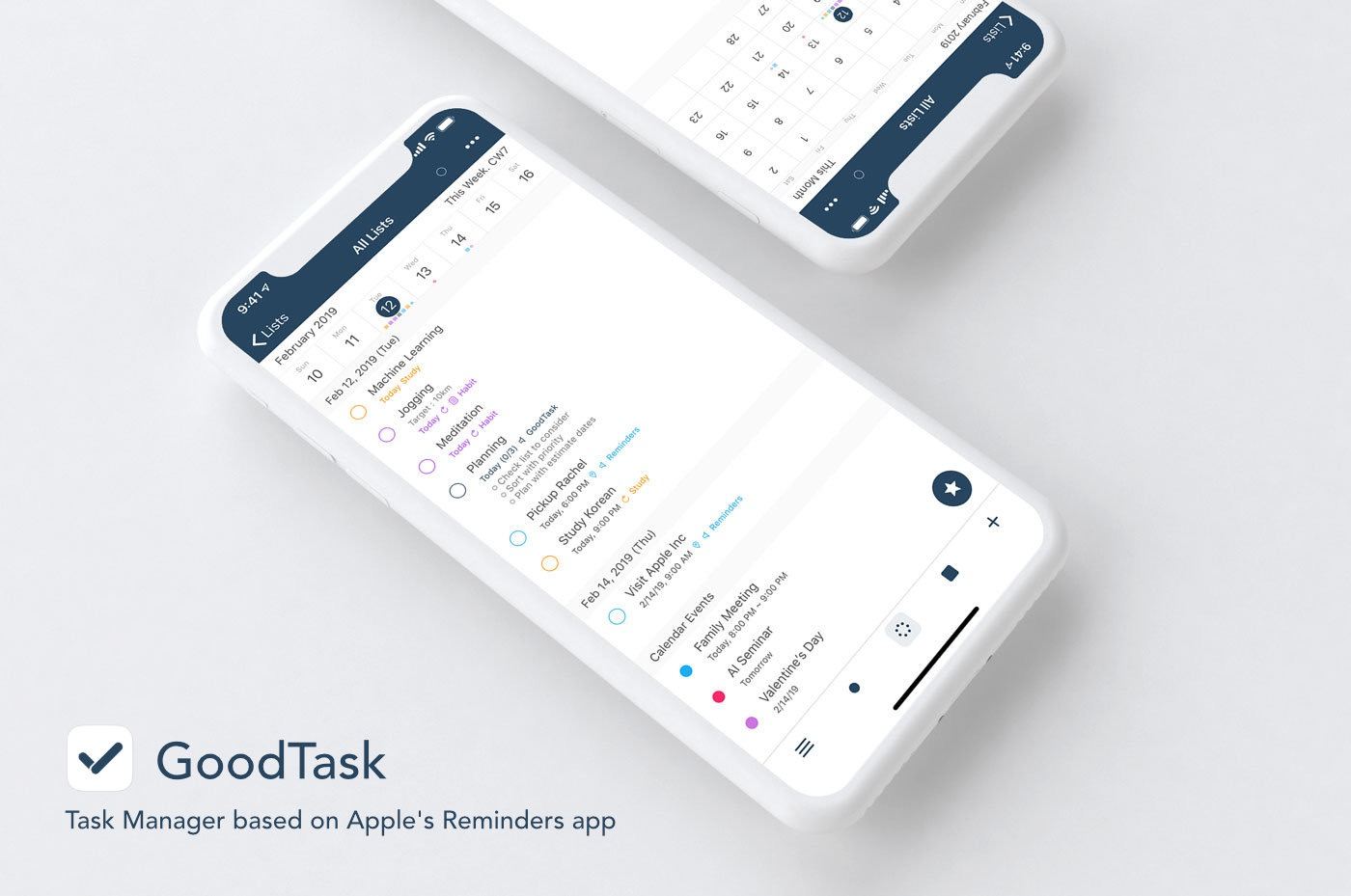
GoodTask is a powerful task manager for iOS and the Mac that’s built on top of Apple’s Reminders app. By leveraging Reminders, GoodTask syncs to all your iOS devices and Macs, supports Exchange, and works seamlessly with Siri shortcuts. But that’s just the start.
Tasks can be filtered using GoodTask’s Smart List feature. Smart Lists act like saved searches allowing you to view subsets of your tasks. For example, maybe you want to find all of your un-dated tasks with a certain tag. With Smart Lists, that’s incredibly simple to set up.
Another powerful feature of GoodTask is Quick Actions. You define a grid of information to add to tasks with a single tap from the Quick Actions view. Maybe you have a project, tag, day of the week, time, or other bits of data you add to tasks over an over. With Quick Actions, the repetition of typing that information over and over is eliminated. The app also includes a Smart Button on iOS to quickly move between frequently-used lists.
Interactive notifications with Quick Actions allow users to do things like auto-snooze tasks right from a notification without opening the app. There’s also a feature-rich Apple Watch app from which you can manage existing tasks and add new ones. Add to that a handy Today widget and GoodTask excels at being available no matter the device or context. The app’s iOS icons are customizable and you can switch between a variety of themes or make them yourself to set GoodTask up exactly the way you want too.
Take charge of task management today by visiting GoodTask’s website to learn more about its Mac, iOS, and Watch apps and discover the power of the premier task manager based on Apple’s Reminders app.
Our thanks to GoodTask for sponsoring MacStories this week.
In This Issue
Aquarelo, an Apple Notes Tip, Federico’s Making Of:Beyond the Tablet, Brian King’s The Animation and 3D-Rendered Images of Beyond the Tablet, plus the usualWeekly Q&A, Links, App Debuts, a new episode of MacStories Unplugged just for Club members, a recap of MacStories articles, and a preview of next week’s episode of AppStories....
Up Next on MacStories’ Podcasts
Next week on AppStories, Federico and John cover Timery for Toggl, the recently-released iOS time tracking app, and announce a new MacStories Production....
Interesting Links
The situation is evolving rapidly, but if you’d like to understand what’s going on between the US and Huawei, Reuters has a fantastic overview. (Link) Microsoft introduced its new Edge browser for the Mac this week with a blog post that addresses how the company worked to make it fit in on macOS. (Link) Artificial...