

Twitter: @goldenhillsw. Founder of Golden Hill Software,developer of Unread. Unread 2 was a major update in many respects. What was your original goal for the release, and how do you feel about the way it turned out? My first goal with Unread 2 was to catch up on newer iOS features: things like context menus,...
 In This Issue
This month, Ryan digs into his experience with the Magic Keyboard for the 11 and 12.9-inch iPad Pros, Stephen moves his deep Apple history archive to DEVONthink, and John is itching for better iPad Pro support for external displays....
In This Issue
Ryan has a collection of iPad apps with excellent cursor support, Federico introduces MusicBot Pro 1.1 with brand new features, John dives deep into the details of his workspace, plus the usual Links, App Debuts, arecap of MacStories articles, and a preview of next week’s episode of AppStories....
Reader Setup: John Voorhees

Twitter: @johnvoorhees. Managing Editor, MacStories, and co-host of AppStories, MacStories Unplugged, and Dialog. Whatever This Is, I Know It’s Not an Office I’ve never known what to call the area of my home where I work. My ‘office’ seems too stuffy and formal. I spent years commuting to an office, and my desk never had...
Previously, On MacStories
Catalina Developer Beta Changes How Mac Laptops Charge to Extend Their Batteries’ Lifespans Things for iPad Adds Enhanced Cursor Support with Context Menus and Special Clicks Apple to Host Interactive Accessibility Event Online as Possible Warm-Up for WWDC Pixelmator 2.5 Brings Document Browser, New Photo View, and Extensive Presets to iPad and iPhone Magic Keyboard...
Interesting Links
Along with new Human Interface Guidelines for HealthKit-compatible apps, Apple has rolled out a new ‘Works with Apple Health’ badge for apps. (Link) What happens if you challenge Stephen Hackett to use an old Apple display with a 2019 Mac Pro? A video featuring a dozen dongles is the answer. (Link) Jason Schreier, who just...
Up Next on MacStories’ Podcasts
Next week on AppStories, Federico and John cover a grab bag of their favorite iOS and iPadOS utilities....
The Clock: The Best World Clock [Sponsor]
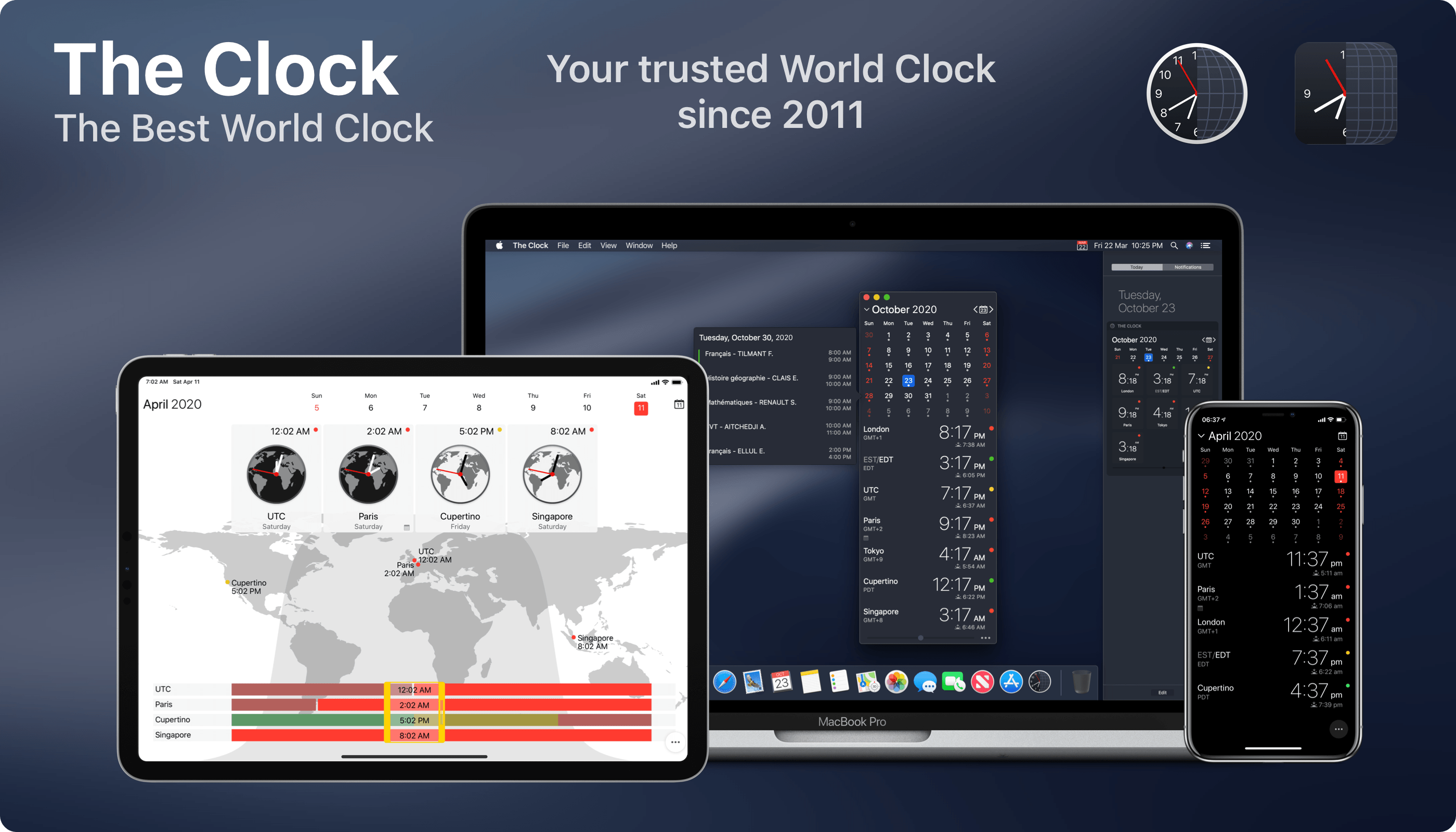
The Clock for iOS and the Mac takes the hassle out of time zones, so you can stay in touch with friends and family and schedule meetings with colleagues scattered across the globe. The app dispenses the confusion caused by time zones, eliminating the worry about when an event is scheduled to begin.
The result of nine years of updates and customer feedback, The Clock 4 is an intuitive and essential utility. Just take a look at the app’s many positive reviews on the Mac and iOS App Stores.
Of course, times and dates can be displayed in a a wide variety of formats, but that’s just the start. The Clock includes four handsome themes and supports eight different complications that display information like sunrise and sunset times, business hours, days off, days of the week, time zone offset, and more.
The Clock is also indispensable for planning meetings. With calendar integration and a unique slider interface, it’s easy to find a time window to chat with colleagues around the world. The app also automatically adjusts for Daylight Savings Time and alerts you as the time change approaches.
The Clock is loaded with lots of other features too:
- Menu bar and dock options
- Notes
- Accessibility support
- Local, iCloud, and Dropbox backups
- An advanced widget
- Keyboard support on the Mac and iPad
- Handoff
- Share sheet and service integration for converting times
- Split Screen and Full Screen
- Shortcuts
The Clock is the best world clock you’ll find anywhere on the Mac or iOS. Learn more about The Clock for macOS and download a trial version from the app’s website. While you’re there, check out the iOS version too. Both the macOS and iOS versions are available on the iOS App Store and the Mac App Store.
We’re giving away 20 copies each of the Mac and iOS versions of The Clock to MacStories readers too. Click here, to learn more and enter the giveaway.
Our thanks to The Clock for sponsoring MacStories this week.
Up Next on MacStories’ Podcasts
Next week on AppStories, Federico and John look back at the origins of clipboard apps on iOS, how they’ve evolved, and the apps they’re currently using on the iPhone, iPad, and Mac to save snippets of information for use elsewhere....