
Next week on AppStories, Federico and John dig into John’s Big Sur review and what it means for the Mac and Mac apps. This week on MacStories Unwind, Federico and John recap a long list of stories and happenings on MacStories, including the announcement of M1-based Macs, Federico’s MusicBot 1.1 shortcut, review roundups...
 MacStories Unplugged
Coming later today, Federico and John dive into a behind-the-scenes look at John’s macOS Big Sur review including the tools used, making room for big projects, and finding the story line of OS updates....
Previously, On MacStories
BestPhotos 3 Introduces Calendar View, A New Compare Interface, and More iPhone 12 Pro Max and iPhone 12 mini Review Roundup Austin Mann’s iPhone 12 Pro Max Camera Review PetaPixel Interviews Apple Executives on iPhone Camera Design Philosophy Apple Announces Availability of New M1-Based Macs and macOS Big Sur Replay Apple’s November 2020 Presentation and...
Interesting Links
Earlier this week, Apple quietly launched some new colors for its Apple Watch bands: the Solo Loop and Sport Band are now available in Kumquat, Northern Blue, and Plum. (Link) You can now use the Apple TV app on PlayStation 4 and PlayStation 5 by downloading it from each console’s built-in PlayStation Store. (Link) Kristian...
The MacStories Selects Readers’ Choice Award Returns!
Like last year, we wanted to involve Club members in the MacStories Selects awards by asking you to pick your favorite app of 2020. The app doesn’t have to have been released this year and can be available on any Apple OS, but it must be from a third-party developer. No Apple apps allowed. Also,...
In This Issue
Announcing voting for the 2020 MacStories Selects Readers’ Choice award, acollection of Apple event highlights from Alex, John goes behind-the-scenes with themaking of his Big Sur review,Federico explains the iPad features he’d miss onan Apple silicon Mac, we interview PCalcdeveloper James Thomson,plus the usual Links, App Debuts, arecap of MacStories articles, and a preview of...
Interview: James Thomson

GoodTask: Better Widgets for Reminders and Calendars on iOS 14 [Sponsor]
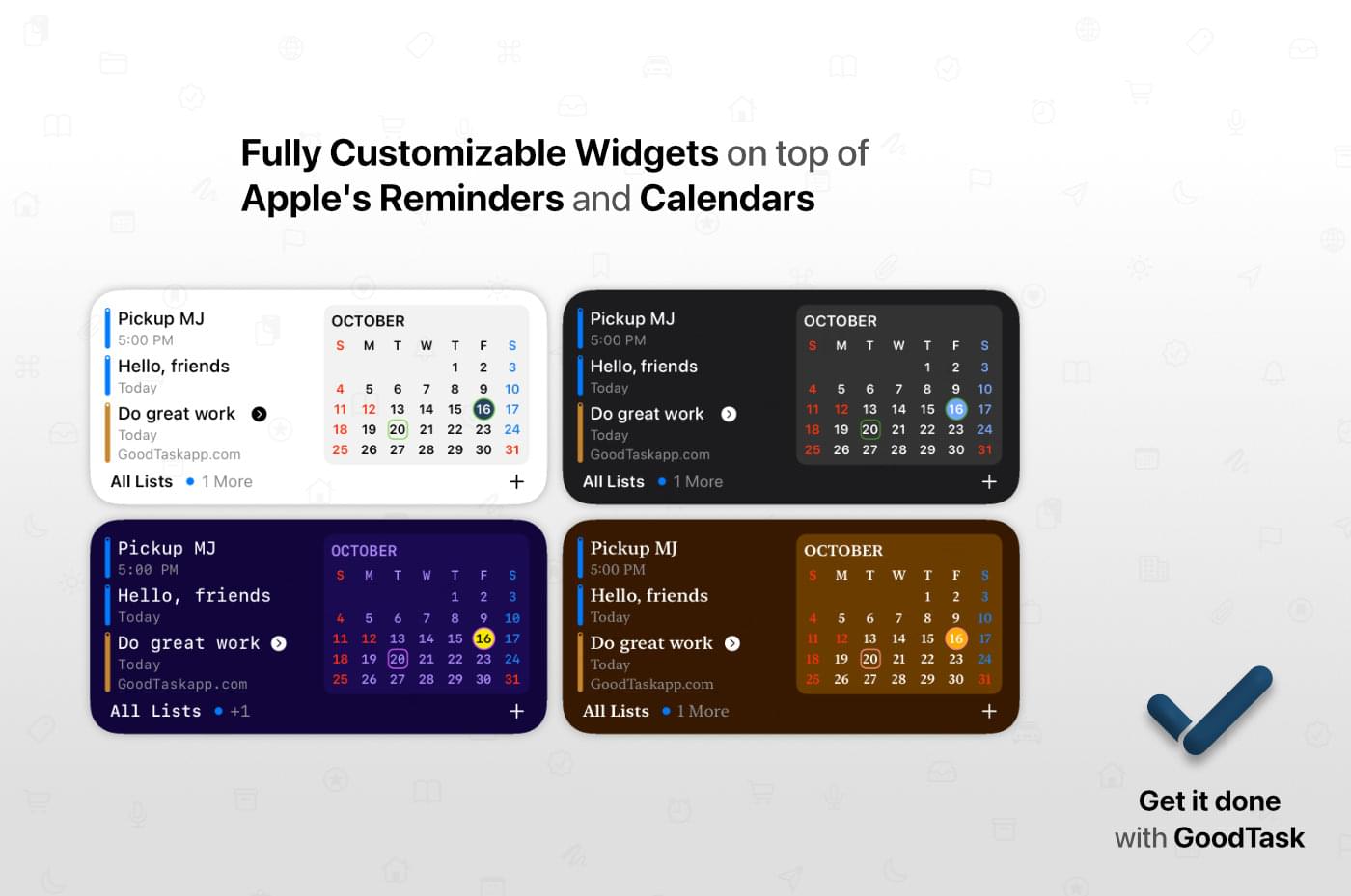
GoodTask is a powerful, customizable task manager for the iPhone, iPad, and Mac that’s built on top of Apple’s Reminders app and integrates with your calendars. It’s a solid foundation that GoodTask extends with fast, reliable syncing, Siri and Shortcuts support, and many other features.
The hallmark of GoodTask is customization, which extends throughout the app’s feature set. With the latest update on the iPhone and iPad, GoodTask added widgets allowing users to place task lists, calendars, and favorites on their Home Screens. Among other things, the List widget lets you pick the list displayed, the size, whether a calendar is shown, and the density of information shown. There’s also a Favorites widget allows you to do things, like create template tasks for more quickly entering recurring reminders.
Of course, the look of the widgets is highly customizable, too, just like the app. You can pick a style and color all your own that works with your other widgets. You can also theme the app and pick from a long list of icons to suit your tastes.
GoodTask includes powerful filters for creating Smart Lists that let you create a list of a subset of your tasks based on a wide assortment of conditions. The app has innovative Quick Actions too. By defining a grid of information to add to tasks with a single tap from the Quick Actions view, you can save time by eliminating the need to repeatedly type common information.
Take charge of task management today by visiting GoodTask’s website or YouTube channel to learn more about its Mac, iOS, and Watch apps and discover the power of the premier task manager based on Apple’s Reminders app.
Our thanks to GoodTask for sponsoring MacStories this week.
Previously, On MacStories
Shortcuts Corner: Apple Frames for iPhone 12 and SE, Get Image Resolution, Encode Images to Base64, and Search Articles in Reeder Apple One Subscription Bundles Are Now Available Apple Announces November 10, 2020 Online Media Event Switching Your Default HomePod Music Service to Pandora Apple Releases iOS and iPadOS 14.2 with New Emoji, Wallpapers, AirPlay...