
For this month’s Club MacStories+ Town Hall, Federico, John, and Alex chat about the 2021 MacStories Selects awards, providing more detail on the apps that won, the runners-up, and the process of making their picks. To learn more about Club MacStories+ and Club Premier, visit our Club plans page.
The MacStories Selects 2021 Lifetime Achievement Award
PCalc

John Voorhees: I’d love to tell you that there was drama surrounding the selection of this year’s first-ever MacStories Selects Lifetime Achievement award, but there wasn’t. In the end, it was the easiest pick of the lot. Last month, I sat down with Federico in Rome to go over the Selects awards, and we began by scanning a list of potential Lifetime Achievement candidates that we’d put together over the previous weeks. In the end, PCalc by James Thomson, which started on the Mac and has been adapted to every possible Apple platform, was the obvious choice. Not only are James and PCalc longstanding pillars of the Apple community, but PCalc represents the sort of innovative and creative spirit that we value most at MacStories.
Below, you’ll find a written interview that Federico conducted with James about PCalc’s history, what makes the app special, having to adapt to hardware and software transitions by Apple, and what the future may hold. James also joined us for a special segment of AppStories, covering the Lifetime Achievement award and other MacStories Selects winners. Before we get to the interview, though, I’d like to take a moment to introduce you to PCalc, which has a long and rich history that not all readers may know.
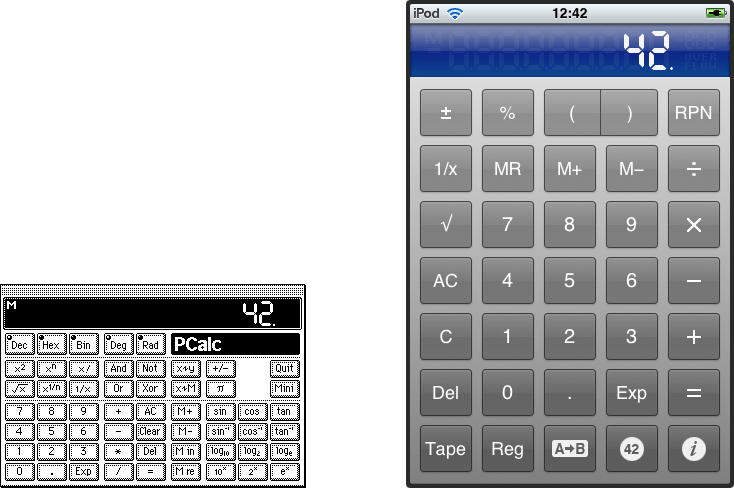
PCalc was first released almost exactly 29 years ago with an email to Info-Mac, an online file hosting service that pre-dates the Internet. In the years since version 1.0, PCalc has updated, refined, and ported to other platforms, including the iPhone, iPad, Apple Watch, and even the Apple TV, where you can enter calculations using a videogame controller.
MacStories Selects 2021: Recognizing the Best Apps of the Year

John: The MacStories Selects Awards are our annual celebration of the apps we love and the people who make them. Every year, the MacStories team uses hundreds of apps. Some are familiar favorites, but most are new. So, after many months of testing those developers’ apps, we stop to recognize the best.
This year, as we headed into the final stretch of the year, we decided it was time for the MacStories Selects to honor more than just the apps from the past year. MacStories has been covering apps since Federico published his first story in 2009, and having covered thousands of apps spanning more than twelve years, it’s time to look back at all of those apps and honor the standouts that have withstood the test of time with an annual Lifetime Achievement Award, which you can read about more in a special story that includes a bit of history about the winning app and interview with its developer.
Apps have become part of the fabric of our daily lives, which makes it easy to forget that they’re the result of hard work by creative people. The MacStories Selects awards are our chance to pause and appreciate just how fortunate we are to have such a wealth of fantastic tools available from so many talented developers before we start the new year.
2021 has been an exciting year for apps. The resurgence of note-taking apps ignited by apps like Craft, Obsidian, and Roam Research continued unabated. We also saw new apps successfully remix technologies and approaches and apply them to new domains, and of course, automation continued to be a central theme, with a long list of established and new apps testing the waters of Shortcuts for Mac for the first time.
As a result, we had a wealth of apps to choose from as always for the following awards:
- Best New App
- Best App Update
- Best New Feature
- Best Watch App
- Best Mac App
- Best Design
- App of the Year
Along with the Lifetime Achievement Award and Readers’ Choice Award, which was chosen by Club MacStories members, that makes a total of nine award winners plus seven runners-up for these fourth annual MacStories Selects Awards, which began in 2018. As we did last year, we have also created beautiful physical awards commemorating the winners, which we will be sent to each of the winners this week.

We also recorded a special episode of our podcast AppStories all about the MacStories Selects winners and runners-up. It’s a terrific way to learn more about this year’s apps.
You can listen to the episode below.







We will hold our Monthly Town Hall live event with additional MacStories Selects coverage in our Discord community for Club MacStories+ and Club Premier members tomorrow, December 14, 2021, at 12:30 PM Eastern US time and release it later as a Town Hall podcast episode for those who can’t join live.
So, with those preliminaries out of the way, it’s my pleasure to introduce the 2021 MacStories Selects Awards to the MacStories community.
Concepts: Sketch, Note, Draw [Sponsor]
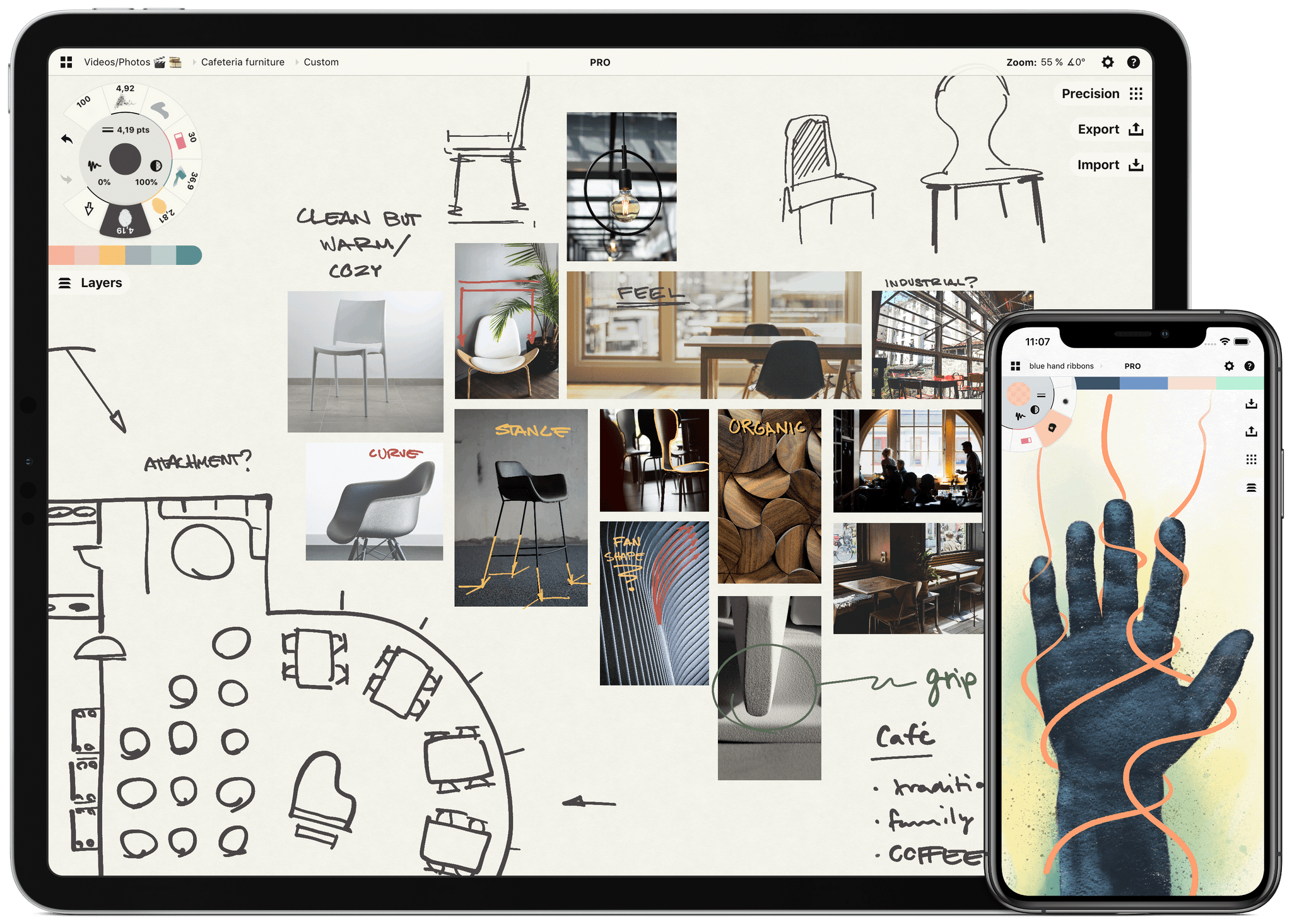
Sketch, note, and explore endless ideas with Concepts’ infinite canvas for iPad. Draw in designer COPIC colors with liquid pens and brushes, and organize images, text and sketches into visual mood boards. Used by creative professionals for visual thinking, note-taking, team communication, storyboarding, product design and architectural planning, Concepts lets you sketch and share your ideas in the moment.
Everything you draw in Concepts is a flexible, editable vector. Nudge, edit and reorganize your ideas with natural finger gestures. Drag and drop images and objects onto the canvas for fast ideation and reference, use layers and grid layouts to organize your work, mark up PDF documents, and apply real-world scale for professional design projects. Export and share standard, high-resolution and vector file types for flexible work between teams and apps.
Concepts’ built-in Presentation Mode lets you connect with others for live sharing and graphic discussion too. Whiteboard virtually with teams and clients using apps like Zoom, then instantly share your discussion.
The app comes free as a basic sketching tool, with the ability to unlock 200+ libraries of brushes, objects and services via subscription or one-time purchase. To learn more about Concepts visit their website today.
MacStories readers – Enjoy a special 1 month extended free trial when you sign up for an annual subscription. Get a month of infinite creativity before you are billed.
Our thanks to Concepts for sponsoring MacStories this week.
 Home Screen: Fran Besora

Twitter @fraanb. Club MacStories member. I’ve been a huge fan of Focus modes since Apple introduced them at WWDC 2021 last June. The idea behind this feature is amazing to me. I can have multiple Home Screens through the day with different apps depending on my needs. I like the Focus mode approach that Federico...
Up Next On MacStories’ Podcasts
Next week on AppStories, we have a special episode planned, which we aren’t ready to reveal just yet. Both the AppStories+ and regular version of the show will be published on Monday, December 13th a little later than usual. This week on MacStories Unwind, Federico and John run down their favorite TV shows...
Previously, On MacStories
Wallpaper Tours Apple Park’s Design Studio Pok Pok Playroom Releases Major Town Toy Expansion...
Weekly’s Holiday Schedule and a Note About Next Week’s AppStories Episode
Longtime members may recall that we typically take a couple of weeks off in the summer and over the winter holidays to relax and recharge. This year was unusual because we launched Club MacStories+ and Club Premier right when Weekly would normally be on hiatus. We couldn’t be happier with how the expansion of the...
In This Issue
An announcement about Weekly’s holiday schedule, Mimestream, Federico’s solution to sync playlists between Apple Music and TIDAL, Club member Fran Besora Home Screen, plus Links, App Debuts, a recap of MacStories articles, and a preview of upcoming MacStories podcasts....