

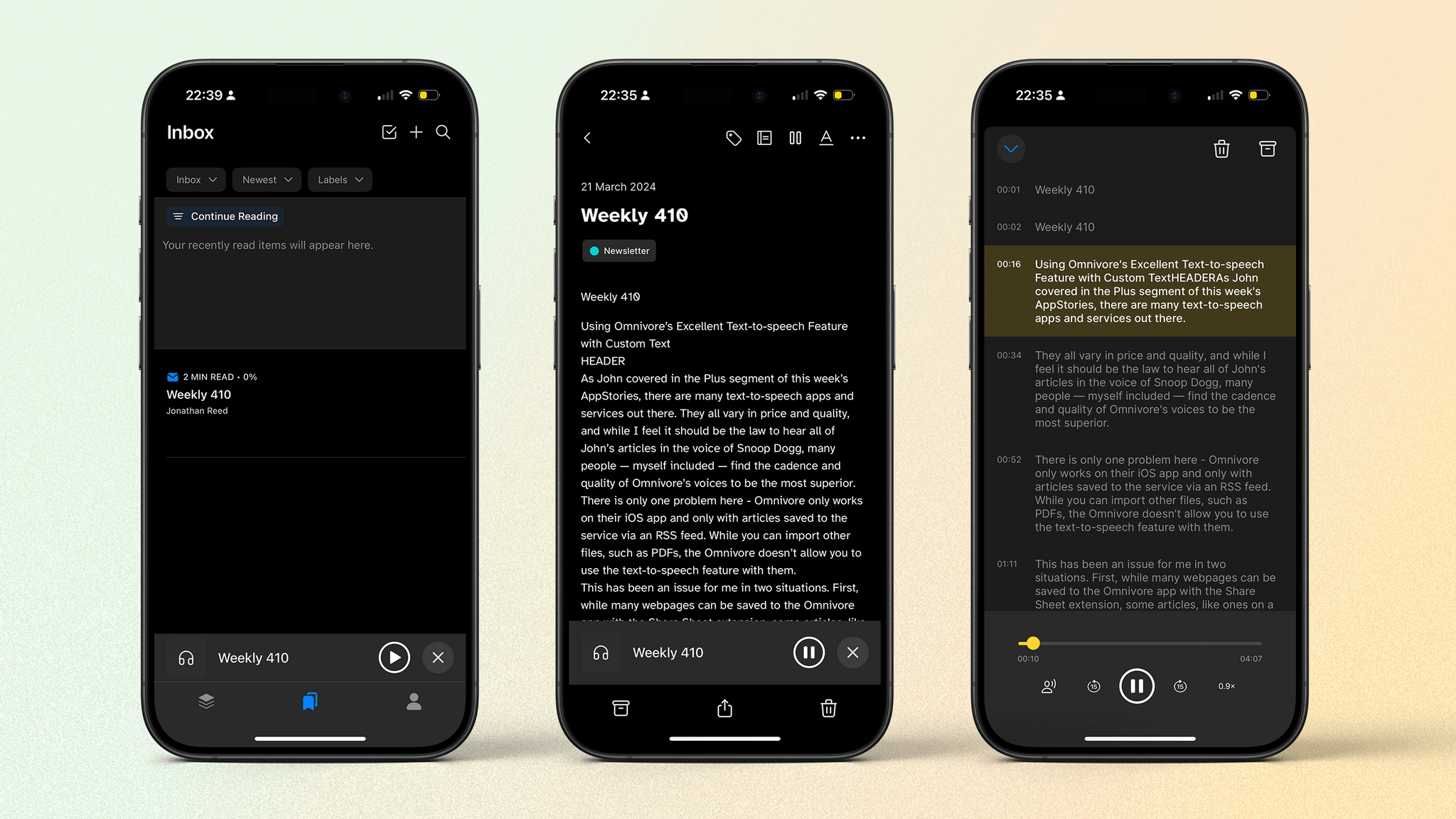
As John covered in the Plus segment of this week’s AppStories, there are many text-to-speech apps and services out there, and they all vary in price and quality. While I feel it should be the law that we hear all of John’s articles in the voice of Snoop Dogg on Speechify, many people — myself...
 DOJ Chaos, Lego Keyboards, and iPod Mods
Among the highlights on the Club MacStories Discord: The DOJ launched its lawsuit against Apple, and members had lots to say, with some agreeing, some disagreeing, and some just enjoying the chaos – like poor Amazon and their failed Fire Phone. Jose posted a picture and details of an epic iPod mod they recently did....
Extracting Data from Notion to Reminders
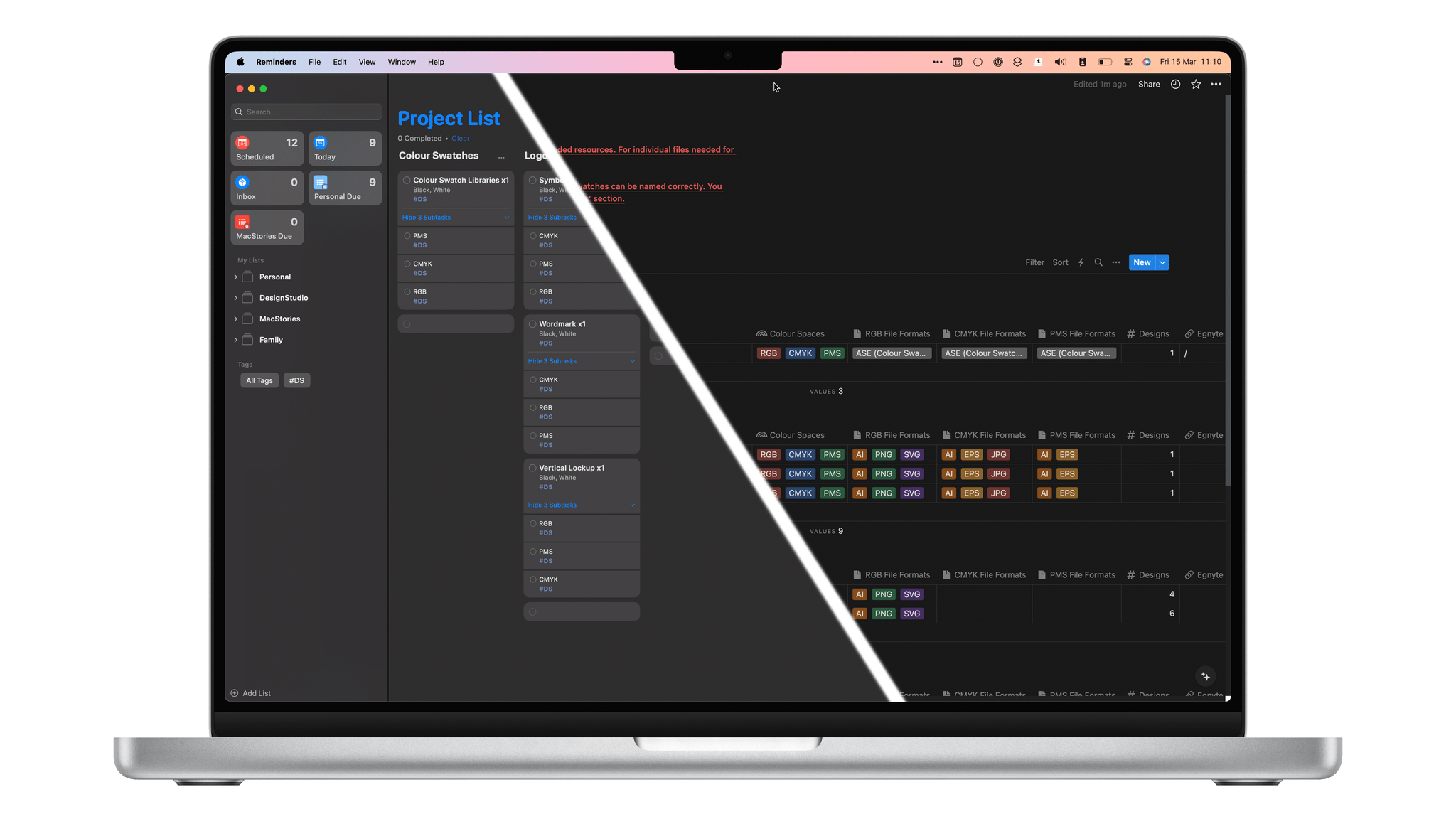
I’ve long been a fan of Notion. There are lots of similar platforms and apps out there, but there’s something about the aesthetic of Notion, along with its excellent branding and visual identity, that I’ve always enjoyed. It’s also very powerful while maintaining a low barrier of entry. If you want to try out some...
SharePlay with Vision Pro, Member Projects, and iMac Screens
Among the highlights on the Club MacStories Discord: Nerdynick created a setup for enjoying movies over SharePlay using Apple Vision Pro. I’m sure many people are tired of all the DMA talk, but if you’re not, members really got into it over in the #apple channel. bbech and T.G. Cid were hard at work figuring...
EU and Epic Drama, a New Vision Pro, and WireDrop?
Among the highlights on the Club MacStories Discord: Lachlan shared a link to an interesting article on PetaPixel about the fact that no commercial cameras currently exist with a resolution high enough to create realistic-looking content on the Apple Vision Pro. Between DMA-related changes to iOS, the EU ruling on Spotify, and more Epic drama,...
Using Today App to Work Through Tasks Day-to-Day
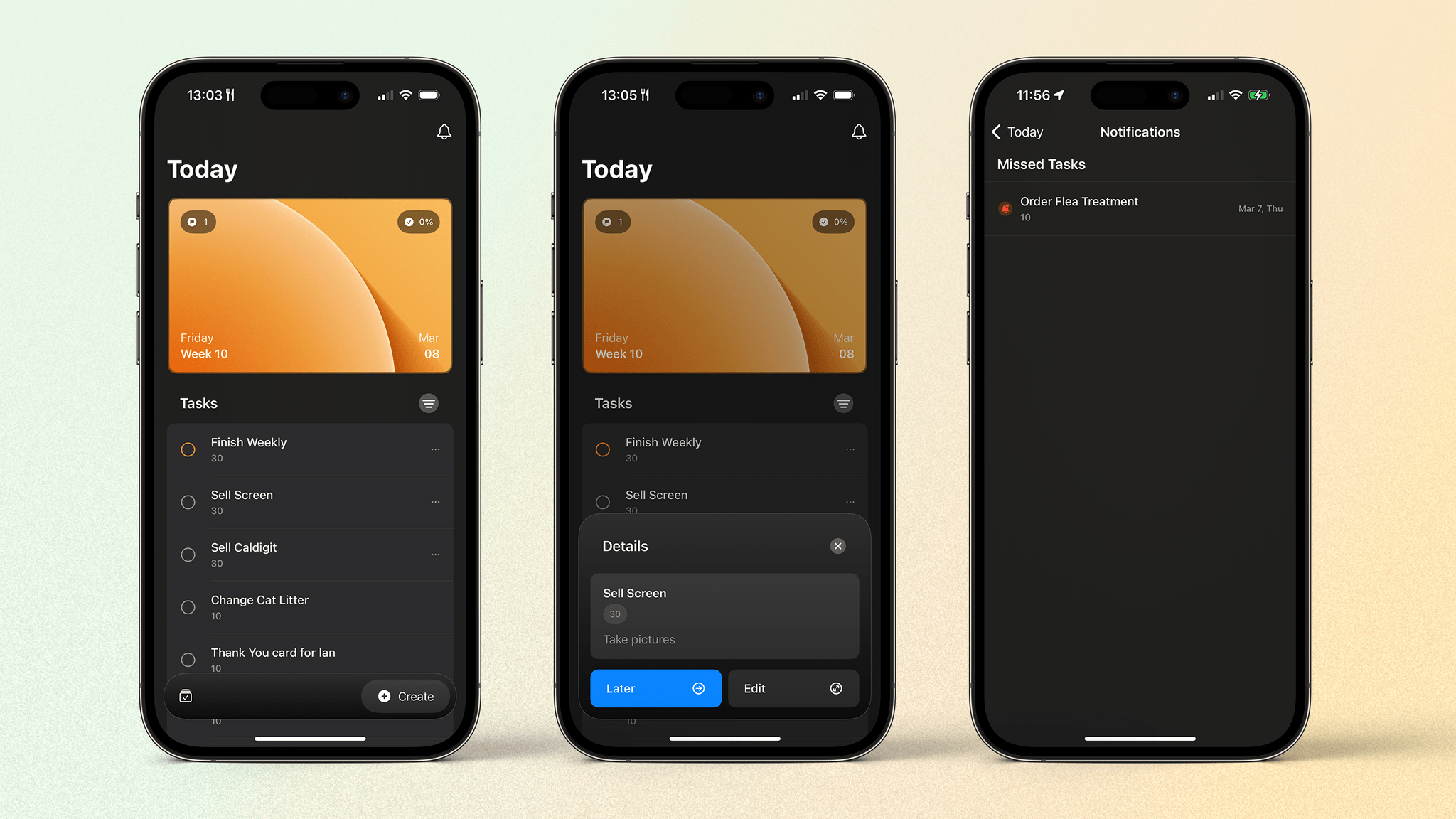
I’ve written several times before about how I’m working to help myself better focus and organize my schedule. I previously wrote about the app Structured and how it’s helped me to plan what I need to do at various points during the day. But what about those tasks that randomly occur or are too small...
Creating a Better File Saving Workflow For Scanning on iOS
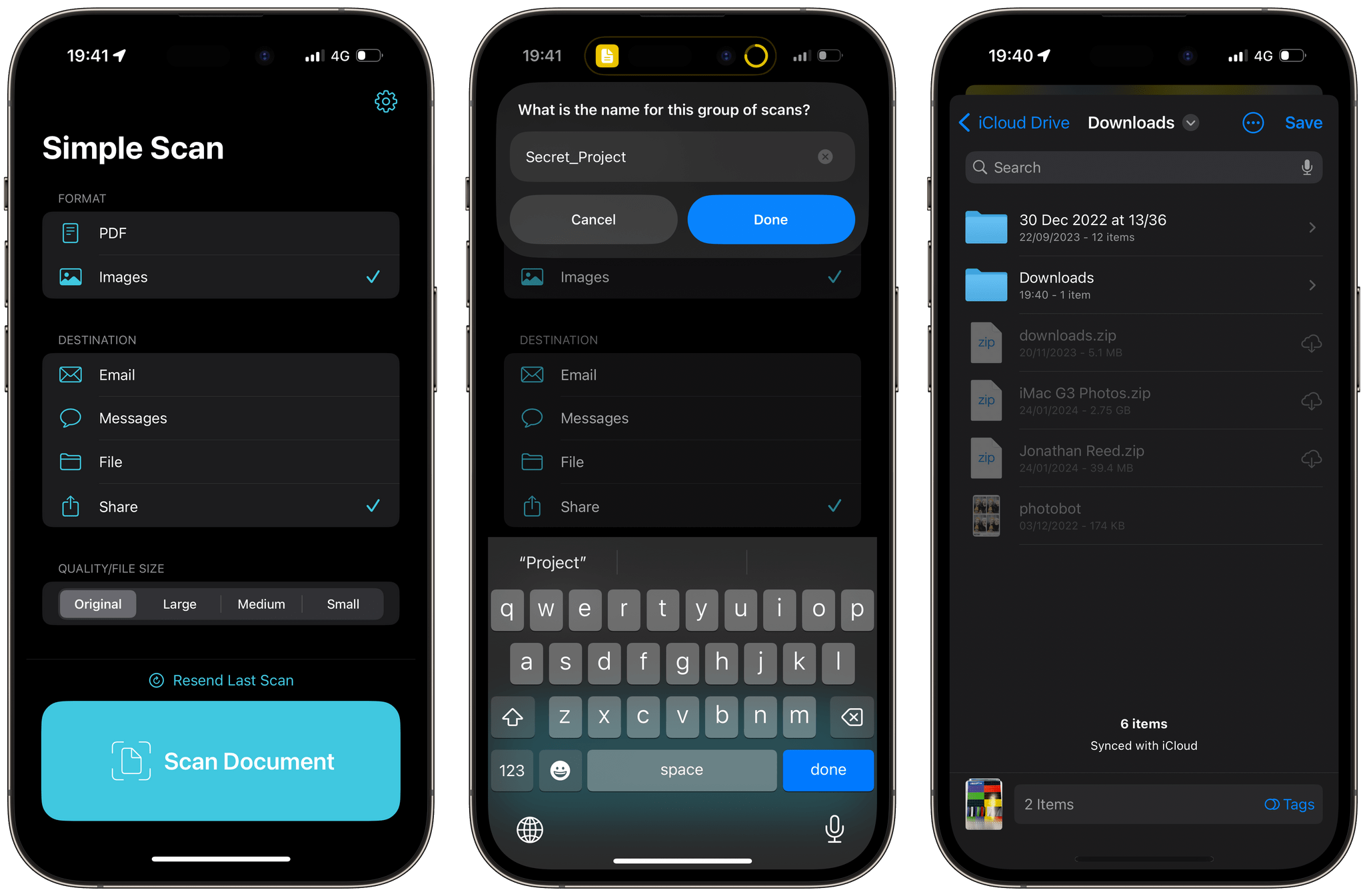
Many of you will have seen the release of the excellent Simple Scan for iOS by Greg Pierce this week (check out John’s review if you haven’t). It’s a refreshingly simple app that gets a task done – scanning documents with your iPhone (or anything you want to capture with your iPhone camera) – before...
Naked Keyboards, Virtual Display Distances, and Future iOS UI Design
Among the highlights on the Club MacStories Discord: haphazard had a great tip for making hidden apps on the Mac appear transparent in the dock. Jezza had an interesting way of replicating the perspectives experience of OmniFocus with Things and Reminders. Nerdynick did some very extensive testing of Apple Vision Pro Mac Virtual Display feature...
Mona 6 Moves from High Visual Customization to Advanced Automation
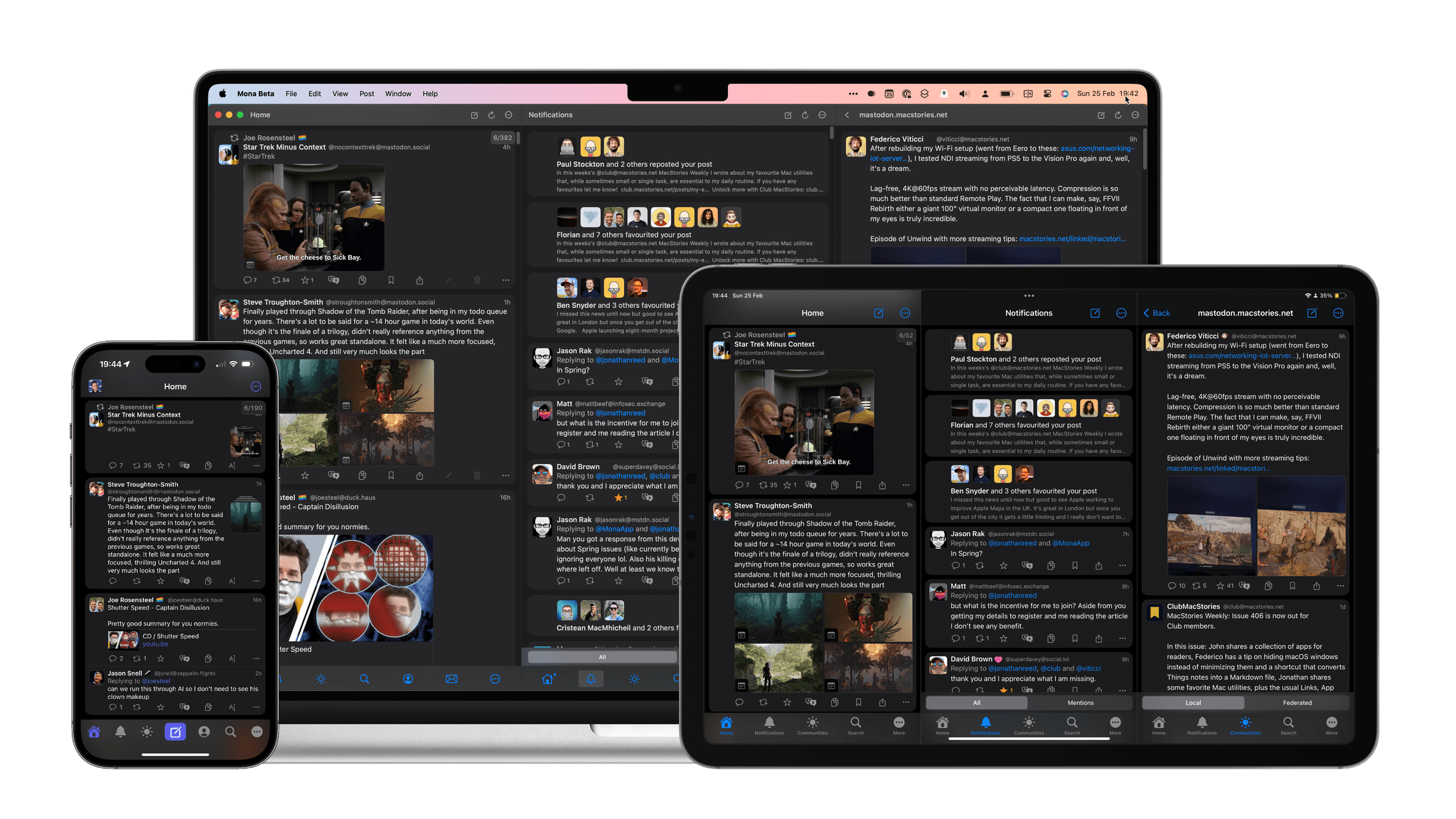
Mona, the Mastodon client for iOS, iPadOS, and Mac from Junyu Kuang, is out today with a significant version 6 update. Mona is my choice for using Mastodon primarily due to what John referred to in his review as its ‘epic level of customization.’ Everything from how the taskbar at the bottom of the screen looks to how posts are displayed is fully customizable. Even the main app view on iOS can be vertically split in two.
But Mona is not just about looks; it’s also a solid tool for navigating Mastodon. Things like the ability to privately set colors or notes to other users, timeline syncing across your devices using iCloud, and full support for VoiceOver make it a strong choice for a wide variety of people.
Which brings us to this new update. In the year and change since the mass Twitter exodus, Mastodon has matured a lot as a platform, introducing new features that users can take advantage of while filling some of the gaps impeding the platform from growing. Version 6 of Mona includes those new features while advancing its power user functionality with powerful new Shortcuts actions, including one that takes advantage of the Action Button on the iPhone 15 Pro.
Let’s dive in.