
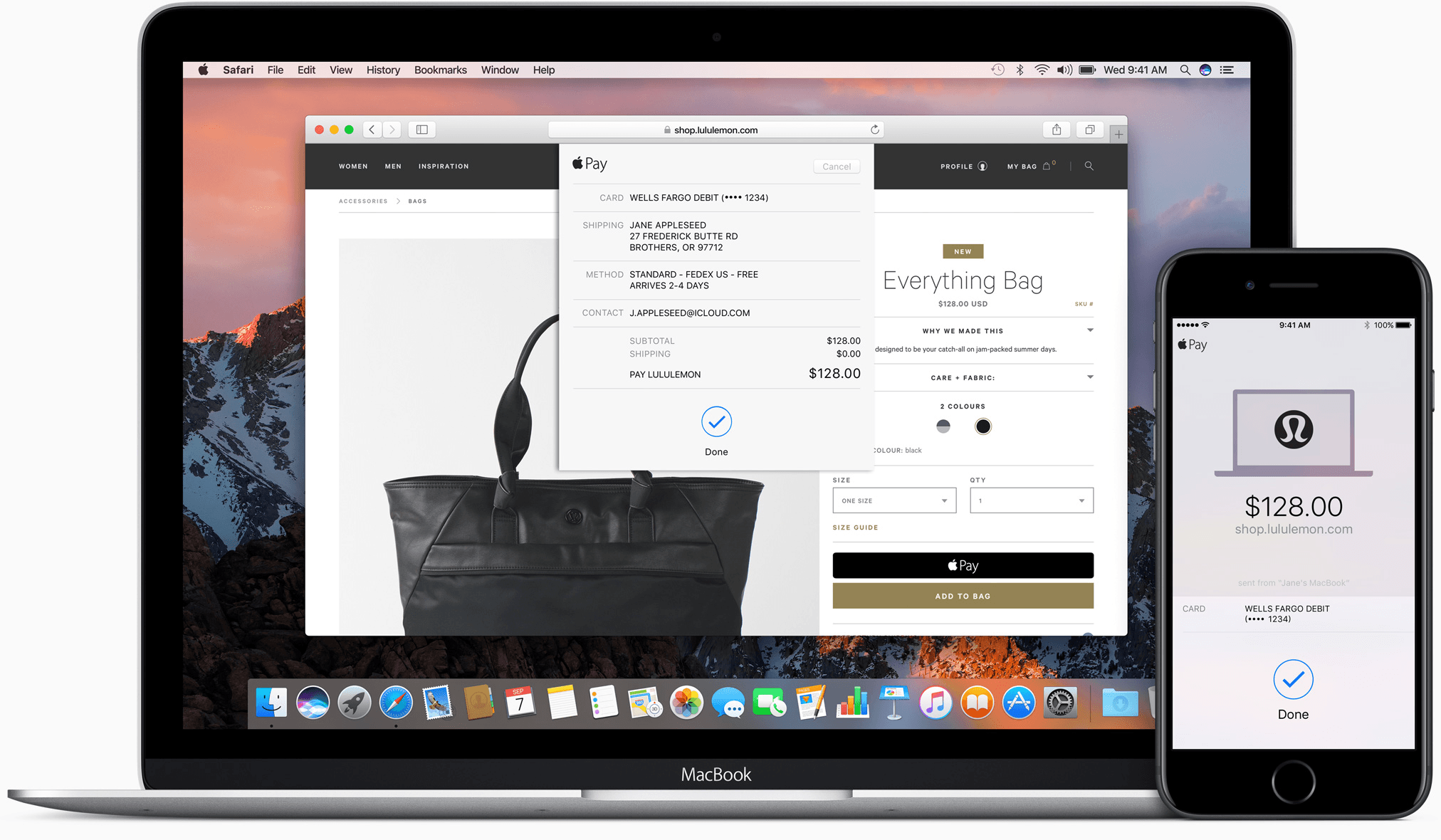
Apple Pay started with point of sale terminals and iOS apps. With iOS 10 and macOS Sierra, Apple has extended Apple Pay to include web-based purchases made with its Safari browser. Despite being limited to Safari, Apple Pay’s combination of simplicity and security has the potential to make it a de facto requirement for online retailers.
Sketch Updated with Improved Vector Editing→
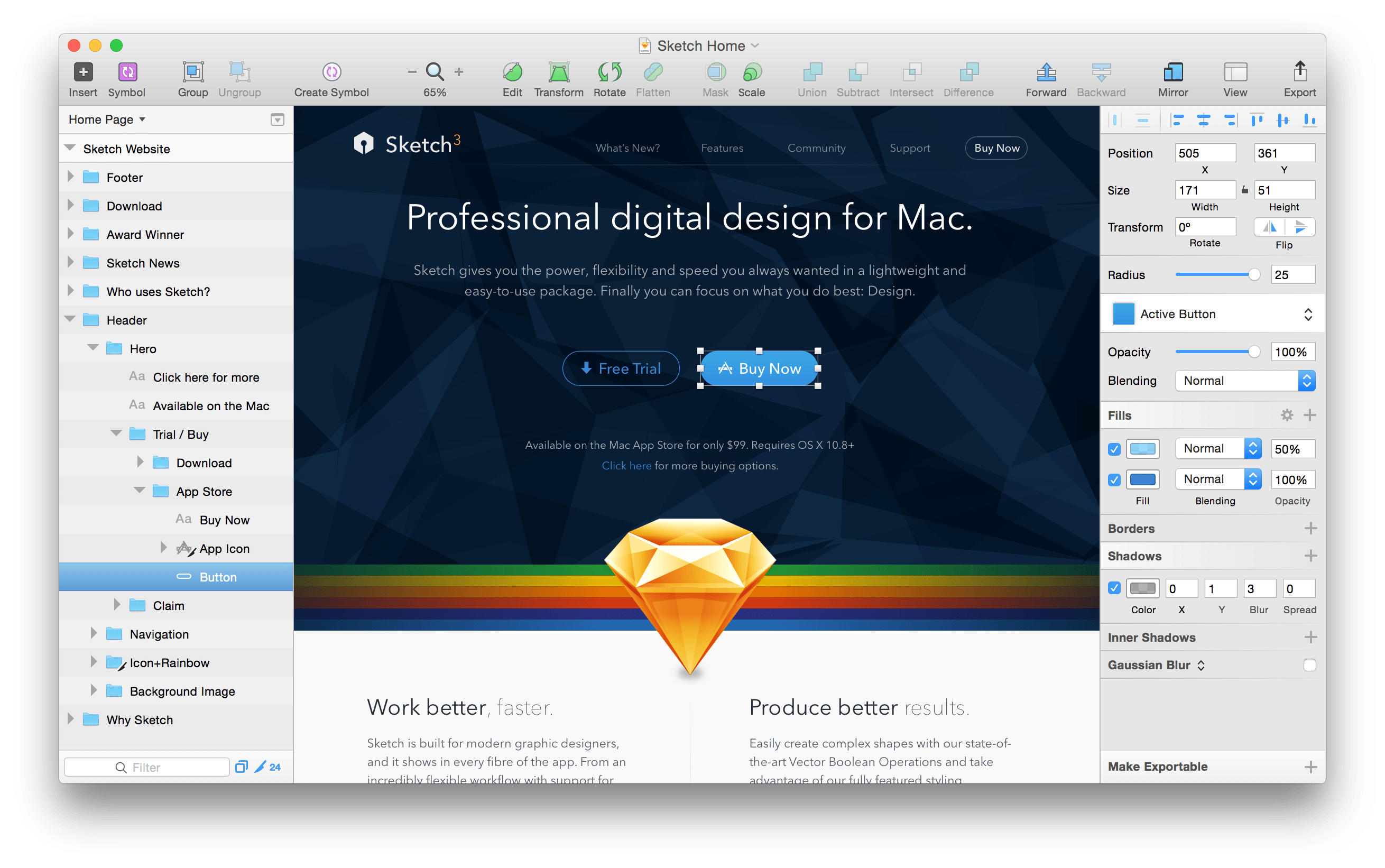
Bohemian Coding, the maker of Sketch, the popular vector design program, announced a significant update to the app today. Sketch 40, simplifies and improves the editing of complex vector shapes:
In Sketch 40, you can now simply press the Enter key on [a complex shape with multiple subpaths and points] to reveal all the points and paths contained within it, no matter how many layers are there. With multiple points selected, across different layers, you can adjust them at once without the need to select each layer individually.
Bohemian Coding also improved existing text transformation features, which are contained behind an Options button in the Inspector, by making them non-destructive. Complete release notes describing other enhancements and bug fixes in Sketch 40 are available here.
Sketch, which moved to an annual license model for upgrades in June, is $99 and available on Bohemian Coding’s website.
Google Trips Debuts on iPhone
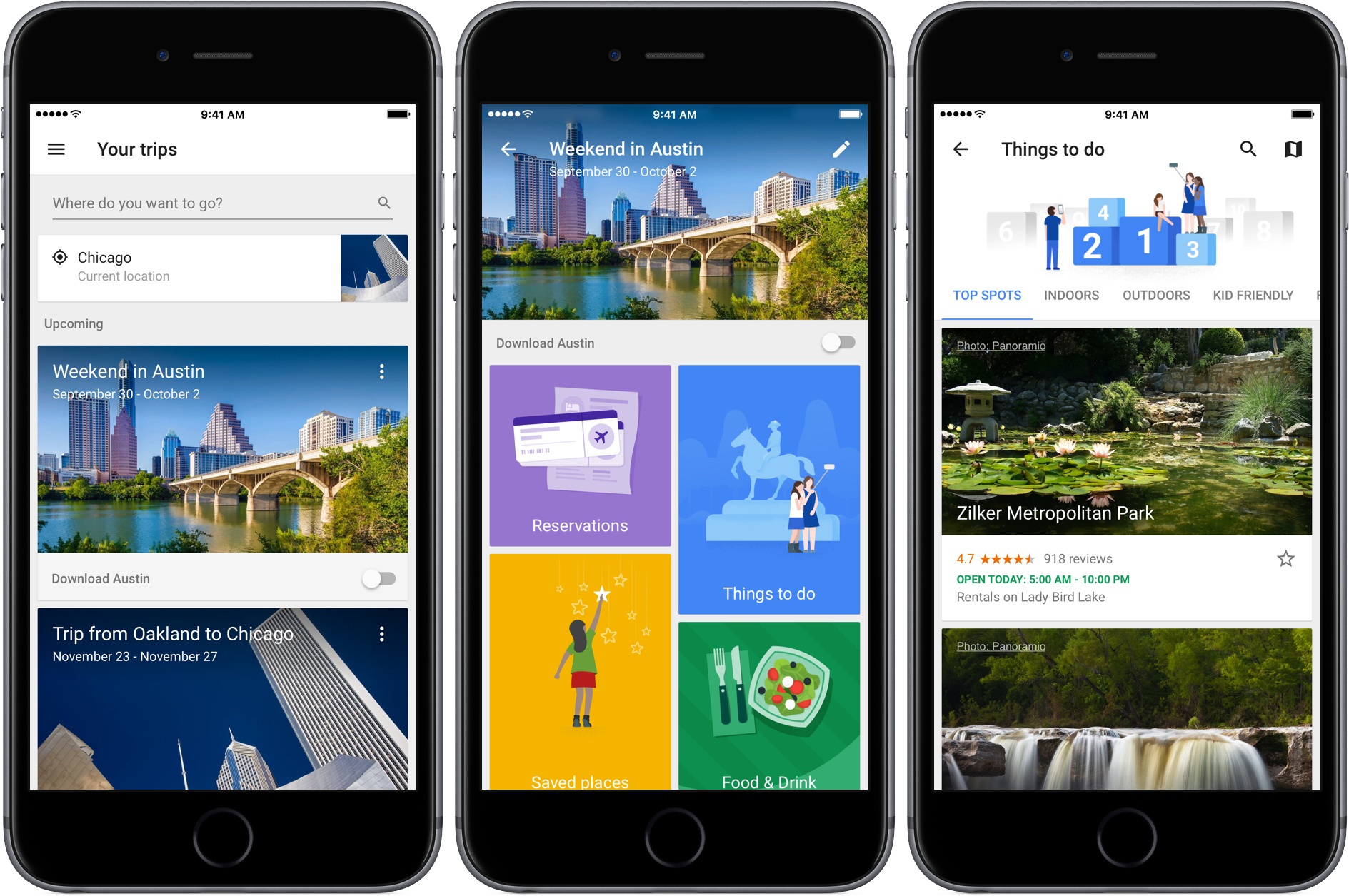
Google launched a free trip planning app called Google Trips today with a deep set of features that work online and off. The motivation for the app was described by Richard Holden, a Google vice president of product management, to Casey Newton of The Verge in an interview:
We’re doing a great job on the planning stages, but we really need to help consumers when they’re actually at their destination.
I have spent a short time with Google Trips and it looks like Google has delivered.
After signing into Google Trips with the Gmail account I typically use to make travel plans, Trips showed an upcoming trip to Austin and past trips going back to 2008. Tapping on a trip opens a page with buttons to view any reservations the app finds in your Gmail, ‘Things to Do,’ ‘Food & Drink,’ and ‘Saved Places,’ which are any destinations you mark with a star as you browse through Trips’ suggestions.

Trips’ recommendations are further divided into categories like ‘Top Spots’ and ‘Outdoors’ for activities, and restaurants, cafes, and places near where you are staying for food and drink suggestions. Results can be viewed in a list view, where each item can be tapped to view more detail, or on a map. A toggle on the first page of each trip gives you the option to download the trip, a handy feature if you are traveling internationally and want to limit your data use.
Of course, to get the most out of Google Trips, you need to log into it with a Google account. If you are uncomfortable with Trips scanning your Gmail and search history to customize what it presents to you, Trips is probably not the app for you.
Google Trips is an iPhone-only app and is available as a free download on the App Store.
Twitter Reclaims Space for Text in Tweets

Update: As noted below, the changes to how the Twitter character limits are counted are available to third party developers. MacStories has learned that Tweetbot and Twitterrific will both be updated soon to support the changes to Twitter’s APIs.
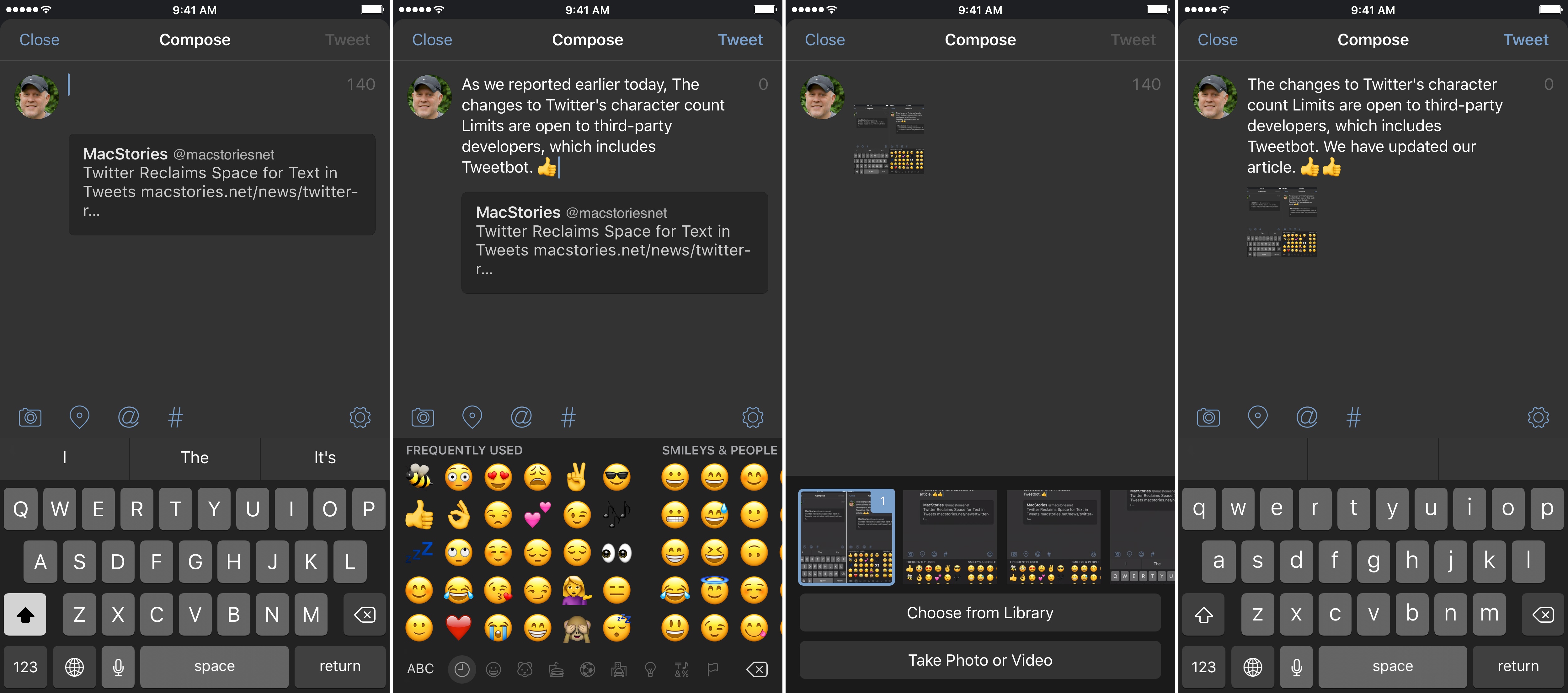
Tweetbot (pictured in screenshots) and Twitterrific will soon be updated to implement the changes to Twitter’s character limits.
Twitter began rolling out changes that take back space for text in tweets. As Twitter has gradually become a multimedia experience full of images, GIFs, videos, quoted tweets, and other things, each has encroached on the 140 character limit of a tweet leaving less room for text. That just changed.
https://twitter.com/twitter/status/777915304261193728
With a tweet today, Twitter began to roll out features, first announced earlier this year, that exclude certain things from the 140 character count limit. Users will still be limited to 140-character messages, but, as first reported by The Verge last Friday, media attachments (including images, GIFs, videos, and polls) and quoted tweets will no longer count against the 140-character limit, making more room for text.
Apple Releases Ads Spotlighting the Apple Watch and iPhone 7
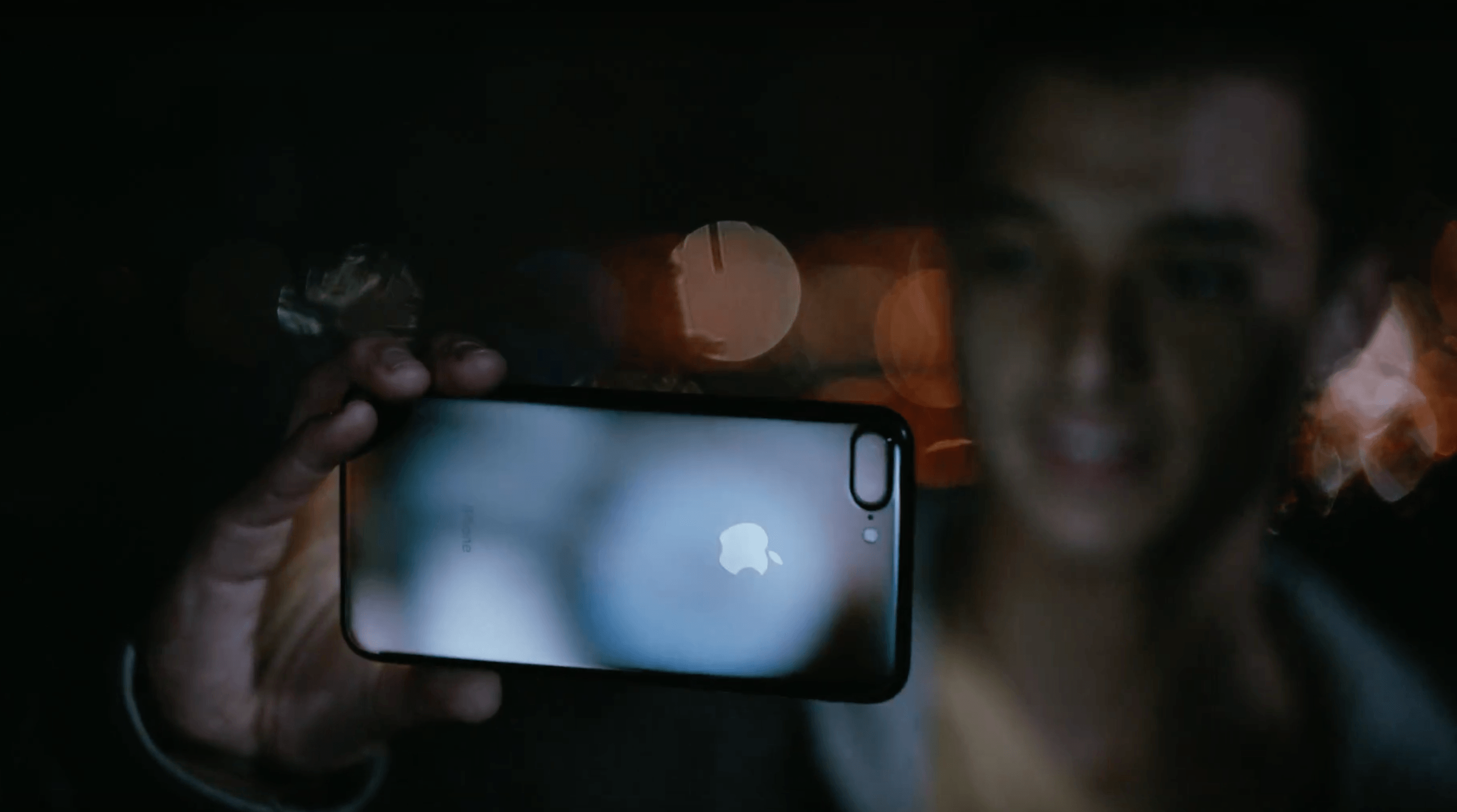
Apple posted three advertisements to YouTube, one featuring the Apple Watch Series 2, and two showcasing the iPhone 7.
The Apple Watch Series 2 ad, titled Go Time, highlights the Watch’s fitness features and water resistance. Backed by Sinnerman, a classic song by Nina Simone, the ad begins at dawn showing a swimmer getting ready for an early morning workout. The swimmer adjusts his goggles and pulls his hand out of the water to start a workout on the Apple Watch. Through a series of quick cuts, the ad shows other people involved in all sorts of activities, including yoga, running, jumping into a pool, biking through a rainstorm, dancing, and sprinting out of the subway. In between each activity are clips showing off features of the Watch like the Activity app, Messages, notifications, the Workouts app, and the Breathe app, which is new to watchOS 3.
Morning Ride starts with a man looking out into a thunderstorm while checking Apple’s Weather app on an iPhone 7. AC/DC’s Thunderstruck starts playing in the background as he gets ready for his morning bicycle ride despite the rain. He mounts his iPhone to the handlebars of his bike, starts a tracking app, and prepares to take off into the rain. The thirty-second spot ends with the lines ‘the water-resistant iPhone 7’ followed by ‘practically magic.’
Midnight highlights the iPhone 7 Plus in Jet Black. The ad follows a young man as he skateboards around a city in the middle of the night taking photos with his iPhone. Backed by In A Black Out by Hamilton Leithauser, he takes videos as he passes through sprinklers, showing off the water resistance of the phone, captures moths flying around a single light bulb, and photographs a deer that wanders into a gas station. The ad concludes with the young man on a hill overlooking the lights of the city and ends with the tag line ‘low-light camera on iPhone 7’ followed by ‘practically magic.’
Each of the three ads does a good job focusing on the personal side of the new features of Apple Watch Series 2 and the iPhone 7. The ads don’t focus on specs; instead they emphasize how the advancements of each device expand their utility in everyday scenarios.
You can watch each of the ads after the break.
 tvOS Dark Mode via Siri
John: Reader Foad Afshari (@foadafshari) sent me a great tip via Twitter this week. tvOS 10 introduced a dark mode to the Apple TV’s interface. You can turn it on by going to Settings > General > Appearance. Foad pointed out that there is a far easier way to switch to dark mode. Simply tell...
Ongoing Development
Don’t Ignore Stickers Sticker packs for Messages present new marketing and business opportunities for indie developers. In just the past four days since iOS 10 was launched, the iMessage App Store exploded with apps and stickers. iMessage apps seem likely to wind up as another box to check for some developers – something that customers...
Game Day: Rubek
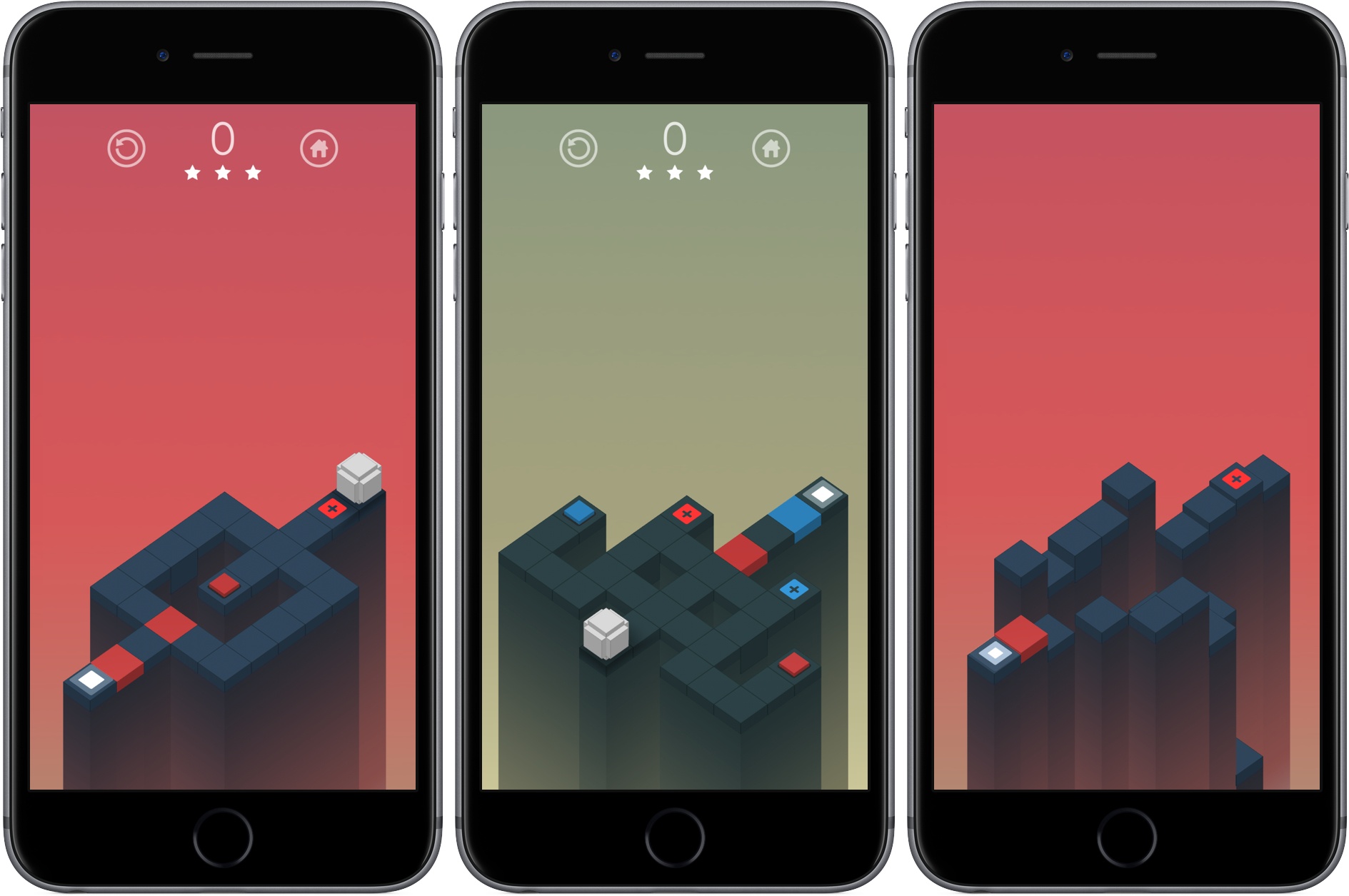
This week I’ve been playing a great-looking, tough puzzle game called Rubek from Xigma Games. As the name suggests, it’s a game involving colored cubes. Rubek is played from a three-quarters perspective, similar to Monument Valley. You guide a white cube along a path through each puzzle to the final goal by swiping on the screen to roll the cube.
The path you take is segmented into squares of different colors, including some with a small plus symbol in the center. Roll onto a colored square with a plus and the side of your cube the lands on that square changes to that color. This is where the game gets tough. You can roll any side of your cube across a dark grey square, but if you try to roll across a colored square along the path, the side of your cube that touches the square must match its color. The combination of color matching while accounting for where the six sides of your cube will land gets hard fast.
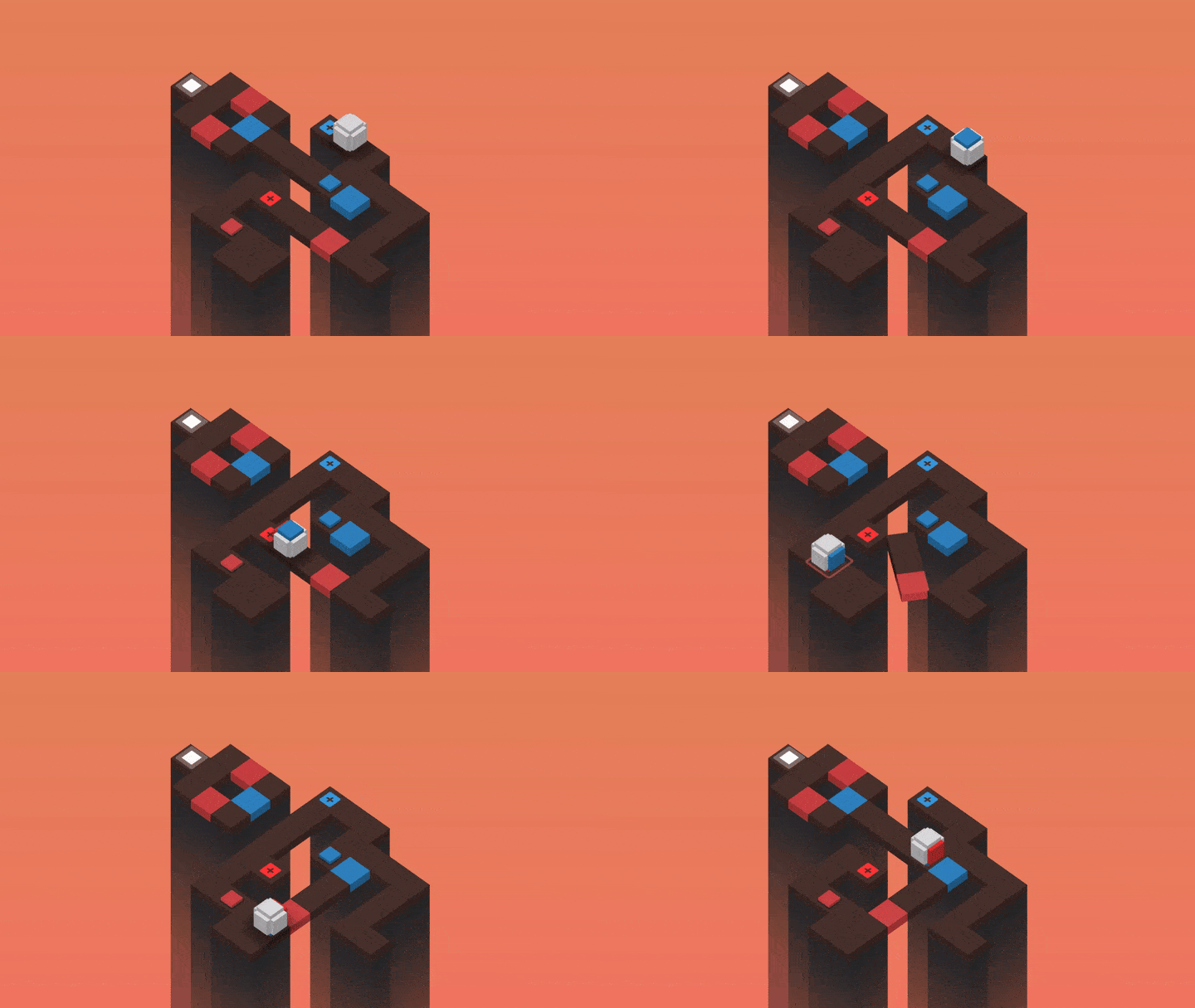
Your score is determined based on the number of moves necessary to complete the puzzle. At the end of each level you get a star rating based on how many moves it took you to finish the level. Rubek has over 75 levels in total, which add new mechanics as you progress like trigger blocks that modify the puzzle’s map when you roll over them, keeping the game fresh as you play through the levels.
Rubek’s settings let you turn off sounds and include a color-blind option that lets you adjust the color scheme used in the game. I’ve spent the last couple of months trying lots of different kinds of iOS games and found some great ones, but it’s nice to get back to a puzzle game, which is one of my favorite genres of all. Rubek is the sort of game you can play for 5 minutes or an hour depending on how much time you have, which I always appreciate, and it’s challenging without being frustrating. If you enjoy multidimensional puzzle games, Rubek is worth a try.
Tracking TV Shows with Couchy
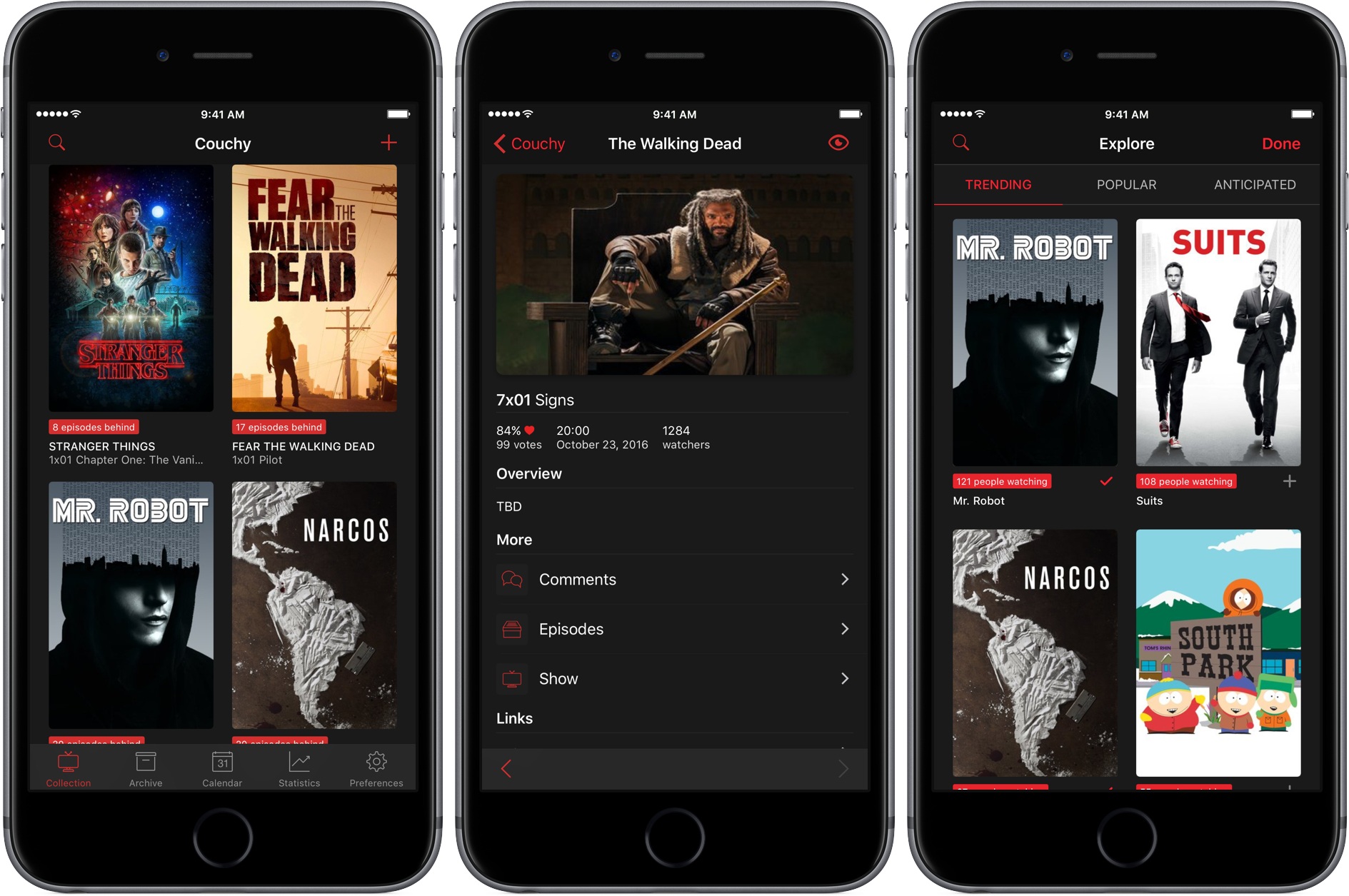
Couchy by Sven Bacia is a brand new iOS and iMessage app for tracking your favorite television shows. Sven’s app first came to my attention when I was researching the iMessage app roundup we published earlier this week. The app wasn’t approved in time to include in the roundup, which has given me time to take an even closer look at the main app, which I like a lot.