

Fin is a timer app for performers by Joe Cieplinski. I started using Fin not long ago to time segments of AppStories while Federico and I record. We are limiting the show to around 30 minutes each week, so keeping track of the length of each segment is important. Though I haven’t been using...
 App Debuts
 Ryan
RyanThe Best Photo App The Best Photo App is a new alternative to Apple’s own Photos app. It contains many features similar to Photos, such as basic editing tools to handle cropping or adjust color and lighting, and options to hide or delete photos. My two favorite features are the smart search options and...
Ongoing Development
The AppStories Story
This week felt like the right time to reboot Ongoing Development. The column is about trying new things, but it’s been on hiatus since shortly after Federico published his iOS 10 review. That timing isn’t a coincidence. With the biggest MacStories review of the year in the rearview mirror, it was...
Welcome to AppStories
 Federico
Logitech Adds HomeKit Support to Its POP Smart Button

Logitech announced today that it is adding HomeKit support to its POP Smart Button, which debuted last year. The second generation POP button connects to your home WiFi, supports up to three customizable gestures, and acts as a sort of macro to trigger other HomeKit devices. For example, you could put a POP button in your bedroom that when pressed in the morning would change the temperature of your HomeKit thermostat and turn on your lights. You could add another POP button to turn off the lights and lock your doors when you leave home. The POP button also works with some non-HomeKit devices like Sonos music systems and Logitech’s Harmony Hub home entertainment control device.
The adoption of HomeKit support by Logitech greatly expands the utility of POP buttons and may be a sign of the growing popularity of HomeKit devices. With the increasing number of HomeKit-enabled products, the POP button should make it even more convenient to trigger HomeKit’s scene functionality.
Logitech says that the POP Smart Button will be available soon exclusively at Apple Stores and on Apple.com and later this year from other retailers. The base POP Smart Button Kit will retail for $59.95 and includes one button and a bridge to connect it to your home WiFi. Additional Pop buttons will be available for $39.95 each.
Clean Up Your Inbox Today (and Keep It That Way Forever) with SaneBox [Sponsor]
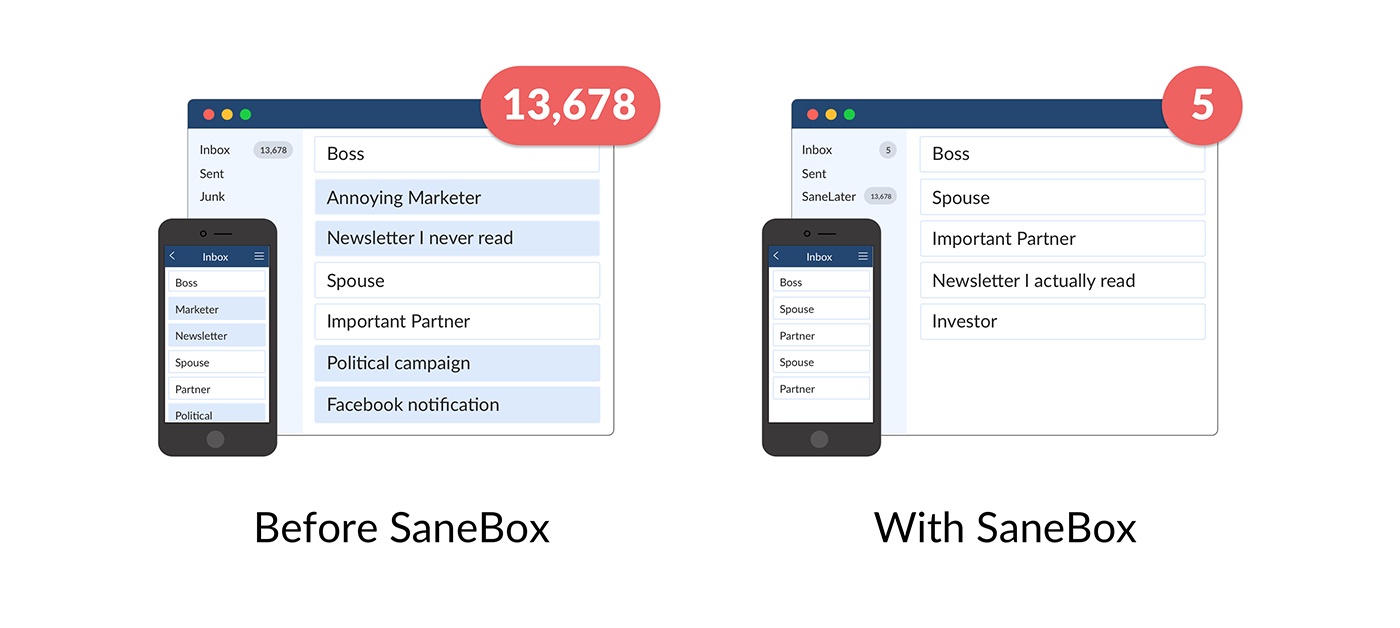
What if you had someone to go through your email and find just the important messages? SaneBox does exactly that. Once set up, it leaves your important messages in your inbox and moves the rest to a SaneLater folder for reviewing later. That initial inbox purge is powerful because it reduces your inbox to a manageable number of messages. With additional training to tell SaneBox what’s important to you, it only gets better at dealing with your daily deluge of messages.
There’s much more to SaneBox than shuffling unimportant messages into a designated folder, though. If there’s something you never want to see ever again, send it to the SaneBlackHole, which is much easier than unsubscribing to unwanted messages.
You can also set up SaneReminders by sending messages to an address that sends a reminder to you at a later date if the recipient of your message hasn’t responded after a certain amount of time. Or forward a message to SaneReminders to have it pop back into your inbox at a later date when you are ready to deal with it.
SaneBox works on top of your existing email setup. There’s no particular app to download or new email account to set up. It all works server-side so you can use any email client you want.
Sign up today for a free 14-day SaneBox trial to take back control of your email. MacStories readers can receive a special $25 credit automatically by using this link to sign up.
Internet Archive Adds Early Macintosh OS and App Emulation
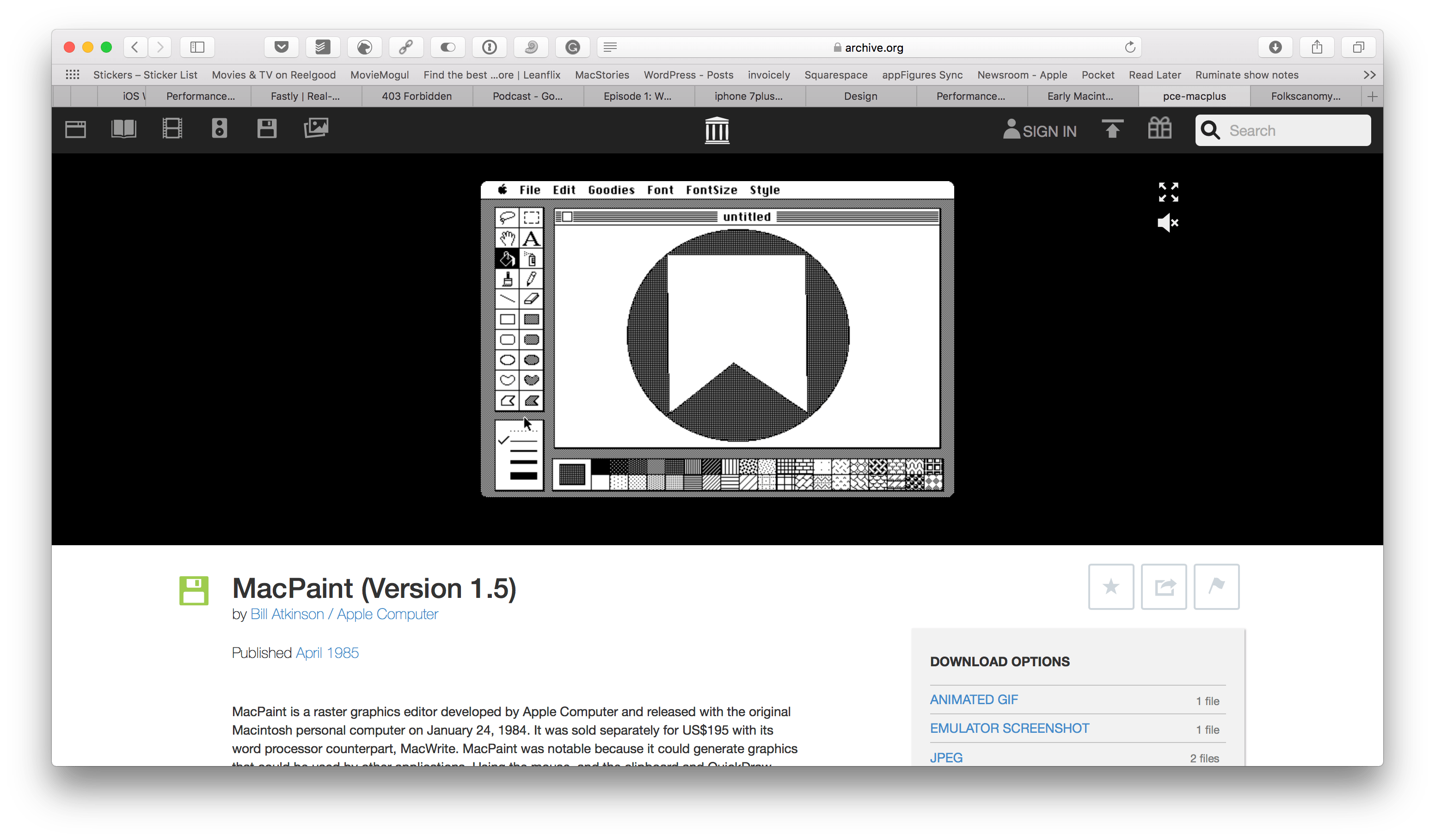
Over the weekend, the Internet Archive introduced a curated collection of Mac operating systems and software from 1984 through 1989. The Internet Archive already hosts browser-based emulators of early video games and other operating systems, but this is its first foray into Mac software.
The collection includes classic applications like MacPaint, programming tools such as MacBasic, and many games including Dark Castle. Each app can be run in an in-browser emulator and is accompanied by an article that chronicles its history. It’s fun to play with the apps in the collection and realize just how far apps have come since the earliest days of the Mac. It’s also remarkable how many computing conventions used today were introduced during those earliest days.
I’m happy to see the Internet Archive start this collection. These operating systems and historically-significant apps may still run on old hardware maintained by a handful of people, but it’s emulation efforts like these that make those apps accessible to a broader audience.
Game Day: Mallow Drops

Any game with Dropbears has to be good, right? Maybe not any game, but it works for Mallow Drops, a title created by Gritfish Games and published by Green Stripe Snake. Mallow Drops debuted on Steam late last year and landed on the App Store earlier this week. Part platformer, part sliding tile puzzle, the real key to Mallow Drops’ success is its unique gameplay.
Setting Up Night Shift on Your Mac
When macOS Sierra was updated to 10.12.4 at the end of last month it added Night Shift, a feature that changes the color of your display to reduce blue light and gives it a warmer, slightly orange cast. Night Shift is turned off by default. To turn it on, go to System Preferences and...