

Duet Display Although it’s been a staple of the App Store for years, Duet Display is still an incredible utility for iPad and Mac users. Through a cable between your Mac and iPad, you can turn your iPad into a second display, meaning that you’ll have more space to be more productive when...
 PipTube
Google can be stubborn with its implementation of the latest iOS features –Split View and drag and drop come to mind –and with YouTube, we are still without the much-desired Picture in Picture. For those looking to watch and work, PipTube is far and away the best solution to get YouTube videos in PiP....
Ditching My iPhone for the Apple Watch Series 3
I, like many people, have phone anxiety. I’ll start going somewhere, pat my pockets to realize my iPhone isn’t there, and turn back to get it. At meals, I’m a typical millennial, using my iPhone between bites to browse Twitter or send a quick text. But I don’t like being that way, and the...
Widgets for iOS Apps, Vol. 4
Outflow When I’m struggling to keep track of the subscriptions I pay for, Outflow’s widget is just what I need. Once you’ve provided it the renewal information (a process that can be found here), it’ll show you the next subscription you’ll be paying for. That’s a handy service, as it can remind you...
Create a Real-World Masterpiece with Paint Space AR
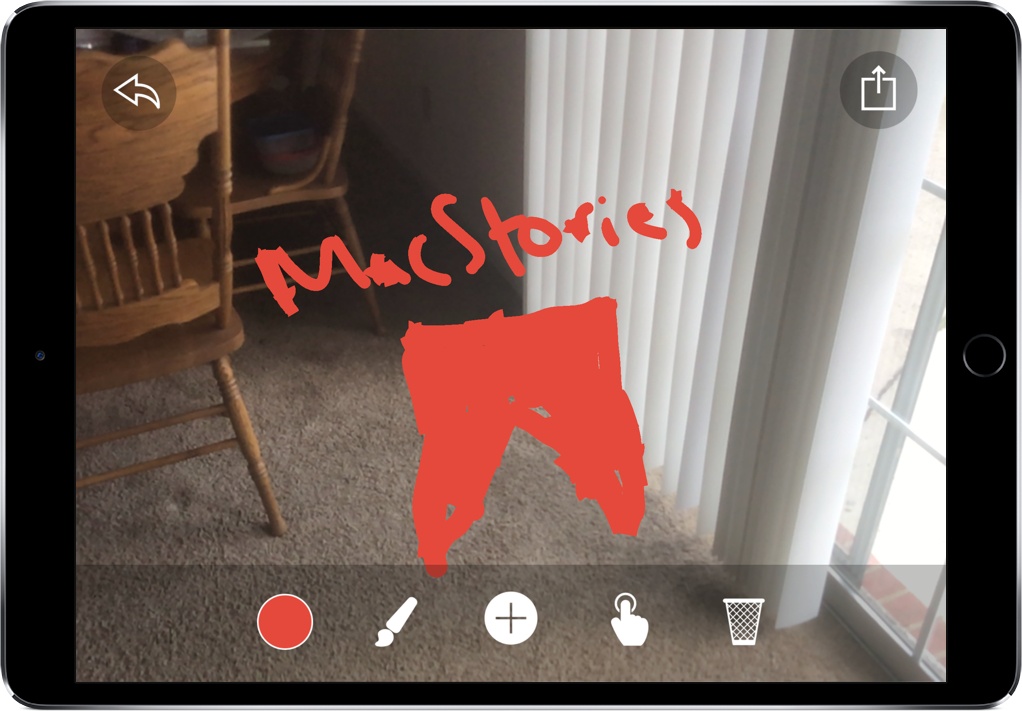
One of my all-time favorite tech demos is Tilt Brush, a VR painting experience where you can create art in 3D on the HTC Vive. Immediately, you begin seeing the potential of VR artistry, allowing artists to utilize tools not available in the real world. By creating free-floating structures with unique brushes, Tilt Brush was my first exposure to what the future of digital art could look like.
Paint Space AR is Tilt Brush for the AR world, enabling you to create interesting pieces of art right where you are. With AR, though, Paint Space has a unique advantage: instead of having to create something in a simulated space, you’re able to paint on objects right in front of you.
Splitter Critters Adds AR Mode with Exclusive Levels
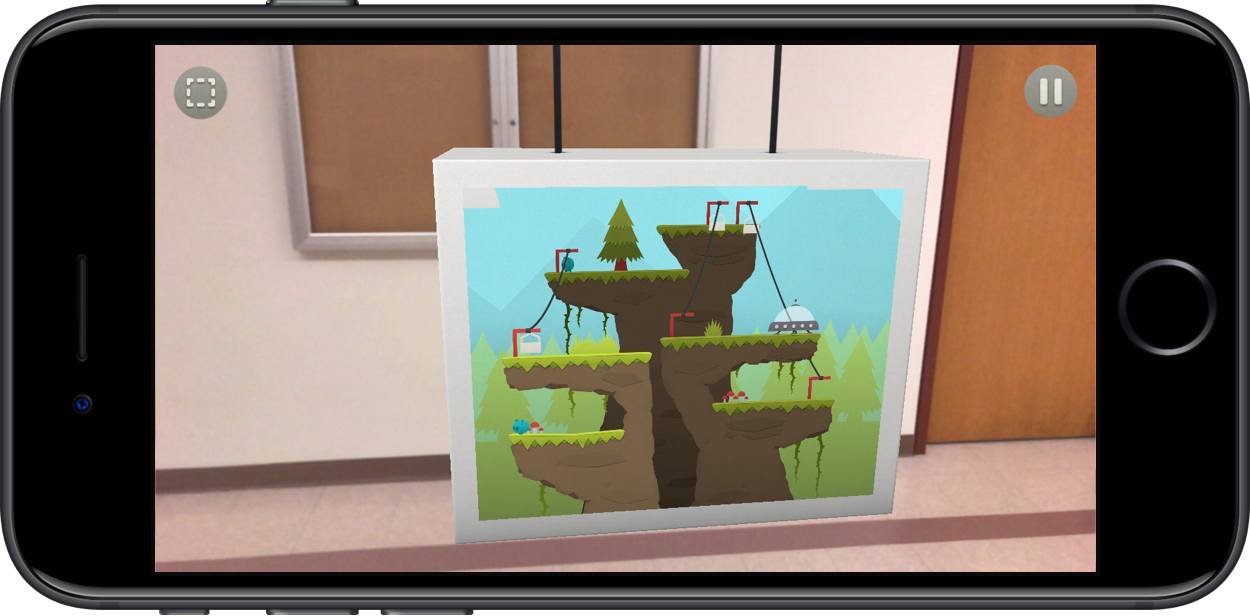
It’s been a good year for the Splitter Critters team. Released to excellent reviews and much fanfare, the game gained traction before ultimately being awarded an Apple Design Award at this year’s WWDC. And with the release of iOS 11, Splitter Critters is adding another reason to love it: augmented reality levels.
Rescheduling Refined with Drag and Drop in Timepage
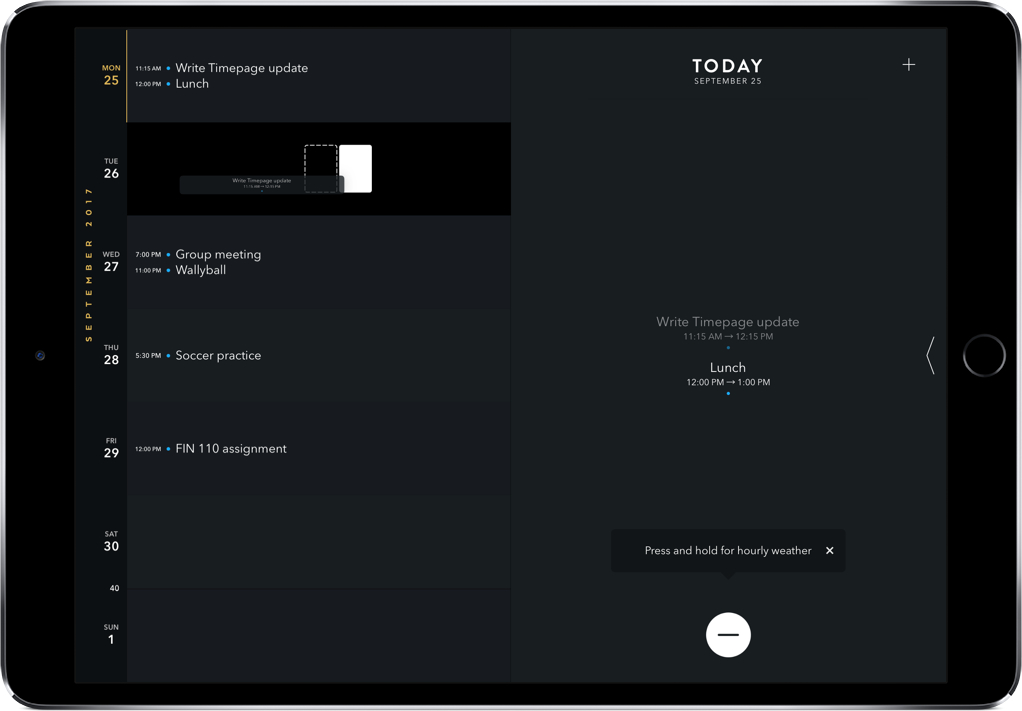
Your phone buzzes. It’s a message from a friend asking to reschedule your dinner in an hour for another day. You’ve already put on something nice, so it’s a little inconvenient – but it’s also going to be tedious to make the adjustment on your calendar.
Timepage’s recent update can’t change you back into comfortable clothes, but it can make rescheduling events much easier. As with most iOS 11 app updates, this comes through drag and drop and thankfully works on both iPhone and iPad.
Spotify
As much as I try to love Apple Music – and there are many reasons to – I can’t ever seem to drop Spotify. After all these years, what’s most incredible about Spotify is that there’s hardly anything wrong with it – its greatness is becoming so boring that I want to try something...
Conduct AR: Desktop Micromanaging at its Finest
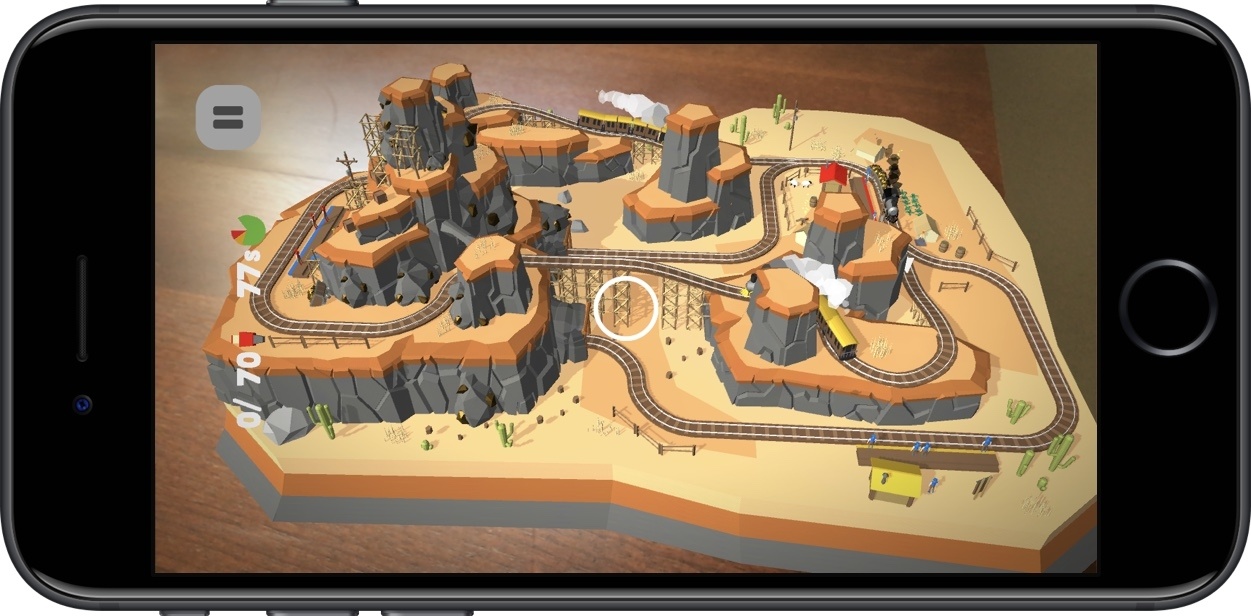
I never was the kid to play with toy trains, but that hasn’t stopped me from becoming engrossed in augmented reality ones thanks to Conduct AR.
An AR follow-up game to Northplay’s Conduct THIS, Conduct AR puts you in control of trains barreling down the tracks. As they make their routes, they’ll pick up passengers at stations for later drop off, but only if you can guide the trains there without crashing into obstacles along the way.
To do that, you’ll switch tracks, stop, and start the trains, carefully pointing your camera at them and tapping the screen at the same time. In AR, though, this can be tricky, as Conduct AR requires you to move around, peer into the level, and get close enough to where you can control the trains in a precise way.
Many AR apps are meant to be seen as a big picture experience, like a rocket ship landing in your backyard pool. That’s not Conduct AR. In order to play the game right, you have to survey the level and get a perfect understanding of how to play it. As you progress through the levels, so much is happening that you always have to be moving, checking tunnels, and guaranteeing your trains don’t crash.
Conduct AR’s performance is sufficient but occasionally shaky, sometimes in the literal sense; there were occasions where the tracking fell off and required an app restart. Still, those issues are relatively uncommon, and the game often runs well.
If you’re looking to dive into Conduct AR, I really recommend that you play it on a desktop or table – with a flat surface directly in front of you, it’s much easier to stand up, move around, but also play comfortably. You should also know that the game has run hot on my iPhone 7, but I’d expect this to get figured out on the iOS end as ARKit develops.
Once you become addicted to Conduct AR, you’ll be happy to see that there’s plenty of content to work through before you finish the game. For $3.99, it’s worth the experience alone, but having many levels makes it all that much sweeter. Those interested in the new AR experiences in iOS should pick up Conduct AR in the App Store here.