
Question: Like Federico, almost every shred of my computing is now iOS-based, and I consider my iPad Pro as my main device. The pain points are fewer and fewer, and were long since eclipsed by the benefits. But one issue I have grappled with more and more is cloud-storage search (where, in an iOS-based environment,...
 Relax, It’s the Weekend

Nat and Lo YouTube Channel Watch on YouTube You may be familiar with the Google 20% project initiative where employees can work on another project in 20% of their time. One of those projects is the Nat and Lo YouTube channel. In each of their videos they visit and chat with other Google employeesand find...
Reeder (iOS)

Although I’ve tried other RSS readers for the Mac and iOS, I always come back to Reeder. Reeder is fast, supports every service that I use, and has a delightful user interface which centers around the concept of multiple panes, which slide in and out of view depending on what you’re doing. Plus, if you...
Addictive Apple TV Games, Vol. 1
Available from the Apple TV App Store by searching the name of the app. Almost Impossible! It’s incredibly simple, but because of the brilliant execution, Almost Impossible! is perhaps my favorite Apple TV game at the moment. The game is a basic platformer, where you try and move your character (a sphere that bounces...
SiriMote: Use Your Siri Remote with Your Mac
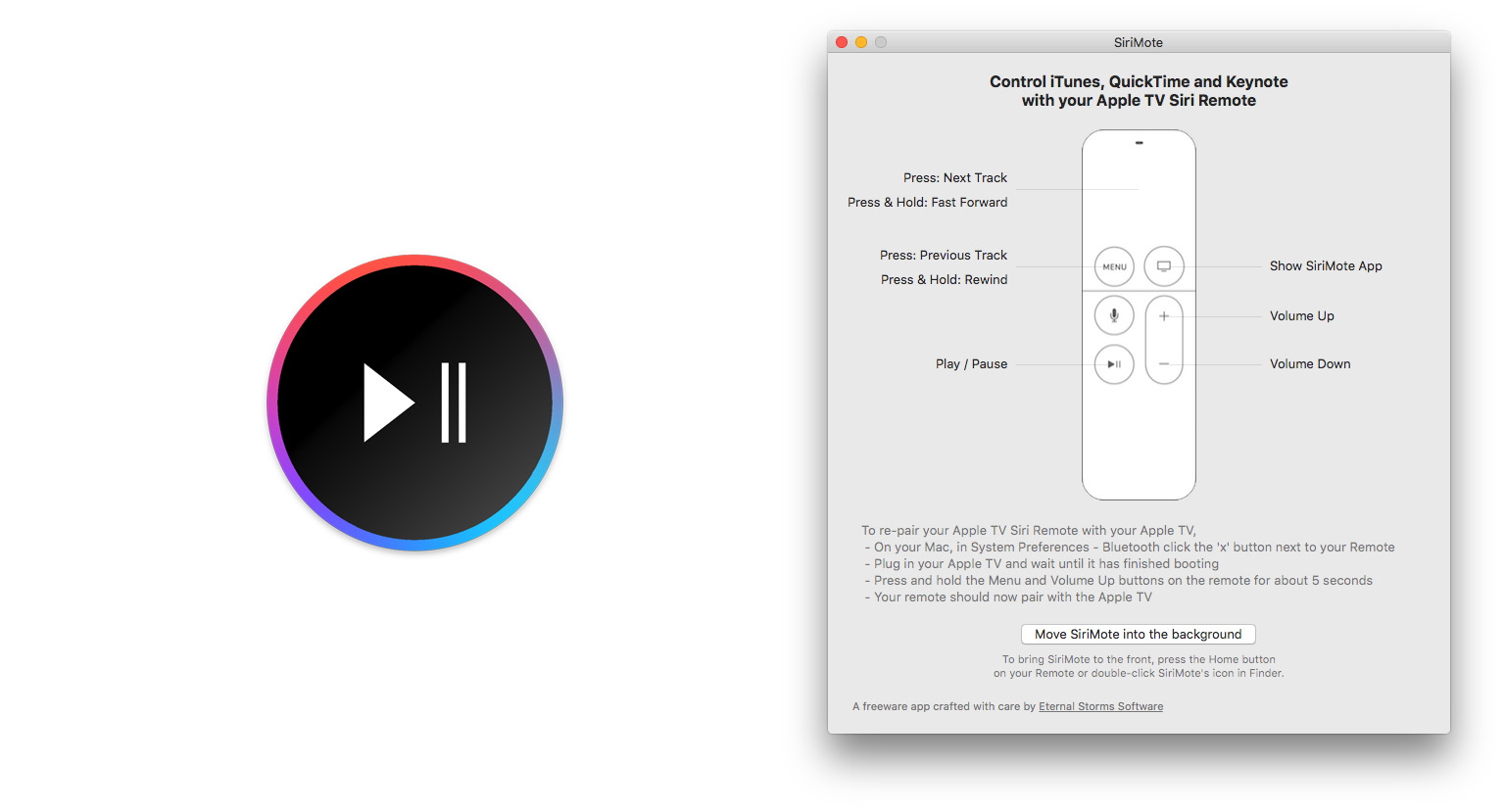
Back when I owned a 2008 MacBook and the second-generation Apple TV, I remember occasionally using the Apple TV remote with my Mac. Back then most of Apple’s laptop’s (including mine) came with a built-in infrared (IR) receiver and the functions of the Apple TV remote automatically worked with iTunes and some other Mac apps. But since then, IR receivers have gone the way of the DVD drive and, chances are, your Mac doesn’t have one. The Siri Remote for the Apple TV does still use IR for certain functions, but most of its communications are now done via Bluetooth 4.0.
But if you’d like to use your Siri Remote with your Mac, you can with SiriMote. It’s a free app from Eternal Storms Software, which also makes Yoink and Transloader, amongst other apps.
SiriMote works by pairing the Siri Remote to any Mac that supports Bluetooth 4.0 and is running OS X El Capitan. To pair the Siri Remote you’ll need to turn off your Apple TV, press the Menu and Volume Up buttons on the Siri Remote for a few seconds and pair it from OS X’s Bluetooth settings, located in System Preferences. There’s no doubt it is a bit fiddly to set up, but once it’s set up, it works great. SiriMote works by translating buttons on the Siri Remote into buttons from a keyboard (specifically, the media keys). Because it is simply emulating the standard media keys, SiriMote works with iTunes, Keynote, QuickTime, VLC and other apps that work with the Mac media keys.
Unfortunately, for now at least, the touch surface of the Siri Remote can’t be used by SiriMote. The only exception is that clicking the touch surface will emulate the Next Track media key, or Fast Forward if you hold it down. That means swiping and tapping won’t do anything when connected to your Mac.
I doubt I’ll use SiriMote regularly, but if I ever need to run a Keynote presentation from my MacBook Air, I know that I can turn my Siri Remote into one of those fancy “clickers” in less than a minute. As a free app, I can easily recommend SiriMote to any Siri Remote owner, you may not have a use for it today, but you never know what tomorrow might require.
Learn more and download SiriMote.
Thoughts on the Inevitable Demise of the 3.5mm Audio Jack on the iPhone
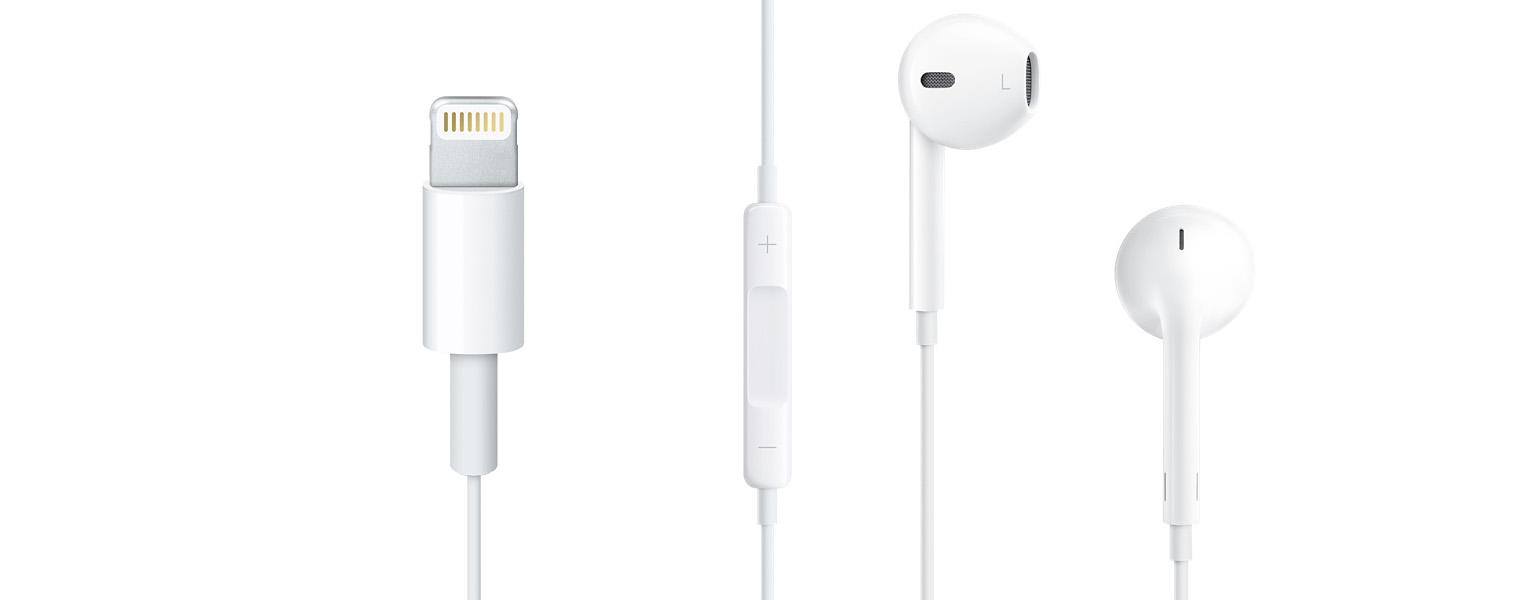
There are once again rumors that Apple is going to remove the 3.5mm audio jack from the next iPhone, this time courtesy of a report from Japanese website Macotakara. The Macotakara report goes on to suggest that audio output on the iPhone 7 will be handled via the Lightning connector and Bluetooth, and that the EarPod included with every iPhone will be upgraded and use the Lightning connector.
It’s too early to tell whether Apple really will get rid of the 3.5mm audio jack on the iPhone 7 next year, but I think the real question is when will they get rid of it, not if they get rid of it. In my eyes, it’s either going to happen in 2016 with the iPhone 7 or 2018 with the iPhone 8. I will be amazed, probably dumbfounded, if we get to 2020 and our phones still have the same 3.5mm audio jack. Although Macotakara implied that the reason for removing the audio jack is to make the iPhone thinner, I think the more likely reason is a combination of making it thinner, but also freeing up the volume of space that is occupied by the audio jack internally. Every extra cubic millimeter that they can stuff a battery into is no doubt important (and one of the reasons the Lightning port is so much smaller than the older 30-pin connector).
Given the premise that I think Apple will (at some point) ditch the audio jack, the next question is how they can possibly achieve that with the smallest adverse impact on customers, which should surely be the top priority. The easiest answer, is of course, not to do it. The iPod touch is already just 6.1mm, compared to the iPhone 6 which is 6.9mm, and the iPhone 6s is 7.1mm (thicker because of the addition of 3D Touch). You’ll note that despite being an entire millimeter thinner than the iPhone 6s, it still has an audio jack — as does the iPod nano which is just 5.4 mm thick. So there’s a question as to whether 2016 is really the year that Apple should remove the audio jack — maybe they can hold out a few more years.
But for the sake of argument, let’s say that Apple wants to remove the audio jack from the next iPhone and that they’ve already decided to do this. Yes, it will be a painful transition, but I also think that there’s a lot that Apple can do to ease the transition.
Dipping My Toes Into The World of Workflows (Again)
[[graham]] Oddly enough, despite working with Federico for many years I’ve never really gotten the workflow-itch to the extent that he has. Don’t get me wrong, there have been a number of times where I’ve dabbled with them, but I’ve always seemed to give up on them or lose interest. But over the past few...
Q&A
Question: I know that you’re using iPad Pro now, but you probably did test lot of keyboards for iPad Air 2. Currently I’m using Logitech Type+ and I’m happy with it. The only con is that it’s not backlit keyboard. Did you test any backlit keyboard for iPad Air 2? Something for serious typist? Something...
