
[[graham]] If you’re using a Bluetooth keyboard with your iPad it’s not immediately obvious how you can bring up the Emoji keyboard or any other 3rd party keyboard. Thankfully Julia Richert on Twitter helped me out and explained that you can switch keyboards by pressing Cmd+Control+Space (although on my weird BT keyboard the shortcut is...
 Day One
{ .icon } If you’ve ever been interested in starting a journal or diary, the first app you should try is Day One. It looks great and is an absolute pleasure to use, but don’t just take my word for it – it’s a 2014 Apple Design Award winner. It’s the app I use when...
Five Years of Mac App Store
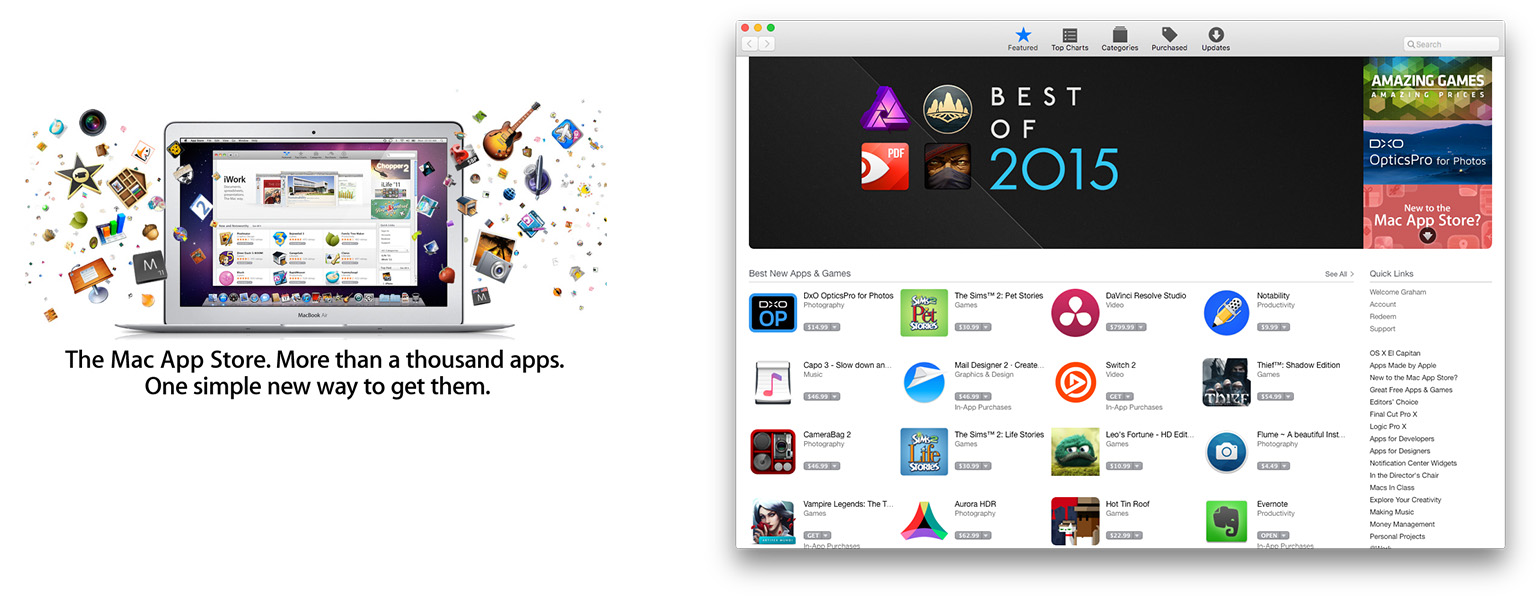
Today marks the fifth anniversary of the Mac App Store, which launched on January 6, 2011. The iOS App Store, which launched in 2008, was already huge success in 2011 – a success that continues today. The Mac App Store, announced at Apple’s ‘Back to the Mac’ event in late 2010, offered the alluring promise of revitalising the Mac app market with easier access to customers, and, it was hoped, greater financial success for developers.
Record-Breaking Holiday Season for the App Store→
In the two weeks ending January 3, customers spent over $1.1 billion on apps and in-app purchases, setting back-to-back weekly records for traffic and purchases. January 1, 2016 marked the biggest day in App Store history with customers spending over $144 million. It broke the previous single-day record set just a week earlier on Christmas Day.
“The App Store had a holiday season for the record books. We are excited that our customers downloaded and enjoyed so many incredible apps for iPhone, iPad, Mac, Apple Watch and Apple TV, spending over $20 billion on the App Store last year alone,” said Philip Schiller, Apple’s senior vice president of Worldwide Marketing. “We’re grateful to all the developers who have created the most innovative and exciting apps in the world for our customers. We can’t wait for what’s to come in 2016.”
These are some incredible numbers and unsurprisingly Apple dedicates a significant portion of the press release to spruiking how Apple creates and supports 1.9 million jobs in the U.S., 1.2 million jobs in Europe, and 1.4 million jobs in China.
Apple also details some of the most popular apps in the App Store:
Gaming, Social Networking and Entertainment were among the year’s most popular App Store categories across Apple products, with customers challenging themselves to Minecraft: Pocket Edition, Trivia Crack and Heads Up!, and staying in touch with friends and family using Facebook Messenger, WeChat and Snapchat. Games and subscription apps dominated this year’s top grossing titles including Clash of Clans, Monster Strike, Game of War - Fire Age and Fantasy Westward Journey, as well as Netflix, Hulu and Match.
The launch of the all-new Apple TV® and Apple Watch® have paved the way for entirely new app experiences, changing how people consume content through their television and providing useful information at a glance on Apple’s most personal device yet. Since its launch in October, the new Apple TV’s most popular apps include Rayman Adventures, Beat Sports and HBO NOW. Chart-topping apps for Apple Watch owners include fitness apps Nike+ Running and Lifesum, and iTranslate and Citymapper in the Travel category.
Curiously (or perhaps not), there was nothing in the press release specifically about the Mac App Store – which today celebrates its fifth anniversary (more on that shortly).
Apple’s App Charts: 2015 Data and Trends→
For the past two years, Gilad Lotan (Chief Data Scientist at Betaworks) has been collecting data from Apple’s App Store RSS feeds. Last week Lotan published nine interesting findings in a post on Medium – complete with over a dozen fascinating charts.
Here we can clearly see both weekly cycles in app usage, but also longer term trends throughout the year. Facebook Messenger, which relaunches as ‘Messenger’ in June, stays very close to the top position throughout the whole year, while both Viber and Tango start strong and slowly drifts down the chart. Find My Friends, on the other hand, displays high volatility — drastic changes in ranking, hence app engagement — especially throughout the summer months, and Twitter has clearly weekly cycles.
The best part of Lotan’s story is definitely the accompanying charts, which really help tell the story alongside his commentary. But here’s one more snippet to encourage you to read his whole article:
Here we look at new applications that not only reach a notable spot in the top chart, but also sustain it to some degree. As you can see below, a handful of these apps are music related: SongFlip (free music streaming), Musicloud (stream music from your Dropbox mp3’s), and Free Music HQ (what it sounds). Moments is the Facebook app that helps you find yourself in friends’ photos, and Triller helps users make music videos on their phones. There are also two applications that help upload content into Snapchat. See a trend here? Media, media, and more rich media!
Apple Announces Q1 2016 Earnings Call for January 26
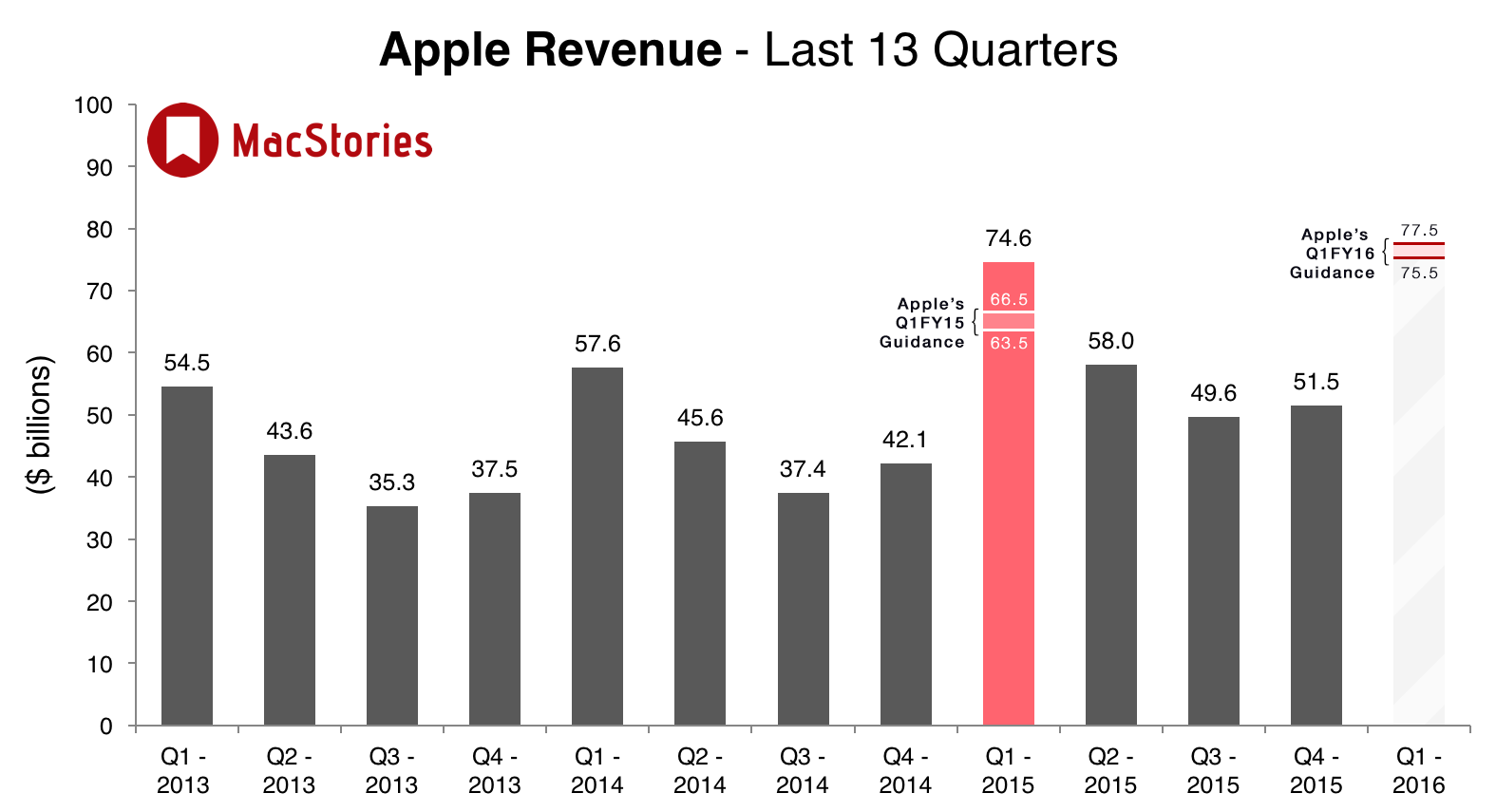
Apple’s Investor Relations website was yesterday updated to note that Apple’s earnings call for the first quarter of fiscal year 2016 (October, November and December 2015) will be held on Tuesday, January 26, 2016. As is usual, Apple will provide a live webcast of the conference call on the day.
Apple’s guidance for the first fiscal quarter of 2016 is revenue between $75.5 billion and $77.5 billion, gross margin between 39 percent and 40 percent and a tax rate of 26.2 percent. But as is illustrated above, Apple’s guidance in the past has often underestimated the actual numbers by quite a significant degree.
As we have for previous earnings calls, MacStories will cover the conference call on our site’s homepage on January 26 starting at 2 PM PT, posting charts of the results, collecting key quotes from Apple executives and highlighting interesting Tweets from others.
Five TV Picks from Graham
Many of you will know by now that I watch quite a bit of TV drama, probably too much actually. There’s a huge amount of quality TV available today, and I couldn’t resist highlighting five TV shows from 2015 that I highly recommend watching. These aren’t necessarily the best, but they are five of my...
Apple’s 2015: Year In Review
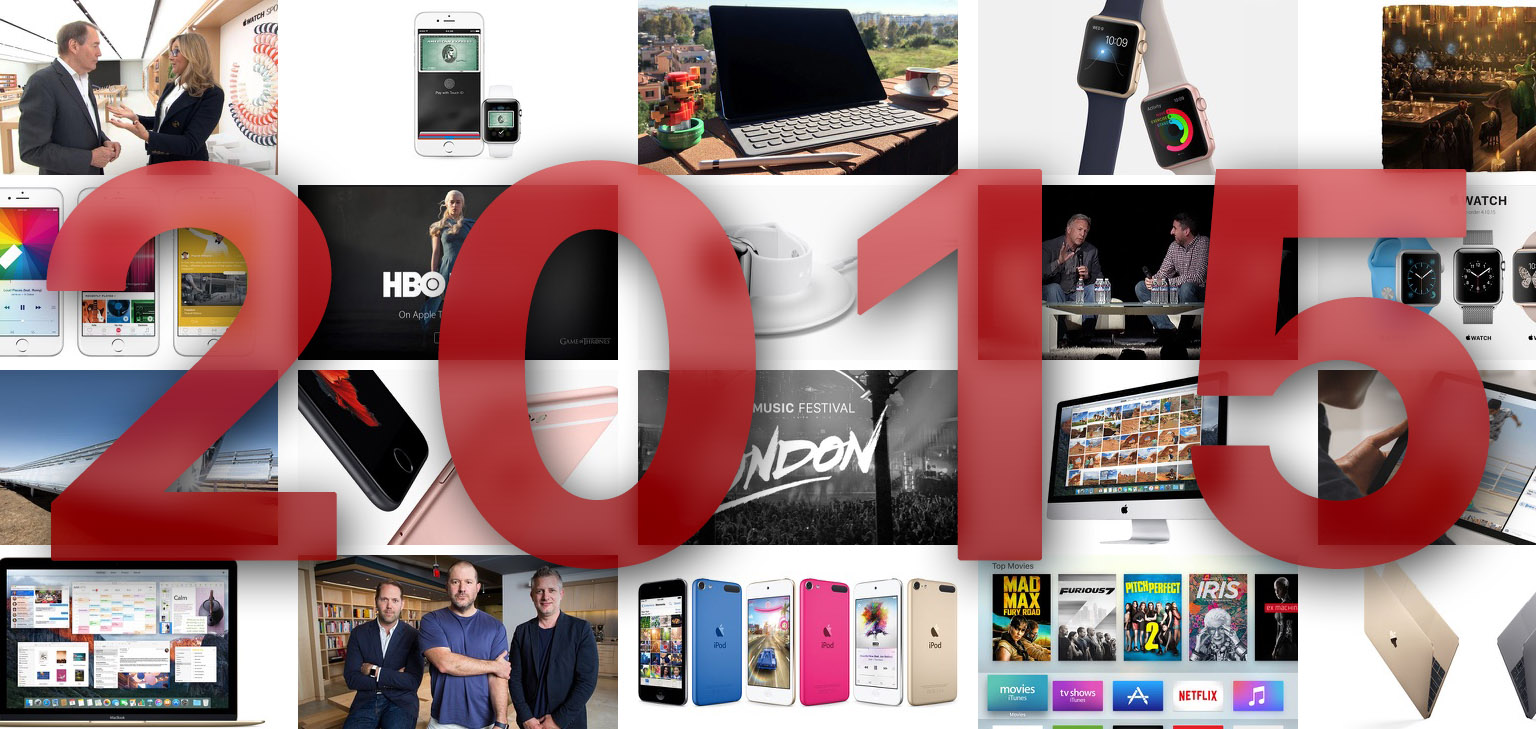
2015 was a big year from Apple, arguably its biggest yet. Over the course of the past twelve months we’ve seen Apple release the MacBook, Apple Watch, iPhone 6s and 6s Plus, iPad Pro, new Apple TV, refresh the MacBook Air and iMac, and even release updated iPods. Then there’s all the new software from iOS 9 to OS X El Capitan, to watchOS 2, and even the unveiling of tvOS.
In assembling this story, I thought about how I could present the information in a way that wouldn’t be overwhelming and would hopefully be unique from everyone else’s “year in review” stories. As you can see below, I choose to display it in an interactive widget. You’ll be able to see at a glance which months were significant for Apple, and for what reason (iPhone, Mac, TV, etc). Then you can dive into a particular month and swipe across to get summaries of the big stories from Apple. If you want to learn more about a particular story, there’s a link that’ll take you to the full story.
VLC Update Adds Support for iOS 9 Split View→
The VLC app for iOS was yesterday updated to version 2.7.0, adding support for a number of iOS 9 features, as 9to5 Mac reported:
The latest update includes an updated watchOS 2 app for Apple Watch users and several new iOS 9 features for iPhone and iPad.
VLC now supports system wide search through Spotlight, Split View for side-by-side apps on the latest iPads, and Touch ID unlocking on iPhones and iPads with fingerprint scanners.
A solid update to VLC, with new features and adding support for iOS 9 and watchOS 2. But I must admit, I was surprised to realize that although they added support for iOS 9’s Split View, VLC still doesn’t work with iOS 9’s Picture in Picture mode.
The initial release notes incorrectly stated that the update added an Apple TV app for VLC – in fact it does not. But the VLC Apple TV app is coming, and soon.