Alex Guyot

152 posts on MacStories since January 2014

Alex has been writing for MacStories since 2013. As a MacStories contributor he covers Apple and related technology on the site and for [Club MacStories](https://www.macstories.net/club/). Alex also keeps the site running smoothly and works on new technology as MacStories' senior software engineer. Mastodon: [@[email protected]](https://mastodon.macstories.net/@alex)

Puppr Review: Teach Your Dog New Tricks

I came across Puppr during its recent feature as Apple’s App of the Day and decided to give it a try. The app is a simple and fun instructional tool for teaching your dog new behaviors and tricks. Since I’ve been staying with my parents for the last couple of months, I decided to take it for a spin doing some training with the family dog.

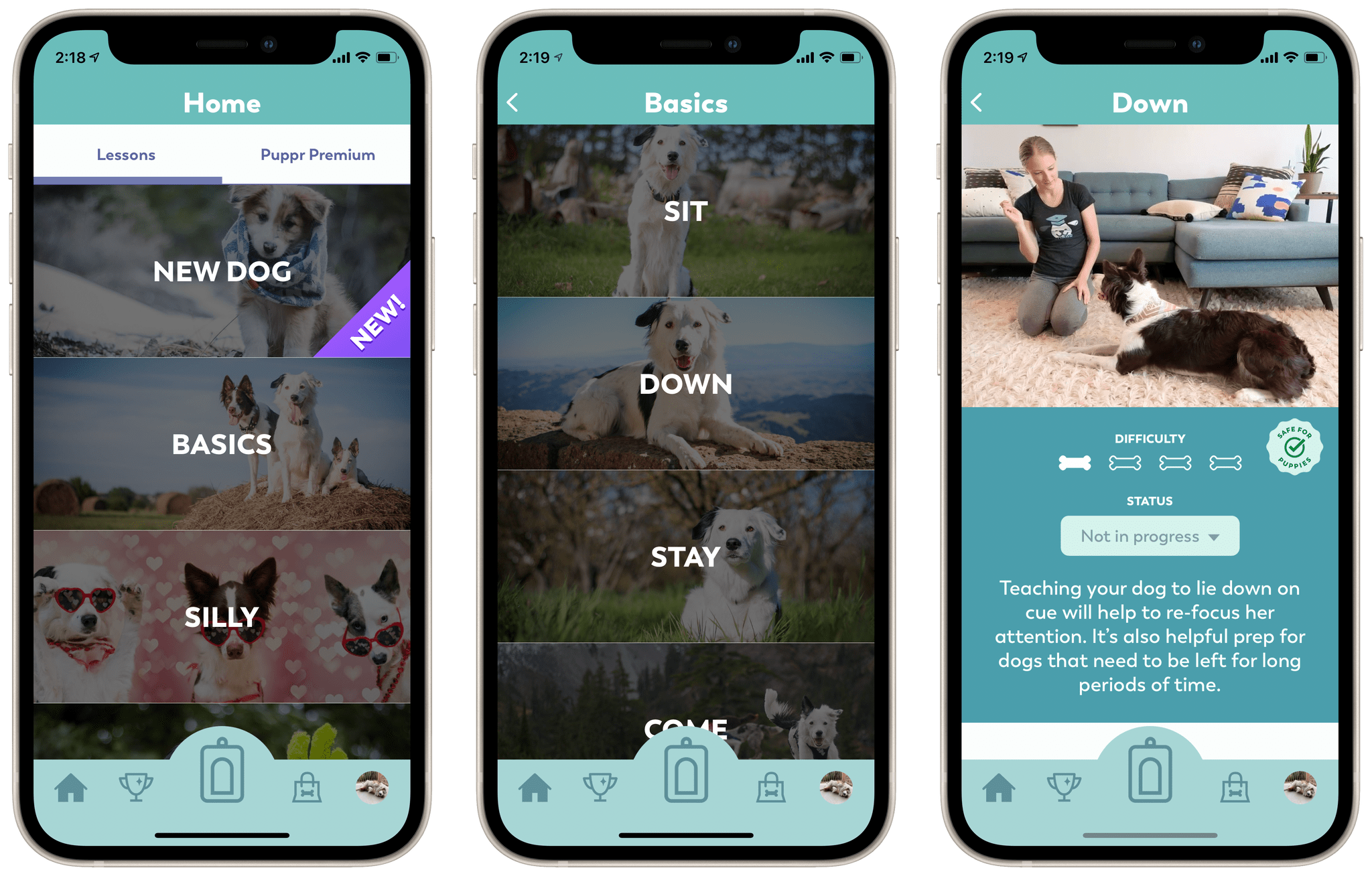
Puppr’s Home view consists of a scrolling list of categories for dog lessons. You can start simple with the ‘New Dog’ or ‘Basics’ categories, but it quickly ramps up from there. Each category consists of a series of behaviors or tricks, and tapping one opens its details view. Within this view you can see a brief video of the trick in action with a real dog. There’s also a difficultly rating, a description, and a badge for whether it’s safe to teach this trick to puppies. Each trick includes a status dropdown which you can use to note that you’re in progress of teaching it to your dog, or that your dog has mastered it.
Read more


Strong

Strong is a nice app for tracking gym workouts that I’ve been using for a while now. It has a great interface, useful exercise visualizations, and a companion Apple Watch app. Workouts performed with Strong show up in the Health app and count as exercise minutes for your Activity rings. Historically I’ve struggled
...

Jason Snell on the iPhone 12 Mini and Pro Max

After a few months of use, Jason Snell has written a great article on the iPhone 12 line’s two outliers. Despite waiting for the shortfalls of a small phone to become apparent, the other shoe never dropped for him on the iPhone 12 Mini. Small phone aficionados won’t be disappointed by Apple’s long awaited return to devices in that size class. Similarly, for those willing to accept the enormous size, the iPhone 12 Pro Max is unafraid to deliver on the best an iPhone can be. As Snell describes, these products have rounded out the iPhone product line:

Apple’s one-size-fits-all approach to the iPhone worked for a very long time. But eventually the company realized that the iPhone needed to be more than a product—it needed to be a product line. And over the past few years, it’s been building out that product line—leading to late 2020 and its release of four distinctly different models in three distinct size classes.

The iPhone 12 and iPhone 12 Pro share a size, if not features. But bracketing them are the two outliers, each sharing a set of features with one of the 6.1-inch phones back at home base.

Don’t miss the full post over at Six Colors.

Permalink

Home Screen Customization Apps and Tools

With the holidays upon us, it’s a great chance to spend some time exploring iOS 14’s Home Screen customization features. If you already partook in the initial customization craze in September, there have been even more great apps released since which are worth a look. iOS Home Screens have never been more diverse,...


Headland Review: Fight Your Way Through a World of Imagination

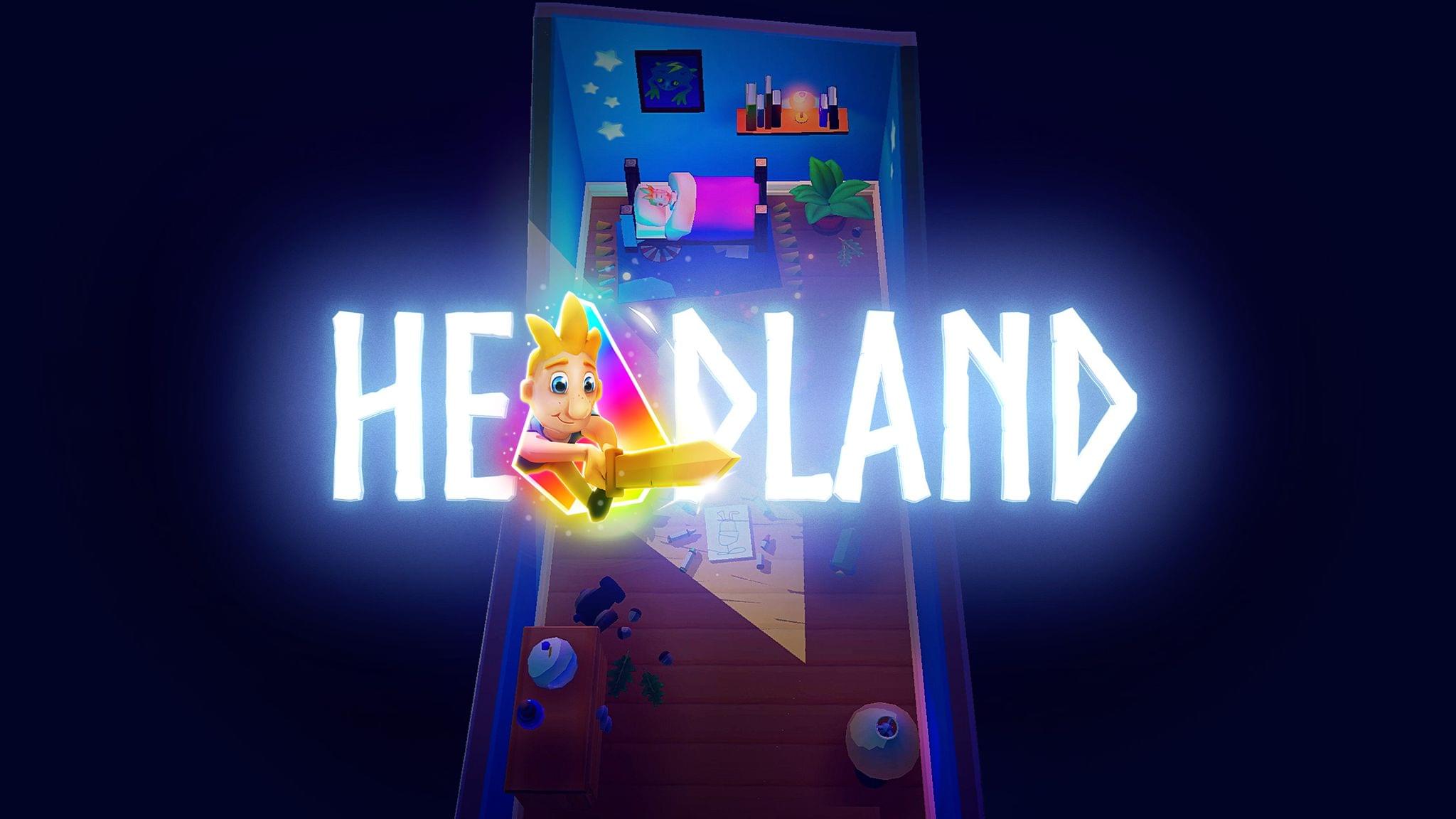
Headland is a new game for iOS and Android by the award winning game studio Northplay. The game revolves around a young boy exploring a world of his own imagination; fighting enemies and hunting down the missing shards of his robot friend’s “imagination core.” I played through Headland over the last few days and found it to be a well-made and overall quite enjoyable experience.

I really like that Headland plays in portrait orientation. Most games like it run in landscape, which is fine, but it’s nice to have a change. On my iPhone Mini I can actually play Headland entirely one-handed, which makes the game feel more light and casual even though its gameplay is engaging. Playing two-handed on my iPad Pro was still fun though since I could support the device with a single hand and play with the other.

The key to this is the game’s excellent controls, which are intuitive and only require a single finger at any given time. To move your character, you place your finger anywhere on the screen and then rotate it. This is essentially a joystick movement control, but it works so much better because the joystick will appear underneath your finger wherever you place it. My struggle with most touch-joystick games is that I end up placing my finger off-center from the stationary joystick and then I move in an unwanted direction. This never happens in Headland.

Read more


Apple Releases Cardio Fitness Notifications for Apple Watch

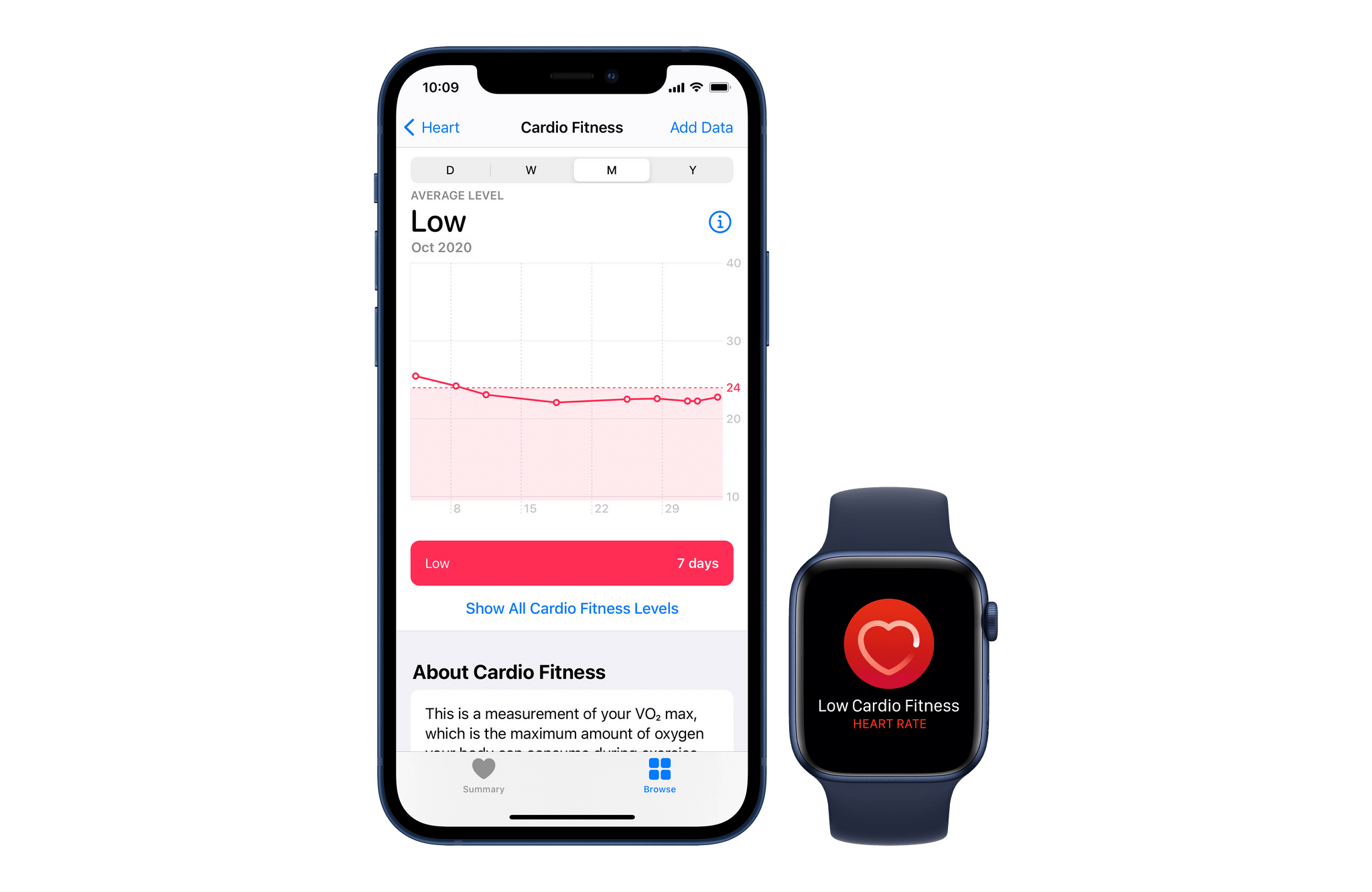
Our level of cardio fitness is a strong predictor of our overall health. With yesterday’s release of watchOS 7.2 and iOS 14.3, the Apple Watch now supports monitoring and alerting you when your cardio fitness level is too low over time. Per Apple’s press release on the feature:

With iOS 14.3 and watchOS 7.2, Apple Watch users can view their cardio fitness level in the Health app on iPhone, and receive a notification on Apple Watch if it falls within the low range. Breakthrough technology released in watchOS 7 allows Apple Watch to easily measure low cardio fitness, and today cardio fitness notifications empower users to be more active for dramatic long-term health benefits.

Read more


Microsoft Office 365 Updated to Support Apple Silicon and Big Sur

Microsoft today announced updates to their suite of Microsoft 365 apps to support Apple Silicon, including design tweaks to match the look of macOS Big Sur:

We are excited to announce that starting today we are releasing new versions of many of our Microsoft 365 for Mac apps that run natively on Macs with M1. This means that now our core flagship Office apps—Outlook, Word, Excel, PowerPoint, and OneNote—will run faster and take full advantage of the performance improvements on new Macs, making you even more productive on the latest MacBook Air, 13-inch MacBook Pro, and Mac mini. The new Office apps are Universal, so they will continue to run great on Macs with Intel processors. The apps are not only speedy, but they also look fantastic as they have been redesigned to match the new look of macOS Big Sur.

Among the other changes, Microsoft’s Outlook for Mac can now be used with iCloud email addresses for the first time. The Apple Silicon update for Microsoft Teams isn’t ready yet, but they’re working on it:

Microsoft Teams is currently available in Rosetta emulation mode on Macs with M1 and the browser. We are working on universal app support for M1 Macs and will share more news as our work progresses.

Permalink

Apple Releases iOS and iPadOS 14.3 with Apple ProRAW, App Clip Codes, Fitness+ Support, and Direct App Launches from Shortcuts

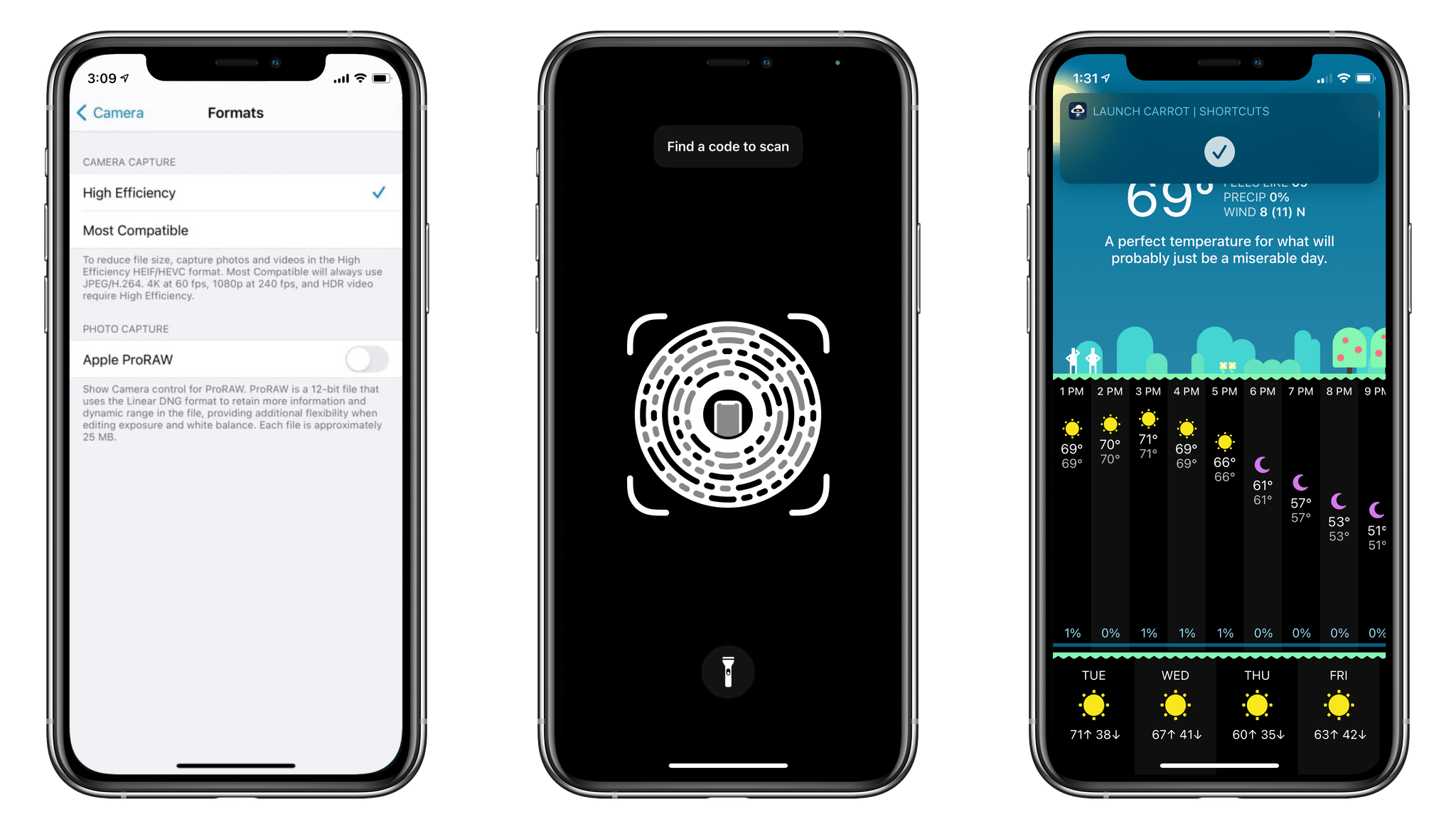
Today Apple released iOS 14.3, a mid-cycle update which includes quite a few very nice features. App Clip Codes were announced alongside iOS and iPadOS 14 at WWDC, so it’s good to see them finally making it out to the public. Similarly, Apple ProRAW was touted as a feature of the new iPhone 12 Pro cameras, but hasn’t been available to iPhone 12 Pro users until today (unless you were running the iOS 14.3 beta, of course). iOS 14.3 does include support for Apple’s impending Fitness+ subscription service, but as of this writing that feature is still disabled prior to the service’s launch.

Read more


Phoenix 2 and its App Clip Put New Spin on a Classic Game

Phoenix dates back to a classic arcade game from 1980. The core concept is that you play as a lone spaceship in a heroic quest to defeat an alien fleet. The aliens arrive in waves made up of various sizes of spacecrafts which periodically fire upon you. Mechanics include shooting at the enemy, dodging...