

If you’ve ever been wondering which Twitter client you could have used if Loren didn’t come up with his amazing app Tweetie, I think we have the answer now. It’s called Itsy, it was unknown until some days ago when someone talked about it on - guess what - Twitter and it could be your new favorite Twitter client for Mac OS X.
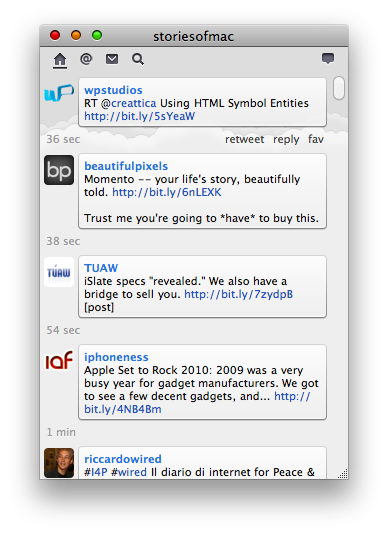
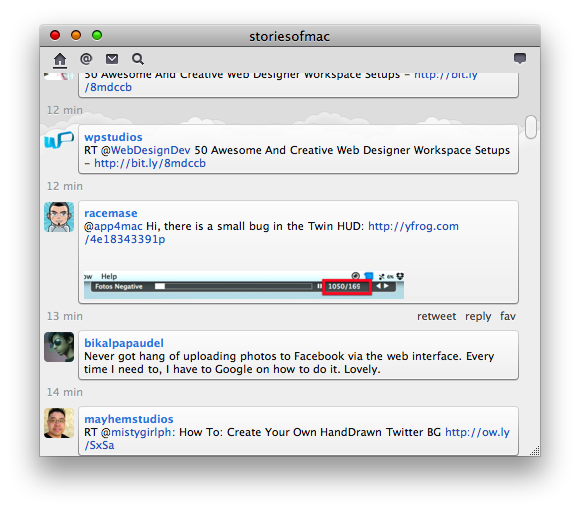
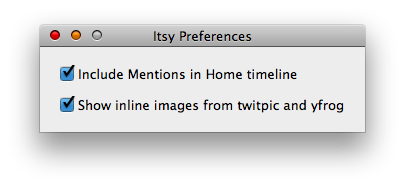
Itsy is minimalism applied to Twitter. The interface is uncluttered, elegant and simple: there’s a top “toolbar” which contains five icons (Home, Replies, DMs, Search and Post) and just nothing more. Every tweet comes in the form of a bubble, much like Tweetie already does, and you can reply, retweet or fav a tweet. Clicking on a user’s avatar opens the Twitter profile page, and this means there’s no “users navigation” (Tweetie has it, for instance). Mentions and pictures are integrated in the timeline, with support for Twitpic and yfrog: you can check off this stuff in the Preferences anyways. I wish pictures would also popup in a HUD-ish panel, but you know - it’s about minimalism.
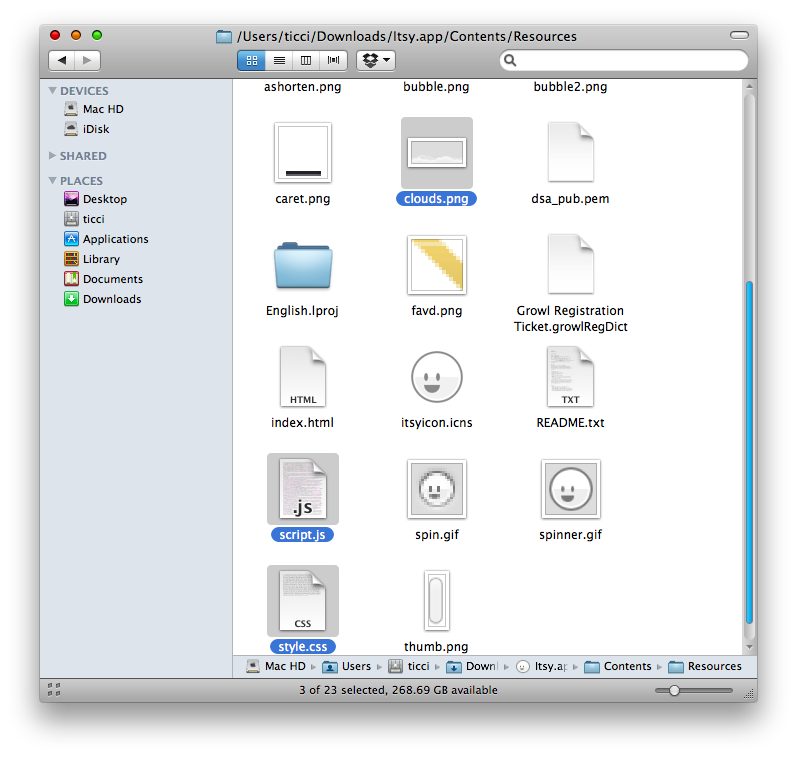
The greatest thing about Itsy in my opinion are the animations: they are based on .js files (just take a look at the Resources folder) and the transition between - say - the timeline and replies is smoothless and nice. Same applies for posting a new tweet or replying to someone: hit the compose button and the text field slowly comes down from the top and fades away as the tweet goes online. Also, if this thing becomes popular I think we’ll see a lot of hand made custom themes for it.
I don’t know if Itsy is an amateur project or the developer has some plans for it. What I’m sure about is that if the dev will ever decide to refine and improve Itsy, it could seriously become a real alternative to Tweetie. There’s a thin line between minimalism and too many features, but Itsy misses basic stuff like threaded DMs, multi accounts, saved searches, old style retweets and in-app navigation. By now, Itsy is a basic and simple Twitter client for people who have very basic needs. And if you’re among these people, Itsy is your new favorite Twitter app.
