Evernote 7.3.2

In a seemingly minor update to their iOS client, Evernote added a few tweaks and fixes that improve the experience of using the app, especially for image attachments. In the Business Card camera mode, it’s now possible to make a contact request to LinkedIn without leaving Evernote. If you’re using LinkedIn as a contact management service and scan cards in Evernote, the new integration should be good news.

For my workflow, the new image picker is an even better change. Now, when picking an image to add to a note, the picker allows you to select multiple images at once to add them to a note in a single action. I use Evernote to collect screenshots from various sources, and the new picker speeds up and simplifies the process of adding attachments considerably.

Evernote 7.3.2 is available on the App Store.

Permalink

The Next Big Health App Needs To Do More Than Just Track Our Numbers

Spot on article by Mat Honan, writing for Wired:

We tend to focus on individual metrics in isolation–like heart rate or step counts–because they are easy to measure. It means we sometimes track fitness metrics and mistake it for health simply because it’s something we can measure. Fitness is a component of health, sure, but so is diet. So is your genetic makeup, disease, and your environment. It’s all important, and you need to know how it interacts to get truly meaningful information about your health. But there isn’t a great holistic way to first track all this stuff and then extract meaning from it. Which makes it very tempting to look at how many steps you took yesterday and conclude, “I’m healthy.” Yet change may be coming in the form of a new app called Healthbook.

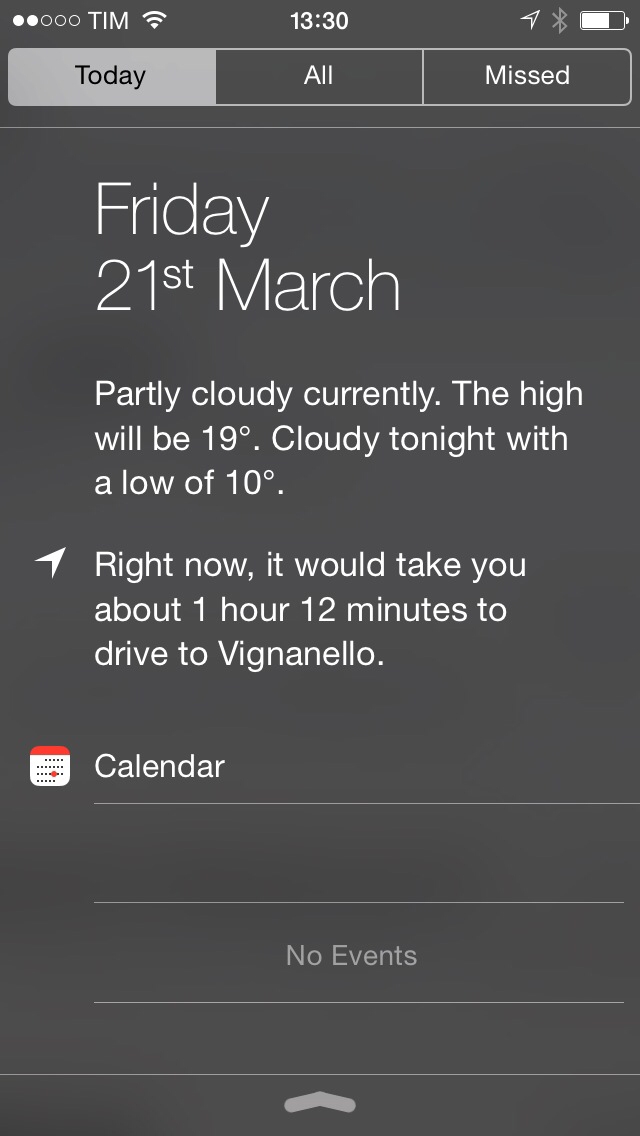
In my post about health and smartwatches yesterday, I had a bit of fun imagining how health tracking may have practical implementations in the apps we use every day, like Maps. While that may be too futuristic for a first version of Apple’s possible wearable device, the underlying concept still applies: health stats alone don’t mean much if not given proper context understandable by humans.

Parsing health-related values and summarizing them into something like this could be a good start.

Permalink

Command-C Updated with Clipboard History, Mac to Mac Sharing, Connection Improvements

Command-C

Command-C

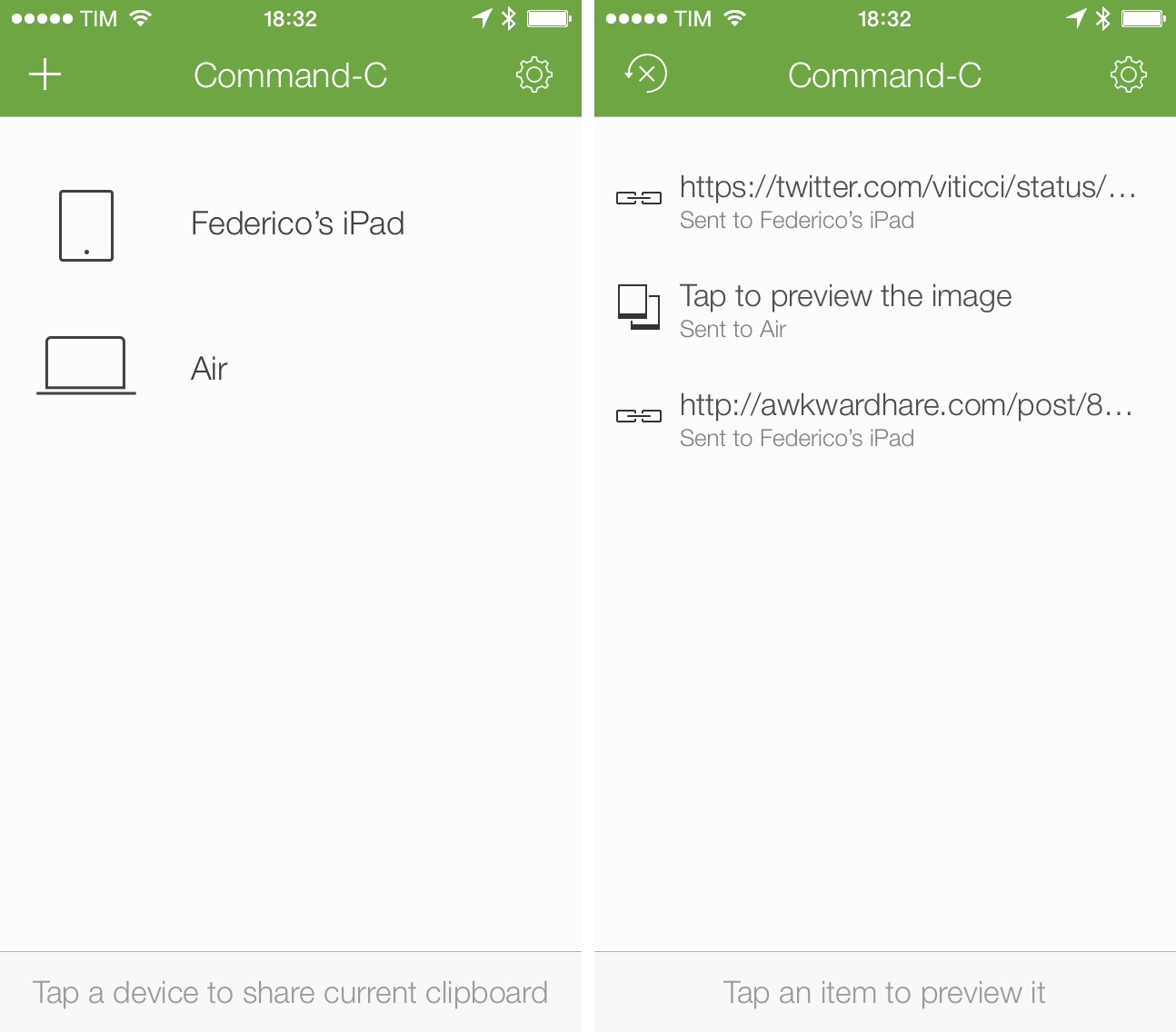
Danilo Torrisi’s Command-C, my favorite utility to share the contents of the clipboard across Mac and iOS devices, has been updated today with reliability improvements for Bonjour connections, a new clipboard history view, Mac to Mac sharing, and several other tweaks and fixes to the app that was first released in January.

From my original review:

Command-C brings back the old concept of local clipboard sharing, with some unique twists. Thanks to iOS 7, Command-C on an iPhone or iPad (the app is Universal) can always be available as a receiver in the background, using notifications to alert you when the clipboard has been received from another device. Communication between devices (which includes a dedicated menubar app for the Mac) happens on a local WiFi network, it’s encrypted, and no data is sent over the Internet; though the app works with a “one tap” approach to send your current clipboard to another device, there are some fantastic tools for power users who want to do more with keyboard shortcuts, URL schemes, and bookmarklets. Command-C is a clipboard sharing tool for the modern age, built with iOS 7 (and a new set of limitations that the current OS entails) and multiple iOS devices in mind.

I use Command-C on a daily basis to share text, URLs, and pictures between my iPhone, iPad, and Mac, and the improvements to local connections have been noticeable in my tests. Command-C uses the Bonjour technology to handle communications between devices, and, according to Torrisi, the core of the app has been rewritten from the ground up in version 1.1. In trying the update before today’s release, I noticed that the app would keep running in the background more reliably under iOS 7.1, resulting in fewer disconnections (which used to force me to manually open the app to receive the clipboard) and speedier clipboard transfers. The setup process was faster in version 1.1, and adding multiple devices to the app showed no errors or slow loading times, a problem that occurred for multiple users in previous versions of the app. Read more


Tweetbot for Mac Updated with Large Thumbnails Option, Three-Finger Gesture Fix

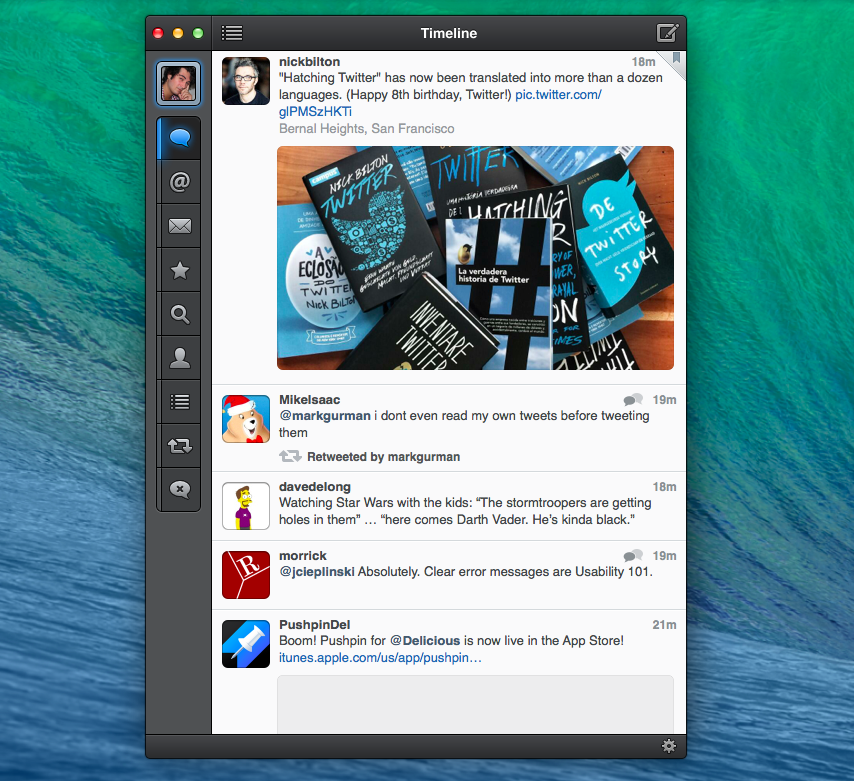
Tweetbot for Mac, Tapbots’ desktop version of its popular Twitter client, was updated last night with support for a new large thumbnail option in the timeline, a refreshed design of inline image previews, and a fix for three-finger gestures.

Following Tweetbot 3.3 for iPhone, Tweetbot 1.5 for Mac adds large thumbnails as an option in the app’s Preferences. Large thumbnails retain the capability of being right-clicked to access a contextual menu, and they bring a slightly redesigned preview in the tweet detail view as well. In my tests, loading large thumbnails with proper resolution required deleting Tweetbot’s account cache under Preferences > Account.

For users who enabled three-finger navigation gestures on their Macs, Tweetbot will now respect that setting and allow to swipe with three fingers to navigate back and forth between tweets, timelines, and other views of the app.

Tweetbot for Mac is available at $19.99 on the Mac App Store. You can read our original review here.


Apple Highlights Indie Games In “Indie Game Showcase” Section

Following a weekly refresh of the App Store’s featured content, Apple has started highlighting indie games in a section called “Indie Game Showcase” today, presented on the App Store’s homepage.

The new section, available on iTunes here, will presumably highlight indie developers on a regular basis, featuring a selected game from the development studio and offering a glimpse into the favorite games of an indie development’s team. This week, Apple started by featuring Simogo, the independent, award-winning studio behind Year Walk, Beat Sneak Bandit, and the widely acclaimed Device 6.

From Apple’s Indie Game Showcase page:

Often made up of just a few dedicated members, independent studios prove that what really matters is the size of your dream. In each Indie Game Showcase, we celebrate a popular game and its creative team, highlighting the developer’s titles along with their favorite games from other studios.

In featuring Simogo’s Device 6, Apple notes that the experience was “tailor-fit for iPad, iPhone, and iPod touch”, resulting in a game that was included in the list of runner-ups for the App Store’s Game of the Year collection in 2013 from a company that has made “outstanding games exclusively for the App Store”.

Apple’s Indie Game Showcase comes at the end of the Game Developers Conference, which saw an increased interest in indie productions by larger companies. Among various announcements, Sony unveiled improved development tools for indie developers on PS4, Microsoft showcased games part of the initial rollout of the ID@XBOX program, Nintendo showed the capabilities of its Web Framework, while both Epic and Crytek announced subscription services for their game engines, a move likely aimed at smaller, independent developers.

Alongside the Indie Game Showcase, Apple also featured its “10 Essential Indie Games” section on the App Store’s Games category page again, including recent releases such as Nyamyam’s Tengami and Sirvo’s Threes.


A Look At Temple Run Prototypes

Eli Hodapp, writing at TouchArcade:

We met up with developer Keith Shepherd at GDC, and at a dinner the night before he was talking about how when they hire people now they go through the various stages of Temple Run’s development to give an idea of what’s possible in the mobile space after a day of work, a week of work, and a month of work.

Always interesting to learn about the process of making a game, especially a popular one such as the original Temple Run. The video at TouchArcade has a full interview with Keith Shepherd, who explains how the “free with In-App Purchases” strategy was born as a consequence of an experiment on the App Store, something that Imangi learned to optimize for Temple Run 2.

Permalink

The Prompt: The World’s Greatest City

Federico, Myke and Stephen celebrate The Prompt’s ruby anniversary by discussing how Google approaches wearables (and how Apple may move in a different direction), Checkmark 2, iOS 8 rumors and the recent changes Apple has made to its iPhone and iPad lineups.

Consider this and episode 33 the spoken versions of my thoughts on wearables and smartwatches at the intersection of technology and fashion. Get the episode here.

Brought to you by:

Permalink

Directional: Lost Backup

This week Myke shares some 3DS woes, Federico shares some cool things he found this week – including a HD Mario 64 remake – and the guys discuss their new found feelings for Twitch streaming.

If you own a 3DS, Myke’s story of his corrupted data should be a warning and a call for action to back up your games and progress today. Get the episode here.

Permalink

Thinking Outside The Watch

Today’s smartphones and tablets know a lot about us, but they don’t really know us. If Apple’s going to enter the wearable market, I believe (or at least, I hope) they will find an obvious benefit of wearing a device that goes beyond displaying notifications on your wrist.

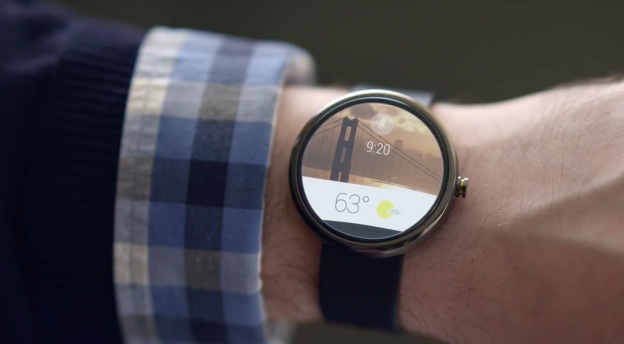
In episode 40 of The Prompt, we discussed this topic in regard to Android Wear, Google’s recently announced initiative for wearable devices that, at the moment, seems primarily focused on so-called smartwatches. Also on The Prompt, we discussed the importance of fashion and how fashion design is often ignored as a core aspect of wearable tech two months ago in episode 33.

The current crop of smartwatches feels like a replay of smartphones before the iPhone. Smartphones were bulky, had some convenient features, and tried to cram old metaphors of PC software into a new form factor, resulting in baby software. Most smartwatches I see today are bulky, have some convenient features, and try to cram features and apps from smartphones and tablets into a form factor that’s both new and old (watches have been around for centuries), but the “smartwatch” tech gadget has become a trend only recently. As a result, smartwatches on the market today appeal mostly to tech geeks who are interested in some of those few interesting features (namely notifications, map directions, and the intersection of smartphones and watches), but they’re not really smart because they generally fetch data from a primary device – the smartphone – and they’re not really good as watches either.

Sometimes I wonder if the tech press is more enamored with the current idea of smartwatches than people actually care.

To a degree, though, I understand why having notifications on your wrist may be an interesting proposition: for the geek who lives in the connected age, everything needs to be faster and easier. Faster Internet and easier access to Twitter. Faster processor and easier ways to manage the inbox. A simplified interface that strips down unnecessary elements and displays a notification on your wrist while also subtly vibrating? To the geek and tech blogger, that’s both cool and useful. And to a certain extent, I also get why some of the apps available for smartwatches may be worth trying: shopping lists on your wrist mean you won’t be afraid of dropping your phone at the grocery store, and who doesn’t love checking for Twitter DMs on a watch?

But I think that discounting wearable devices – whether worn on your wrist or around your neck, on your chest or on your finger – to small displays capable of displaying notifications and mini-apps dramatically undervalues the potential of wearing tech on your body. Read more