Yeah, it’s important, it really is important. Human curation allows you to have the emotion and feel music, because it is a very emotional thing. It makes you feel happy, it helps you when you are feeling sad, gets you pumped up, calms you down. You want me to keep going? Because I could preach. I think it is a very emotional thing and you should treat it as such. We as humans have that and we can express it.
There have been an interesting series of features about Apple Music since WWDC. First, BuzzFeed had a behind-the-scenes look at the people who create playlists for Apple Music and other services. Then, Eddy Cue discussed Apple Music’s integration with Apple’s products, curation, and radio in an interview with the Hollywood Reporter. The message from Apple is clear. Apple Music is distinguished from other streaming services by human curation. I like the emphasis on the human touch, but remain skeptical about whether Apple’s editorial team can create new playlists regularly enough to keep them feeling fresh, which has not always been the case in the past.
Before Federico heads to the beach for many months of vacation, the guys talk about iPad keyboards, Dropbox Paper and Instagram Stories before answering listener questions.
I wasn’t expecting to discuss Instagram Stories this week, but, as it turns out, I’m a fan. You can listen here.
Sponsored by:
Hover: Simplified domain management. Use code 123NOTETAKER to get 10% off your first purchase.
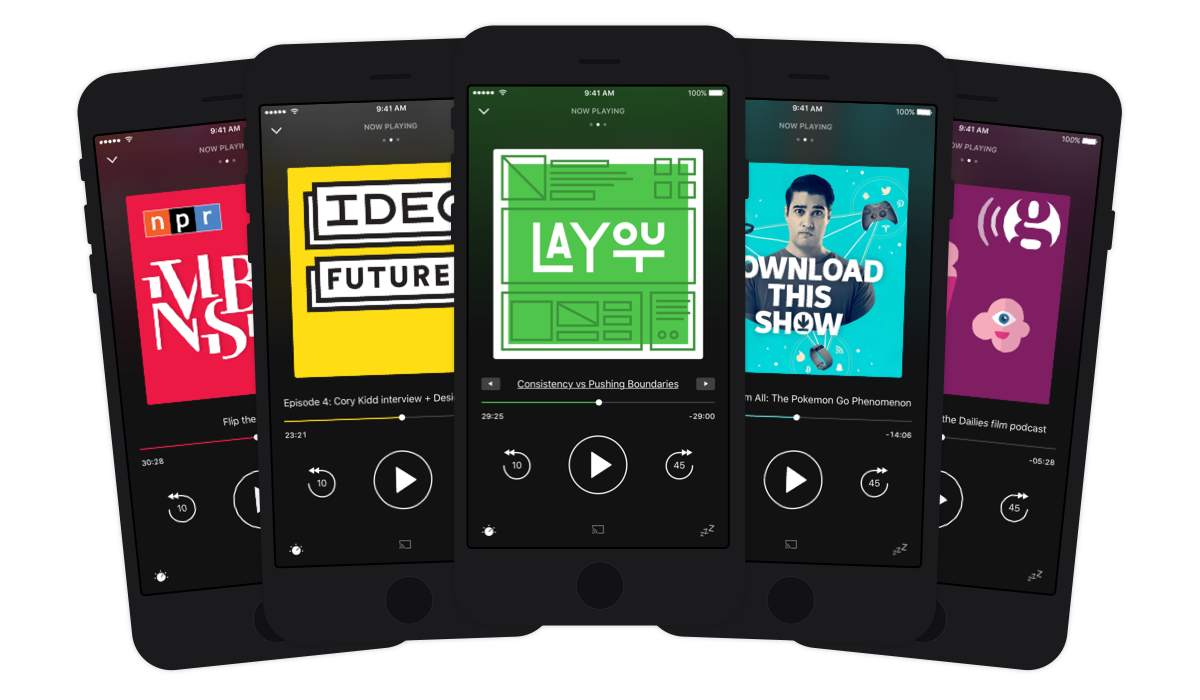
When it comes to podcast apps on iOS, we are really spoiled for choice. There are many options, but I would say that there are four podcast apps in particular that rise above the rest; Apple’s own Podcasts app, Overcast, Pocket Casts, and Castro. Narrowing that field of four to determine which is objectively the best is an almost impossible task from where I stand. Instead, which one is best will depend entirely on which app’s design and feature set most closely aligns with how you want to manage and listen to podcasts.
Keeping that in mind, just over a week ago was the release of a major new version of Pocket Casts. Now on version 6 for iOS, Pocket Casts is the podcast app that has been around the longest (out of those four listed above), first launching in January 2011. It’s also the one with the most cross-platform support, running on iOS (iPhone and iPad), Android, Windows Phone, and on the web.
So, what’s new in Pocket Casts 6? The tl;dr version is that the user interface has been redesigned in various ways, most notably with the addition of a dark theme and “up next” queue improvements. There are new audio effects to trim silences and volume boost for those podcasts which sound too quiet. The iPad version now supports multitasking (Split View and Picture in Picture), and whilst it isn’t noticeable to users, almost the entire app has been re-written in Swift.
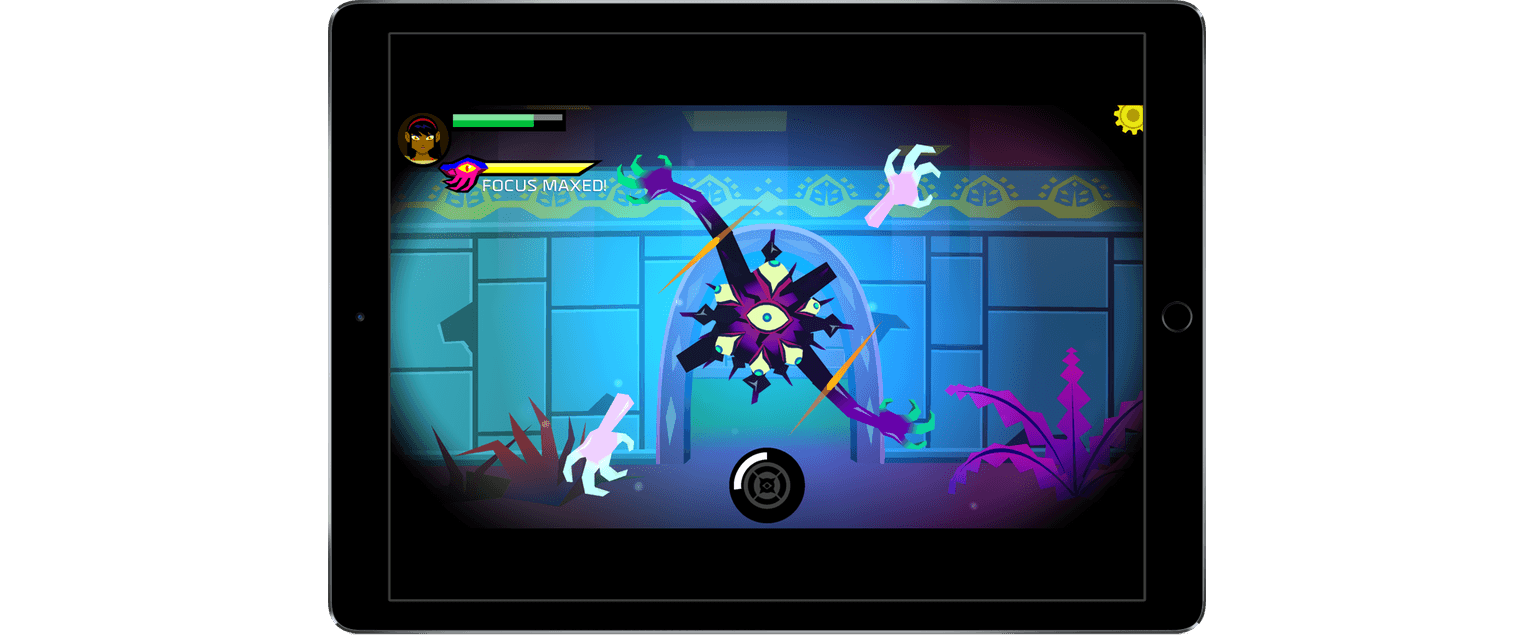
Severed is a dungeon adventure game for iOS from DrinkBox Studios that originally debuted on the PS Vita and will be available later this Summer on the Wii U and 3DS. The game tells the story of a one-armed warrior named Sasha in search of her family in a strange world populated by monstrous creatures.
The move to bring Severed to iOS is a new beginning for DrinkBox Studios, which published its prior mobile titles on PS Vita. But with the Vita in decline, DrinkBox has moved on. In an interview with Engadget, the Toronto-based company announced that it is finished with the Vita. That’s a shame because I love my PS Vita and DrinkBox’s Guacamelee! was one of my favorite Vita games, but Sony’s loss is Apple’s gain.
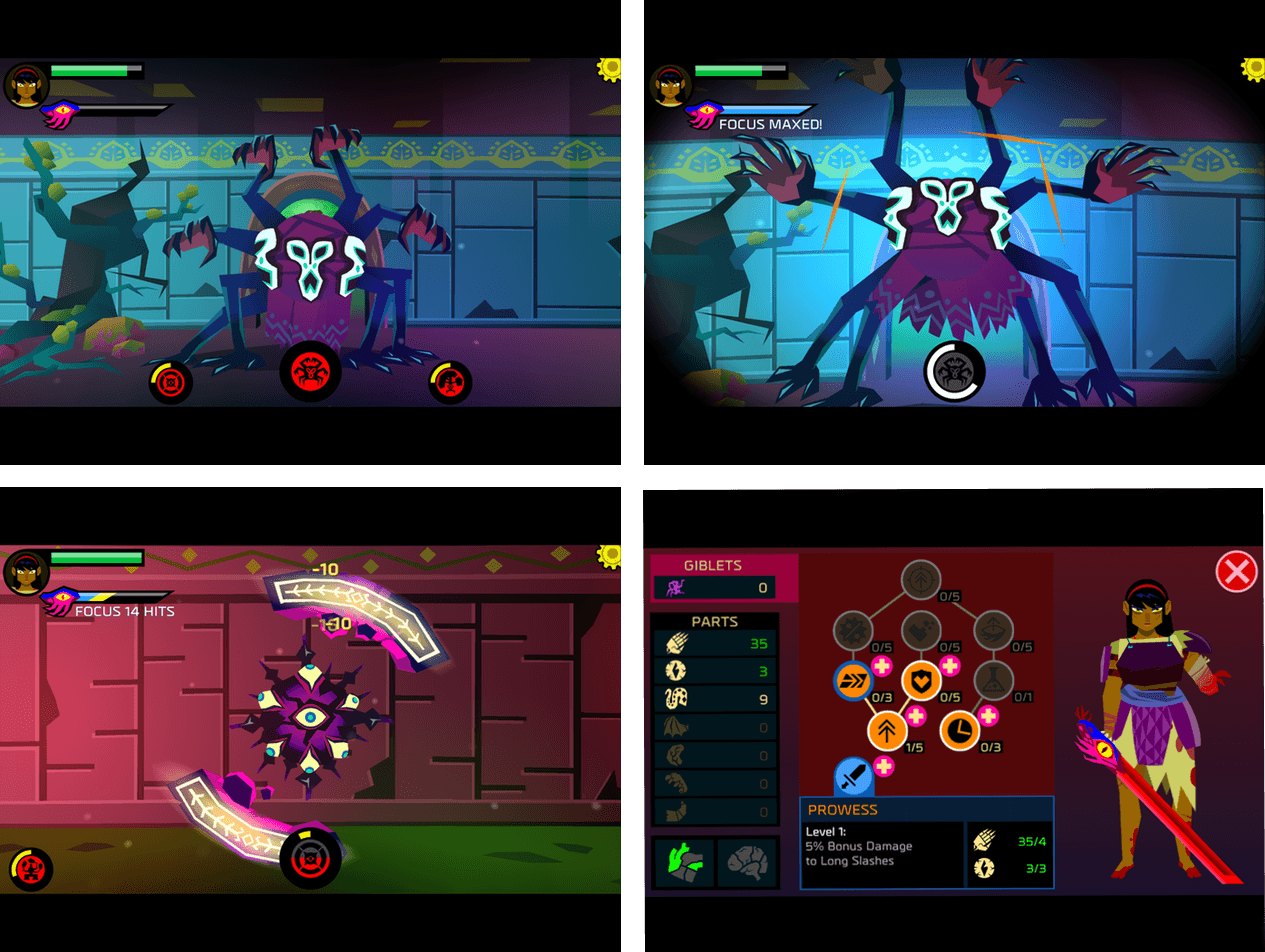
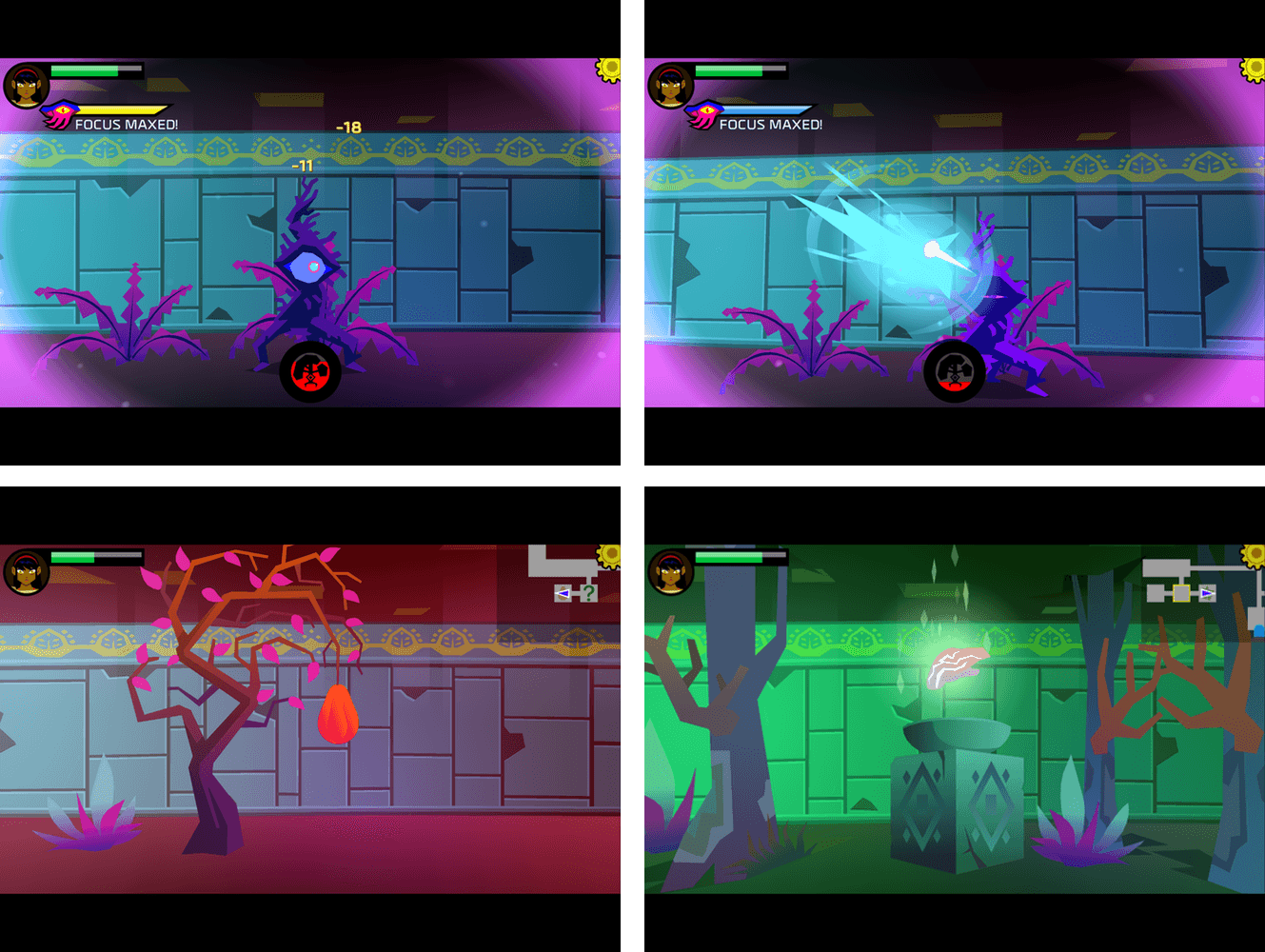
Severed, described by its creators as an RPG-light adventure, is a visually arresting journey through a bizzare landscape. The unique artwork style will be immediately recognizable to anyone who has played Guacamelee!, while still creating an atmosphere and look of its own. Sasha, the main character, has just one weapon, a sword given to her by a mysterious figure at the outset of her quest. As you encounter enemies, you attack with slashing touch gestures reminiscent of Fruit Ninja and block counterattacks by swiping along the course of incoming blows. Early in the game you are confronted by single enemies. Things get more complicated as you advance and have to defeat multiple foes that are better at defending themselves.
But there’s more to Severed than just frantic slashing. There’s a strategic element too. During the course of a battle, Sasha’s ‘focus bar’ slowly fills. Kill an opponent when Sasha’s focus bar is full and you can sever its limbs. It sounds more gruesome than it actually is. Collect enough limbs and you can trade them for armor, equipment, and other upgrades. As a result, it doesn’t pay to simply kill a monster as fast as possible, which adds depth to the battles.
There are two levels of play – ‘casual’ and ‘standard.’ Severed can be intense and absorbing in standard mode, which makes casual mode a nice option if you would rather play a more relaxed game, soaking in the visuals and soundtrack.
The touch-based gestures of Severed are outstanding on iOS. The game is a Universal app, so you can play it on an iPhone or iPad, but it really shines on the iPad, especially an iPad Pro with an Apple Pencil. Suddenly, that Apple Pencil that you may use to take notes or sketch becomes Sasha’s sword. Using the Apple Pencil this way adds immeasurably to the fun.
I’ll be playing Severed a lot more as I sit by the shore of Lake Michigan for a mini-vacation this weekend. Severed is expensive as iOS games go, but at less than half the price you’d pay for the PS Vita version, you get a game that fits with the iPhone and iPad hardware in a way that it can’t on the Vita. Sure, the Vita has a touch surface, but it’s still designed primarily for button-based games, while the large touch surfaces of iOS devices make it easier to get lost in Severed’s action and story.
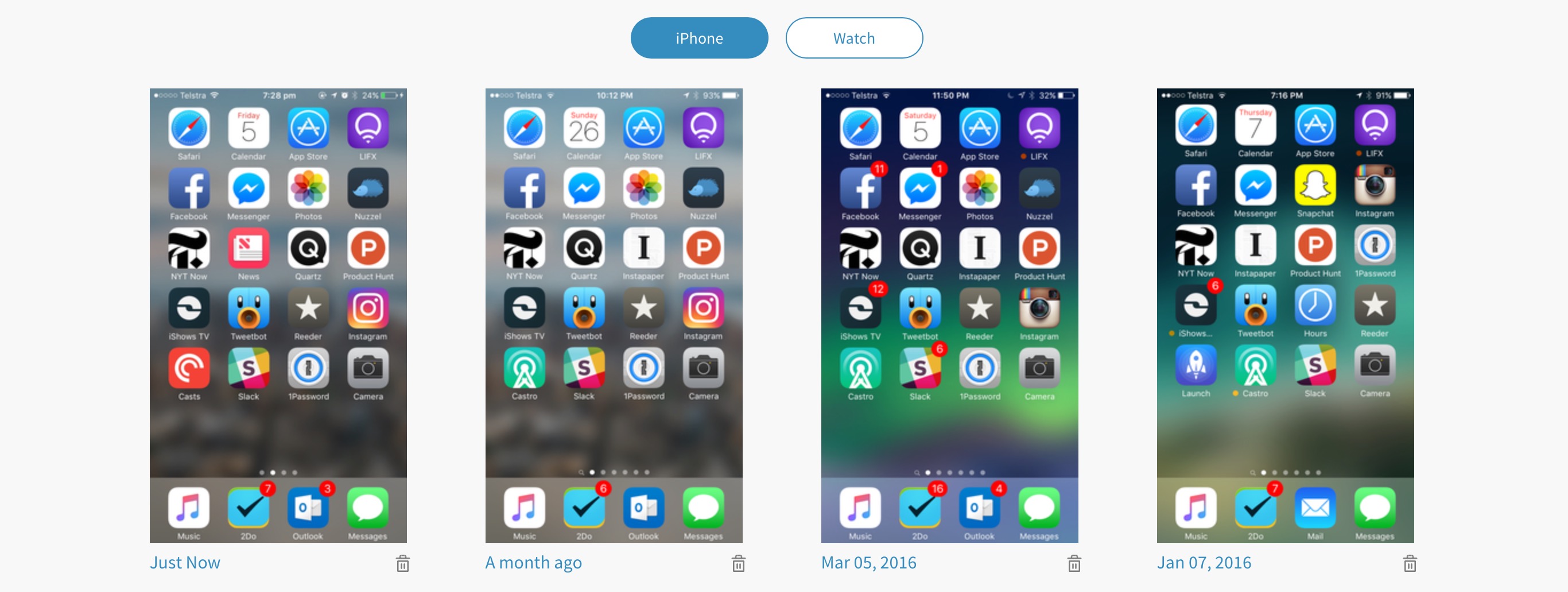
Ever wondered how your Homescreen has evolved over time? What if you could go back in time and see which apps you were using a month ago? Well, now you can.
You can now browse all your Past Homescreens on the site. All the screenshots that you’ve uploaded since you signed up here are available for your perusal. So go ahead, take a trip down memory lane.
I love this feature, and although I’ve only uploaded four Home screens to Homescreen.me so far, I look forward to regularly uploading my Home screen and seeing how it changes over a longer period of time. I’m still hoping that the folks at Homescreen.me implement a reminder system that sends me an email once a month reminding me to upload a new Home screen. But until that happens, I’ve created a recurring reminder in Due.
The other big new feature to come to Homescreen.me is the ability to follow your favorite users. Home screens from the people you follow will appear on the Timeline page of Homescreen.me. Also, because Homescreen.me is a website that you may only visit occasionally, you’ll also get an email notification for when someone you follow posts a Home screen.
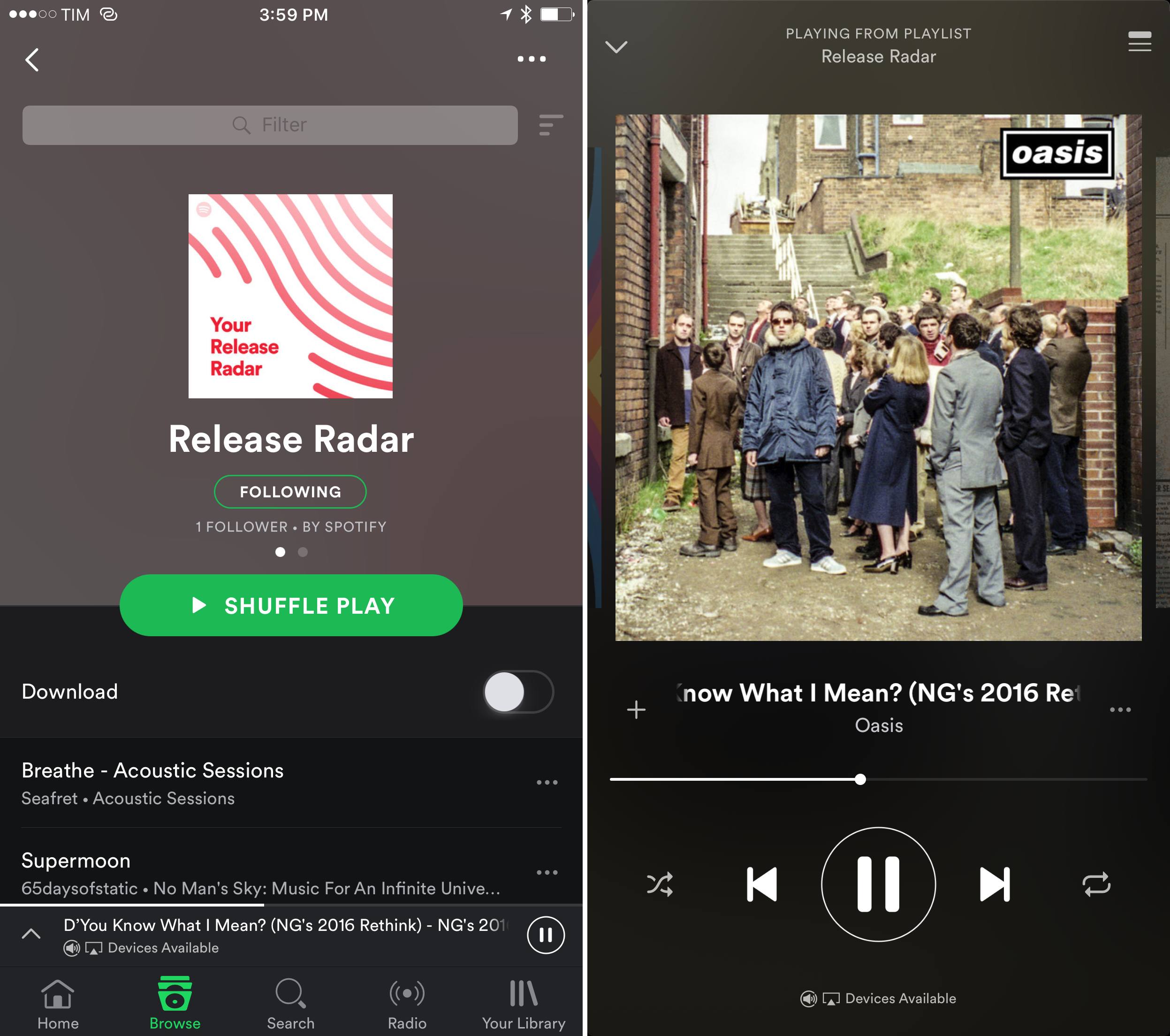
Earlier today, Spotify unveiled Release Radar, an algorithmically-generated playlist updated Friday and designed to recommend new music. Like Discover Weekly, Release Radar tailors suggestions dynamically for your tastes, with the difference that it highlights newly released music from the past few weeks instead of anything you might be interested in. Essentially, Release Radar aims to be Discover Weekly for new song release.
The Verge has more details on how Spotify approached Release Radar after the success of Discover Weekly:
“When a new album drops, we don’t really have much information about it yet, so we don’t have any streaming data or playlisting data, and those are pretty much the two major components that make Discover Weekly work so well,” says Edward Newett, the engineering manager at Spotify in charge of Release Radar. “So some of the innovation happening now for the product is around audio research. We have an audio research team in New York that’s been experimenting with a lot of the newer deep learning techniques where we’re not looking at playlisting and collaborative filtering of users, but instead we’re looking at the actual audio itself.”
As a Discover Weekly fan, I think this is a fantastic idea. Discover Weekly has brought back the joy of discovering new music into my life, but the songs it recommends aren’t necessarily fresh. I can see Release Radar complement Discover Weekly as the week winds down with songs that I don’t know and are also new.
Already in today’s first version of Release Radar, I’ve found some excellent suggestions for songs released in the past two weeks. Spotify has their personalized discovery features down to a science at this point.
Conversely, I’m curious to see what Apple plans to do with their Discovery Mix feature of Apple Music announced at WWDC (shown here with a screenshot). Discovery Mix still hasn’t become available after four betas of iOS 10. I’m intrigued, but also a little skeptical.