Establish Simple Networking Reminders with MicroCRM. 20 Codes Up for Grabs!

Whether you’re a freelancer, a contractor, or perhaps even a technician, life is full of social networking. Everyday we continue to add contacts to our address book, but every so often we come across leads - pathways to financial opportunities. Your leads, who may eventually become your clients, are important to keep tabs on and stay in touch with.

MicroCRM is to tracking these potential contacts as what TaskPaper is to GTD - dead simple.

Read more


Newsprint Available: Review and Giveaway.

Newsprint, the application we previewed a while ago here, it’s finally out in the App Store.

To tell the truth, I don’t remember a beta testing process I enjoyed as much as I enjoyed Newsprint’s one. I went through a lot of builds, saw the application grow, the UI refine, features get better. It’s like having this little plant and watch it growing in a matter of a some weeks. But for as long as I enjoyed being part of the testing group, I have to keep my personal feelings out of this review, so  - don’t worry.

Newsprint has to face big names and competitors. Reeder, Byline, Newsrack, Netnewswire: it’s the best of the best in the RSS scene, and the developers knew it all along but decided to believe in Newsprint anyway. Is it really that good? Could Newsprint make you delete Reeder from your home screen?

Let’s find out. (and you know, we’ve got some promo codes to give away too.)

Read more


Colorbind: Join the Dots.

After playing Polyhedra (our review) I decided that in the end, I should have given a try to other games in the App Store. I’ve always used my iPhone as a “productive” device but come on, a game’s never killed anyone - I could use a 10 mins relax sometimes.

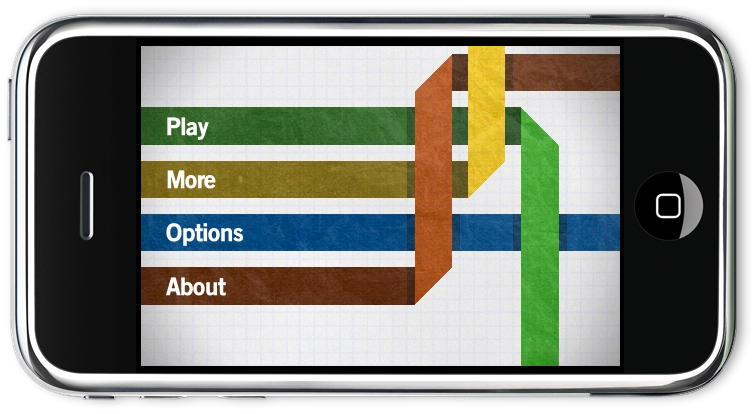
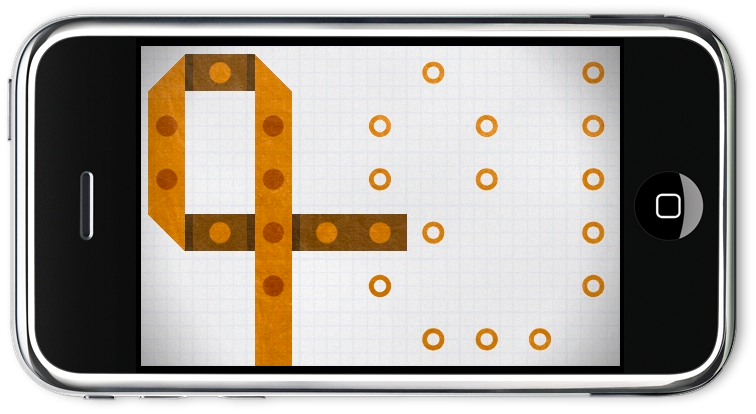
Colorbind is one of my new favorite games for iPhone and iPod Touch. It’s simple (in the concept) but it’s damn difficult guys. It reminds me of one of those 80’s - 90’s videogames, where it was gameplay that really counted, games were hard. In Colorbind you have to join the dots by weaving color strips with your fingers. That’s it. It’s puzzle game, and as you go on with completed levels, you’ll see how genius this game is.

Colorbind iPhone

Colorbind iPhone

Colorbind iPhone

Colorbind iPhone

Some information about Colorbind:

– 84 Levels: Easy, medium, hard. And a tutorial.

– Achievements: 10 additional challenges.

– Statistics: Keep track of your game.

– Listen to your own music while playing.

Colorbind is available at $1.99 in the App Store. A lite version with only 10 levels is avalaible too here.


Where is Mozilla Ubiquity?

Link

“Though the main Ubiquity project is now on the back burner, Mozilla Firefox users might one day get a simplified version of a natural language command tool by way of something called Taskfox. At one point, Taskfox was intended for inclusion in Firefox 3.6, but that didn’t happen. Firefox 3.6 came out earlier this year, while Taskfox is still under development and currently there isn’t a specific timetable for when it will become part of the mainline Firefox browser release.”


Liquid Scale Winners Announced

Thanks everyone who entered the Liquid Scale giveaway. Also, we’d like to thank the Savoy Software developers for the codes they gave to MacStories.

Here are the winners:

Rossella

Scott Karlins

Shawn Williams

Subhash

Matto

CannonGod

Jaryre

Olive

Ellen

Griffin Lacek

You’ll receive the promo code in your inbox in a few hours.

Cheers!


Compress Your Mac with Squeeze

Everybody knows that Mac OS X doesn’t require a lot of manteinaince: actually, some people will even tell you that Mac OS doesn’t need mantenaince at all, if you ask. Still, there are some tasks and practices you should perform on a regular schedule in order to keep your Mac healthy and fast: CleanMyMac and Onyx are two excellent examples of apps that could come in handy when “cleaning” your Mac. Usually, the most importamt thing to consider is saving space by deleting old files, caches, unused logs and binary files. They can eat tons of GBs on your hard drive, and you won’t even notice it.

Squeeze, released tonight with the new MacHeist bundle, is a new application from Latenitesoft that promises to silently save space on your Mac in the background, by squeezing the last megabyte out of the folders you like to keep track of. And it works surprisingly well.

Read more


On the iPad’s Self-Sufficiency

I read many posts about the iPad being a replacement for desktop computers, the device that’s aimed at changing your computing life. This is partially untrue.

There’s a big difference between replacing desktop computers and changing the computing scene forever. The iPad won’t replace desktop computers as it is now, and you know why? Because it just can’t. The iPad isn’t a self-sufficient device, it’s not independent of iTunes, it can’t manage itself on its own. As long as you can install every application and purchase every song from iTunes on your iPad (like you’d like to do so), you can’t - say - install software updates using just the device. And even in the best situation where you actually buy every single song to build your music library, I don’t think that situation is statistically accepted as “common”. Same applies for contacts, photos and, especially, movies. You need a computer to move that stuff into the iPad, period.

Now the question is, if the iPad can’t replace a desktop computer just because it needs one to fully work, how can Apple even think to revolutionize the computing world? Because it’s a start. I personally don’t think I’ll ever ditch my MacBook and replace it with an iPad, but I’m sure a lot of people will - and today is the start of this process. The iPad we currently know is the first iteration of a (hopefully) series of products that will slowly evolve over time, just as internet connections will grow in speed and reliability. The day you’ll be able to a) download an entire movie or software update from iTunes and b) have that download finished in an acceptable time, that’s when things will change. It’s not now, it won’t happen next year - nobody knows when that’s gonna happen.

You can’t think of the iPad as a full desktop replacement now, even for the less skilled user who just needs Safari and Mail to work, because that user needs the cable to make his device work.

The iPad is not a replacement for desktop computers, but it will be someday. And until that day, keep syncing.