Posts in mac

Free Utility Gives Spotify for Mac Global Hotkeys

Spotify, the music streaming service that’s struggling to launch in the US, comes with a nice desktop Mac app that allows you to access the service’s online library, social features and playlists created by you or shared by other users. The app, in spite of its beautiful design and ease of use, doesn’t provide an option to control playback with the keyboard, and if you try to use the Mac’s default media keys iTunes will open instead.

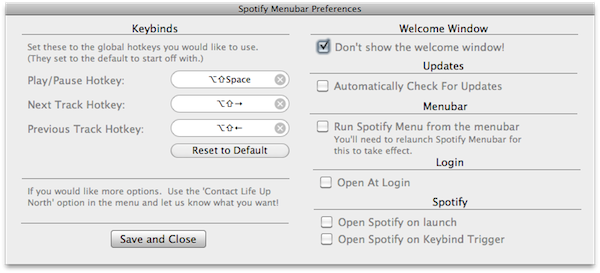
Spotify Menubar, a free utility developed by Life Up North, gives your Spotify for Mac a bit of keyboard shortcut love with controls to trigger play and pause, previous and next track, and so forth. The app runs in the menubar, and can force Spotify to launch on login or open on keybind trigger. It’s really simple and starightforward, and enables you to pause streaming without interfering with iTunes.

You can download Spotify Menubar here.


Portal 2 Available For Pre-Order Now

Well after some delays, Portal 2 is now finally available for pre-order for an expected release of April 18th.  Mac users can pre-order the game for US$44.99 on Steam or at selected retail shops, some of which have special pre-order offers;

Special pre-order offers vary at participating outlets around the world and include a variety of dollars off and/or exclusive in-game content for those who reserve the game for purchase before it is released the week of April 18. These include $5 off the full price, exclusive in-game skins for the coop bots (Atlas and P-body), and more.

Read more


Intego’s Free Antivirus for Mac Gets 500K Downloads in 30 Days

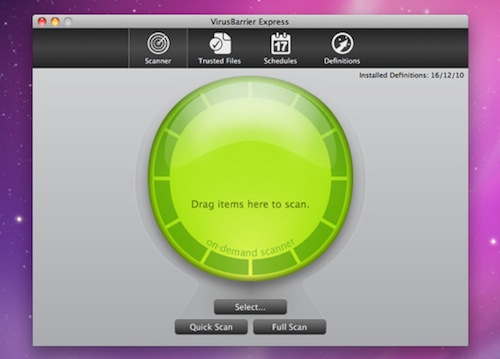
In its first month of downloads, Intego’s VirusBarrier Express, which is being distributed exclusively on the Mac App Store, has racked up an impressive 500,000 downloads. VirusBarrier Express is Intego’s free antivirus and anti-malware offering that claims to protect Mac users from viruses, Trojan horses and other malware, including Windows malware that could be accidently passed on.

Read more


Manuals on Amazon Suggest Late July Launch for Lion

Several manuals for the upcoming Mac OS X 10.7 Lion have been spotted by 9to5 Mac on the Amazon.UK website and all are set to be released sometime around late July, hinting that the OS will also launch around that time. WWDC is expected to be from July 5 to July 9 and it would make sense for Lion to be released shortly after WWDC as these manuals seem to suggest.

Whilst the release date of these guidebooks don’t confirm a late July launch it makes a late July launch likely because there have been several previous cases of Amazon guidebooks effectively revealing a products launch date, such as Office 2011 last year.

Some of the manual covers include references to the already known features of Launchpad, Mission Control and changes to the dock, all of which were revealed in the ‘Back to the Mac’ event late last year.

[Via 9to5 Mac]


#MacStoriesDeals - Friday

In case you missed the last two days of deals, check them out here and here, the iOS deals are still good! Here’s today’s deals on iOS, Mac, and Mac App Store apps that are on sale for a limited time, so get ‘em while they’re hot!

Read more


MacDropAny: Symlinks Made Easy

While symlinks are funny creatures (you’d never want to sync a Symlink from a Mac to a PC), they can be amazingly valuable if you’re keeping multiple Macs with equal paths in harmony. MacDropAny is a nifty Dropbox Addon that allows you to point to any folder on your computer outside of Dropbox via a symlink inside of Dropbox. It’s recommended that you don’t sync your Applications folder, but that documents folder might be nice to backup. There’s no application screenshot here: MacDropAny is so simple just a couple of menu prompts will walk you through the process.

[DropboxAddons: MacDropAny via Lifehacker]


Fuel Collective’s ImageGlitch Destroys JPEGs, TIFFs

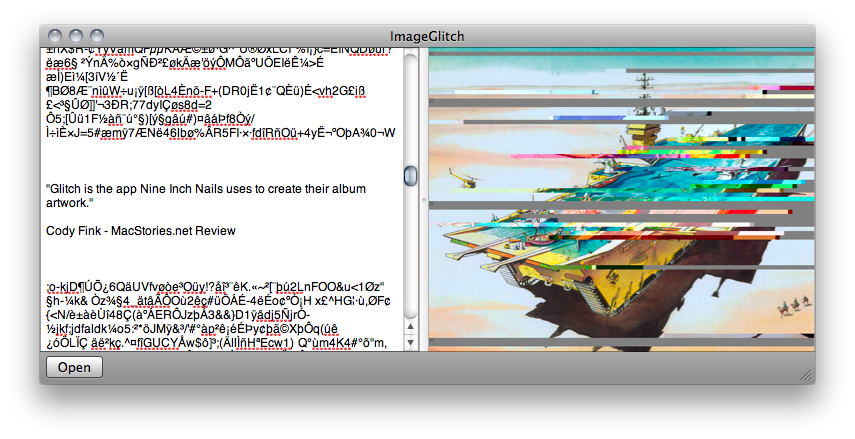
If you’re designing for a Trent Reznor project, Fuel Collective’s ImageGlitch literally achieves the task by having users delete lines of code from the image’s code makeup. A glitchy app will have glitch results: you can’t just delete any line of code, but some fidgeting in the text editor allows you to suddenly edit out lines, alter color, and completely screw up any of those vintage family photos you’ve saved to your hard drive. I don’t know how safe this is, but it’s recommend that you back up anything before you start deleting data from those image files. I might try it to create some new graphics for a site I’m working on, but I think Fuel Collective has already beaten’ me to the punch.

Download the destructive image editor in the Mac App Store for $.99.