

iOS has a ton of great task managers, calendar apps, text editors, and countless other app categories – and we’ve highlighted many of them in prior Collections in this newsletter. Today, however, I wanted to take a different path with the Collection and share a random assortment of utility apps. Each of these...
Arcade Highlights: Grindstone
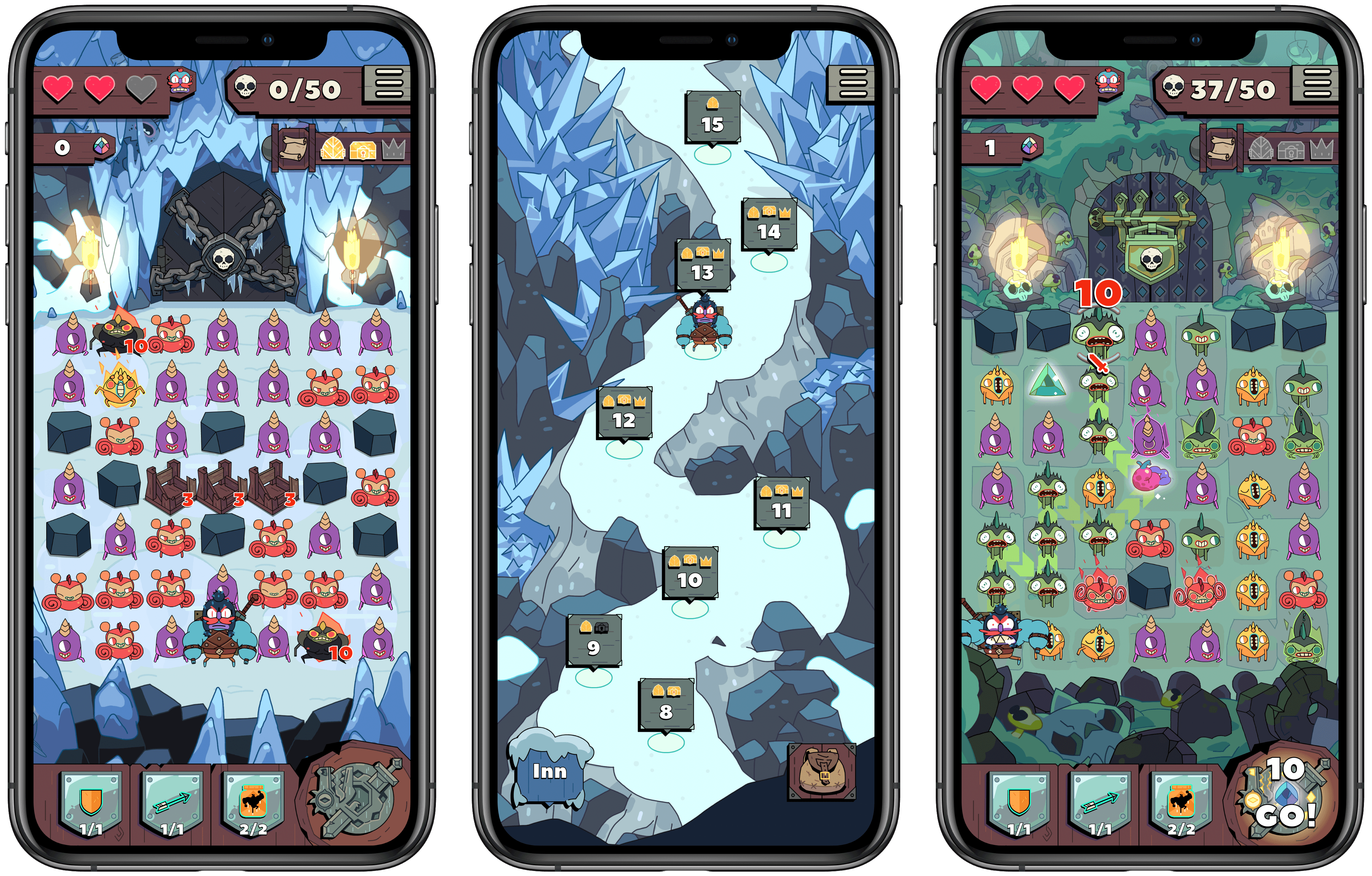
When it comes to mobile games, all a new title has to do to draw me in is show a Candy Crush-style grid of objects. There’s something about the simple mechanic of making connections on a grid that’s hard for me to resist. Most of the time, though, I find that while such games can easily grab my interest, many will quickly lose it when I actually start playing. It’s usually just standard match three games that keep my attention, so when I first tried out Grindstone, I didn’t think it would be for me.
Grindstone is an Apple Arcade title from Capy and the creative team behind the excellent Superbrothers: Sword & Sworcery EP. It features a familiar grid of objects – in this case monsters to defeat – but rather than rearranging matching monsters in a Candy Crush fashion, you’re tasked with tracing a line from one matching monster to another, determining the order in which you’ll slay them and potentially earn rewards. Monsters have to be adjacent to each other for you to string them together, so essentially you’re completing a connect the dots puzzle each turn with as many monsters destroyed as possible.
The Case for Low Power Mode on the Mac→
Marco Arment on marco.org, outlining his self-created Low Power Mode-like system which relies on a third-party app, and making the case for Apple to add something similar as an official macOS feature:
The vast majority of the time I’m using it, the 16-inch MacBook Pro is a much better laptop with Turbo Boost disabled.
It’s still fast enough to do everything I need (including significant development with Xcode), while remaining silent and cool, with incredible battery life.
But soon, I bet I won’t be able to do this anymore.
Turbo Boost Switcher Pro relies on a kernel extension that’s grandfathered into Apple’s latest security requirements, but it can never be updated — and when macOS Catalina loads it for the first time, it warns that it’ll be “incompatible with a future version of macOS.” I suspect that this is the last year I’ll get to run the latest OS and be able to turn off Turbo Boost at will, making all of my future laptop usage significantly worse.
Low Power Mode is one of many useful features that iOS has had for years but that Mac users have been forced to live without. The feature’s popularity on iOS makes it a no-brainer addition for portable Macs, where battery life is already worse than what’s found in the iPhone and iPad.
Update: Former MacStories contributor TJ Luoma helpfully pointed out something that genuinely surprised me: Low Power Mode isn’t on the iPad either. Here’s hoping Apple brings it not only to the Mac, but the iPad as well.
 Starting a Running Habit with the Apple Watch
I never thought I could be a runner. I’m not exactly the athletic type – one year of football as a 9-year-old was enough sports for me growing up. I’ve always envied people who say they enjoy exercise, while rarely experiencing that enjoyment myself. But much to my surprise, last September I started running twice...
Front and Center, a Mac Utility from John Siracusa and Lee Fyock→
John Siracusa writes on Hypercritical about the new Mac utility he just released in partnership with Lee Fyock. Following the release of macOS Catalina and its lack of support for 32-bit apps, such as DragThing, Siracusa needed a new solution for restoring a classic Mac OS behavior that he didn’t want to lose.
In classic, when you click on a window that belongs to an application that’s not currently active, all the windows that belong to that application come to the front. In Mac OS X (and macOS), only the window that you clicked comes to the front.
[…]
I tried to get used to it, but I could not.
Front and Center is the name of Siracusa and Fyock’s creation. It’s a tiny app that re-enables the classic behavior mentioned above, while also providing the option of using shift-click to engage the modern default of selecting the clicked window only. With Front and Center, long-time Mac users can have both the classic Mac OS behavior they enjoy, and the benefits of macOS’ modern approach, all at once.
Front and Center is available on the Mac App Store for $2.99.
Defining Apple’s Decade→
Benjamin Mayo of 9to5Mac has published an excellent journey down memory lane of Apple’s last decade:
Apple entered the 2010s just as the iPhone began to explode in popularity. The iPhone became the most successful consumer product, ever. Sales surged for another five years and still make up a majority of Apple’s revenues. However, we exit the decade with the iPhone making up a smaller portion of Apple’s business than ever before, as the company diversifies into strong lineups of wearables, tablets and services offerings.
But nothing is a simple straight line. Apple had to graduate through the passing of its founder, juggle relationships with an ever-expanding list of consumer and professional market segments, and adapt to the public attention and scrunity that only comes along as a consequence of being the biggest company in the world. This is a decade in Apple, on one page.
Mayo’s first Apple product was an iMac in 2010, so the timeframe of the decade lines up with his own initial interest in Apple, leading all the way to today, when he’s one of the most prominent Apple reporters. I always enjoy reading Mayo’s perspective on Apple, so it was especially fun getting to hear his personal takes of the biggest moments of the company’s past decade. If you want to spend time basking in the nostalgia of Apple’s last 10 years, Mayo’s story is a great way to do that.
Using Sofa to Track TV Shows and Movies Watched in 2019
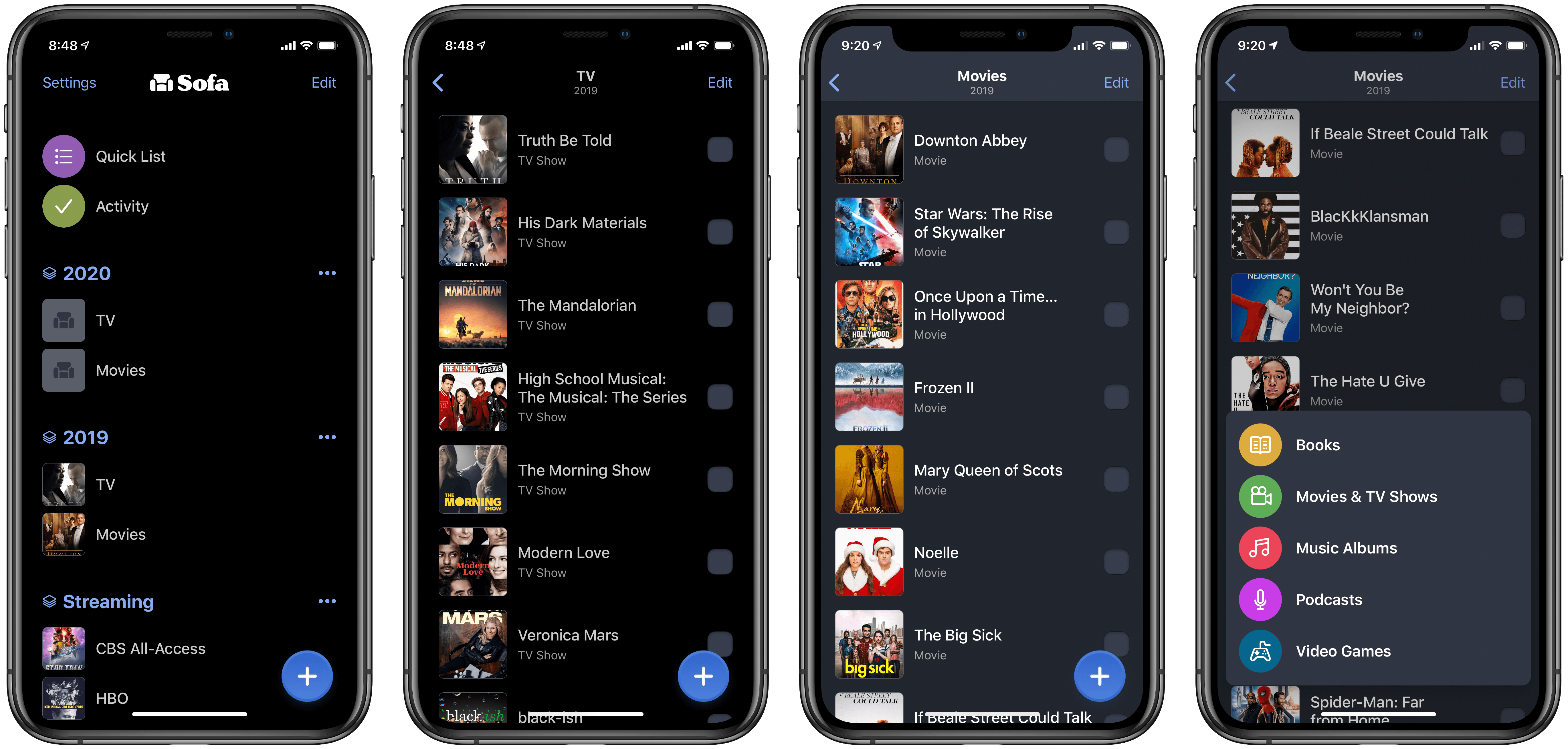
As December comes to a close, now is the perfect time to reflect on how the year was spent, both with deep existential questions but also lighter, fun matters – such as surveying your TV and movie consumption over the year. Until recently I didn’t have a system I was satisfied with for tracking my viewing history, but now I’ve settled on Sofa.
Tech Life Improvements in 2019
One of my favorite things to do as each year ends is reflect on how life went over the last 365 days, asking what’s changed since the end of the prior year, if I’ve made progress toward goals in that time, and if there are any directional shifts I should make moving into the new...
MacStories Selects 2019 Honorable Mentions
Earlier this week we recognized the year’s best apps, updates, features, and more in our 2019 MacStories Selects awards. As always, though, despite how many different apps we were able to highlight – 20 this year – there are always plenty of excellent runners-up that are left out. That’s where today’s Collection comes in: although...