Ryan Christoffel

981 posts on MacStories since November 2016

Ryan is an editor for MacStories and co-hosts the [Adapt](https://www.relay.fm/adapt) podcast on Relay FM. He most commonly works and plays on his iPad Pro and bears no regrets about moving on from the Mac. He and his wife live in New York City.

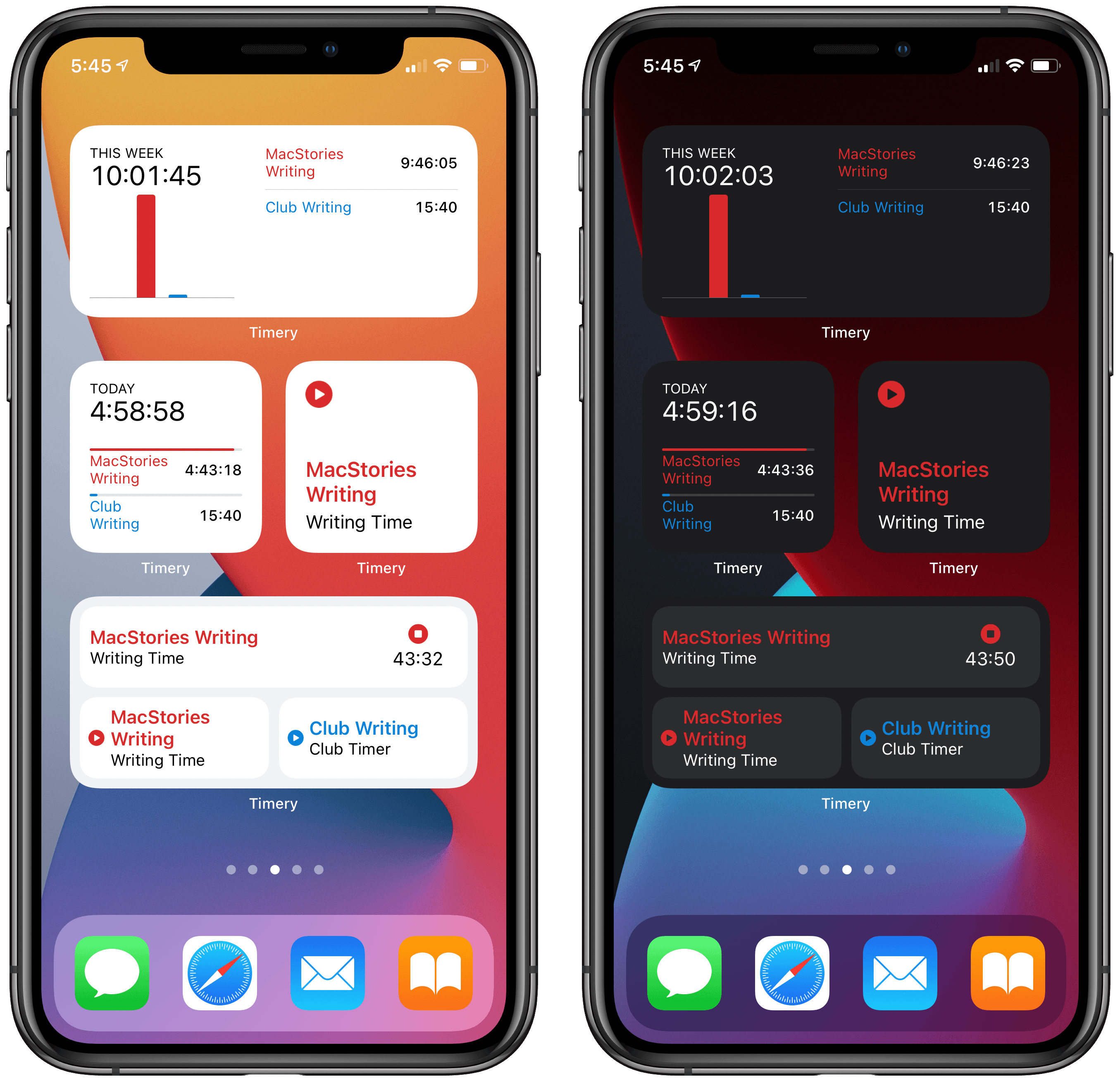
Timery Debuts Powerful Time Tracking Widgets for iOS 14

Timery’s iOS 14 widgets in light and dark mode.

Timery’s iOS 14 widgets in light and dark mode.

Widgets in iOS 14 are a genuine hit, in large part because of the visual customization advantages they provide and the ability to be placed on the Home Screen. Back when they were first announced in June, however, there was concern about one way these new widgets would be a downgrade from their predecessors: widgets in iOS 13 and earlier could offer more interactivity, even to the point of acting as mini-apps.

Due to limitations imposed by Apple on iOS 14 widgets, I was afraid one of my most-used widgets would become far less useful. That widget is for Timery, the Toggl time tracking app. Timery’s iOS 13 widget enabled not only starting and stopping timers right from its widget, but you could also see a real-time view of your current running timer. With iOS 14’s widgets, I feared Timery wouldn’t be able to update its widget’s data often enough to provide a real-time timer view, and I wasn’t sure how convenient the widget would feel when starting a timer would require launching the full Timery app.

Today Timery’s iOS 14 update has arrived, and I’m thrilled to report that my concerns were entirely unfounded. Developer Joe Hribar has managed to work around Apple’s API limitations as well as could be hoped, and deliver new widgets that actually provide more functionality than before.

Read more


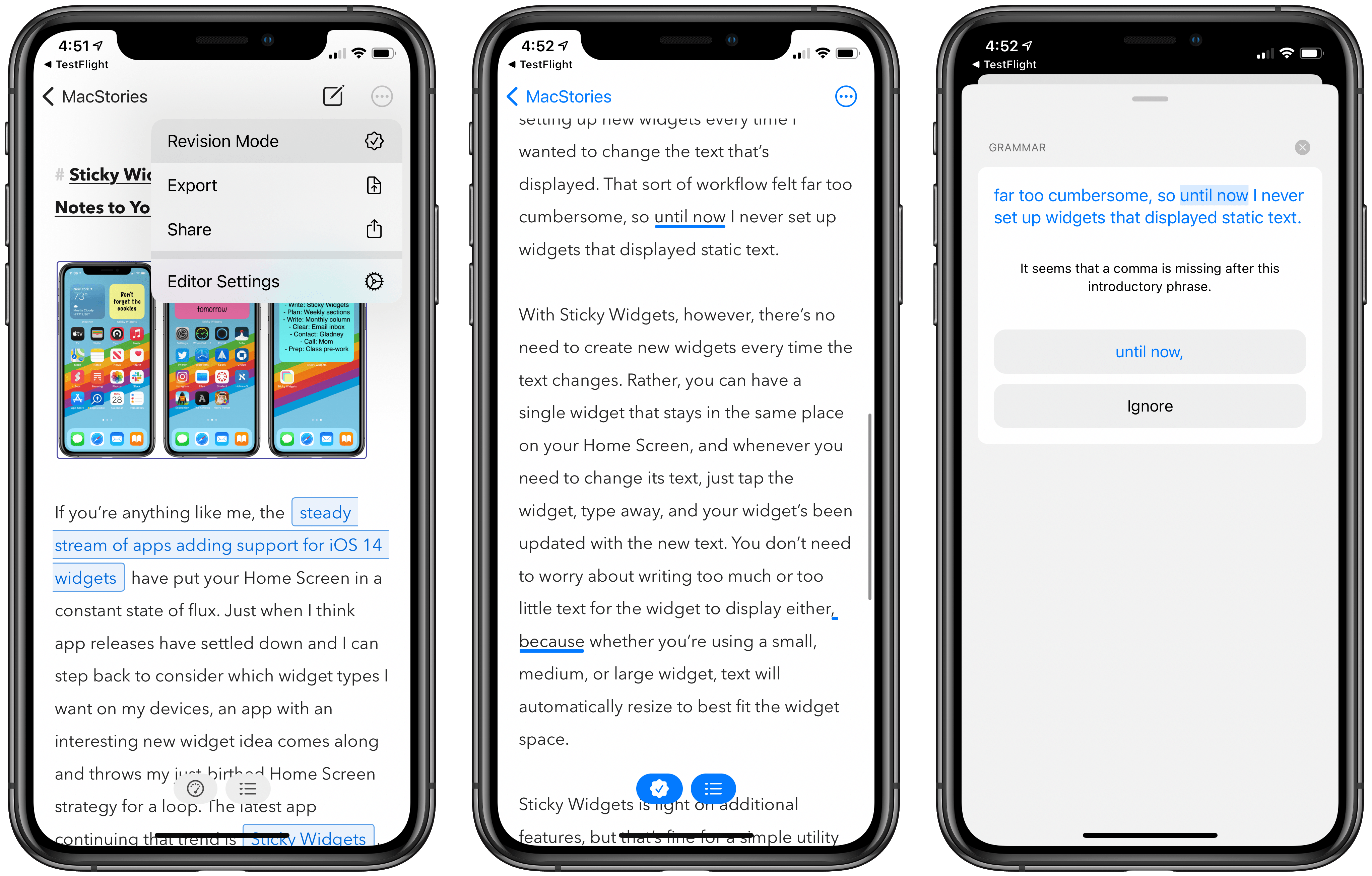
Ulysses 21 Brings Revision Mode to iPhone and iPad Alongside Updated Design

Today the latest version of Ulysses, the excellent Markdown text editor, was released for iPad and iPhone. Ulysses 21 comes with two main changes: it brings the previously Mac-exclusive revision mode to iOS and iPadOS, while also introducing design updates that take advantage of new iOS 14 design elements, such as pull-down menus. It’s not a huge update, but it’s a nice one nonetheless for iPhone and iPad users.

Read more


Apps with iOS 14 Widgets, Vol. 3

More than two weeks after the release of iOS and iPadOS 14, there are still plenty of great widget implementations in third-party apps worth highlighting. In case you missed them, John and I have each shared collections of other widget apps worth checking out in the last two newsletter issues (here and here). For today,...


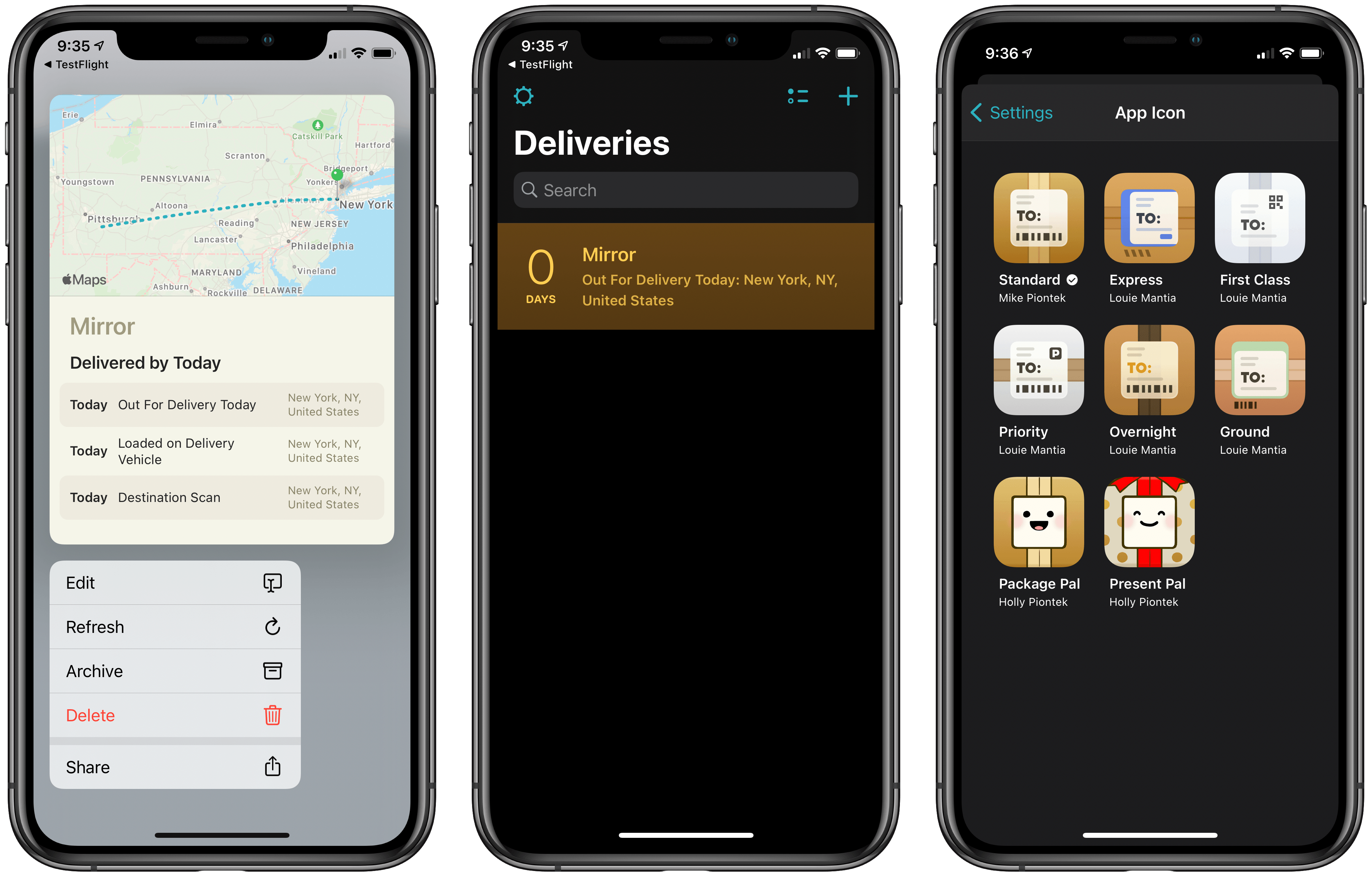
Deliveries Modernizes with Improvements in Every Corner of the App

There can be no doubt that 2020 has been a record year for package deliveries. Perhaps things were already trending that direction pre-pandemic, but during a year in which many people have unexpectedly found themselves staying home more than ever, the number of deliveries being made has surely seen a huge spike.

Deliveries, the package tracking app for iOS and Mac, has received a strong update today with a wide variety of quality of life improvements. There’s nothing huge or flashy here, but the sum of the many small changes should help Deliveries continue being one of the best and easiest ways to track that steady stream of packages heading your way.

Read more


Transitioning to a New Task Management System

Throughout my working life there have been two main situations when I’ve decided to make a task manager change: the arrival of something new and shiny, and a change actually motivated by my work. The former, I’m guessing, is a temptation many Club members succumb to. We may have task managers that work fine...


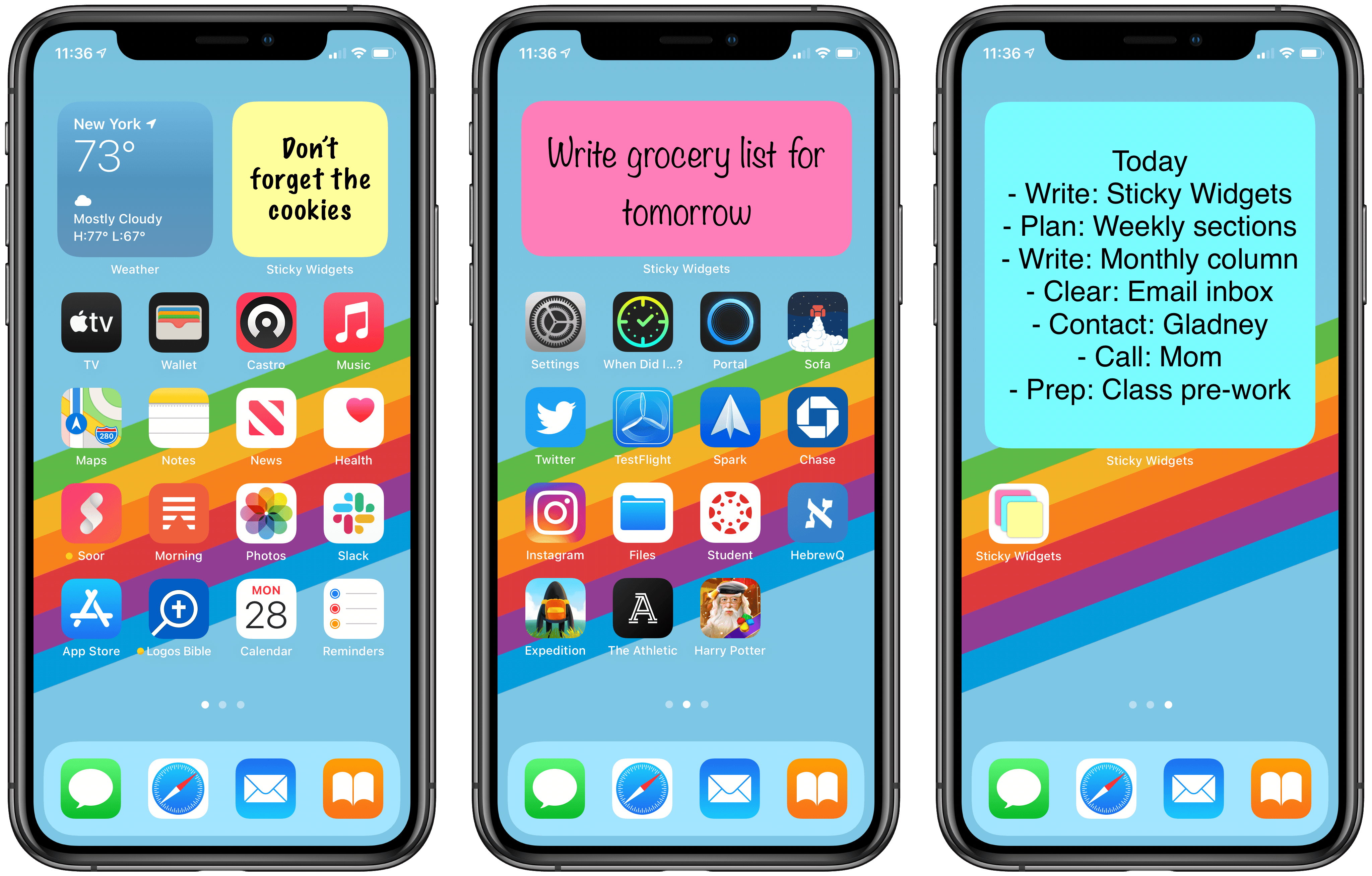
Sticky Widgets Brings Simple Sticky Notes to Your Home Screen

If you’re anything like me, the steady stream of apps adding support for iOS 14 widgets have put your Home Screen in a constant state of flux. Just when I think app releases have settled down and I can step back to consider which widget types I want on my devices, an app with an interesting new widget idea comes along and throws my just-birthed Home Screen strategy for a loop. The latest app continuing that trend is Sticky Widgets.

Sticky Widgets enables placing sticky note-style widgets on your iPhone or iPad Home Screen which can be modified simply by tapping on the widget. It’s utility that’s such an obvious fit for widgets, I’m surprised I haven’t seen a hundred other apps doing the same thing.

What makes Sticky Widgets great is the simplicity of the experience. When I’ve considered the idea of building widgets containing nothing but text, as is possible with several widget creation apps, I’ve always thought that would require writing the text inside an app then manually setting up new widgets every time I wanted to change the text that’s displayed. That sort of workflow felt far too cumbersome, so until now I never set up widgets that displayed static text.

With Sticky Widgets, however, there’s no need to create new widgets every time the text changes. Rather, you can have a single widget that stays in the same place on your Home Screen, and whenever you need to change its text, just tap the widget, type away, and your widget’s been updated with the new text. You don’t need to worry about writing too much or too little text for the widget to display either, because whether you’re using a small, medium, or large widget, text will automatically resize to best fit the widget space.

Sticky Widgets is light on additional features, but that’s fine for a simple utility like this. You can change your widget color between yellow, pink, and blue, and use MarkerFelt, Noteworthy, or the system’s default San Francisco font for your text. One valuable feature is the ability to save different notes for different widgets, which is done by modifying the Note ID from a widget’s configuration screen (long-press the widget and hit Edit Widget). That way you can have multiple different sticky notes if you need them.

Sticky notes have been a tried and true method of remembering important things throughout the day. Historically they’ve been used on computer monitors, desks, refrigerators, or a million other places where we know they’ll catch our eye. With Sticky Widgets, you can bring that same valuable utility to your iPhone or iPad Home Screen.

Sticky Widgets is available on the App Store as a free download.


Apple One’s Future

Normally after an Apple event there’s time for stepping back to think about and process everything that’s been announced. This year, Apple’s September event ended with the bombshell that major OS updates like iOS 14 and watchOS 7 would launch the very next day. Needless to say, it’s been a busy couple of weeks, and...


Quickly Enter Jiggle Mode in iOS and iPadOS 14

Once you establish a habit for interacting with your device, you’ll likely never know if a better, quicker way to do that same thing is introduced in a future software update. Until recently, that was my experience with entering jiggle mode on my iPhone and iPad. I’ve been trying a lot of widgets lately,...


Apollo Brings the Best of Reddit to iOS 14’s Widgets

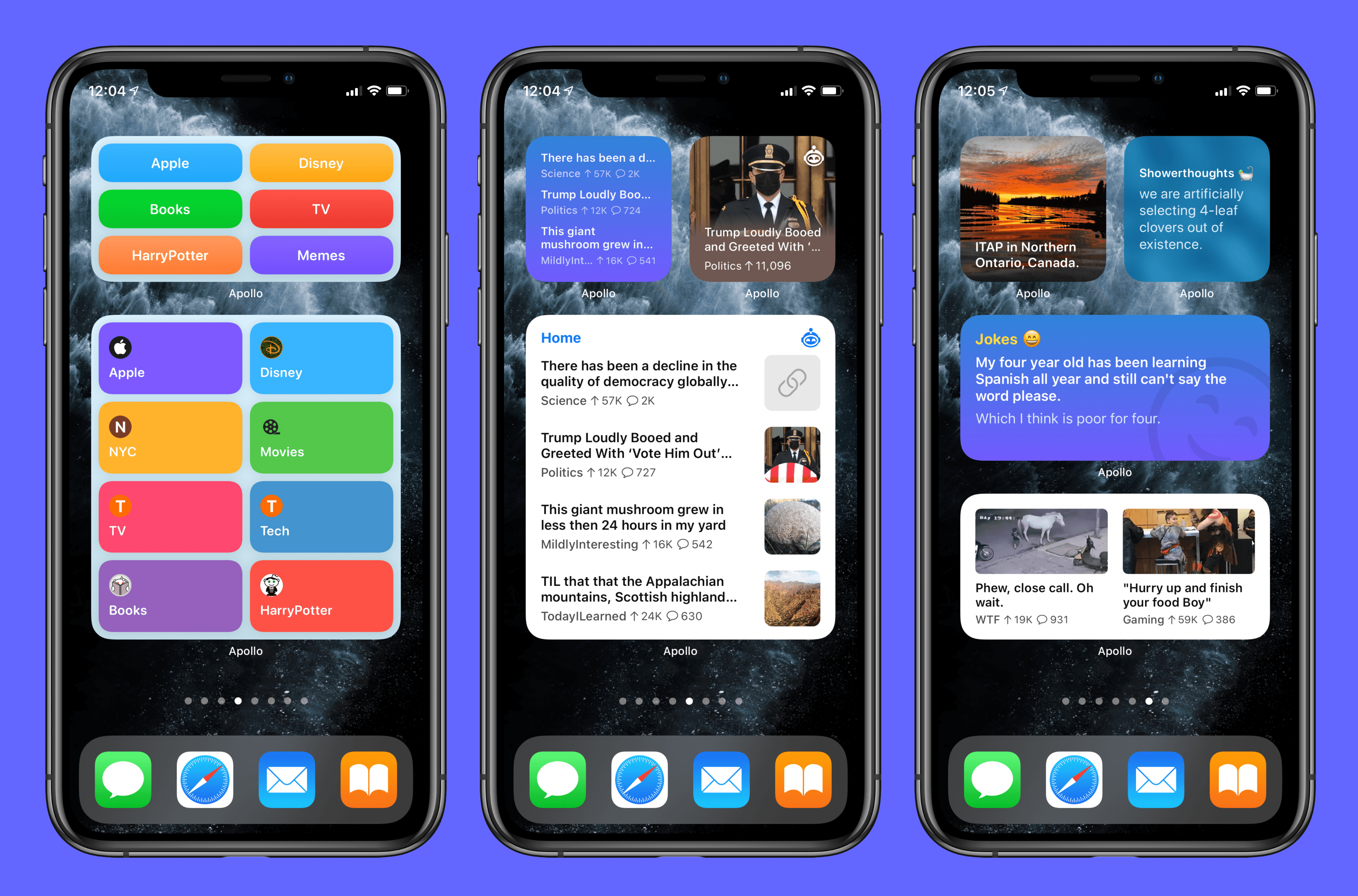
Christian Selig, developer of the excellent Reddit client Apollo, has always been deeply connected with his users and Reddit culture on the whole. Many of Apollo’s updates focus on the kind of nit-picky features and tweaks that heavy users of the app and platform care about. So it should come as no surprise that in building iOS 14 widgets for Apollo, Selig took inspiration from some of the things people love most about Reddit.

Apollo offers a whopping seven different types of widgets, roughly half of which are the sort of widgets you would expect – displaying posts from your favorite subreddit or providing launchers into different subreddits – while the other half specialize in bringing the best of Reddit to your Home Screen.

Let’s start with the fun ones: Wallpaper, Showerthoughts, and Jokes.

Read more