

This month, Federico revisits a two-year-old Reading List experiment and John considers how difference between system apps and OS features affects user experience....
UI Designer Weekly: Love design. Read design. [Sponsor]
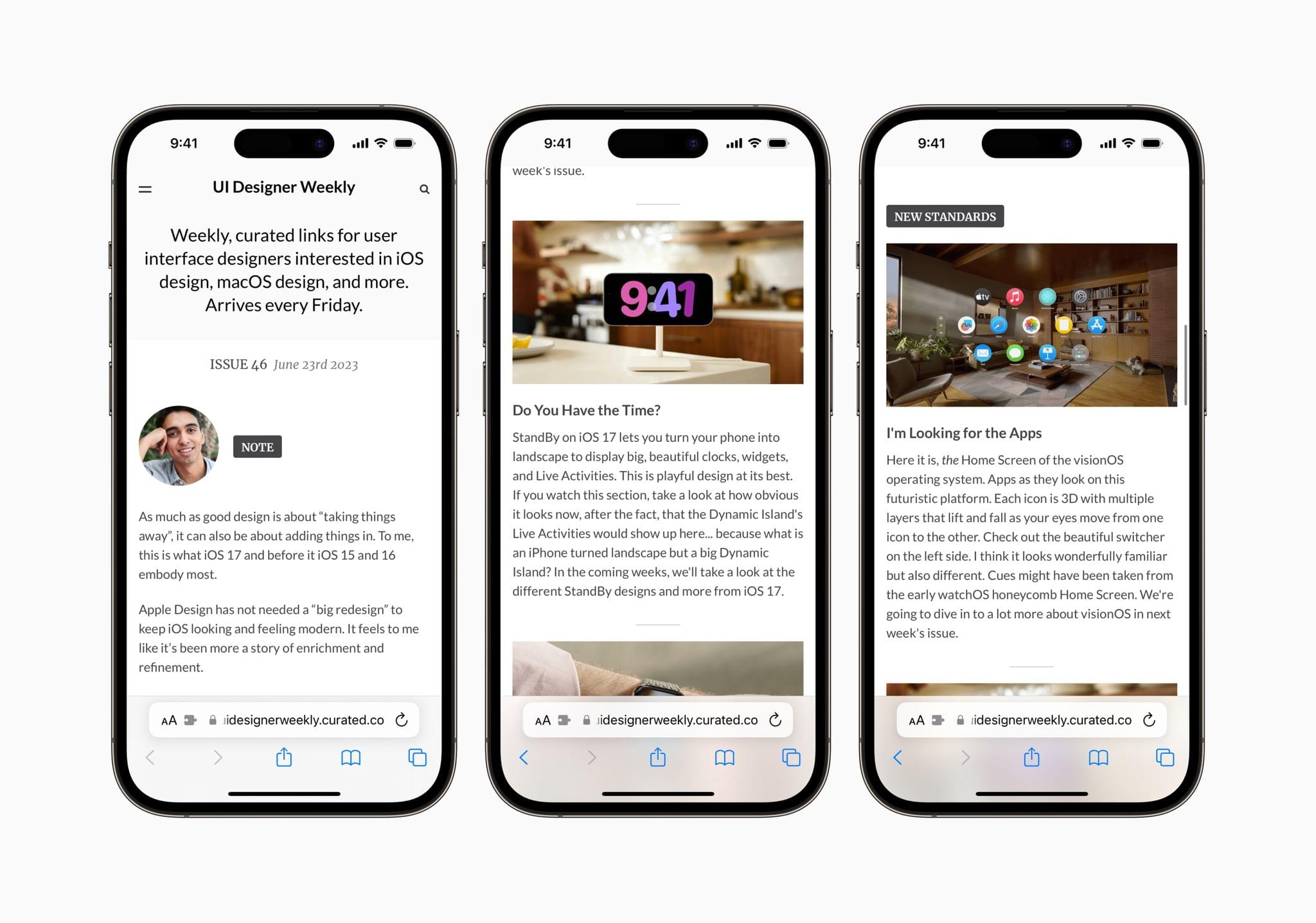
UI Designer Weekly is a free weekly newsletter by designer Sahand Nayebaziz all about Apple user interface design.
As the number of Apple platforms multiplies, staying on top of the latest design trends and principles has never been more important and hard. Whether you’re a designer or developer, UI Designer Weekly will get you up to speed on the latest in UI design and help you stay there with its extensive, expert coverage.
Each issue of UI Designer Weekly is packed with thought-provoking articles that will inspire your design work. The ‘New Standards’ section looks at interface design through the lens of Apple’s OSes and apps. For example, the newsletter is currently in the midst of extensive WWDC coverage, breaking down the design language of visionOS, plus upcoming changes to Contacts, Messages, StandBy, and more.
The newsletter’s ‘Spotted’ section zooms out, analyzing UI design throughout the Apple ecosystem, whether it’s Apple’s marketing materials or keynote presentations like WWDC’s. No matter what corner of the Apple world UI Designer Weekly covers, each issue is packed with excellent examples and inspiration that will help you with your design work.
With each new issue of UI Designer Weekly, you’ll gain deep insight into where Apple’s designers are heading, how those trends impact your apps, and ideas about how to implement them yourself. And with WWDC just concluded, now is the perfect time to sign up and join the hundreds of subscribers receiving a new issue of UI Designer Weekly free every Friday and without ads.
Visit uidesignerweekly.curated.co to sign up for UI Designer Weekly today.
Our thanks to UI Design Weekly for sponsoring MacStories this week.
 Up Next on AppStories
Next week on AppStories, Federico and John look back at their wishes for Apple’s OSes with the hindsight of WWDC to see which came true and which to add to next year’s list of wishes....
In This Issue
Controlling iPhone music playback on macOS Sonoma, Federico on what’s still missing from Stage Manager on iPadOS, seeing elements of visionOS in other OS features, plus the usual Links, App Debuts, the latest happenings in the Club MacStories+ Discord community, a recap of MacStories articles, and a preview of next week’s episode of AppStories....
Previously, On MacStories
Stories Tears of the Kingdom Travel Guide Is the Ideal iPhone and iPad App to Keep Track of Your Zelda Adventures Developers’ Early Experiments with visionOS Apple Publishes Updated Human Interface Guidelines for visionOS Apple Podcasts Adds New Subcategories and Refreshes Recommendations Apple Releases visionOS SDK and Developer Tools Apple Services Preview: Better Integration, Increased...
Fin: Beautiful Budget Tracker for iPhone, iPad, and Apple Watch [Sponsor]
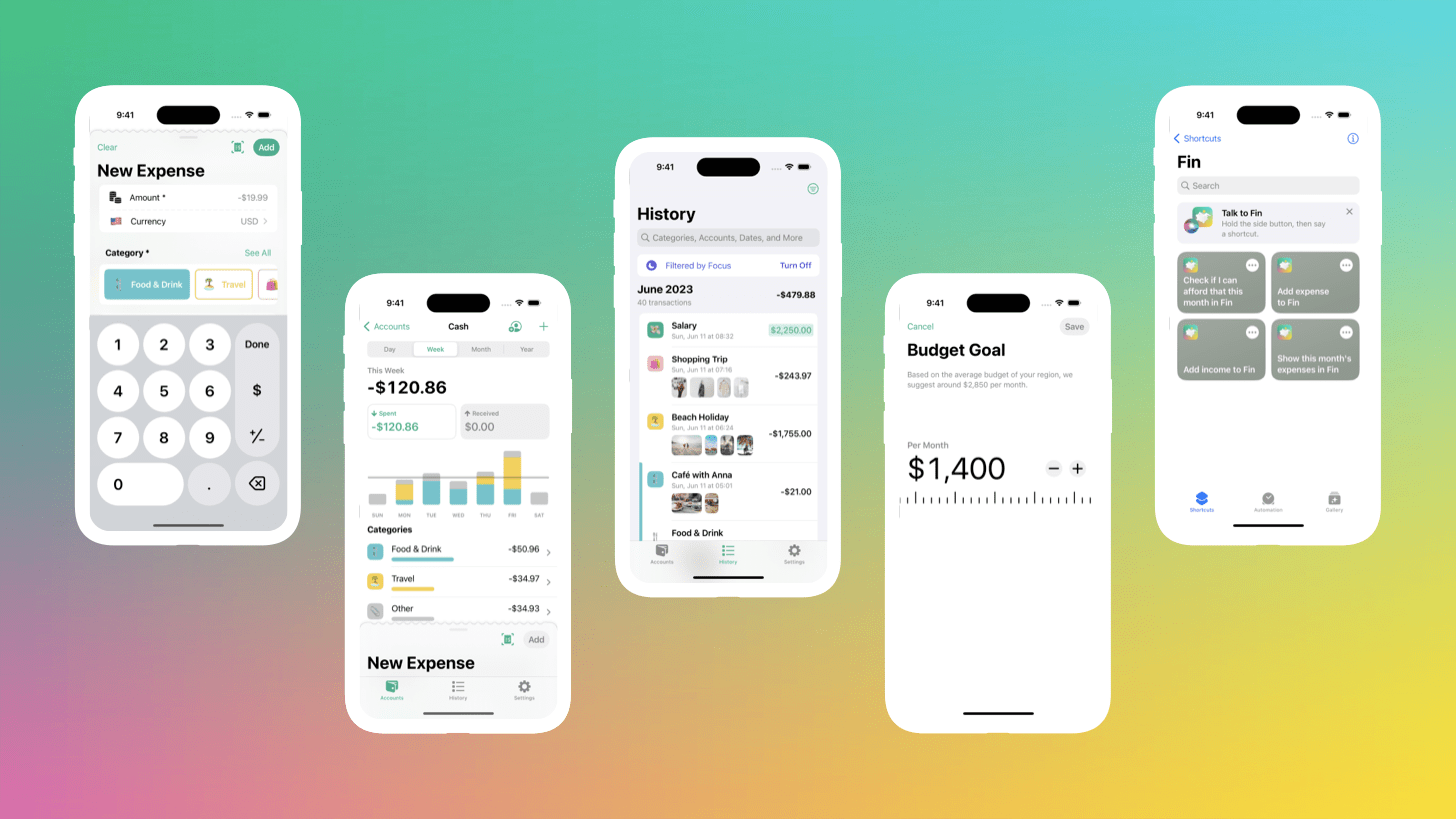
Fin is a simple and elegant way to track your finances on your iPhone, iPad, and Apple Watch. The app takes the hassle out of keeping tabs on your income and expenses with a straightforward, modern interface that supports multiple accounts, including cash tracking.
Fin privacy-focused approach to budgeting doesn’t require you to sign up for an account, so there’s no login process, and the app works offline, so it’s always available. To get started, just set up a budget, and track your income and expenses across customizable categories. Fin also supports data import and recurring transactions and offers attachments like photos and PDFs, searching with powerful filtering, customizable notifications, and weekly reports.
Fin, which has been featured multiple times on the App Store, makes sharing easy too. You can share your accounts using iCloud Sharing. Plus, the app supports the latest OS technologies like Home and Lock Screen widgets, Focus filters, Live Text, and Shortcuts and is continuously updated. Everything in Fin syncs via iCloud for easy access, and if you need to use your data elsewhere, Fin can export it too.
However, tracking your finances is just half of the equation. Fin also features beautiful charts and graphs to help you gain insights into your finances. Armed with the data, you’ll be able to meet your budget and gain control of your finances like never before.
Download Fin from the App Store and start saving money and reaching your financial goals today.
Our thanks to Fin for sponsoring MacStories this week.
Up Next on AppStories
Next week on AppStories, Federico and John consider the impact that this year’s OS releases will have on third-party apps....
In This Issue
Federico shares the productivity changes coming to iOS and iPadOS that excite him, John has high hopes for Apple Vision Pro, a Club member desk setup, plus the usual Links, App Debuts, the latest happenings in the Club MacStories+ Discord community, a recap of MacStories articles, and a preview of next week’s episode of AppStories....
Reader Setup: Jose Munoz
Mastodon: @josemunozmatos. UX & Product Designer from ?? Puerto Rico working remotely at BOLD where I design digital tools for job seekers. Check out my website and blog where I share my love of tech, design, Apple, Lego, and more. Studio Display and MacBook Pro 14” I’ve gradually fine-tuned my desk setup ever since the...