

This month, Federico explains why he has returned to using Play to save YouTube videos for watching later and John makes the case for the Mac mini being Apple’s most versatile Mac of all....
Photomator: The Ultimate Photo Editor for Mac, iPhone, iPad, and Vision Pro [Sponsor]
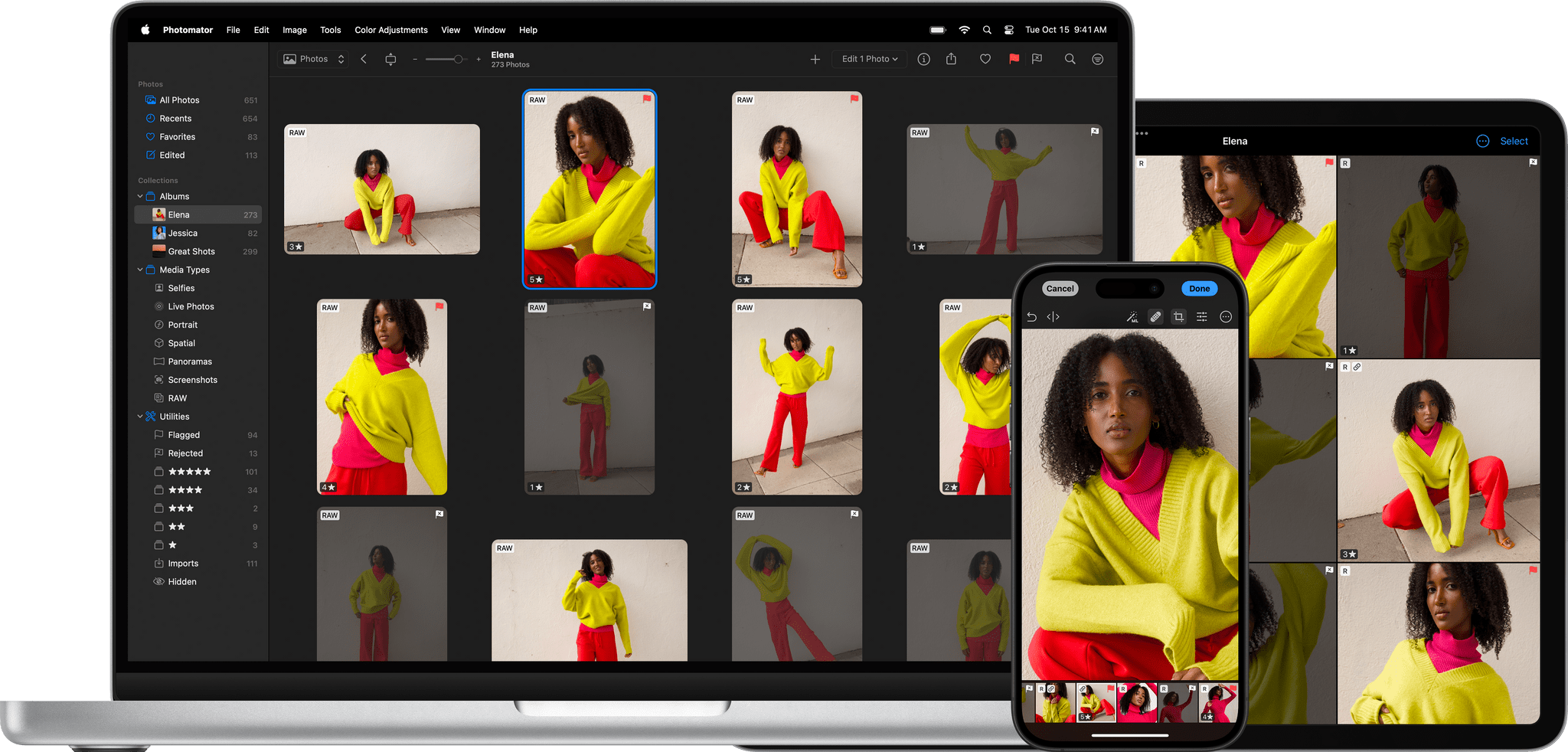
Photomator is the best way to edit your photos across all of your Apple devices. The app works seamlessly across the iPhone, iPad, Mac, and Vision Pro with advanced tools to make your photos look their best.
Photomator’s state-of-the-art tools are texture-aware. That lets you preserve details other apps can’t, enhancing highlights and deep shadows while getting exactly the look you want. Photomator also offers selective adjustments to the sky and background elements using AI and a long list of machine learning-powered features that help you get the most from its tools.
If you shoot in RAW, you’re covered with Photomator’s support for over 750 RAW formats, including Apple ProRAW. The app supports LUTs for applying color adjustment presets, too.
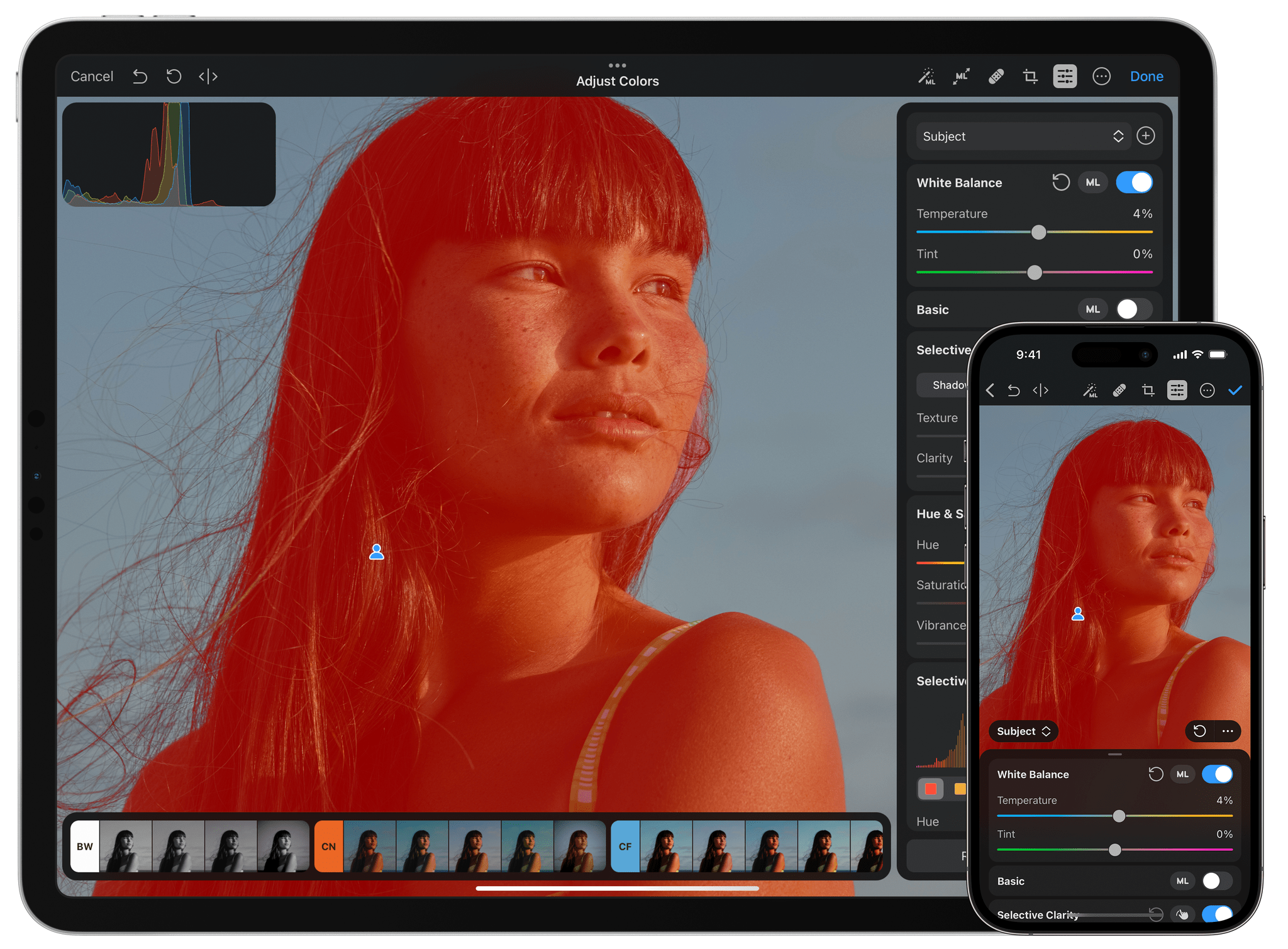
Best of all, Photomator’s sophisticated tools don’t come at the expense of simplicity. The app is beautifully designed on every platform to make accessing features easy while focusing on your images. That design makes browsing and managing your photo library a breeze, too.
Of course, all edits made in Photomator are non-destructive so that they can be done at any time. Also, so you know what’s coming next from the Pixelmator team, they maintain a public roadmap of their development plans.
To learn more about Photomator visit their website and download a free trial from the App Store. Photomator is just $7.99/month or $29.99/year. There’s a life-time purchase option, too.
Our thanks to Photomator for sponsoring MacStories this week.
 In This Issue
This week, Federico turns Type to Siri into a text-based launchpad for his favorite commands, John reviews the GameSir G8+ controller that works with the iPad mini, Jonathan dives into iOS clipboard manager OneTap, plus the usual Links, App Debuts, the latest happenings in the Club MacStories+ Discord community, and a recap of MacStories articles...
Previously, On MacStories
New Developer Betas Released for iOS, iPadOS, and macOS with Image Playground, ChatGPT Integration, and More Apple Intelligence Features A Video Version of AppStories Debuts Today on the MacStories YouTube Channel iPad mini Review: The Third Place Postcards and a Mac: Niléane’s Desk Setup Apple’s AirPods Pro Hearing Health Features Are as Good as They...
This Week on MacStories Podcasts
This week on MacStories podcasts: AppStories This week, Federico and John announce that AppStories is now on YouTube and discuss the Club MacStories Fall Membership Drive and listener follow-up before digging into Federico’s iPad mini review and the concept of “The Third Place.” On AppStories+, Federico explains how he’s been revisiting and using the Apple...
Club MacStories+ Town Hall: A Conversation with Federico Viticci about the iPad mini (A17 Pro)
Club MacStories Town Halls are part of the monthly and other special live audio events we hold in the Club MacStories+ Discord community. The show is a recorded and lightly edited version of the Town Halls that we produce, so Club MacStories+ and Club Premier members who can’t attend the event live can listen later. To learn more about Club MacStories+ and Club Premier, visit our Club plans page.
:::

AppStories Episode - Club MacStories+ Town Hall: A Conversation with Federico Viticci about the iPad mini (A17 Pro)
0:00
0:00
0:00
Today, John interviewed Federico live in the Club MacStories+ Discord about the new iPad mini (A17 Pro), including what’s changed and how he’s using it.
Read more
A Special Discord Town Hall and the Fall Club Membership Drive
On Tuesday, October 22, at 11:00 AM Eastern U.S. Time, we’ll be holding a special Town Hall event on Discord. Club MacStories+ and Premier members can join me and Federico for a chat about a topic that will be announced next week. It should be a lot of fun, so join us if you can,...
This Week on MacStories Podcasts
This week on MacStories podcasts: AppStories This week, Federico and John share the changes they’ve made to their desk setups in recent months and the philosophies that have driven those changes. On AppStories+, they share their reactions to Submerged, the first scripted short film published for Apple Immersive Video on the Vision Pro. Listen on:...
Previously, On MacStories
MacPaw Updates CleanMyMac with a Fresh Design and New Tools Traveling with the Vision Pro Join the MacStories Team: Advertising Sales Position Opening Native Union’s Voyage Charger: A Versatile Travel Companion Apple Announces a Minor Update to the iPad mini Photomator 3.4 Adds Photo Flagging, Rating, and Filtering Video Production, Automation Hardware, Gaming, and More:...