
Next week on AppStories, Federico and John clear up confusion about SiriKit and discuss apps that support it....
 Interesting Links
Play Podcast is a new web service that can generate universal podcast links to take listeners to a native podcast player whether they use iOS, Android, Windows, or Mac. Plans start at $10/year for one Play Podcast link. (Link) Earlier this week, Apple updated the San Francisco font with refinements to currency symbols, superscripts and...
FirstSeed Calendar: Manage Events and Reminders on iPhone, iPad, and Mac [Sponsor]
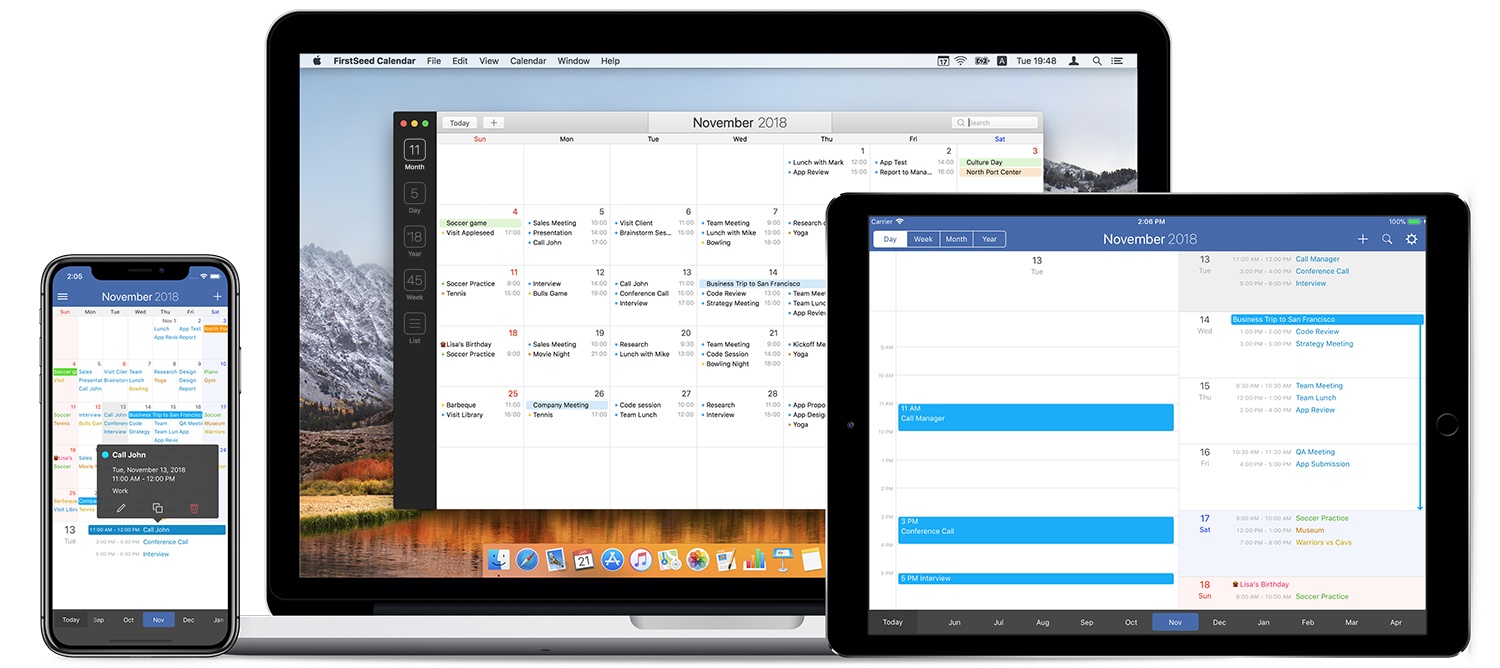
Whether you work on iOS, a Mac, or both, FirstSeed Calendar takes advantage of the unique features of each platform providing a seamless experience that anyone with a busy schedule will appreciate.
The app has a comprehensive month view that makes viewing, adding, editing, deleting, moving, and duplicating events a breeze and an innovative week view. Most calendar apps require scrolling to see a full day’s events in week view. FirstSeed provides a grid view of the core of your day and shows any other activities as a list view, making it possible to see everything at a glance. There’s a list view, day view, and reminder support too.
FirstSeed Calendar packed with clever features. There’s a clock interface for intuitive event editing, a dedicated button to quickly switch between views and a continuous month view that takes advantage of every pixel on your screen.
The app has natural language support for English and Japanese too. Just type events as you would typically describe them and FirstSeed populates your calendar like magic.
FirstSeed is designed with each platform’s hardware in mind. On iOS, the app’s emphasis on one-handed operation makes it the perfect choice for working on the go. The iOS versions of FirstSeed support keyboard shortcuts too. On the Mac, FirstSeed uses the MacBook Pro’s Touch Bar and includes a menu bar app for quick access to your schedule.
Managing your calendar doesn’t have to be hard. Take control of your schedule today with FirstSeed Calendar.
Learn more here, or go straight to the App Stores and download FirstSeed Calendar for the iPhone, iPad, and Mac today.
Our thanks to FirstSeed Calendar for sponsoring MacStories this week.
Straw Poll
Straw Poll #24: WWDC 2018...
Interesting Links
The most interesting aspect of this antitrust case against Apple, which Wired does a good job of explaining, isn’t the merits of the claims, which strike me as bogus, but the fact that it’s made it all the way to the US Supreme Court. (Link) Apple’s SVP of retail Angela Ahrendts was interviewed by one...
In This Issue
Brain.fm,an iOS 12 beta tip, a Drafts 5 workflow and responses to readers’ workflow requests, Ryan considers the recently-revived, productivity-first direction of the Mac, straw poll results, plus the usual Weekly Q&A, Links, a recap of MacStories articles, and a preview of next week’s episode of AppStories....
Up Next on MacStories’ Podcasts
Next week on AppStories, Federico and John follow up Episode 56 about controlling the time spent on your iOS devices with a look at the new notification and Do Not Disturb tools coming this fall with iOS 12....
Previously, On MacStories
Behind the Mac: A Video Series Profiling How Creators Use the Mac WWDC Opens Up Apple Announces Video Deal with Oprah Winfrey Fixing 3D Touch iOS 12 Will Add New Emergency Calling Feature WhenWorks Ends the Scheduling Back-and-Forth Drafts 5.2 AppStories, Episode 60 – The Apps of WWDC 2018 Anchor Brings User-Friendly Podcasting to the...
Tame Your Inbox with SaneBox’s Customizable Tools [Sponsor]

At its core, SaneBox is about making sure that only your most important messages hit your inbox. Other messages are safely stored in automated folders like the @SaneLater, @SaneBulk, and @SaneNews folders for reviewing later.
But email sorting is just the tip of the iceberg. With custom folders, custom snooze settings, and @SaneReminders, SaneBox takes email management to the next level.
Set up a custom folder and train it by dragging in a few messages. SaneBox will send all messages from the senders to your new folder. It’s a painless way to organize messages for a special project.
SaneSnooze folders can be customized to defer messages anywhere from hours to weeks. SaneBox comes with default snooze folders like @SaneTommorrow and @SaneNextWeek, but adding custom snooze folders lets you set when messages reappear in your inbox with precision.
SaneReminders are a great way to keep on top of tasks. Send yourself a reminder to do something later or get a reminder that someone hasn’t responded to a messages. For example, blind copy [email protected] and the message will show up back in your inbox only if the recipient doesn’t reply within 3 days.
Also, don’t forget that SaneBox works on top of your existing email setup. There’s no app to download or new email account to set up. You can use any email client you want.
Sign up today for a free 14-day SaneBox trial to take back control of your email. MacStories readers can receive a special $25 credit automatically by using this link to sign up.
Our thanks to SaneBox for sponsoring MacStories this week.