
There aren’t many details, but The Verge reported this week that Apple has acquired music analytics company Asaii that boasts the ability to identify ‘the next Justin Bieber’ with its music discovery technology. (Link) Craig Grannell uses reduced transparency on his Mac and questions on his blog, Revert to Saved, the wisdom of using the...
 Previously, On MacStories
Adobe Unveils Photoshop for iPad, Launching in 2019 The State of Gaming on the Apple TV Project Gemini Is a New iPad Illustration App Coming from Adobe Creating Shortcuts with Invisible Names for the iOS Home Screen and Widget Running a Mac from an iPad or iPhone with Remote Control for Mac Developers Show What...
CleanMyMac X: Your Mac, As Good As New [Sponsor]
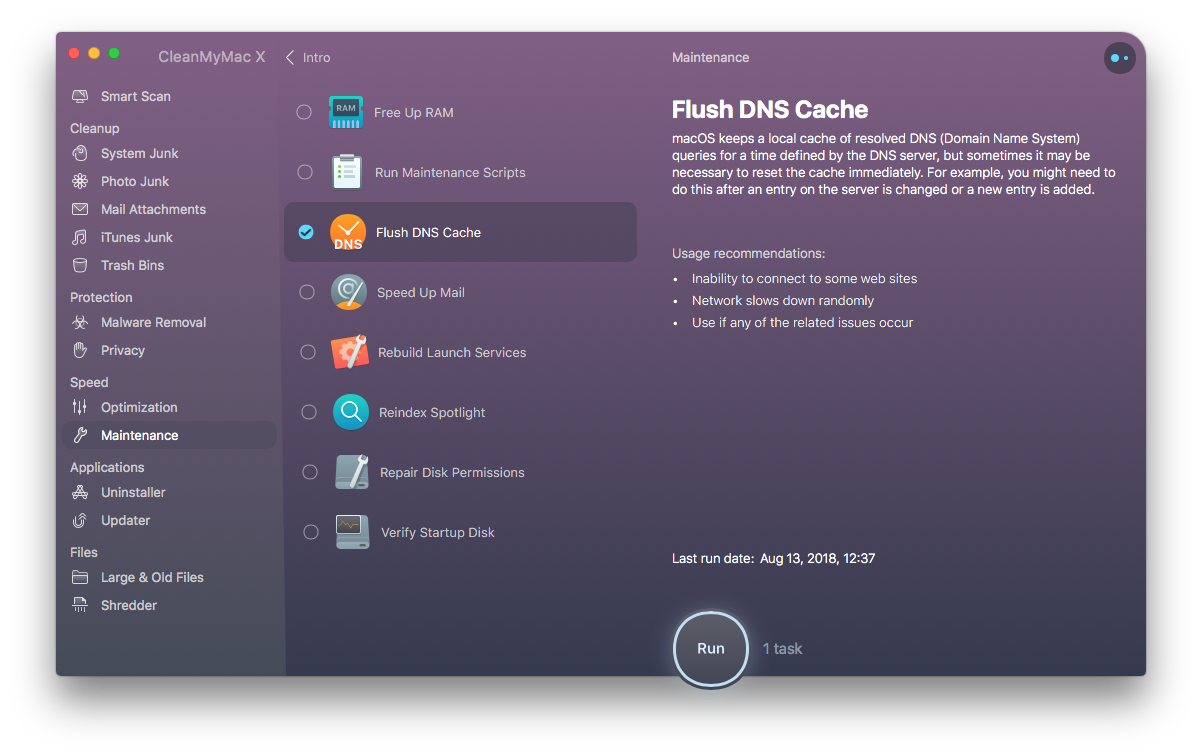
CleanMyMac X by MacPaw is your complete Mac maintenance solution. Redesigned with a beautiful new interface that makes it a pleasure to use, CleanMyMac X frees up wasted storage space, protects against malware, optimizes your Mac’s performance, and more.
It all starts with Smart Scan, the all-in-one center for analyzing, optimizing, and protecting your Mac. Here you’ll find sections to clean up unwanted and unnecessary files that are cluttering up your Mac’s drive. CleanMyMac also scans for malware, protecting your Mac against malicious third-party code and vulnerabilities. There’s an optimization section that can free up RAM and manage login items, launch agents, and memory-hungry apps too.
At each step of the process, you’ll have CleanMyMac Assistant at your side. It’s an intelligent advisor providing explanations of everything CleanMyMac does and recommending courses of action. CleanMyMac X is faster too. MacPaw tests show that it’s up to three times faster than version 3 of the app.
CleanMyMac X has added an app update module that scans your installed apps for available updates too. It’s a fantastic, centralized way to see all the apps on your Mac that have updates whether or not you bought them on the Mac App Store.
Whether you’re prepping your Mac to install Mojave, or want to optimize it after updating, you owe it to yourself to make sure your Mac is running smoothly and safely with enough storage to get your work done. So, don’t wait. Go check out CleanMyMac X today. There’s a free trial waiting to help you get make your Mac as good as new.
Our thanks to CleanMyMac X for sponsoring MacStories this week.
In This Issue
MarginNote,Advanced Photography for Everyone, Federico answers a long list of Club member workflow requests, Ryan’s home screen, the results of our Apple Watch poll, plus the usual Weekly Q&A, Links, App Debuts, arecap of MacStories articles, and a sneak peek at next week’s AppStories topic....
Interesting Links
New life was breathed into an old script that provides a Quick Look of audio files in iTunes that is now capable of trimming those files. (Link) In another demonstration of the iPhone XS’s camera quality, it holds its own in a side-by-side test with a $7,500 Canon video camera. (Link) Professional photographer Annie Leibovitz,...
Straw Poll
Straw Poll #25 - Apple Watch Series 4 Written Responses What Is Your Favorite Complication? A relatively consistent and small number of complications came up as Club members’ favorites. Among the complications with the most mentions in roughly the order from most mentions to least were: CARROT Weather Drafts Fantastical Streaks Things Pedometer++ Activity Weather...
Previously, On MacStories
Daily Dictionary’s New Watch App Showcases the Latest watchOS Capabilities Review: Yoink Adds Support for Latest Mojave and iOS 12 Features Halide Introduces Smart RAW for iPhone XS, Joining a Host of Other Improvements Apple Releases Bug Fix Update to iOS 12 Fiery Feeds Updated with Design Refinements and New Ways to Filter News Feeds...
Home Screen: Ryan Christoffel

Twitter: @iryantldr. MacStories editor and team member since 2016. Over the last couple years I’ve stopped restoring my newly purchased iPhone from a backup, and instead set it up as new. As such, my home screen received a fresh layout just last month when my iPhone XS Max arrived. My home screen reveals a lot...
Up Next on MacStories’ Podcasts
Next week on AppStories, Federico and John discuss some of their most commonly-used shortcuts....