
NetNewsWire for iOS and iPadOS Review: The Perfect Complement to the App’s macOS Counterpart Things Debuts Modernized Apple Watch App Cursors on the iPad Gnarbox Review: Exceptionally Versatile Portable Storage for iPhones, iPads, and the Mac...
 Up Next on MacStories’ Podcasts
Next week on AppStories, Federico and John discuss apps they’d like to see Apple build into iOS and iPadOS 14....
Interesting Links
Remember those new LG TVs we covered in January during CES? LG announced this week that they will be available in the US this month. (Link) Hillary Grigonis, writing for Digital Trends, evaluates the iPad Pro as a laptop replacement for photographers. (Link) The Verge reports that Yelp released its first Consumer Alerts Report this...
In This Issue
Prizmo Go,iPad apps with great keyboard shortcut support, a shortcut for uploading images via FTP with Secure ShellFish, an interview with Brent Simmons about NetNewsWire, plus the usual Weekly Q&A, Links, App Debuts, arecap of MacStories articles, and a preview of next week’s episode of AppStories....
iMazing: Manage and Transfer iPhone Photos Like a Pro! [Sponsor]
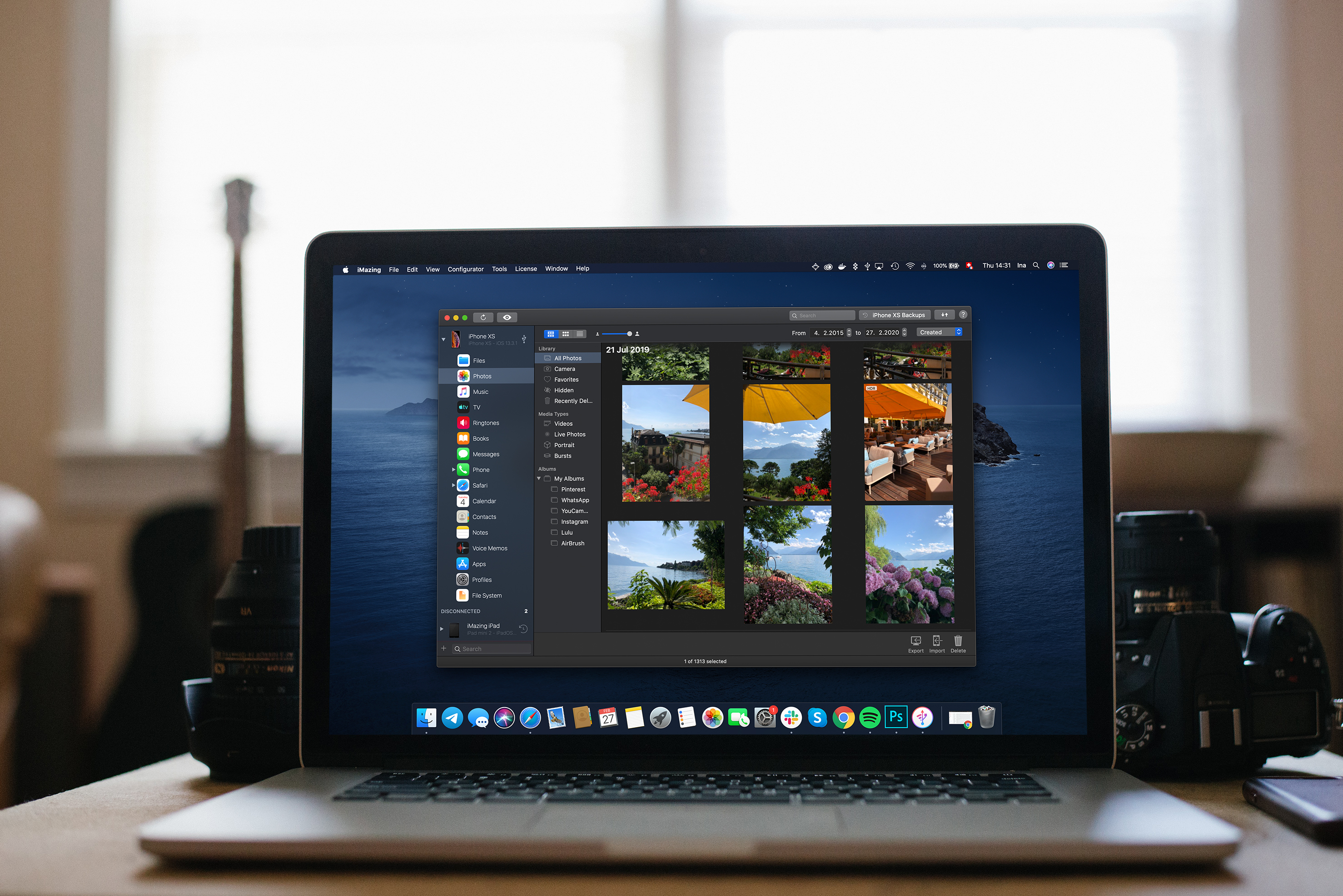
iMazing is the must-have backup and file acces tool for the Mac that provides unparalleled access to everything on your iOS devices. The app works over both WiFi and USB, allowing you to take control of your iOS data. With it, you can make Time Machine-style backups, easily transfer documents, media, and content, and dig into system files, access device and battery diagnostics, and a whole lot more.
With the recent release of version 2.11, iMazing has greatly expanded its photo support. Now, you can manage and transfer even the largest iPhone and iPad photo libraries quickly and seamlessly using your Mac.
Your photos and videos are all available in high-resolution and can even be viewed full-screen before importing them to your Mac. You can also browse extensive metadata about each image like its file name, size, and format, number of views, location, shutter speed, focal length, ISO, and more.
When you decide to export photos, you have a wide range of options and control over exactly what gets exported too. Combined with iMazing’s excellent backup features, the new photos features allow you to easily browse and recover items that have been removed from devices and iCloud.
Version 2.11 is a fantastic update to iMazing that provides the power and flexibility that pro users demand with the ease of use and flexible export features that casual users will love. The update is free to all iMazing 2 license holders, and if you aren’t already an iMazing user, you can download and try it for free.
From March 9-16, 2020 only, MacStories readers can purchase iMazing for 30% off. This is a terrific deal, so don’t wait. Download iMazing today, and take advantage of this deal and start managing and transferring your iPhone photos like a pro.
Our thanks to iMazing for sponsoring MacStories this week.
Interesting Links
Apple updated its App Review guidelines this week with a variety of rule updates, including that push notifications can now officially be used for marketing purposes with a user’s consent. (Link) Marques Brownlee published an excellent review of the Samsung Galaxy S20 Ultra on his YouTube channel this week. (Link) The Verge unleashed their staff...
Up Next on MacStories’ Podcasts
Next week on AppStories, Federico and John share some of their favorite iOS utilities....
In This Issue
Triode,Mac RSS readers, using Shortcuts and Zapier to save links to Raindrop.io, Federico experiments with a portable monitor andNintendo GameCube,plus the usualWeekly Q&A, Links, App Debuts, a recap of MacStories articles, and a preview of next week’s episode of AppStories....
Previously, On MacStories
The Talk Show: Dot Net Party abode iota Review: A Flexible HomeKit Security Solution Apple Announces Winners of Its ‘Shot on iPhone’ Night Mode Challenge Twitter Launches Brazil Test of Stories-esque ‘Fleets’ Feature Reading Newsletters with Feedbin and Reeder Shortcuts Rewind: Dates, Calendars, and Beyond...