

Spend Stack Spend Stack can be your budget manager, an ad-hoc shopping list or expense tracker all in one place. It’s simply the best way to create a list where you want to associate monetary values to each of its items. Giveaway Details: 10 codes. Enter the Giveaway Here 1Writer 1Writer combines all the basic...
 Home Screen: Rebecca Stone

Twitter: @forestminish. Staff writer at Twinfinite and co-host of Nintendo Shack podcast. When Apple released iOS 14, I started to see a ton of creativity around Twitter with people showing off their new, customized Home Screens. I knew right away that I wanted to design my own based on my favorite video game series, The...
Tara AI: A Smart and Free Jira Alternative [Sponsor]
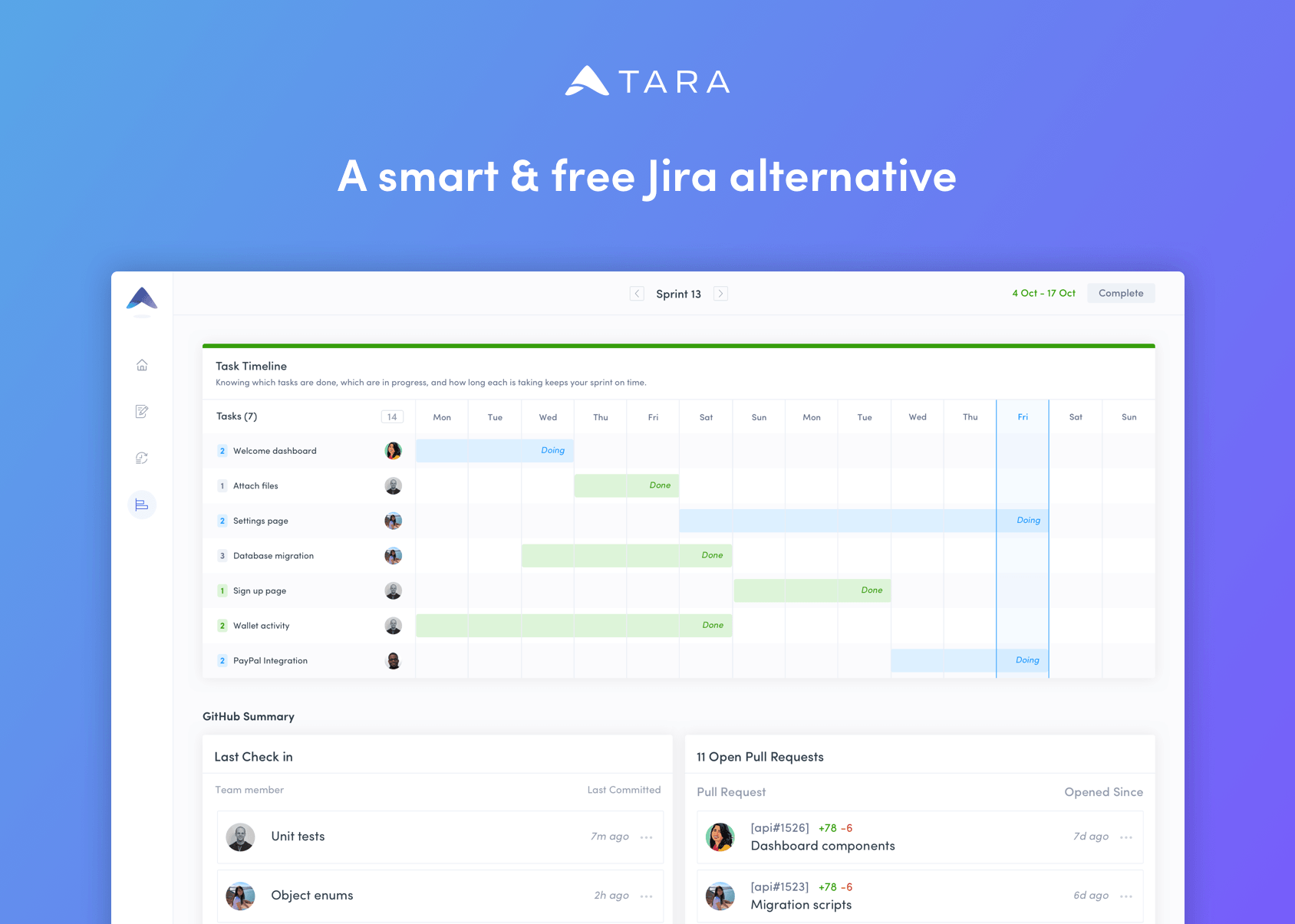
Project management software should work for you, not against you. Tara AI eliminates the configuration nightmares and lack of support for cross-functional teams that can make getting up and running with project management apps a headache. It’s the solution for teams that value their time and are looking for a tool that works with their existing Git workflow.
With Tara AI, engineering teams can reclaim valuable time and effort that would otherwise be wasted sifting through a bottomless pit of tickets. Tara accomplishes that through a simple, modern design that gets out of the way, allowing teams to move quickly and efficiently, delivering releases on schedule. The app combines sprint planning with a unified task view to provide a clear, bird’s eye view of your project and priorities, all synced to Git, so everyone from engineering to sales knows what’s happening and when.
From the time you sign up and create a workspace through every phase of your project, it’s the design of the entire process that sets Tara apart from the pack. Tara is loaded with thoughtfully-considered features like quick stats that show the progress you’re making during sprints with daily and weekly progress insights alongside commits and pull requests. Modern teams move fast and expect their tools to just work. Tara AI 1.0 delivers with no user or task limits, completely free of charge.
To learn more and signup to try Tara AI for free today, visit tara.ai now.
Our thanks to Tara AI for sponsoring MacStories this week.
Kicking Off Month-Long Giveaways
On Monday, we kicked off Club MacStories’ 5th anniversary celebration with over 30 discounts on many of our favorite apps, services, and hardware. There are hundreds of dollars worth of deals that are available through October 11th, so be sure to log into your Club account and visit our special anniversary page to take advantage...
Perks
 John
JohnThanks to all of the developers who generously contributed the promo codes for today’s giveaway. Below, you’ll find nine terrific apps that we’re giving away exclusively to Club members this week. To enter each giveaway, please click the button under each app and enter your email address. We’ll pick winners at random and contact...
Previously, On MacStories
iOS and iPadOS 14 Users Can Now Set Google Chrome as the Default Browser Apple Updates Multiple App Review Guidelines Addressing Game Streaming Services, In-App Purchases, Advertising, and More Club MacStories Turns 5: A Month-Long Thank You to Members Featuring Exclusive Discounts and Many More Perks AirPods Firmware Updated with Spatial Audio for Pro Models...
In This Issue
We kick off a month of app giveaways from our friends in the developer community, Ryan shares some great app updates with widgets,Federico has a sneak peek at some of the iOS and iPadOS 14 tips from his upcoming review, John considers the iPad Air’s positioning between the iPad mini and iPad Pro, we interview...
Up Next on MacStories’ Podcasts
Next week on AppStories, Federico and John interview designer Michael Flarup about iOS 14, iPadOS 14, macOS Big Sur design to close out this summer’s OS preview series. This week on MacStories Unwind, Federico and John recap the highlights of MacStories’ Apple event coverage and the many app reviews published this week....
Interesting Links
Adobe Illustrator went up for pre-order on the App Store this week, and Michael Steeber has an interview with designer Yiying Lu who has been testing the beta version of the app. (Link) Republication of podcasts has become a problem on Anchor, which the company told The Verge this week that it’s working on fixing....