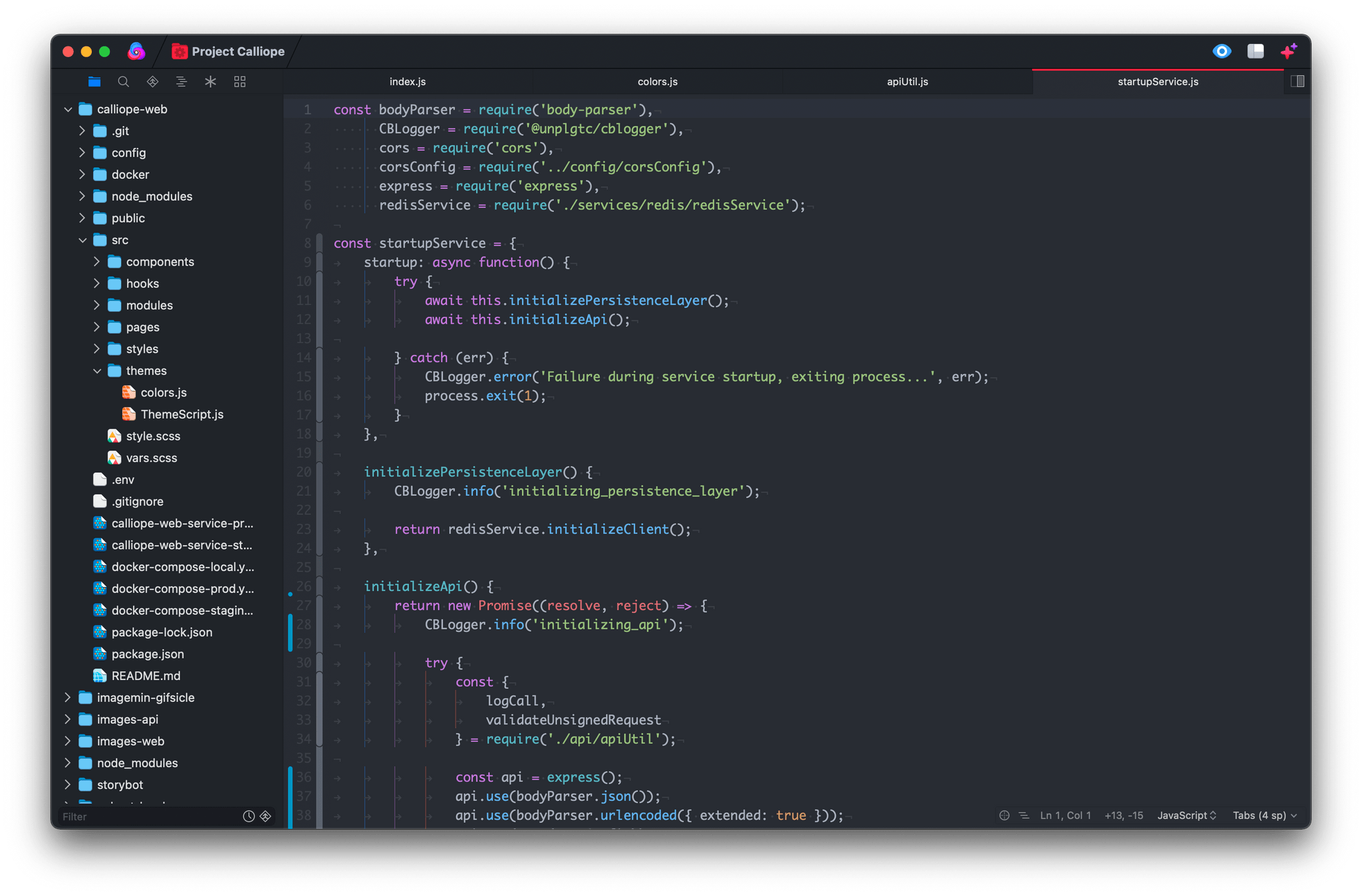
I’ve been writing code for nearly a decade, and throughout all of that time, I’ve never quite been satisfied with a code editor. Each one I’ve tried has annoyed me in various ways, and eventually, I find myself looking elsewhere.
My code editor is the app I use more than any other. I spend hours in it nearly every day and often keep going deep into the night. The code editor is the main tool of my trade, and I want to be using the best one that I can.
One of my main frustrations with pretty much all of the popular code editors out there (and I’ve tried most of them, including Visual Studio Code, Sublime Text, Atom, IntelliJ, and Eclipse) is that none of them are Mac-assed Mac apps. They’re all clearly cross-platform apps with design senses that differ significantly from those of Mac-first developers.
Read more
Apple’s MagSafe charger is a great new technology for charging our iPhones, but it can be a bit inconvenient when used on your desk or nightstand. Detaching the phone from the charger is a bit of a hassle to do one-handed, and the situation can be exacerbated by the short one-meter cable length. Unsurprisingly, third-parties...
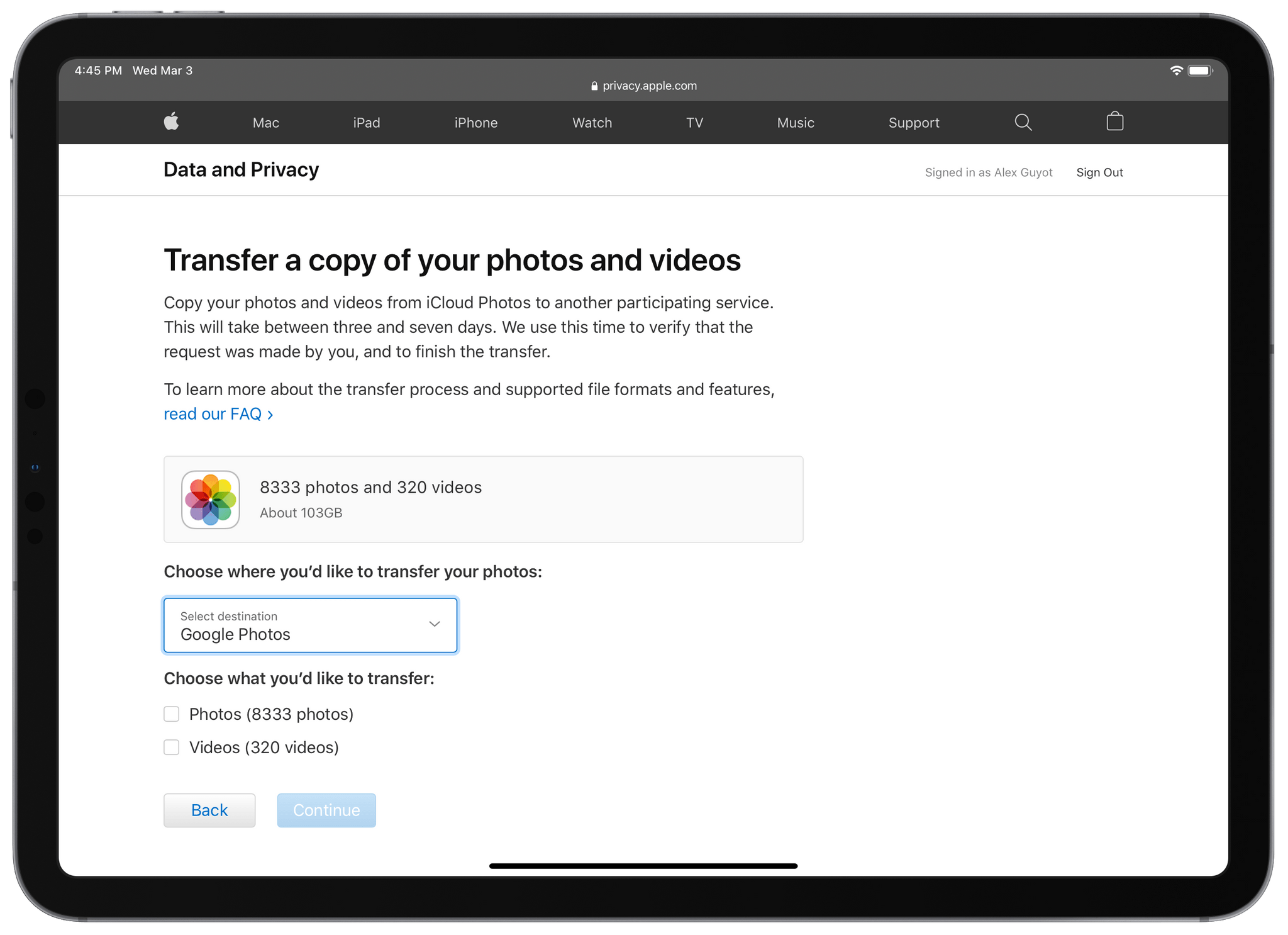
As reported today by Juli Clover at MacRumors, Apple is now allowing iCloud Photos users to transfer a copy of their data to Google Photos. This joins the growing suite of tools provided on Apple’s Data and Privacy webpage, which also include downloading copies of your data, correcting your data, and deactivating or deleting your account.
As described in a new Apple Support document on this topic, the iCloud Photos transfer process does not delete your photos and videos from iCloud, it just copies a duplicate of the data to Google Photos. Clover notes:
The transfer process takes between three and seven days, with Apple verifying that the request was made by you. To do the transfer, you must have two-factor authentication turned on for your Apple ID account and you must have a Google Photos account with enough storage to complete the transfer.
Further details over at MacRumors.
Banking is not an industry known for technical innovation. The apps from most major banks feel like thinly veiled web views, and updates with major new features are few and far between. I think we’re mostly just accustomed to this reality and don’t spend much time thinking about how much a great banking app...
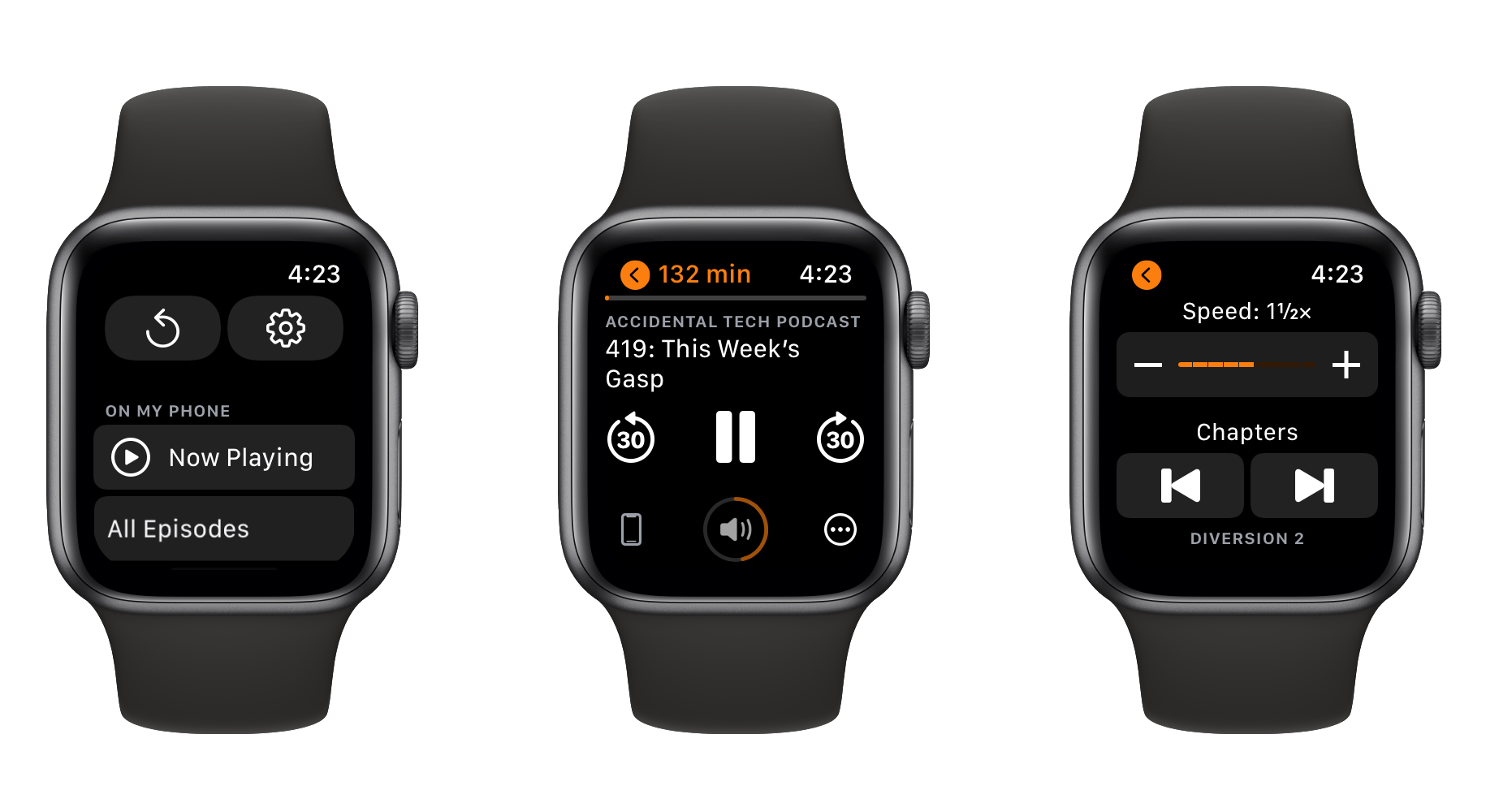
In the latest update to his popular podcast app, developer Marco Arment has shipped a completely overhauled version of Overcast for Apple Watch. The update not only resolves some longstanding issues with the old Watch client but also debuts playback speed controls, chapter skipping, and show notes for the first time on the Apple Watch.
When you first open the new Apple Watch app, Overcast will spend some time fully syncing with its iPhone counterpart. Once this initial sync completes, you’ll gain access to the new interface. Instead of the previous three-page, horizontal-scrolling layout, Overcast for Apple Watch now features a much simpler design. At the top, you’ll find large buttons to manually request a sync with your iPhone and to access the app’s settings.
Read more
Broadcasts is an app for listening to streaming Internet radio by developer Steven Troughton-Smith. The app is quite simple, and is specifically designed to do its one task well. The main screen in Broadcasts is a scrolling grid of radio stations. Tapping on a station will immediately connect and start streaming it live. While...
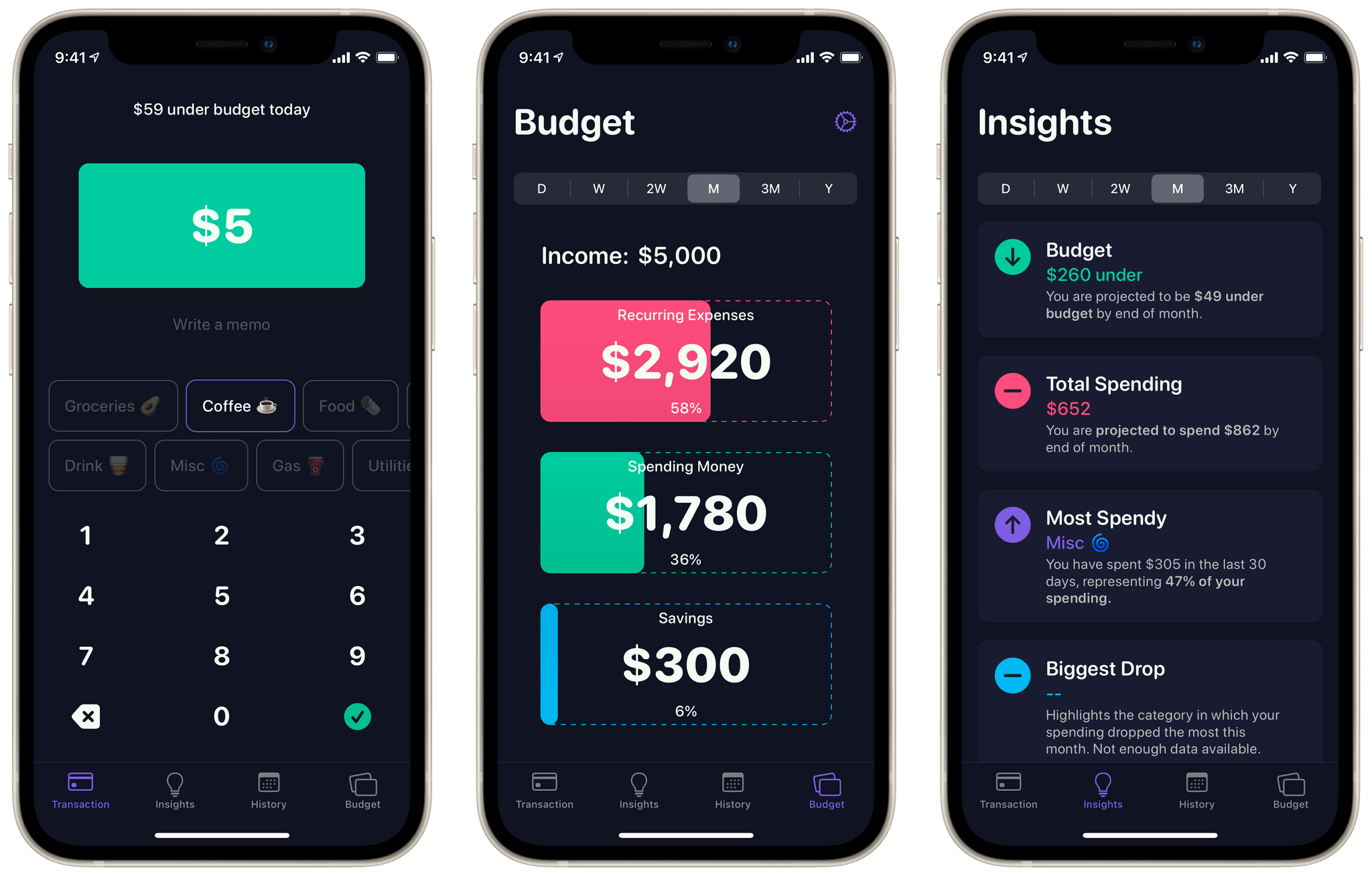
Nudget is a budgeting app designed to streamline the daily input of expenses. Developer Sawyer Blatz created a gorgeous and extremely efficient interface to make budgeting feel light and fun. With my beloved bank Simple closing this year, I’ve been looking for new solutions for keeping track of my finances. Over the last couple weeks I’ve worked with Nudget full-time, and the experience has been rewarding.
Getting Started
As is the case with any budgeting app, you’ll need to put in a bit of work up front to get started with Nudget. When you first open the app it will prompt you to input your after-tax income and recurring expenses. Nudget uses this data to craft a simplified budget for you. Budget-wise, the app isn’t doing anything too fancy. Each budget consists of three categories: recurring expenses, spending money, and savings. These categories are shown as large cards in Nudget’s ‘Budget’ tab, and you can tap each one to edit it.
Read more
Mind maps and diagrams are extremely helpful tools for organizing thoughts and ideas. Whether you’re planning your next project, preparing a presentation for work, or just brainstorming an idea, having a good mind mapping app on hand can be vital. The App Store is full of options for this use case, but to...
GameTrack is a great universal app for tracking the videogames you’re playing, have played, or want to play. We’ve covered GameTrack on MacStories before, and awarded it the runner-up for best app update in our 2020 MacStories Selects. Since then, developer Joe Kimberlin-Wyer has added even more to the app, including a ‘Year in Review’...