
Devon Dundee

141 posts on MacStories since January 2024

Devon Dundee is the co-host of Magic Rays of Light, a podcast exploring the world of Apple TV, where he’s covered Apple TV, tvOS, and Apple Originals since 2021. He’s also written about apps, TV, and film on his personal website for over ten years. Devon lives in Arkansas with his wife, their son, and their dog Winter.

Apple Reveals New Magic Keyboard for iPad Air

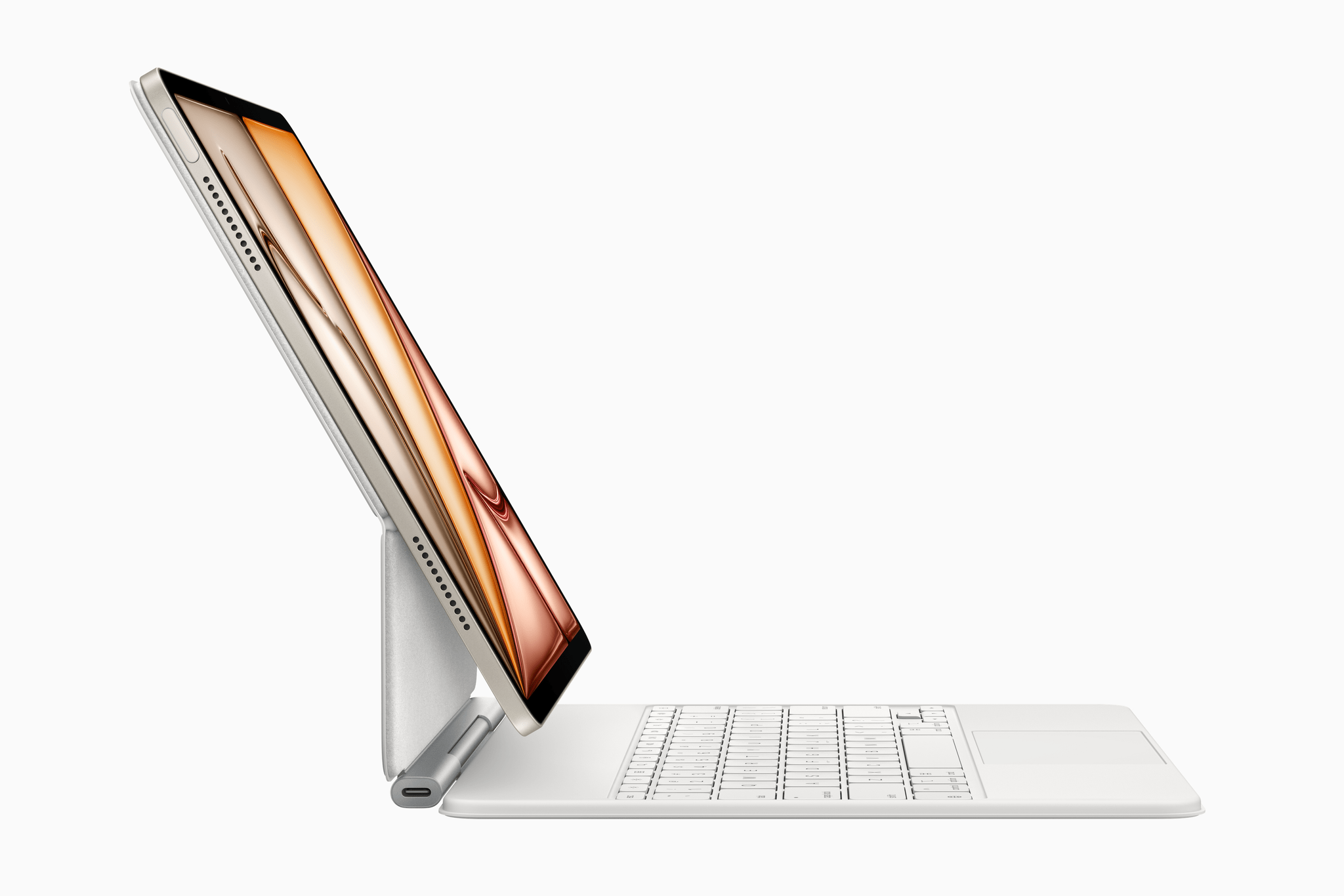
Alongside today’s announcement of the M3 iPad Air and A16 iPad, Apple also revealed the all-new Magic Keyboard for iPad Air. The iPad Air line has traditionally inherited previous versions of the Magic Keyboard for iPad Pro, so this Air-exclusive version is a first. It offers some of the new features that came to the iPad Pro’s Magic Keyboard last year as well as an interesting set of tradeoffs when compared to the Pro model.

The Magic Keyboard for iPad Air adds a 14-key function row above the number keys for adjusting screen brightness, controlling volume and audio playback, and more. It also features a larger trackpad than the previous version for the iPad Air as well as the new hinge design introduced on the Magic Keyboard for iPad Pro last year. As before, it connects to the iPad Air via the Smart Connector and includes a single USB-C port for passthrough charging.

It’s great to see these features from the iPad Pro’s Magic Keyboard make their way to the iPad Air. At the same time, the Air version does include some compromises, most notably its omission of backlit keys. It also lacks the aluminum palm rest and trackpad haptic feedback found on the Magic Keyboard for iPad Pro, and it only comes in a single color option: white.

The iPad Air’s Magic Keyboard is marginally cheaper than the iPad Pro version (and the Magic Keyboard for last year’s iPad Air), costing $30 less at $269 for the 11-inch version and $319 for the 13-inch version. It’s compatible with a far wider range of devices, too. While the Magic Keyboard for iPad Pro only works with the latest M4 models, the iPad Keyboard for iPad Air works with the new M3 models, last year’s M2 versions, and models going back to 2020.

This new keyboard offering for the iPad Air is a mixed bag, but I think it’s a net positive. Apple is taking a step towards simplifying the iPad accessory lineup by clearly separating iPad Air features from iPad Pro features. It will be an adjustment for Air owners who are used to getting all of the features of the previous-gen iPad Pro keyboard, but it sets a clear expectation for what Apple thinks the iPad Air experience should be.

The Magic Keyboard for iPad Air is available to preorder today with deliveries and in-store availability starting March 12.


Apple Releases Immersive Short Film Submerged and Announces Upcoming Immersive Content

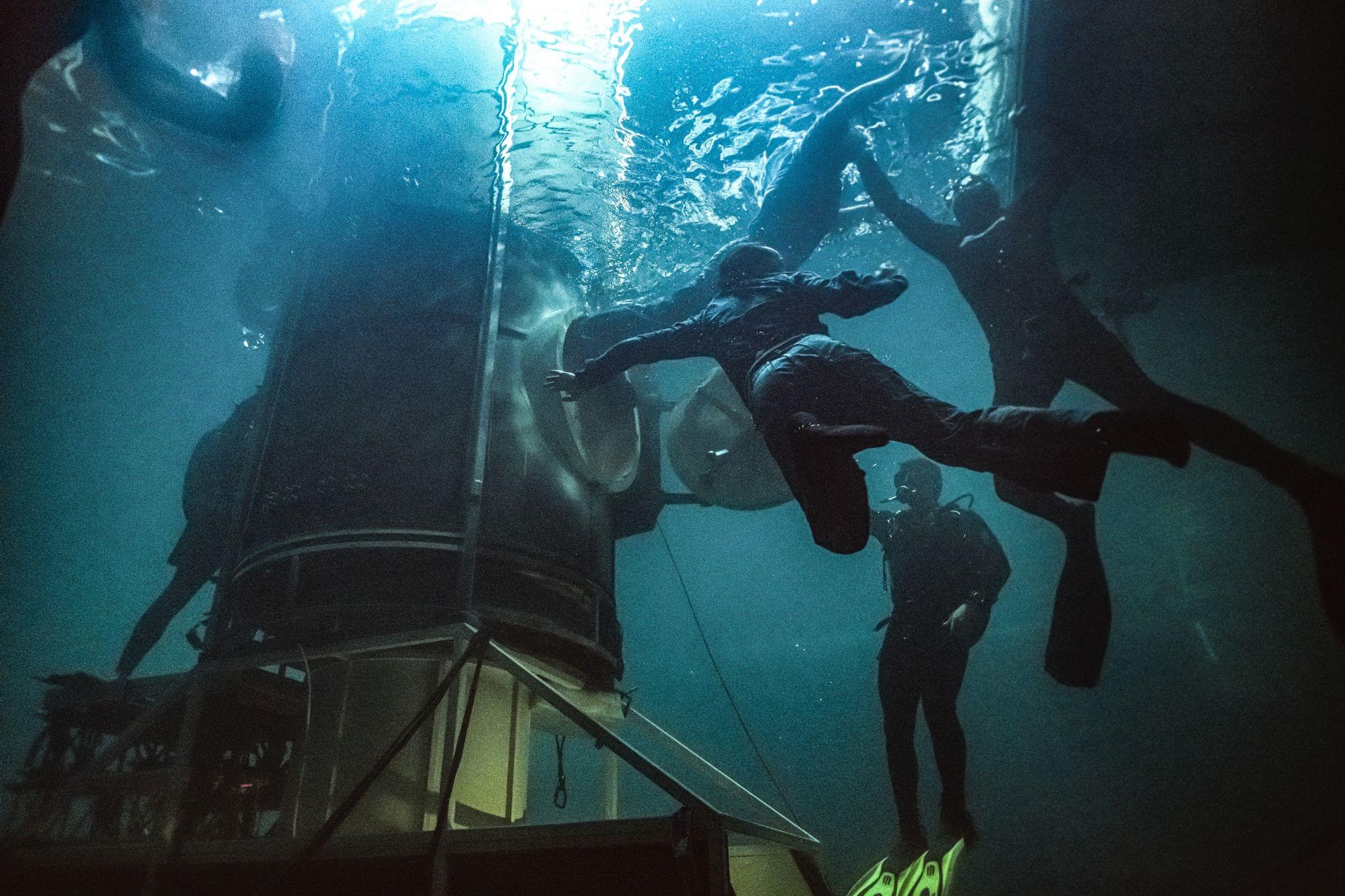
Alongside today’s debut of Submerged, the first scripted film captured in Apple Immersive Video, Apple also released a behind-the-scenes look at the film as well as details of immersive content coming to Apple Vision Pro users in the U.S. later this year. The Making of Submerged offers an inside look at the process behind shooting the immersive film. Writer/director Edward Berger and director of photography James Friend break down the unique considerations that went into telling a story in this new format.

Apple offered even more insight into the creative process behind Submerged:

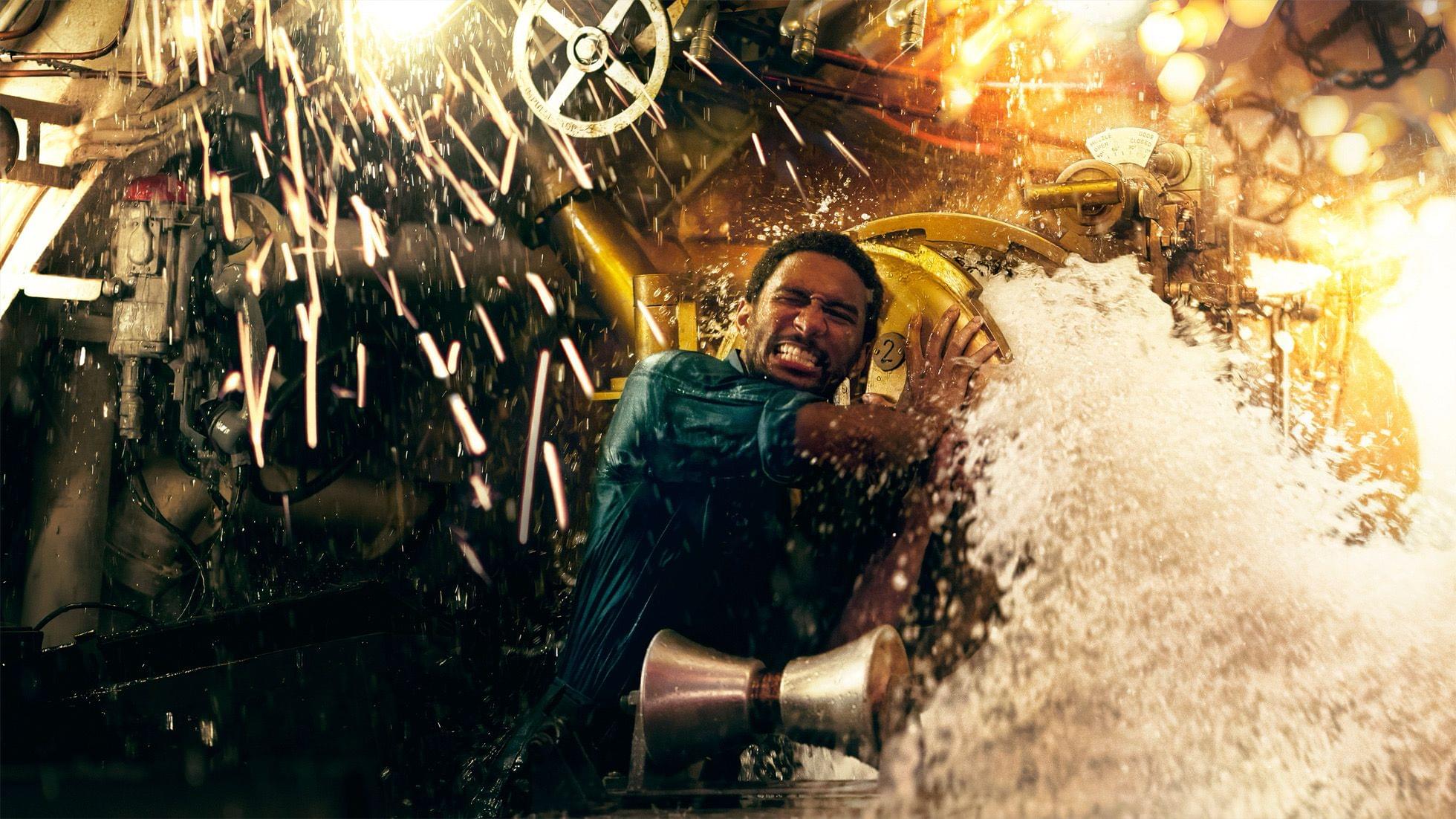
Shot on location in Prague, Brussels, and Malta over three weeks, Submerged was filmed using a full-scale 23-ton submarine set made with real steel, brass, and metal that was modeled after WWII-era vessels. Significant portions of the set were built to withstand being fully submerged, and featured practical camera traps and special effects that were uniquely rigged to expose Apple Immersive Video cameras to sparks, steam, water, and fire without breaking viewers’ sense of immersion. Cast members who might appear out of frame or focus in a 2D feature were meticulously scripted, and participated in extensive stunt rehearsals, including freedive training in dive tanks and open water, to maintain continuity and realism.

It’s both fascinating and inspiring to see the ways the creative team behind Submerged adapted traditional filmmaking techniques to meet the challenges and embrace the opportunities of immersive video. The film itself is now available for Vision Pro owners to stream for free in the TV app in Australia, Canada, France, Germany, Hong Kong, Japan, Singapore, the U.K., and the U.S.

Apple has more immersive content on the way for Vision Pro users in the U.S. later this year, too, with global availability to follow. Here’s what fans of immersive video can expect:

  • 2024 NBA All-Star Weekend: an immersive short film featuring footage from the event, including the Slam Dunk contest, the first-ever NBA vs. WNBA 3-Point Challenge, Stephen vs. Sabrina, the Rising Stars game, and highlights from the All-Star Game (available next Friday, October 17)
  • The Weeknd: an immersive music video for a new song from The Weeknd’s upcoming album, Hurry Up Tomorrow (available in November)
  • Adventure: a new episode of the extreme sports series centered on freediver Ant Williams’ attempt to best his record for the longest distance under ice with just a single breath (available in December)
  • Concert for One: a new concert series featuring intimate performances from the world’s biggest artists, starting with British singer-songwriter RAYE (available later this year)

The first episode of aerial travel series Elevated, featuring a trip around the islands of Hawai’i, is being made available outside the U.S. today. And early next year, Apple will release another episode of Elevated taking viewers on a crisp autumn journey through Maine’s winding coastlines and beautiful rivers, as well as a new episode of Adventure that follows sport climber Kai Lightner as he free-solo climbs over the rocky coves of Majorca, Spain.

All of these immersive video releases sound exciting, and I look forward to experiencing them. With lack of content being a primary concern among Vision Pro owners, it’s good to see new releases scheduled at a regular pace to keep users engaged. Based on today’s announcements, we have lots of immersive content to look forward to in the coming months.


Submerged, Apple’s First Scripted Immersive Film, Is Coming This Thursday

Today, Apple released the trailer for Submerged, a short film from director Edward Berger (All Quiet on the Western Front) that the company is touting as the first scripted film created using its Immersive Video format. Available free this Thursday exclusively on Apple Vision Pro, the 17-minute thriller follows a WWII submarine crew combating a harrowing torpedo attack.

With its 3D, 8K footage displayed in a 180-degree field of view combined with Spatial Audio, Apple Immersive Video is one of the highlights of the Vision Pro experience. Thus far, we’ve only seen it used in nonfictional contexts, including nature, travel, and sports. It will be intriguing to see how the format works for a fictional, scripted story.

I’m glad the company is continuing to release immersive content for Vision Pro owners to enjoy at what seems to be a monthly pace, and I hope to see more storytellers given the opportunity to show what’s possible with this new format soon. It’s early days, and the potential is certainly there for finding creative new ways to engage audiences. I’m excited to see what happens when Immersive Video takes the plunge into fiction.

Permalink

visionOS 2: The MacStories Review

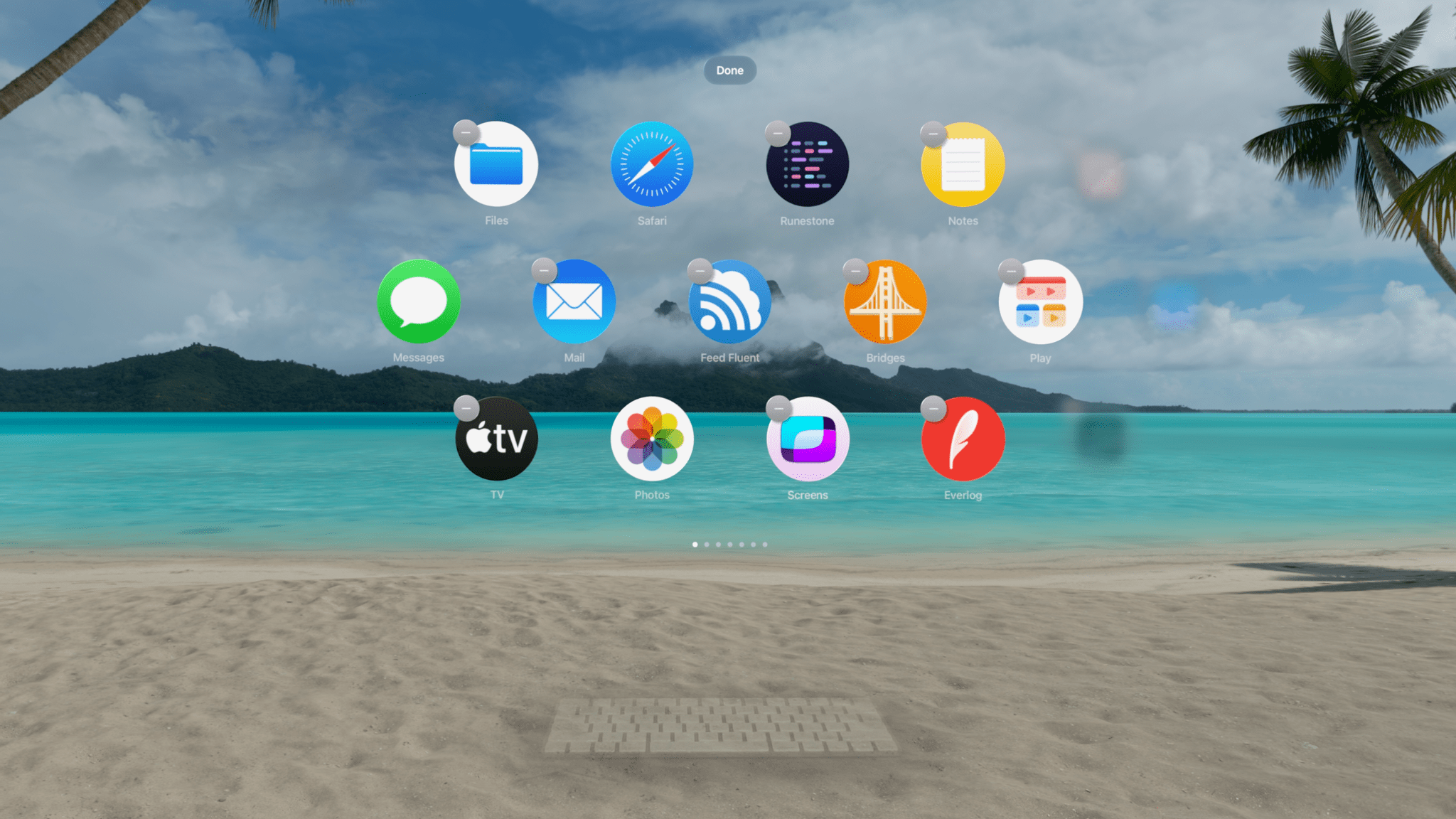
In the lead-up to this year’s WWDC, it was hard to predict what an update to visionOS would look like. After all, the initial version had only shipped four months earlier when Apple Vision Pro became available for purchase in the United States. Given how late in the software cycle visionOS 1 shipped, it was reasonable to wonder if there would be a visionOS 2 announced at all, and if so, how much it could realistically add to an operating system that had just debuted the previous quarter.

Of course, Apple’s software cycle waits for no one, so like watchOS before it, visionOS is receiving a 2.0 version rapidly on the heels of its initial release. But the shortened development window doesn’t mean that this update isn’t a significant one. I believe that the 2.0 moniker is well deserved based on the features and enhancements included in this release, especially given the quieter updates across all of Apple’s platforms this year in the wake of Apple Intelligence.

visionOS 2 moves spatial computing forward with an array of welcome quality-of-life improvements, deeper integration with some of Apple’s other platforms, additional tools for developers to create spatial experiences, system app updates in line with Apple’s other platforms, and a new way to experience photos that you have to see to believe. The combination of user experience refinements and new features makes for a solid update that Vision Pro users are definitely going to notice and enjoy.

Some of the changes we’ll dive into feel so obvious that you might wonder why they weren’t included in visionOS to begin with. Having used Vision Pro almost daily since it was released, I fully understand the sentiment. But then I remember that the iPhone didn’t gain the ability to copy and paste text until iPhone OS 3, and I’m reminded that developing new platforms takes time – even for a company as big as Apple.

So while some might seem basic, many of the changes included in visionOS 2 improve users’ experiences in significant ways every time they interact with the platform. The end result is a smoother, more intuitive operating system that will delight Vision Pro believers and, if Apple has its way, convince more skeptics to take the plunge into spatial computing.

Let’s jump into what visionOS 2 has to offer.

Read more


    iPhone 16 and 16 Pro: The MacStories Overview

    Source: Apple.

    Source: Apple.

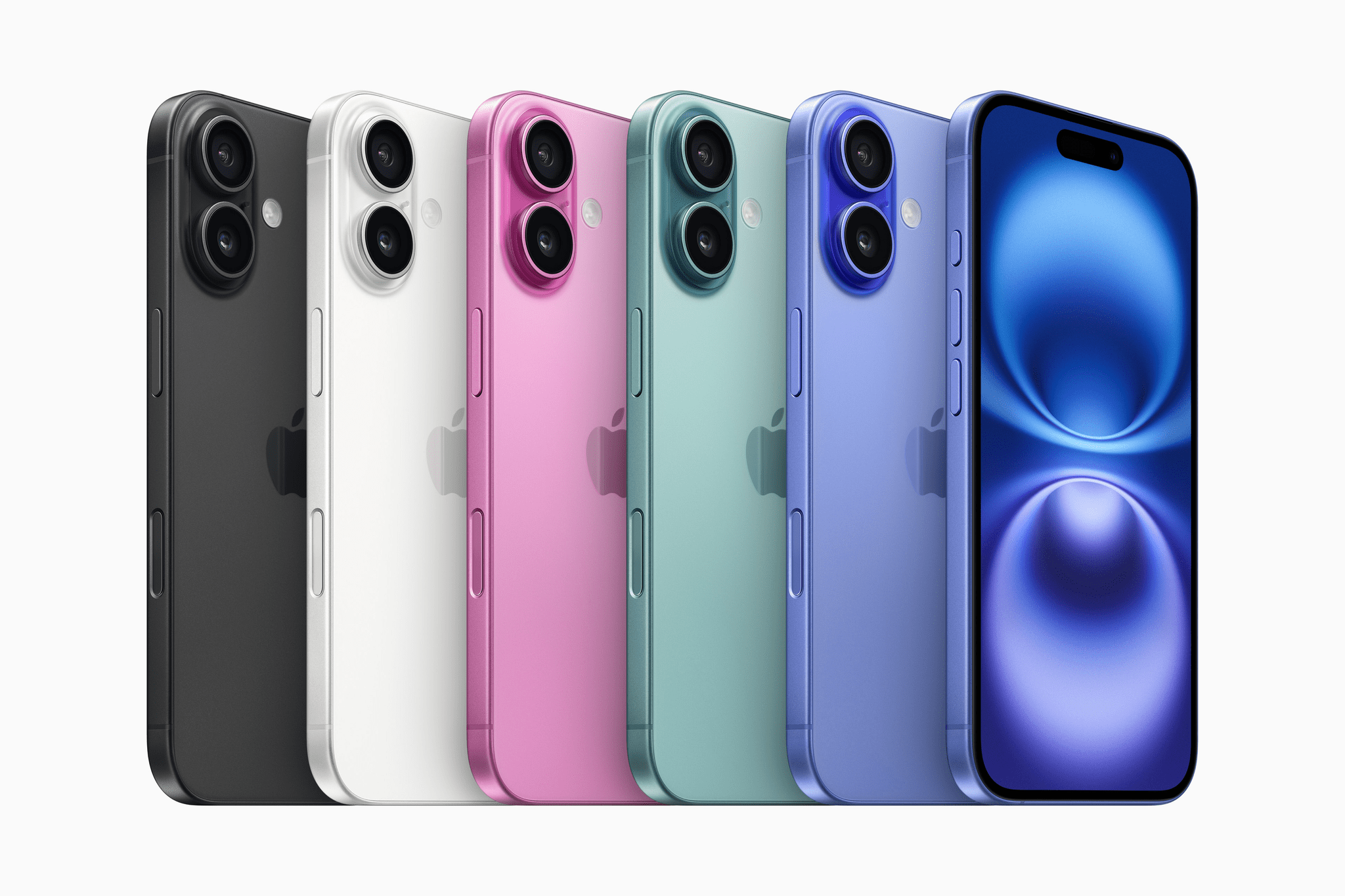
    Today, Apple unveiled this year’s iPhone lineup consisting of four devices: iPhone 16, iPhone 16 Plus, iPhone 16 Pro, and iPhone 16 Pro Max. There are noteworthy improvements and additions across the line, so let’s dive in to what these phones have to offer.

    iPhone 16 and iPhone 16 Plus

    The iPhone 16 and its larger-screened variant add not one, but two new hardware buttons this year. They also include improved cameras and an important processor bump.

    The A18 chip is built on a second-generation 3nm process. It features a six-core CPU with two performance cores and four efficiency cores, a five-core GPU that enables hardware-accelerated ray tracing in games, and Apple’s new 16-core neural engine. Its increased memory and bandwidth make the iPhone 16 capable of running Apple Intelligence, the first non-Pro iPhone to do so. The chip is also more efficient, which, in combination with a bigger battery and better heat dissipation, results in what Apple calls a “big boost” to battery life.

    The Action button is the latest iPhone Pro feature to make its way down to the standard line. Everything true of last year’s Action button applies to this one: its size and shape, the fact that it’s physically pressable, and its software capabilities. I imagine many iPhone 16 buyers will just use the Action button as a slightly nicer mute switch, but for those who wish to, they can customize it to open the camera, turn on the flashlight, run Shortcuts, or perform any number of other actions.

    Read more